
Let’s be honest: as a contractor, you didn’t get into this business because you loved paperwork. Whether you’re an electrician pulling wire through a crawlspace, a plumber fixing a slab leak, or an HVAC tech installing a multi-zone system, your value is in your hands and your expertise: not your ability to manage a digital filing cabinet.
But here’s the cold, hard truth: in 2026, if it isn’t in a photo, it didn’t happen.
We’ve all been there. A customer calls three weeks after the job is done, claiming a scratch on the floor or a dent in the drywall that definitely wasn’t there when you left. Without proof, it’s your word against theirs. Or maybe you’re trying to explain a complex change order to a homeowner who doesn't know a manifold from a muffler.
Professional construction photo documentation is the ultimate "get out of jail free" card. But most contractor software is so bloated and complicated that it feels like you need a PhD just to upload a picture.
At JobLuma, we believe in keeping it simple. You can have professional-grade project timelines and documentation ready to go in under five minutes. Here is exactly how to do it without losing your mind.
Why 5 Minutes is All You Need
When most people hear "documentation," they think of hours spent sitting at a laptop after a 10-hour shift. That’s the old way. The new way: the JobLuma way: is about capturing data in the flow of work.
If you spend just 60 seconds at three different points during the job, you’ve already done 90% of the work. The remaining two minutes are for the "money shots" that help you sell the next job.
The Cost of Ignoring Your Photos
Before we dive into the "how," let’s talk about the "why." Using a dedicated contractor photo app isn't just about being organized; it’s about protecting your bottom line.
- Liability Protection: Photos are objective. They show the state of the site before you touched it and the quality of the work after you finished.
- Faster Payments: When a client can see a clear photo timeline app showing progress, they are much more likely to hit "pay" on that invoice without questioning every line item.
- Marketing Gold: Those before-and-after shots are your best sales tools for social media and your website.
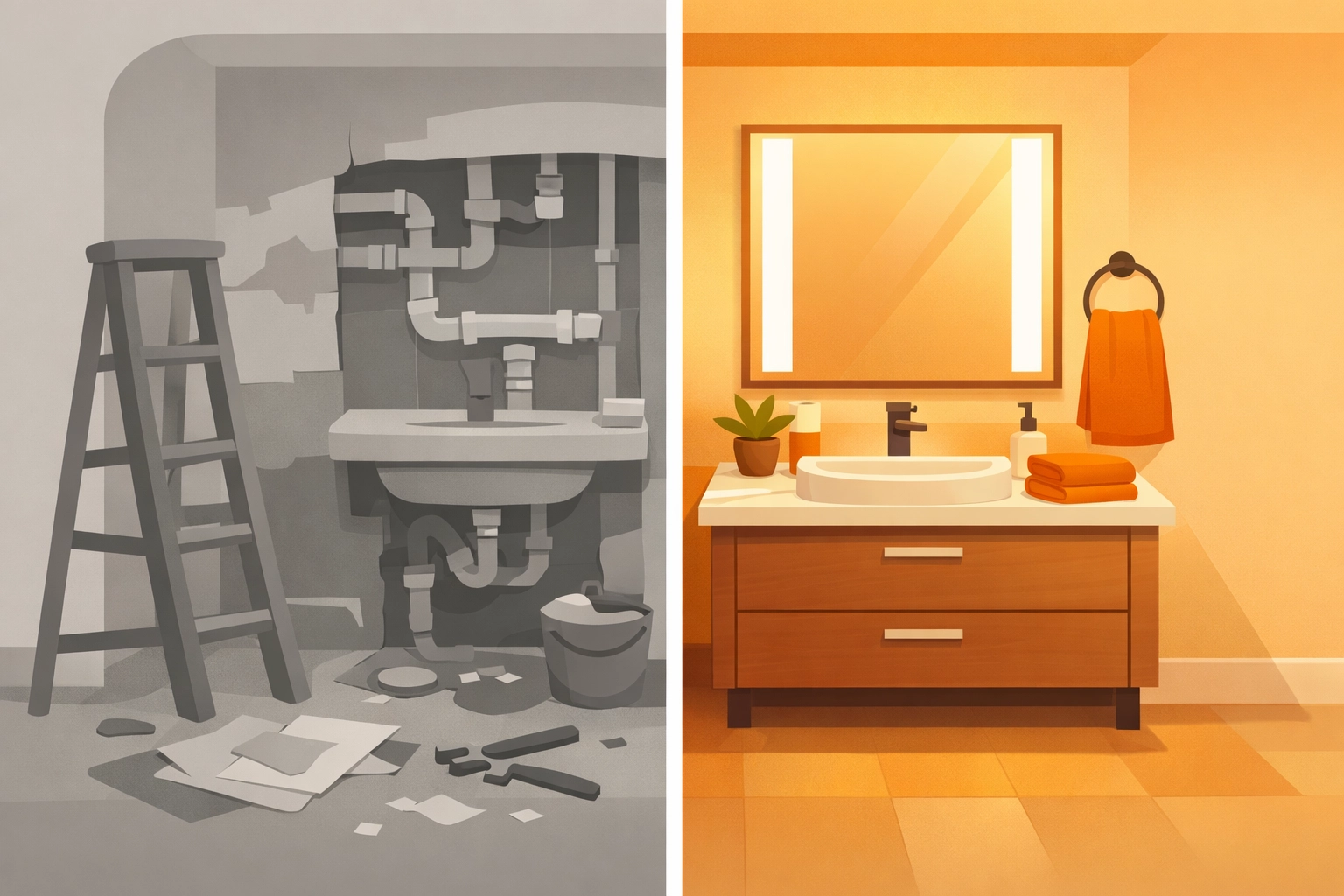
Step 1: The "Before" Sweep (1 Minute)
The moment you step onto a job site, your phone should be out. Before you lay down a single drop cloth or grab your drill, take four "overview" shots.
Stand in the corners of the room or the edges of the exterior work zone. These photos establish the "baseline." You’re looking for:
- Existing damage (cracked tiles, stained carpet).
- The general state of the workspace.
- Weather conditions (especially important for outdoor field services).
By using a contractor job app that automatically timestamps and geotags these photos, you’re creating a permanent record that cannot be disputed. You aren't just taking pictures; you're creating a digital paper trail.
Step 2: The "In-Progress" Snap (2 Minutes)
This is the part most contractors skip, and it’s the part that causes the most headaches later. Once the walls are closed or the concrete is poured, your work is invisible.
Take photos of:
- Rough-in wiring or plumbing before the drywall goes up.
- Model numbers and serial tags on new equipment.
- Structural repairs that will be hidden by finishes.
This isn't just for the customer; it’s for you. Two years from now, when that same customer wants to add a new outlet, you can look back at your construction photo documentation and see exactly where the studs and pipes are located.
Step 3: The "After" Showcase (2 Minutes)
This is where you shine. The job is done, the site is clean, and the client is happy. Now, take those high-quality "after" shots from the same angles you used for your "before" shots.
This creates a seamless before and after photo app experience. When you show a homeowner a side-by-side comparison of their old, leaking water heater next to your pristine, professional installation, you aren't just a service provider: you're a pro.

Avoid the "Bloated Software" Trap
There are dozens of project management tools out there that claim to help contractors. The problem? They were designed by people who sit in offices, not people who stand on ladders.
You know the ones. They require you to create a "project," assign "users," set "permissions," and navigate through fifteen menus just to take a photo. By the time you’ve opened the app, you could have finished the repair.
JobLuma is different. We built our features specifically for the small service contractor.
- Mobile-First Design: It works the way you work: on your phone, in the field.
- No App Download for Customers: This is the game-changer. Your customers don't want to download another app just to see photos of their leaky faucet. With JobLuma, you can share a link, and they can see the progress in their mobile browser instantly.
- Simple Interface: We stripped away the junk. No Gantt charts, no complex resource leveling: just the tools you need to document and share your work.

The Power of a Photo Timeline
One of the biggest benefits of using a dedicated photo timeline app like JobLuma is the chronological organization. Instead of a messy camera roll filled with pictures of your kids, your lunch, and your work jobs all mixed together, everything is neatly categorized by project.
When a general contractor asks for a progress report, you don't have to spend an hour scrolling through your phone. You simply send a link to the project timeline. It looks professional, it’s organized, and it saves you time.
How to Organize Your Photos for Maximum Efficiency
If you're doing this manually, use a simple folder structure: Year-Month-Day_ClientName_ProjectPhase. But honestly, why do that when you can let software do it for you? A good contractor software solution should handle the naming and organization in the background so you can stay focused on the task at hand.
Why Customers Love It (And Why That Matters for You)
In the service industry, trust is everything. Homeowners are often nervous about having strangers in their house and even more nervous about spending thousands of dollars on something they don't fully understand.
When you provide professional documentation, you are providing peace of mind.
- Transparency: They can see the progress even if they aren't home.
- Communication: A photo is worth a thousand words (and ten phone calls).
- Referrals: When a customer has a beautiful digital gallery of the work you did, they are much more likely to share it with their friends and neighbors.
If you make the experience easy for them: meaning they don't have to log in or download anything: they will love you for it. Check out our about page to see why we’re so obsessed with the customer experience.

Putting It Into Practice: A 5-Minute Checklist
Ready to start? Here is your 5-minute documentation checklist for your next job:
- Minute 1: Arrive on site. Take 4 wide shots of the work area before touching anything.
- Minute 2: Identify any pre-existing damage. Snap a close-up and note it.
- Minute 3: Midway through the job, take 2 photos of "hidden" work (wiring, piping, insulation).
- Minute 4: Clean up. Take "after" shots from the same spots as your "before" shots.
- Minute 5: Hit "sync" or "share" in your JobLuma app to send the update to the client.
That’s it. You’re done. You’ve protected your business, impressed your client, and built a library of marketing content: all in the time it takes to drink a cup of coffee.
Final Thoughts
You don't need a massive office staff or expensive, complicated software to run a professional operation. You just need the right tools and a simple process. By mastering the 5-minute photo documentation habit, you’re setting your business apart from the "chuck-in-a-truck" competition.
Stop letting your hard work go undocumented. Stop worrying about "he-said, she-said" disputes. And most importantly, stop wasting your evenings trying to organize a messy phone gallery.
Ready to see how simple it can be? Head over to our pricing page to find a plan that fits your business, or sign up today to start your first project. If you have questions, our help center is always available to get you up and running.
Documentation doesn't have to be a chore. With JobLuma, it’s just part of a job well done.
Leave a Reply