Let’s be honest: most "construction management software" feels like it was designed for NASA, not for a guy trying to fix a burst pipe or install a new HVAC unit. You’re busy. You’re in the field. You don’t have time to navigate forty different menus just to show a homeowner that you actually replaced the subflooring like you said you would.
But here’s the reality, customers today are visual. They don't just want to hear that the job is done; they want to see it. In a world of Instagram and TikTok, a verbal "it's fixed" doesn't carry the same weight as a crystal-clear photo timeline.
Using a simple contractor photo app isn't just about documentation; it’s about building trust, avoiding "he-said, she-said" disputes, and making your business look like the most professional crew in town.
At JobLuma, we believe software should stay out of your way. We’ve stripped back the bloat to focus on what matters: getting photos from your phone to your customer in seconds.
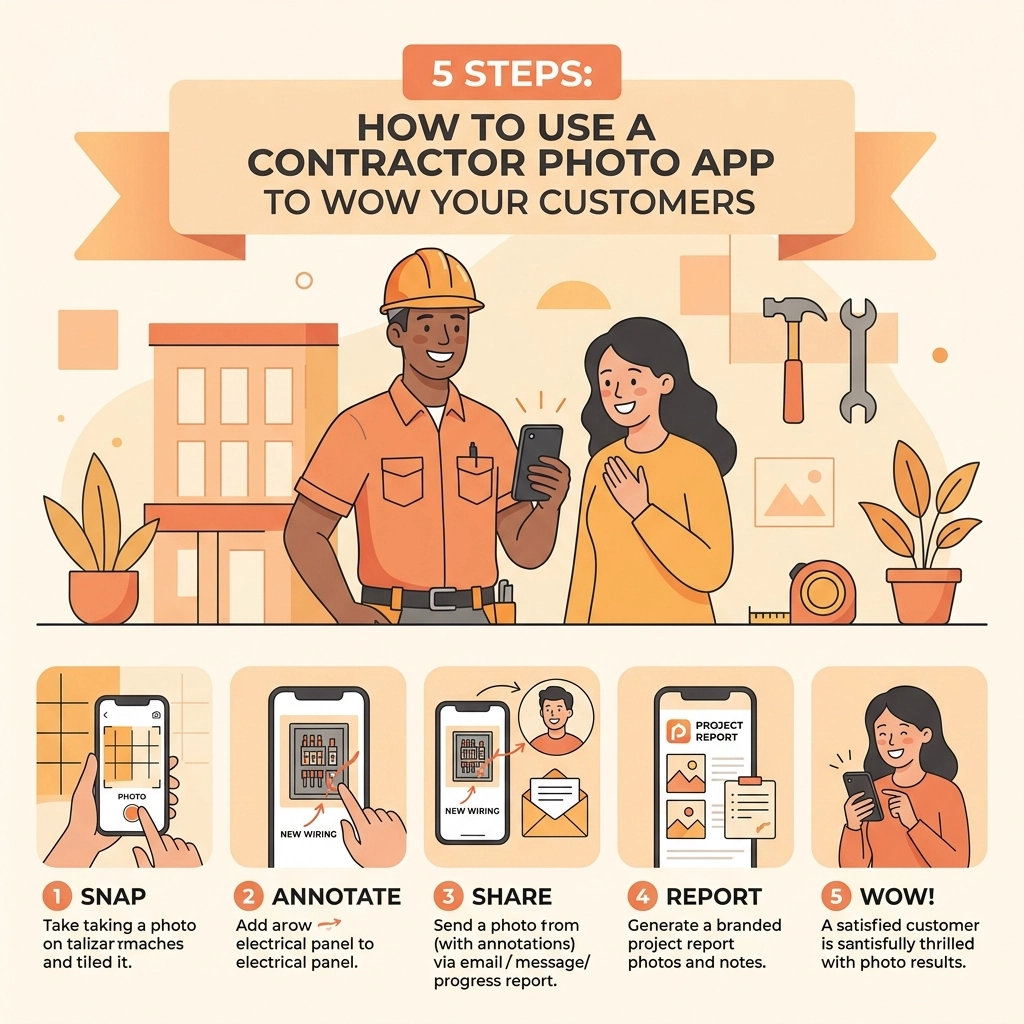
Here are the five simple steps to using a photo app to blow your customers away and win more referrals.
1. Document the "Ugly" (The Critical Before Shot)
Every great story needs a beginning. For a contractor, that beginning is usually a mess. Whether it’s a grease-caked kitchen vent, a tangled mess of electrical wires, or a cracked foundation, you need to capture the "before."
Why? Because once you fix it, the customer often forgets how bad it was. When they get the bill, they might think, "Was it really worth $2,000?" When you have a before and after photo app that shows the disaster you started with, that price tag becomes a bargain for the peace of mind you provided.
Pro Tip: Take more photos than you think you need. Capture the surrounding area too. This protects you against claims that you "scratched the floor" or "broke the vase" when the photo shows the damage was there before you even stepped foot on the job site.

2. Create a Real-Time Timeline (The "Middle" Matters)
Most contractors only show the final product. But for homeowners, the "middle" is where the anxiety happens. They see their walls opened up or their yard dug up and they panic.
A construction photo documentation strategy that includes progress shots is a total game-changer for customer service. By snapping a few photos of the internal components, the stuff that will eventually be covered by drywall or dirt, you are showing the customer that you aren’t cutting corners.
With JobLuma’s mobile-first design, you don’t have to wait until you’re back at the office to upload these. You snap it, and it’s part of the job record instantly. This creates a photo timeline app experience that tells the story of your hard work as it happens.
3. Use Simple Annotations to Explain the "Why"
A photo of a circuit breaker might make sense to an electrician, but to a homeowner, it just looks like a box of switches. To "wow" a customer, you need to bridge that knowledge gap.
The best contractor job app tools allow you to add quick notes or markups.
- Circle the frayed wire.
- Point an arrow at the source of the leak.
- Add a quick note: "Corroded pipe replaced with copper."
This level of detail makes you look like an expert and justifies your recommendations. When a customer can see the problem clearly labeled, they are much more likely to approve an add-on or a change order without a second thought. Check out our features page to see how we keep this process incredibly simple.

4. The "Big Reveal" (Professional Finished Shots)
This is your victory lap. Once the job is done, take photos from the exact same angles you used for your "before" shots. This creates that satisfying side-by-side comparison that everyone loves.
But don’t just take one photo. Take a wide shot of the finished room and then close-ups of the craftsmanship. If you’re a tile guy, show those perfect grout lines. If you’re an HVAC tech, show that clean, level condenser installation.
These photos aren't just for the current customer; they are your future marketing material. A library of high-quality finished projects is better than any paid advertisement you could ever run.

5. Share the Experience (No Apps Required for Them!)
This is where most contractor software fails. They require the customer to download an app, create an account, and remember a password just to see their project photos.
Guess what? Customers hate that. They already have 100 apps on their phone they don't use.
At JobLuma, we took a different approach. You can share your project timeline with a simple, secure link. The customer clicks it on their phone or computer and sees the full photo story of their project: before, during, and after: without ever having to log in.
This "no-app-download" experience is what truly wows people. It’s professional, it’s transparent, and it’s incredibly easy for them. You can see how this works and check out our pricing to see how affordable it is to upgrade your customer experience.
Why Simple Beats Bloated Every Time
We’ve seen it a thousand times: a small trade business signs up for a massive project management suite. It promises to do their accounting, their scheduling, their GPS tracking, and their laundry.
Three weeks later, the owner stops using it because it takes ten minutes just to log a single photo.
If you are a plumber, an electrician, or a landscaper, you don't need a digital ball-and-chain. You need a contractor photo app that works as fast as you do. You need something that allows you to:
- Organize photos by job site automatically.
- Keep your personal phone gallery clean (no more mixing work photos with your family vacation shots!).
- Protect yourself from liability with date-stamped evidence.
- Impress customers with zero friction.

The Hidden Benefit: Protecting Your Bottom Line
Beyond "wowing" customers, a consistent photo workflow is your best insurance policy. We’ve heard stories from contractors who were accused of damaging a roof three months after a job was finished. Because they had a complete construction photo documentation log in JobLuma, they were able to pull up a photo of that exact section of the roof from the day they finished, proving the damage wasn't theirs.
That one photo saved them thousands of dollars and a massive headache.
Ready to Level Up Your Professionalism?
You don't need to be a tech genius to use a contractor job app. You just need a tool that was built for the way you actually work.
Stop sending messy text threads with random photos. Stop losing track of which photo belongs to which job. And most importantly, stop leaving your customers in the dark about the great work you're doing.
Start building a visual legacy for your business. Whether you're just starting out or you've been in the trades for thirty years, the simplicity of JobLuma will change the way you run your day-to-day operations.
Want to see it in action?
- Learn more about us.
- Check out more tips on our blog.
- Ready to start? Sign up today and take your first professional job photo in minutes.
The trades are hard work. Your software shouldn't be. Keep it simple, keep it visual, and watch your customer satisfaction scores soar.
Leave a Reply