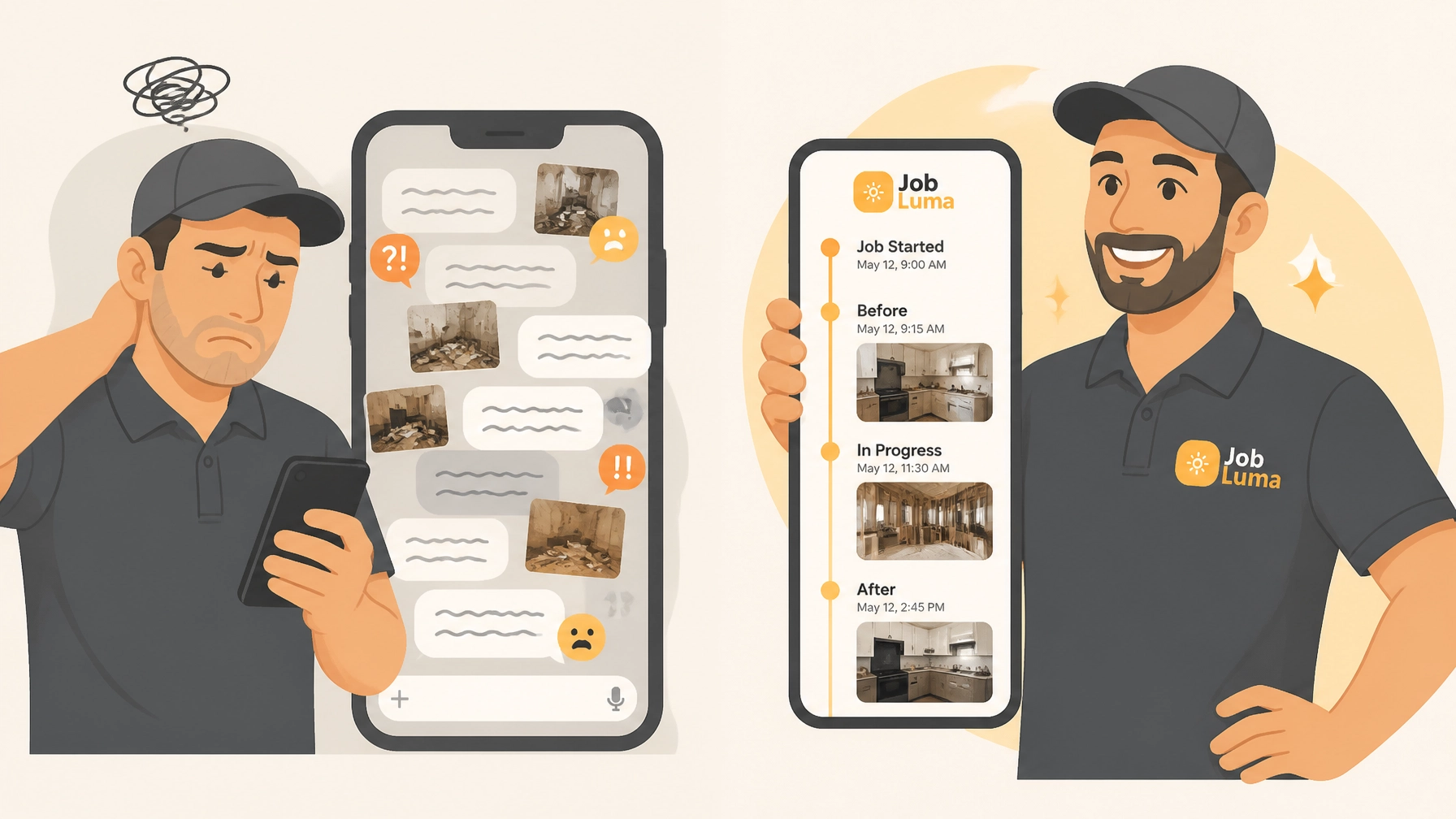
If you’re a plumber, electrician, or HVAC tech, your phone is probably a graveyard for job photos.
You know the drill: You’re standing in a customer’s basement three weeks after the job was "finished," scrolling through a text thread with your helper that’s 400 messages long. You’re looking for that one photo of the sub-flooring before the tile went down.
"I know I took it," you mutter, while the customer watches you tap-tap-tap away at your screen.
Sound familiar?
Using text threads to manage your job photos is like using a cardboard box to manage your taxes. It works for about five minutes, and then it becomes a nightmare. Photos get compressed and blurry. They get buried under lunch orders and "on my way" texts. And if you ever need to prove you didn’t hit that pipe? Good luck finding the evidence in that mess.
It’s time to stop the chaos. In this guide, we’re going to show you how to organize your jobs and photos in 5 simple steps using a contractor photo app that actually makes your life easier, not harder.
Step 1: Get Out of the Text Thread Trap
The first step to organizing your business is admitting that SMS and WhatsApp are not filing systems. They are communication tools.
When you send a photo over a text thread, three bad things happen:
- Quality drops: Most messaging apps shrink your photos to save data. That crisp photo of a serial number? Now it’s a blurry mess.
- Search is impossible: You can’t search a text thread for "123 Main St Kitchen." You have to scroll and hope for the best.
- Data is siloed: If your lead tech leaves the company, those photos leave with his phone.
To get organized, you need a dedicated contractor job app. But wait: don’t go out and buy a $200/month project management suite that takes six weeks to learn. You just need a simple place to log photos and notes by job name.
At JobLuma, we built our tool specifically to solve this. No bloat. Just a place to put your photos so you can find them in three seconds, not thirty minutes.
Step 2: Capture "Before" Photos Like Your Paycheck Depends on It
We’ve all been there. You finish a beautiful install, only for the homeowner to claim you scratched their hardwood floors. Without a "before" photo, it’s your word against theirs.
The secret to great construction photo documentation isn't taking more photos; it's taking the right photos at the right time.
The Golden Rule: Always take three "before" photos before you even pick up a tool:
- The Wide Shot: Show the whole room or area.
- The Detail Shot: The specific thing you’re fixing or installing.
- The "Pre-Existing Damage" Shot: Anything that was already broken, scratched, or dented.

Using a before and after photo app makes this process a habit. Instead of photos sitting in your camera roll next to pictures of your dog, they go straight into the "123 Main St" folder.
Step 3: Organize by Job, Not by Date
Your phone’s camera roll organizes everything by the date you took it. But in the trades, we think in terms of jobs.
If you worked on the Jones residence on Monday, Thursday, and the following Tuesday, your camera roll is going to split those photos up across your entire week. When you need to see the "progress timeline" of the Jones job, you have to jump all over the place.
A proper contractor photo app allows you to create a "Job" first.
- Create Job: "Jones – Master Bath Leak."
- Add Photos.
- Done.
Now, every photo you take is automatically tagged to that customer. When you open that job in JobLuma, you see a clean, vertical timeline of exactly what happened and when. It’s a literal paper trail of your hard work.
Step 4: Add Quick Notes (Keep It Simple!)
A photo is worth a thousand words, but sometimes it needs five or six more to make sense a year from now.
You don’t need to write a novel. Most tradespeople don’t have time to type out long reports in the field. This is where most contractor software fails: it asks for too much info.
Inside a simple contractor job app, you should be able to snap a photo and voice-to-text a quick note:
- "Found existing leak behind drywall."
- "Customer approved change to 12-gauge wire."
- "Final inspection passed by City."
These notes are your insurance policy. If a dispute ever comes up, you have the photo and the timestamped note to back you up.

Step 5: Share a Professional Timeline (The "Wow" Factor)
This is the step that separates the pros from the "chuck-in-a-truck" operations.
Once the job is done, how do you show the customer what you did? Do you send them 15 individual images over email that clog up their inbox? Or worse, do you just send an invoice and hope they trust you did the work behind the walls?
The best way to build trust is to share a photo timeline app link.
With JobLuma, you can send your customer a branded link to their specific job timeline. They don't have to download an app. They don't have to create a password. They just click, and they see a professional "Before & After" gallery of the work you performed.

It makes you look like a million bucks, and it virtually eliminates "What am I paying for?" phone calls.
Why "Simple" Always Wins for Small Contractors
There are plenty of massive software platforms out there like Procore or Buildertrend. They are great for companies building skyscrapers or 50-home subdivisions.
But for a solo operator or a small team of five, those tools are "bloatware." They are too expensive, too complicated, and they require way too much tapping on a screen when you should be working.
We designed JobLuma to be the opposite.
- Mobile-First: Built for guys with gloves on and dirt on their hands.
- No Bloat: We don’t do payroll, we don’t do complex Gantt charts. We do photos, notes, and timelines.
- Customer Friendly: Your customers shouldn't have to be tech geniuses to see your work. Our "No App Download" experience is a game-changer for referrals.
The Cost of Staying Disorganized
If you think you don't have time to organize your photos, consider what it costs you not to:
- The "Call-Back" Cost: Spending an hour of unbillable time driving back to a site because you forgot what a specific connection looked like.
- The "Liability" Cost: Paying for a repair that wasn't your fault because you can't find the "before" photo.
- The "Trust" Cost: Losing a repeat customer because your communication felt messy and unprofessional.
A contractor photo app isn't just a "nice to have." In 2026, it’s a standard piece of equipment, just like your drill or your van.
Ready to Ditch the Text Threads?
Stop scrolling and start logging. You can set up your first job in JobLuma in under 60 seconds. See how much better your day feels when you aren't hunting for photos in a sea of text messages.
Click here to try JobLuma for free and organize your first job today!
Whether you’re looking for a better way to handle construction photo documentation or just want to stop your phone from blowing up with random images, we’ve got your back.
Check out our pricing and see why simple is the new professional.
Leave a Reply