Let’s be honest: you didn’t get into the trades to spend your life staring at a screen. Whether you’re an electrician, a plumber, or an HVAC tech, your office is the field. Your tools are in your hands, not in a complex project management suite that takes six weeks to learn.
But there’s a problem. Every pro knows that if you didn't document the job, it’s like it never happened. When a customer questions an invoice or asks why a certain pipe was moved, "just trust me" doesn't carry much weight. You need a contractor job app that works as fast as you do.
The "old way" of doing this involves scrolling through a messy camera roll, texting blurry photos to a client, or: heaven forbid: paying $200 a month for "bloated" contractor software that has 50 buttons you’ll never touch.
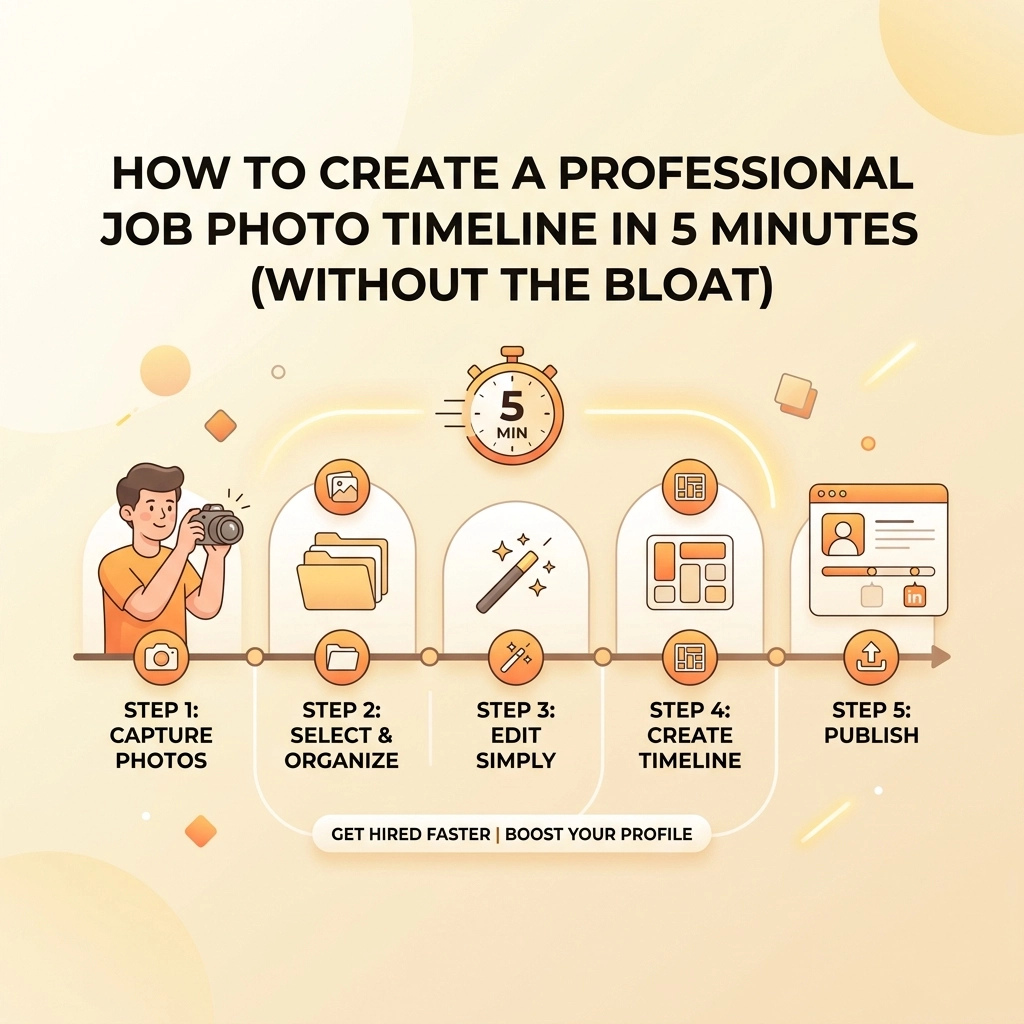
Today, we’re showing you how to create a professional job photo timeline in exactly five minutes. No bloat, no complex training, and no headaches.
Why Photo Documentation is Actually Your Best Friend
Before we dive into the "how," let’s talk about the "why." A photo timeline app isn't just about taking pretty pictures. It’s about three things: Liability, Loyalty, and Getting Paid.
- Liability Protection: If a leak happens three weeks after you left the site, you want proof that everything was sealed and dry when you walked out. Construction photo documentation is your digital insurance policy.
- Customer Loyalty: People love seeing progress. A simple timeline shows them exactly what they paid for. It builds a level of trust that a simple paper invoice never could.
- The "Wow" Factor: A professional before and after photo app allows you to show off your craftsmanship. That messy wiring you turned into a clean, labeled panel? That’s your best marketing material.

The Problem with "Big" Software
You’ve probably seen the ads for those massive project management tools. They promise to handle your scheduling, your payroll, your inventory, and even your morning coffee. But for a small service contractor, that’s usually overkill.
These apps are "bloated." They require your crew to download a 200MB app, create a login, and navigate through endless menus just to upload one photo. Most of the time, the app crashes, or the crew just gives up and goes back to texting you photos.
At JobLuma, we believe in the "Mobile-First" approach. Your phone is your primary tool. If the software isn't easier than sending a text, it’s not the right tool for the job.

Step 1: The "Before" Shot (Minute 1)
Every great job starts with a clear picture of the problem. Don't just start digging or tearing down drywall. Open your contractor photo app and snap the "Before."
Why is this crucial? Because customers often forget how bad the situation was before you arrived. When you show them the "Before" alongside the "After," the value of your work doubles in their eyes.
Pro Tip: Take the photo from a wide angle. You want to capture the context of the room or the area so the customer recognizes it immediately.
Step 2: The "Process" Snap (Minute 2-3)
Most contractors skip the middle. They take a photo of the mess and a photo of the finished product. But the "in-between" is where the hard work happens.
Capture the rough-in, the insulation, or the specific way you routed the wires. This shows the customer that you didn't take shortcuts. It’s transparency at its finest. With JobLuma’s features, you can log these moments in seconds without leaving the job site screen.
Step 3: The "After" Victory (Minute 4)
This is the money shot. The job is done, the site is clean, and everything is working perfectly.
When you take this photo, try to stand in the exact same spot where you took the "Before" shot. This creates a seamless transition in your timeline. This is what makes a before and after photo app so powerful: the contrast should be undeniable.
Step 4: The 60-Second Share (Minute 5)
This is where most systems fail. In a traditional setup, you’d have to go home, download photos to your computer, put them in a folder, and email them to the client.
With JobLuma, you’re done before you even get in your truck.
One of our biggest pride points is the no-app-download customer experience. Your client doesn't want to download another app just to see photos of their water heater. With JobLuma, you can send them a simple link. They click it, and they see their professional job timeline right in their browser. It’s simple, it’s clean, and it makes you look like a tech-savvy genius.

Why Simplicity Wins Every Time
We built JobLuma for the guys and gals who are tired of fighting with their phones. We focused on making a simple interface because we know you're often wearing gloves, working in low light, or trying to finish a job before the sun goes down.
If you want to see how we compare to the "big guys," check out our About page. You’ll see that we’re a team that actually understands the field service industry. We’re not a group of Silicon Valley suits; we’re people who want to help contractors spend less time on paperwork and more time on the tools.
The Hidden Benefit: Better Social Media
Once you have these 5-minute timelines, your marketing basically does itself. You can pull these high-quality before/after sets and post them directly to your business’s social media pages.
Instead of a random photo of a truck, you’re showing real, tangible results. Potential customers searching for an electrician or plumber will see your organized, professional documentation and know you’re the right person for the job.

Stop Losing Photos in the Void
Think about all the photos currently sitting on your phone. They’re mixed in with pictures of your kids, your dog, and that one weird bug you saw on a job site last Tuesday. Finding a specific photo from a project six months ago is a nightmare.
By using a dedicated contractor job app, your photos are automatically organized by project. They’re backed up in the cloud, so if you drop your phone in a crawlspace (we’ve all been there), your data is safe. You can access your logs anytime by visiting our login page.
Is it Worth the Switch?
If you’re currently using:
- WhatsApp/Texting: You’re losing quality and organization.
- Google Drive/Dropbox: It’s too slow to upload and organize on-site.
- Heavy CRM Software: You’re paying for features you don't use and wasting time on data entry.
Then a streamlined photo timeline app is exactly what you need. It bridges the gap between "no organization" and "too much organization."
We’ve kept our pricing straightforward because we know small businesses need to keep overhead low. No hidden fees, no complex tiers: just a tool that works.

Summary: The 5-Minute Professional Workflow
To recap, here is how you dominate your job documentation without breaking a sweat:
- Arrive & Snap: Open JobLuma, create a project, and take the "Before" photo. (1 min)
- Work & Click: Take 1-2 photos of the "hidden" work while you're doing it. (2 mins)
- Finish & Polish: Clean up and take the "After" photo from the same angle as the first. (1 min)
- Send & Go: Hit share and send the timeline link to your customer. (1 min)
That’s it. You’ve just provided a world-class customer experience, protected yourself from liability, and created a marketing asset: all in the time it takes to drink a cup of lukewarm coffee.
Ready to cut the bloat and start documenting like a pro? You can sign up here and have your first timeline started before your next service call. If you have questions, our help center or contact page is always open.
Don't let your hard work get lost in your camera roll. Make it professional. Make it simple. Make it JobLuma.
Leave a Reply