
If you’re a plumber, electrician, or HVAC tech, your phone’s camera roll probably looks like a chaotic crime scene. You’ve got a blurry shot of a P-trap, three photos of a circuit breaker, a picture of your lunch, and maybe a grainy video of a leak you fixed three weeks ago.
We get it. When you’re in the field, the priority is getting the job done, not playing photographer. But here’s the reality: in 2026, construction photo documentation isn't just a "nice to have": it’s your best defense against "he-said, she-said" disputes, your fastest way to get paid, and your most powerful marketing tool.
Most contractors know they should be taking photos, but most are doing it wrong. They’re making mistakes that waste time, annoy customers, and leave them vulnerable when a project goes sideways.
Let’s break down the seven most common mistakes contractors make with their job photos and how you can fix them without adding hours to your workday.
1. The "Junk Drawer" Camera Roll
The biggest mistake isn't not taking photos; it’s taking them and then losing them in the digital abyss of your personal phone. If a customer calls six months later claiming you damaged a wall, can you find the photo showing the crack was there before you arrived?
If you have to scroll past 500 photos of your dog to find a specific job site image, you’ve already lost.
The Fix: Use a dedicated contractor photo app. You need a system that automatically organizes photos by project or job site. Instead of a messy gallery, you should have a clean, searchable database. When you use a tool like JobLuma, every photo you snap is instantly categorized, making retrieval as easy as a couple of taps.

(Caption: A comparison between a cluttered personal camera roll and a clean, organized project timeline.)
2. Missing the "Before" in the "Before and After"
We all love a good "after" shot. It’s satisfying to see a shiny new water heater or a perfectly wired panel. But without the "before" shot, the "after" loses its context: and its value as a protective record.
If you don't document the pre-existing conditions, you can be held liable for damage you didn't cause. Or worse, the customer might not fully appreciate the massive amount of work you did to fix their disaster.
The Fix: Make it a habit to take three "before" photos before you even pick up a tool. Capture the overall area, the specific problem, and any surrounding areas that might be affected by your work. A solid before and after photo app makes this easy by allowing you to view the original state while you're documenting the finished product.
3. Taking "Mystery" Photos (Lack of Context)
Have you ever looked at a photo of a pipe and had no idea which floor, room, or building it was in? Close-up shots are great for showing detail, but they are useless if you don't know where they were taken.
In the industry, we call this "lack of orientation." If a general contractor or a homeowner looks at your photos and can’t tell what they’re looking at, your documentation has failed.
The Fix: Use the "Zoom Out, Zoom In" method.
- The Context Shot: Take a wide photo of the room or the side of the house so people can see the location.
- The Detail Shot: Move in close to show the specific connection, weld, or wire.
By pairing these two, you provide a clear roadmap of exactly where the work was performed.
4. Burying the Evidence (Hidden Work)
For electricians and plumbers, some of your best work gets covered up by drywall, insulation, or concrete within hours. Once that wall is closed, your proof of quality: and code compliance: is gone forever.
If there’s an issue later on, you don't want to be the guy who has to tear down a brand-new wall just to prove you installed the right gauge of wire.
The Fix: This is where construction photo documentation becomes your insurance policy. Photograph everything before it gets "buttoned up." Capture the fastening patterns, the sealants, and the routing. If possible, put a tape measure or a level in the frame to show the scale and accuracy of your work. This is the ultimate way to prove you did it right the first time.
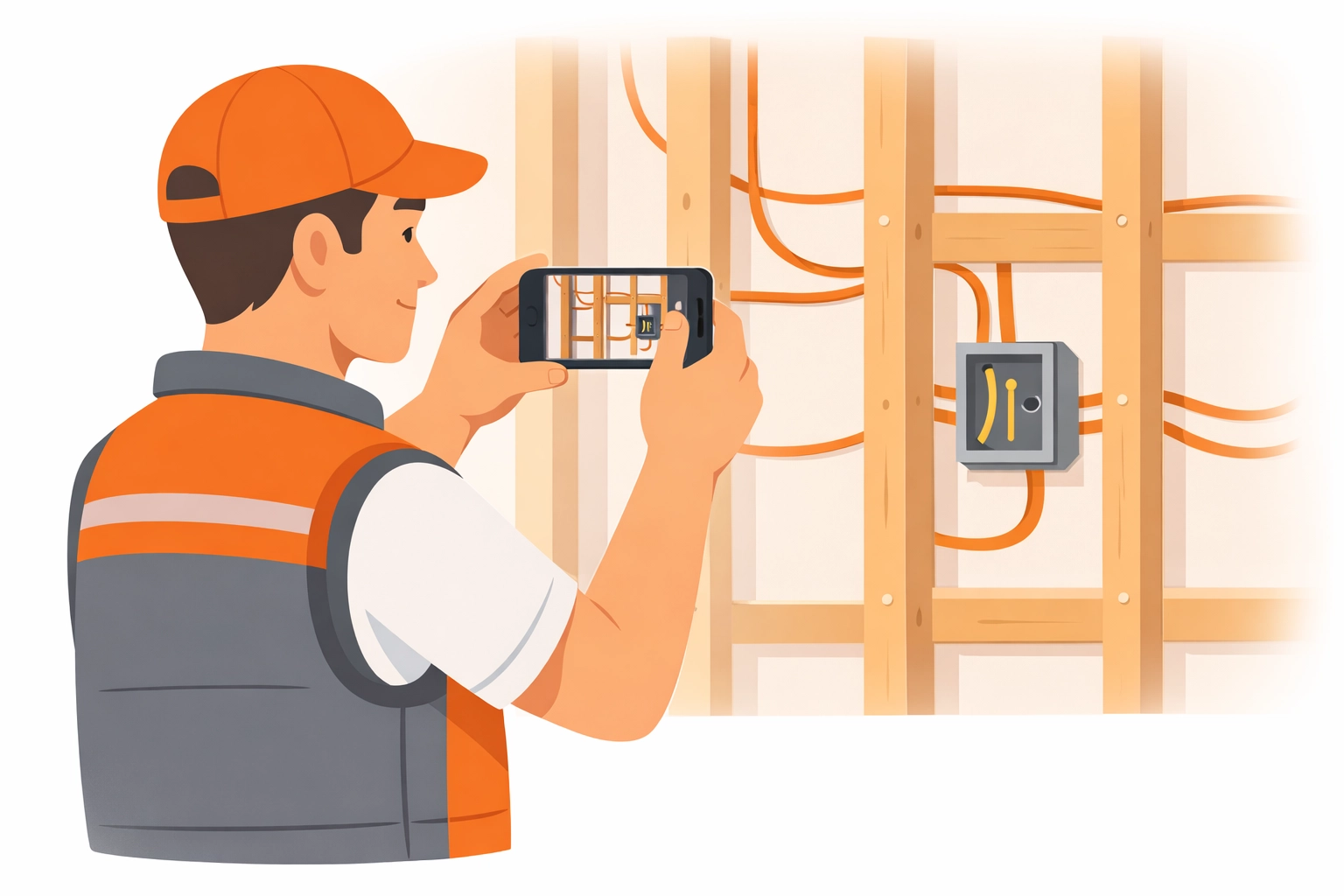
(Caption: An electrician documenting wiring inside a wall before the drywall is installed.)
5. Using "Bloated" Project Management Software
A lot of companies try to solve their documentation problems by buying massive "enterprise" software. They end up with a platform that has 500 features they don't need, requires a three-day training course, and forces their field techs to navigate 15 menus just to upload one photo.
If the software is hard to use, your team won't use it. They’ll go back to texting you photos, and you’re right back at Mistake #1.
The Fix: Look for contractor software that is built for the field, not the office. You want a mobile-first design that is fast and simple. JobLuma was designed specifically to avoid this bloat. It focuses on doing one thing perfectly: making it incredibly easy to log job photos and share them instantly. No complex menus, no fluff: just snap and go.
6. Forcing Customers to Download Apps
You want to show your customers the great work you're doing, but most contractors make it a chore. They send "portals" that require a username and password, or they ask the customer to download a specific app just to see a few progress photos.
Most customers won't do it. They’ll just think you’re being difficult.
The Fix: The best customer experience is a no-app-download experience. You should be able to send a simple link via text or email that opens a professional photo timeline app view in their phone’s browser. It makes you look like a pro, keeps the customer informed, and doesn't require them to remember another password. Simple wins every time.

7. No Timestamps, No Peace
A photo without a timestamp is just a picture. A photo with a verified date, time, and location is a legal record. If you’re ever in a dispute over whether a job was completed on time or if a specific issue existed on a certain date, an unverified photo won't hold much weight.
The Fix: Ensure your contractor job app automatically embeds metadata (time, date, and GPS location) into every photo. This creates an unshakeable timeline of events. If a client claims you weren't on-site on Tuesday, you can pull up a photo with a Tuesday morning timestamp and end the argument immediately.
How JobLuma Simplifies Everything
At JobLuma, we believe that small service contractors are the backbone of the economy, and they shouldn't have to deal with complicated software to run a professional business. We built our platform to solve these exact mistakes without adding "office work" to your plate.
- Mobile-First Design: It’s built for the guy in the crawlspace, not the guy in the suit.
- Simple Photo Timelines: Create a beautiful, chronological record of every job automatically.
- No App Needed for Clients: Share your work with a single link. Your customers will love the transparency.
- Affordable and Fast: We stripped away the bloat so you can focus on the work.
Ready to fix your photo game?
Stop losing photos and start building a professional legacy for every job you finish. Whether you're looking for a better way to track progress or just want to protect your business, a simple contractor photo app is the answer.
Check out our pricing to see how we fit your business, or sign up today to start your first project timeline.

(Caption: A contractor effortlessly snapping a photo on-site using the JobLuma mobile interface.)
Final Thoughts
Documentation shouldn't feel like a chore. When you avoid these seven mistakes, your photos stop being a "mess" and start being an asset. You’ll win more trust from customers, protect yourself from liability, and ultimately, grow a more professional service business.
If you have questions about how to get started, feel free to visit our help center or contact us directly. We’re here to help you shine.
Leave a Reply