Blog

  • 5 Steps How to Use a Before and After Photo App to Impress Every Customer (Easy Guide for Trades)

    5 Steps How to Use a Before and After Photo App to Impress Every Customer (Easy Guide for Trades)

    Let’s be honest: in the trades, your work speaks for itself: but only if people can actually see it. Whether you're an electrician finishing a complex panel upgrade, a plumber replacing a rusted-out water heater, or an HVAC tech installing a pristine new unit, the transformation is where the magic happens.

    But here is the problem: most contractors have a phone gallery that looks like a chaotic junk drawer. You’ve got a photo of a leaky pipe from three weeks ago, ten blurry shots of a serial number, and a picture of your lunch, all sandwiched between the "after" shots of your last three jobs. When a customer asks for proof of work or you want to show off a project on social media, you’re scrolling for ten minutes just to find the right file.

    Using a before and after photo app isn't just about making things look pretty; it's about professionalism, protection, and profit. When you document your work correctly, you build instant trust with your clients. They see exactly what they paid for, and they feel confident that the job was done right.

    At JobLuma, we believe contractor software should be simple. You don't need a bloated project management suite that takes three days to learn. You need a way to snap a photo, log it to the job, and show it to the customer without any friction.

    Here are the five simple steps to using a photo app to impress every customer and grow your business.


    Step 1: Master the "Before" Shot (Setting the Stage)

    The "before" photo is the most important part of the story. Without it, the "after" photo has no context. It’s the baseline that proves there was a problem worth solving.

    When you arrive at a job site, before you even open your tool bag, pull out your phone. Using a dedicated contractor photo app allows you to tag this photo to a specific job immediately so it doesn't get lost in your personal camera roll.

    Tips for a great "before" shot:

    • Clear the clutter: If there's trash or unrelated tools in the way, move them. You want the focus to be on the specific area you’re fixing.
    • Find your "Anchor Point": Pick a specific spot to stand and a specific angle. To make a truly impressive before-and-after comparison, the two photos need to be taken from the exact same perspective. Look for a landmark: a door frame, a window, or a specific stud: to help you line up the shot later.
    • Lighting is everything: If you're in a dark crawlspace or a dim basement, use a work light. A grainy, dark photo doesn't look professional; it looks like a mistake.

    By taking high-quality construction photo documentation from the start, you’re already miles ahead of the competition.

    JobLuma Logo


    Step 2: Document the "In-Between" (Protecting Your Business)

    While the before and after shots are for the customer's "wow" factor, the "during" shots are for you.

    A true photo timeline app allows you to document what’s happening behind the walls or under the floorboards. Once the drywall goes up or the concrete is poured, your hard work is hidden. If a customer later claims something wasn't done to code, or if another trade damages your work, those "in-between" photos are your best defense.

    What to capture during the job:

    • Wiring runs before the walls are closed.
    • Pipe connections before they are buried.
    • The condition of surrounding areas (to prove you didn't cause that scratch on the floor).
    • Any unexpected issues you find (like rot or previous DIY hacks) to justify a change order.

    This level of detail shows the customer that you are thorough and transparent. It turns a "trust me" conversation into a "let me show you" conversation.

    Construction photo documentation illustration showing organized pipes and wiring inside a wall.


    Step 3: The "After" Hero Shot (The Reveal)

    This is the money shot. This is the photo that gets you your next job.

    Once the work is complete and the site is cleaned up, it’s time to take the "after" photo. Remember that "Anchor Point" from Step 1? Go back to that exact spot. Hold your phone at the same height and angle.

    When a customer sees a side-by-side comparison where the only thing that changed is the quality of the work, it creates a powerful emotional response. It justifies the invoice and makes them feel like they made the right choice hiring you.

    How to make the "after" shot pop:

    • Wipe the lens: Your phone has been in your pocket or on a dusty workbench. Give the lens a quick wipe with your shirt. It makes a world of difference in clarity.
    • Clean the work area: No one wants to see a beautiful new furnace surrounded by sawdust and old copper scraps. A thirty-second sweep makes you look like a pro.
    • Focus on the detail: Take one wide shot of the whole project and one close-up of the cleanest part of your work (like perfectly straight conduit or a beautiful weld).

    Using a contractor job app like JobLuma makes this process seamless because the photos are already organized by the project. You don't have to hunt for them later.


    Step 4: Choose a Simple Photo App (Avoid the Bloat)

    There are plenty of "all-in-one" project management tools out there. Most of them are overkill for a small service shop. They are expensive, hard to use, and require your team to spend more time staring at a screen than actually working.

    You need a before and after photo app that is mobile-first and incredibly simple.

    This is why we built JobLuma. We know you don't have time to navigate complex menus. You need to snap, tag, and move on.

    One of the biggest pain points with other software is the "customer experience." Most apps require your customer to download a "Client Portal" or create an account just to see their photos. Nobody wants to do that.

    With JobLuma, you can share a photo timeline with your customer via a simple link. They click it, see the progress, and see the finished result: no app download required. It’s a "no-friction" way to impress them.

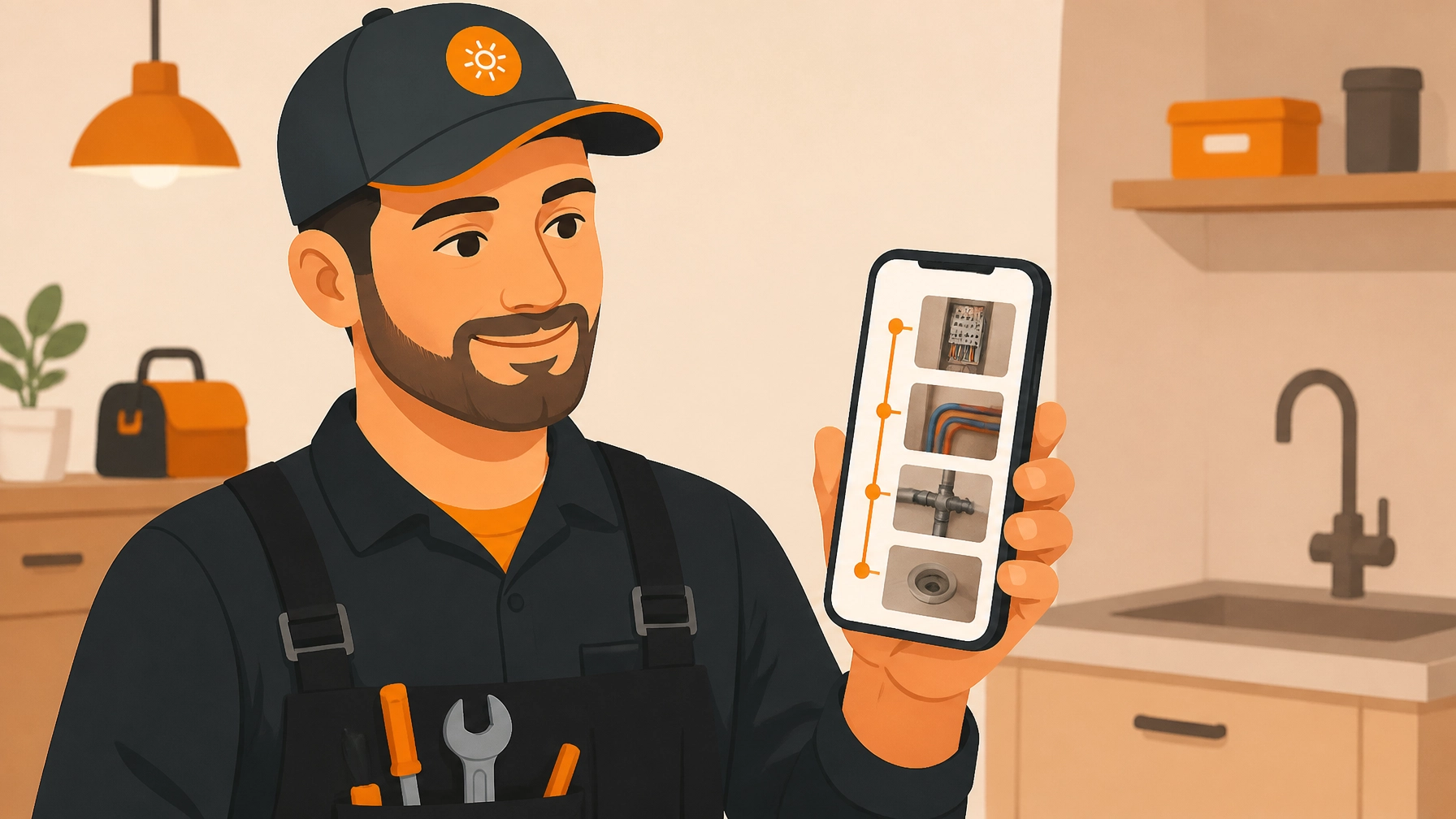
    Contractor photo timeline app on a smartphone showing project progress for easy customer viewing.


    Step 5: Leverage Your Photos for Marketing and Reviews

    The work shouldn't end when you pack up the truck. Those photos are valuable marketing assets.

    When you have a gallery of high-quality before-and-after photos, you have content for weeks. You can:

    1. Post to Social Media: "Check out this panel upgrade we did in Phoenix today!"
    2. Update Your Website: Add a "Gallery" page that shows the breadth of your skills.
    3. Attach to Invoices: When a customer receives an invoice along with a link to the beautiful photos of the finished work, they are much more likely to pay quickly and happily.
    4. Request Reviews: Send the photo link to the customer and say, "Glad we could get this fixed for you! If you're happy with the results, would you mind leaving us a review?"

    People are visual. They are much more likely to leave a 5-star review when they are looking at a clear visual reminder of the great job you did.


    Why JobLuma is the Choice for Pros

    We didn't design JobLuma for office-bound project managers. We designed it for the guy in the truck.

    Our contractor software focuses on the essentials:

    • Mobile-First Design: It works as fast as you do.
    • Organized Timelines: Every photo is automatically sorted by job and date.
    • Zero Customer Friction: Share work updates without forcing customers to download anything.
    • Simplicity: If you can send a text, you can use JobLuma.

    Stop letting your best work get lost in your camera roll. Start using a before and after photo app that actually helps you close more deals and keep customers happy.

    Five-star review stars above a tool belt representing customer success using a before and after photo app.

    Ready to simplify your job site photos?

    Check out our pricing or sign up for free today. You can see more tips on how to run a more efficient trade business on our blog.

    If you have questions about how JobLuma can fit your specific trade: whether you're in HVAC, electrical, or plumbing: feel free to contact us. We’re here to help you shine.


    Summary Checklist for Your Next Job:

    1. Before: Same angle, clear lighting, clutter-free.
    2. During: Document the "hidden" work to protect yourself.
    3. After: Replicate the "before" angle and clean the work area.
    4. App: Use JobLuma to keep it all organized without the bloat.
    5. Share: Send a link to the customer and ask for that 5-star review.

    Your work is great. It’s time to make sure everyone else knows it, too.

  • How to Create a Professional Photo Timeline for Your Customers in 5 Minutes

    How to Create a Professional Photo Timeline for Your Customers in 5 Minutes

    You just finished a grueling six-hour HVAC install in a cramped, dusty attic. You’re covered in insulation, your knees ache, and all you want to do is grab a cold drink and head to the next job. But then your phone pings. It’s the homeowner asking, "Can you show me what you actually changed up there? I want to see the new ductwork before I pay the invoice."

    In the old days, you’d scroll through a camera roll filled with hundreds of blurry photos, try to remember which ones belonged to this specific job, and then attempt to text or email ten large files that inevitably get bounced back by the server.

    It’s a headache. It’s unprofessional. And frankly, it’s a waste of your time.

    Creating a professional photo timeline shouldn't be a secondary job that takes an hour every evening. It should be a natural part of your workflow. In this guide, we’re going to show you how to use contractor software to build a stunning, professional photo timeline for your customers in under five minutes, without the bloat of traditional project management tools.

    The Problem with "Big" Construction Software

    Most contractor job apps out there were built for massive skyscrapers or 50-man crews. They are packed with Gantt charts, complex submittals, and accounting integrations that require a PhD to navigate. For a plumber, electrician, or HVAC tech, these apps are like using a sledgehammer to hang a picture frame. They’re too much.

    When software is too complex, you stop using it. You go back to your camera roll. You lose photos. You lose the "before" shots that prove the value of your work.

    The goal isn't to spend more time on your phone; it's to spend less. You need a contractor photo app that is mobile-first and simple enough that you can document a project while you're still wearing your work gloves.

    Why Photo Documentation is Your Secret Weapon

    Before we dive into the "how-to," let’s talk about why you should care. Photo documentation isn't just about showing off; it’s about protecting your business.

    1. Liability Protection: If a pipe leaks three months from now, your photos prove that your solder joints were clean and the area was dry when you left.
    2. Faster Payments: Customers are much happier to click "Pay" when they have a visual record of the hard work you did in places they can’t see (crawlspaces, behind walls, on the roof).
    3. Marketing Gold: A solid before and after photo app helps you collect the content you need for social media or your website without any extra effort.
    4. Customer Trust: Transparency is the fastest way to build a reputation. When you provide a professional timeline, you look like a top-tier pro compared to the guy who just sends a scribbled invoice.

    Contractor using a photo app to document an HVAC installation for customer transparency.

    Step 1: Capture as You Go (The "Live" Documentation)

    The biggest mistake contractors make is waiting until the end of the day to organize photos. By then, the "before" shots are buried under photos of your lunch, your kids, and three other jobs.

    To create a timeline in 5 minutes, you need to capture photos as the work happens. With a mobile-first tool like JobLuma, you aren't just taking a picture; you're logging it to a specific job in real-time.

    • The Before Shot: Take a photo the second you arrive. Show the leak, the frayed wires, or the old, rusted furnace.
    • The Progress Shot: Capture the "guts" of the project, the parts that will be covered by drywall or flooring later.
    • The After Shot: This is your hero shot. Clean up the workspace, wipe down the unit, and take a photo that looks like it belongs in a magazine.

    Step 2: Use a Dedicated Photo Timeline App

    If you want to move fast, stop using your native phone gallery. You need a dedicated photo timeline app. When you use JobLuma’s features, the organization happens automatically.

    Instead of folders within folders, you simply select the job, snap the photo, and the software timestamps and tags it. Because the app is designed for field services, it knows that you don't have time to type out long descriptions. A simple tag or a quick voice-to-text note is all you need to turn a photo into a professional record.

    Step 3: The "No-App" Customer Experience

    This is where most contractors get stuck. You find a cool app, you use it, and then you try to share the photos with the customer. The customer gets an email saying, "Please download 'ProBuild3000' and create an account to view your project."

    What does the customer do? They ignore it. They don't want another app on their phone.

    At JobLuma, we believe the customer experience should be invisible. When you finish a job, you can generate a professional photo timeline and send it via a simple web link.

    • No app download required for the customer.
    • No logins or passwords for them to forget.
    • A simple, mobile-optimized webpage showing their project from start to finish.

    This "simple" approach is why we built JobLuma. It makes you look like a tech-forward company without forcing your customers to jump through hoops.

    Homeowner viewing a professional project photo timeline on a mobile device without downloading an app.

    Step 4: Review and Send (The 5-Minute Finish)

    Once the tools are packed in the truck, take two minutes to review the job log.

    1. Open your contractor software.
    2. Select the best 4-6 photos that tell the story of the repair or install.
    3. Check the "Before and After" toggle to ensure they are paired correctly.
    4. Hit "Share."

    Whether you send it via text or email, the result is the same: a polished, professional timeline that proves exactly what you did and how well you did it. You can even include a link to your contact page or a "Review Us" link right in the timeline.

    How This Saves You Money

    You might think, "I don't need another tool, I'm doing fine." But let's look at the math. If you spend 20 minutes an evening trying to find and send photos to customers, that's over 1.5 hours a week. Over a year, that’s nearly 80 hours of unpaid administrative work.

    By switching to a streamlined construction photo documentation process, you reclaim those hours. More importantly, you eliminate the "dispute" phone calls where a customer questions the time spent on a job. When they see the photo timeline, the evidence is right there.

    JobLuma logo A bold orange icon with a simple sun design, representing clarity and illumination, next to the company name in white and orange text against a dark background.

    Why Simple Beats Complex Every Time

    We’ve talked to hundreds of electricians and HVAC techs. The number one reason they quit using software is that it "took too long to set up."

    JobLuma is different because it’s built for the person in the field, not the person in the office. Our pricing is straightforward, and our design is intentional. We don't want you to spend your life in our app. We want you to snap a photo, get the job done, and get home to your family.

    Final Thoughts: Start Your 5-Minute Timeline Today

    Creating a professional image for your business doesn't require a marketing degree or a $500/month software subscription. It requires a simple process and the right tools.

    By focusing on a mobile-first workflow and a "no-app" customer experience, you provide a level of service that your competitors can't match. You build trust, you protect your bottom line, and you do it all in the time it takes to drink a cup of coffee.

    Ready to stop scrolling through your camera roll and start looking like the pro you are? Check out our signup page and see how easy it is to create your first photo timeline.

    Clean electrical panel installation showing high-quality contractor workmanship and photo documentation.

    Quick Tips for Better Contractor Photos:

    • Wipe your lens: You’d be surprised how much better a photo looks when you wipe off the drywall dust first.
    • Lighting is key: Use your headlamp or a work light to illuminate dark corners. A bright photo looks much more professional than a grainy, dark one.
    • Consistent angles: Try to take the "after" shot from the same spot as the "before" shot. It makes the transformation much more impactful.
    • Keep it clean: A photo of a new electrical panel looks 10x better if the floor underneath it is swept.

    Professionalism is in the details. With JobLuma, those details are handled for you. For more tips on running a more efficient service business, head over to our blog.

  • 7 Mistakes You’re Making with Construction Photo Documentation (and How to Fix Them)

    7 Mistakes You’re Making with Construction Photo Documentation (and How to Fix Them)

    Let’s be honest: as a contractor, your phone’s camera roll is probably a disaster. Between the photos of your kids, that weird rash you wanted to Google later, and 400 photos of various PVC pipes, finding anything is a needle-in-a-haystack situation.

    We’ve all been there. You’re trying to prove to a customer that the subfloor was already rotting before you touched it, but you’re scrolling… and scrolling… and scrolling. By the time you find the photo, the vibe is ruined, and you look like you don't have your act together.

    Construction photo documentation isn't just about taking pictures; it's about covering your back, getting paid faster, and keeping your customers happy. But most small service contractors: electricians, plumbers, HVAC techs, and handymen: are making a few critical mistakes that turn their "digital evidence" into a digital headache.

    Here are the 7 biggest mistakes we see and exactly how to fix them using a simple contractor job app approach.


    1. The "Where Was I?" Problem (Inaccurate Camera Placement)

    Have you ever looked at a photo of a wire inside a wall and had absolutely no clue which room, or even which house, it was in? If you take a photo from two inches away, you lose all context.

    The Mistake: Getting too close to the subject or taking photos at weird angles that don't show the surrounding area.

    The Fix: Start with a "wide" shot to establish the room or location, then move in for the detail. Think of it like a movie: scene-setter first, then the close-up. If you’re using a contractor photo app, make sure you’re taking photos from a consistent height (eye level is usually best). This makes it much easier to compare "before" and "after" shots because the perspective remains the same.

    Smartphone framing a wide-angle context photo of a renovation site for construction photo documentation.


    2. Documenting in the Dark

    Service contractors often work in the worst lighting imaginable. Crawl spaces, attics, and basements are not known for their studio-quality lighting.

    The Mistake: Relying on a weak phone flash that creates harsh glares on copper pipes or deep shadows that hide the very problem you’re trying to document. If the photo is grainy, it’s useless in a dispute.

    The Fix: Carry a simple LED work light. It’s a game-changer for your construction photo documentation. Before you snap the picture, shine the light from the side rather than directly at the object to avoid glare. High-quality photos (5.5K or higher if your phone allows) ensure that when you zoom in later to see a serial number or a hairline crack, the image doesn't turn into a pile of pixels.


    3. Forgetting the "Guts" (Hidden Work)

    Once the drywall goes up or the concrete is poured, your work is invisible. If a leak happens six months from now, how do you prove it wasn't your soldering job?

    The Mistake: Only taking photos of the finished, "pretty" product.

    The Fix: You need to document the "guts." Photograph every MEP (Mechanical, Electrical, Plumbing) system before it’s covered up. Research shows that roughly 75% of long-term maintenance costs stem from poor documentation of these hidden systems. By using a photo timeline app like JobLuma, you can create a literal history of what’s behind the walls. This is gold for future service calls and a lifesaver if a homeowner ever questions your work.


    4. The "Folder Abyss" (Poor Organization)

    Storing project photos in your general phone gallery is the fastest way to lose your mind.

    The Mistake: Relying on your memory or a messy folder structure on your phone to keep track of jobs. If you’re texting photos to yourself or putting them in a "Work" folder with 2,000 other unsorted images, you’ve already lost.

    The Fix: You need a dedicated contractor job app that organizes photos by project automatically. Instead of "IMG_842.jpg," your photos should be tied to a specific job address and timestamped. This is where JobLuma shines. It keeps your work life and your personal life separate. No more scrolling past your grocery list to find a circuit breaker map.

    JobLuma Logo


    5. Using Bloated "Enterprise" Software

    A lot of contractor software out there was built for guys managing $50 million skyscraper projects. They have 500 features, cost a fortune, and require a week of training just to learn how to upload a photo.

    The Mistake: Paying for (and struggling with) project management software that is way too complex for a small service shop. If a tool is hard to use, you and your crew won't use it. Period.

    The Fix: Stick to simple, mobile-first tools. You’re on the move, usually with gloves on or tools in hand. You need a "one-tap" solution. Look for a before and after photo app that focuses on the essentials: taking the photo, tagging it to the job, and moving on. Check out JobLuma’s features to see how simple it can actually be.

    Illustration comparing complex, bloated software to a simple and efficient contractor job app.


    6. Making the Customer Work Too Hard

    You want to show off your great work to the customer, but how do you send it to them?

    The Mistake: Forcing your customer to download an app, create an account, and remember a password just to see the progress photos of their kitchen remodel. Most customers will just ignore the invite, and then they’ll call you asking for updates anyway.

    The Fix: Use a system with a "no-app-download" customer experience. With JobLuma, you can share a live link with your customer via text or email. They click it, and they see the photo timeline app view of their project instantly. No friction, no passwords, just happy customers who can see exactly what they’re paying for.


    7. Skipping the Initial Site Conditions

    The most important photo you take isn't the finished job: it’s the photo of the site before you started.

    The Mistake: Rushing into the work without documenting existing damage. If you’re a plumber and you move a washing machine to get to a pipe, and the customer later claims you scratched their hardwood floor, you’re in a "he-said, she-said" battle unless you have a photo showing that scratch was already there.

    The Fix: Make it a standard SOP (Standard Operating Procedure) to take 5-10 "pre-work" photos. Document the path to the work area, the condition of the walls, and any existing issues. Using a before and after photo app makes this a natural part of your workflow. It protects your reputation and your bottom line.

    Contractor using a before and after photo app to document site conditions and pre-existing damage.


    Why JobLuma is the Secret Weapon for Small Contractors

    We built JobLuma because we saw too many electricians and plumbers getting bogged down by complicated tech. You don't need a degree in computer science to run a successful service business; you just need tools that work as hard as you do.

    JobLuma is the simple contractor software that focuses on:

    • Mobile-First Design: It’s built for the guy in the truck, not the guy in the office.
    • Simple Photo Timelines: See the progress of any job in seconds.
    • No-App Customer Experience: Your clients see your work with one click.
    • Affordability: Check out our pricing: it’s built for small businesses, not giant corporations.

    Stop losing photos in your camera roll and start building a professional digital trail for every job. Whether you’re looking for a better way to manage your team or just a way to stop the "where is that photo?" panic, we’ve got you covered.

    Ready to simplify your workday? Sign up for JobLuma today and see how much easier life is when your photos are actually organized.

    If you have questions about how to get started, our help center is always open, or you can contact us directly. Let's get those photos sorted!

  • 5 Steps: How to Use a Contractor Photo App to Wow Your Customers (Easy Guide for Trades)

    5 Steps: How to Use a Contractor Photo App to Wow Your Customers (Easy Guide for Trades)

    Let’s be honest: most "construction management software" feels like it was designed for NASA, not for a guy trying to fix a burst pipe or install a new HVAC unit. You’re busy. You’re in the field. You don’t have time to navigate forty different menus just to show a homeowner that you actually replaced the subflooring like you said you would.

    But here’s the reality, customers today are visual. They don't just want to hear that the job is done; they want to see it. In a world of Instagram and TikTok, a verbal "it's fixed" doesn't carry the same weight as a crystal-clear photo timeline.

    Using a simple contractor photo app isn't just about documentation; it’s about building trust, avoiding "he-said, she-said" disputes, and making your business look like the most professional crew in town.

    At JobLuma, we believe software should stay out of your way. We’ve stripped back the bloat to focus on what matters: getting photos from your phone to your customer in seconds.

    Here are the five simple steps to using a photo app to blow your customers away and win more referrals.

    1. Document the "Ugly" (The Critical Before Shot)

    Every great story needs a beginning. For a contractor, that beginning is usually a mess. Whether it’s a grease-caked kitchen vent, a tangled mess of electrical wires, or a cracked foundation, you need to capture the "before."

    Why? Because once you fix it, the customer often forgets how bad it was. When they get the bill, they might think, "Was it really worth $2,000?" When you have a before and after photo app that shows the disaster you started with, that price tag becomes a bargain for the peace of mind you provided.

    Pro Tip: Take more photos than you think you need. Capture the surrounding area too. This protects you against claims that you "scratched the floor" or "broke the vase" when the photo shows the damage was there before you even stepped foot on the job site.

    Service technician taking before photos of plumbing pipes using a contractor job app.

    2. Create a Real-Time Timeline (The "Middle" Matters)

    Most contractors only show the final product. But for homeowners, the "middle" is where the anxiety happens. They see their walls opened up or their yard dug up and they panic.

    A construction photo documentation strategy that includes progress shots is a total game-changer for customer service. By snapping a few photos of the internal components, the stuff that will eventually be covered by drywall or dirt, you are showing the customer that you aren’t cutting corners.

    With JobLuma’s mobile-first design, you don’t have to wait until you’re back at the office to upload these. You snap it, and it’s part of the job record instantly. This creates a photo timeline app experience that tells the story of your hard work as it happens.

    3. Use Simple Annotations to Explain the "Why"

    A photo of a circuit breaker might make sense to an electrician, but to a homeowner, it just looks like a box of switches. To "wow" a customer, you need to bridge that knowledge gap.

    The best contractor job app tools allow you to add quick notes or markups.

    • Circle the frayed wire.
    • Point an arrow at the source of the leak.
    • Add a quick note: "Corroded pipe replaced with copper."

    This level of detail makes you look like an expert and justifies your recommendations. When a customer can see the problem clearly labeled, they are much more likely to approve an add-on or a change order without a second thought. Check out our features page to see how we keep this process incredibly simple.

    JobLuma logo

    4. The "Big Reveal" (Professional Finished Shots)

    This is your victory lap. Once the job is done, take photos from the exact same angles you used for your "before" shots. This creates that satisfying side-by-side comparison that everyone loves.

    But don’t just take one photo. Take a wide shot of the finished room and then close-ups of the craftsmanship. If you’re a tile guy, show those perfect grout lines. If you’re an HVAC tech, show that clean, level condenser installation.

    These photos aren't just for the current customer; they are your future marketing material. A library of high-quality finished projects is better than any paid advertisement you could ever run.

    Beautifully finished kitchen renovation project documented with a contractor photo app.

    5. Share the Experience (No Apps Required for Them!)

    This is where most contractor software fails. They require the customer to download an app, create an account, and remember a password just to see their project photos.

    Guess what? Customers hate that. They already have 100 apps on their phone they don't use.

    At JobLuma, we took a different approach. You can share your project timeline with a simple, secure link. The customer clicks it on their phone or computer and sees the full photo story of their project: before, during, and after: without ever having to log in.

    This "no-app-download" experience is what truly wows people. It’s professional, it’s transparent, and it’s incredibly easy for them. You can see how this works and check out our pricing to see how affordable it is to upgrade your customer experience.

    Why Simple Beats Bloated Every Time

    We’ve seen it a thousand times: a small trade business signs up for a massive project management suite. It promises to do their accounting, their scheduling, their GPS tracking, and their laundry.

    Three weeks later, the owner stops using it because it takes ten minutes just to log a single photo.

    If you are a plumber, an electrician, or a landscaper, you don't need a digital ball-and-chain. You need a contractor photo app that works as fast as you do. You need something that allows you to:

    • Organize photos by job site automatically.
    • Keep your personal phone gallery clean (no more mixing work photos with your family vacation shots!).
    • Protect yourself from liability with date-stamped evidence.
    • Impress customers with zero friction.

    Organized photo timeline app showing construction job site images on a clean mobile interface.

    The Hidden Benefit: Protecting Your Bottom Line

    Beyond "wowing" customers, a consistent photo workflow is your best insurance policy. We’ve heard stories from contractors who were accused of damaging a roof three months after a job was finished. Because they had a complete construction photo documentation log in JobLuma, they were able to pull up a photo of that exact section of the roof from the day they finished, proving the damage wasn't theirs.

    That one photo saved them thousands of dollars and a massive headache.

    Ready to Level Up Your Professionalism?

    You don't need to be a tech genius to use a contractor job app. You just need a tool that was built for the way you actually work.

    Stop sending messy text threads with random photos. Stop losing track of which photo belongs to which job. And most importantly, stop leaving your customers in the dark about the great work you're doing.

    Start building a visual legacy for your business. Whether you're just starting out or you've been in the trades for thirty years, the simplicity of JobLuma will change the way you run your day-to-day operations.

    Want to see it in action?

    • Learn more about us.
    • Check out more tips on our blog.
    • Ready to start? Sign up today and take your first professional job photo in minutes.

    The trades are hard work. Your software shouldn't be. Keep it simple, keep it visual, and watch your customer satisfaction scores soar.

  • How to Create a Professional Job Timeline in 5 Minutes (No Tech Skills Required)

    How to Create a Professional Job Timeline in 5 Minutes (No Tech Skills Required)

    Let’s be real for a second: you didn’t get into the trades because you wanted to spend your afternoons staring at a computer screen or fiddling with complex project management software. You got into this business to build, fix, and solve problems for your customers. Whether you're an electrician, a plumber, or an HVAC tech, your office is usually a van, a crawlspace, or a rooftop: not a cubicle.

    But here’s the kicker: in 2026, customers expect to see what they’re paying for. They want to see the progress. They want to see that the leaky pipe behind the wall is actually fixed before you patch the drywall. They want professional documentation that makes them feel like they hired the best in the business.

    The problem? Most "contractor software" out there feels like it was designed for NASA engineers. It’s bloated, expensive, and takes longer to learn than it does to actually finish a job.

    What if you could create a stunning, professional job timeline in five minutes flat without ever needing to download an app or attend a "onboarding webinar"? Let’s dive into how you can level up your business using simple construction photo documentation and a little bit of common sense.

    Why a Professional Timeline is Your Secret Weapon

    A job timeline isn’t just a fancy way to show off your work; it’s a shield and a sales tool rolled into one. When you provide a clear photo timeline app experience to your clients, you’re doing three things:

    1. Building Instant Trust: Customers can’t always see the work you do. If you’re an electrician, most of your hard work is hidden behind plates and studs. A timeline proves the quality of your work.
    2. Eliminating Disputes: We’ve all been there. A customer claims you scratched a floor or missed a step. With a clear before-and-after record, you have the receipts to show exactly what happened and when.
    3. Getting Referrals: When you send a professional-looking project link to a homeowner, they’re going to show it to their neighbors. "Look at what my plumber sent me!" is the best marketing you’ll ever get.

    JobLuma Logo

    The 5-Minute Blueprint (No Tech Skills Required)

    You don’t need to be a tech wizard to create a timeline that looks like it cost thousands of dollars to produce. You just need a system that works as hard as you do. Here is how you can build a timeline from your phone while you’re still on the job site.

    Step 1: The "Before" Shot (1 Minute)

    Before you even pick up a wrench or a hammer, take your phone out. Take 2–3 photos of the current state of the job. This is the most forgotten step, but it’s the most important for your contractor photo app strategy. It establishes the starting line.

    Pro Tip: Take one wide shot of the room and one close-up of the specific issue.

    Step 2: The "During" Progress (2 Minutes)

    Mid-way through the job, snap a couple more. If you’re installing a new HVAC unit, take a photo once the old one is out and the new one is being positioned. This shows the "guts" of the work that will eventually be covered up.

    Step 3: The "After" Hero Shot (1 Minute)

    Clean up your workspace (this is a big one for customer satisfaction!) and take your final photos. These should be well-lit and show the completed project in all its glory.

    Step 4: The Sync (1 Minute)

    This is where most contractors get stuck. They have 15 photos sitting in their camera roll mixed in with pictures of their kids and their dog. Using a simple contractor job app like JobLuma, you can upload these photos instantly into a dedicated job log. No sorting, no emailing yourself files, and no messy folders.

    Organizing construction photo documentation effortlessly using a mobile contractor job app.

    Why You Should Avoid "Bloated" Software

    There are plenty of massive construction management platforms out there. They promise to do your accounting, your scheduling, your HR, and your grocery shopping. But for a small service contractor, these are usually overkill.

    Here’s why "simple" wins every time:

    • Learning Curve: If it takes more than 10 minutes to learn, you’re never going to use it. You’ll go back to texting photos, and your professional image will take a hit.
    • Battery Drain: Heavy apps kill your phone battery by noon.
    • Customer Friction: If your customer has to download an app, create an account, and verify their email just to see a photo of their new sink, they’re not going to do it.

    At JobLuma, we believe in a "no-app-download" experience. You send a link, and the customer clicks it. That’s it. It’s mobile-first because that’s where you live: on your phone. Check out our features page to see how we keep things lean and mean.

    The Magic of the "Before and After"

    If you’re looking for the best before and after photo app experience, you have to focus on the comparison. Humans are visual creatures. We love seeing a transformation.

    Imagine sending your client a digital link that allows them to slide between the "nasty, rusted water heater" and the "shiny, new high-efficiency model." It’s satisfying for them and it validates the check they’re about to write.

    Using contractor software doesn't mean you have to change how you work; it just means you're documenting how well you already work.

    Comparison showing a project transformation using a contractor before and after photo app.

    3 Mistakes to Avoid When Documenting Jobs

    Even with the best tools, you can still mess up your documentation. Here are the three most common pitfalls for service pros:

    1. Bad Lighting: If the photo is too dark, it looks like you’re hiding something. Invest $20 in a small LED work light if you’re frequently in basements or attics.
    2. Too Much Noise: If your photo includes a pile of trash, an old coffee cup, or your lunch, it looks unprofessional. Keep the frame focused on the work.
    3. Inconsistency: If you only document the "big" jobs, you’re missing out on the habit. Treat every job: even the small ones: like a portfolio piece.

    How to Get Started Right Now

    You don’t need a fancy camera or a laptop in your truck. You already have the most powerful tool in your pocket: your smartphone.

    1. Stop Texting Photos: Stop sending 10 individual photos to a client's text thread. It’s annoying for them and hard for you to track later.
    2. Use a Dedicated Portal: Give your jobs a home. Whether you use JobLuma or another simple tool, make sure it’s separate from your personal photos.
    3. Start Today: Don’t wait for a "big project" to start your construction photo documentation. Start with the next service call you have this afternoon.

    If you’re ready to stop the paperwork headache and start looking like the pro you are, you can sign up and try it out for yourself. Our pricing is built for the small guy, not the massive corporations.

    Professional contractor using a photo timeline app to document high-quality service work.

    Final Thoughts: Keep It Simple, Keep It Professional

    At the end of the day, your reputation is all you have. In a world where anyone can claim to be a contractor, the ones who provide clear, transparent, and professional documentation are the ones who stay busy year-round.

    Creating a professional job timeline shouldn't be a chore. It should be a 5-minute victory lap at the end of a job well done. Use a contractor photo app that stays out of your way and lets you get back to what you do best.

    Need help getting started? Check out our help center or read more tips on our blog.

    Stay safe out there, and keep building!

  • How to Create Professional Before and After Photo Documentation in 5 Minutes

    How to Create Professional Before and After Photo Documentation in 5 Minutes

    If you’re a plumber, electrician, or HVAC tech, your phone’s camera roll probably looks like a chaotic mess. It’s a mix of blurry photos of leaky pipes, some random wiring diagrams, a picture of your lunch, and maybe a few shots of your dog.

    We get it. When you’re in the middle of a job, the last thing you want to do is play photographer. You’ve got a schedule to keep and customers waiting. But here’s the reality: high-quality before and after photo documentation isn't just "extra" work: it's your best defense against "he-said, she-said" disputes and your most powerful marketing tool for winning new business.

    The good news? You don’t need a fancy camera or a degree in photography. You just need a system. Here is how you can create professional-grade photo documentation in exactly five minutes without touching a piece of bloated contractor software.

    Why Your Current Photo Strategy (or Lack Thereof) is Costing You Money

    Most small service contractors fall into one of two camps. Either they don't take photos at all, or they use a contractor photo app that is so complicated it requires a three-day training seminar just to upload an image.

    When you don't document your work properly, three things happen:

    1. Liability increases: If a customer claims you damaged their drywall, but you don't have a "before" photo showing the hole was already there, you’re on the hook.
    2. Referrals drop: People buy with their eyes. A "before" shot of a rusted-out water heater next to an "after" shot of a pristine, professionally installed unit is the best business card you have.
    3. Communication breaks down: It’s hard to explain a complex repair over the phone. A photo speaks a thousand words and gets invoices paid faster.

    Minimalist illustration of a contractor using a smartphone to organize construction photo documentation.

    The 5-Minute Professional Photo Workflow

    You don't need to spend an hour on this. Follow this simple timeline to get the perfect construction photo documentation every single time.

    Minute 1: The "Before" Shot (Consistency is King)

    Before you even pick up a wrench, pull out your phone. The secret to a great transformation photo isn't the lighting: it's the angle.

    • Pick a fixed point: Stand in a spot where you can see the whole project area.
    • Look for landmarks: Is there a window frame, a door, or a specific floor tile you can use to line up your shot?
    • The "Fill the Frame" Rule: Don't stand ten feet back. Get close enough that the problem area takes up most of the screen, but keep enough background so the client recognizes their own home.

    Minute 2: Documenting the "Hidden" Stuff

    As you start the work, take 30 seconds to snap a photo of things that will be covered up later. This is huge for electricians and plumbers.

    • Snap the wiring before the drywall goes up.
    • Photo the pipe fittings before they are buried in the trench.
    • This creates a "photo timeline" that proves the job was done to code, even when the evidence is hidden behind a wall.

    Minute 3: The "After" Shot (The Money Shot)

    The work is done. You’ve cleaned up the site (this is important: trash in an "after" photo looks unprofessional). Now, go back to that exact same spot you stood in during Minute 1.

    • Line it up: Use those landmarks you identified earlier.
    • Check your lighting: If it's dark, use a headlamp or a work light to brighten the area. Avoid using the phone's built-in flash if possible, as it often creates harsh glares on metallic surfaces like pipes or electrical boxes.

    Minute 4: Logging the Job

    This is where most contractors fail. They leave the photos on their phone and forget about them. Instead, use a simple contractor job app like JobLuma.

    • Open your job link.
    • Upload the photos directly from your gallery.
    • Because JobLuma is a photo timeline app, it automatically organizes these by date and job, so you never have to scroll through your personal photos to find them again.

    Minute 5: Sharing the Proof

    Send the documentation to the customer. This builds immediate trust. They can see exactly what they paid for, and they have a digital record of the quality of your work.

    Stop Using Bloated Project Management Software

    You’ve probably seen the big names in construction software. They promise to manage your entire life, from accounting to HR. But for a small service shop, they are often overkill. They are slow to load, hard to navigate, and: worst of all: they usually require your customer to download an app just to see a photo.

    At JobLuma, we believe in simplicity. We designed our platform to be a before and after photo app that actually works the way you do: in the field, on your feet, and in a hurry.

    The JobLuma Difference:

    • No-App Experience: Your customers don't want another icon on their home screen. With JobLuma, you send them a simple link. They click it, and they see the photos. It’s that easy.
    • Mobile-First Design: We didn't build a desktop site and try to cram it into a phone. JobLuma was built for the guy holding a pipe wrench in one hand and a smartphone in the other.
    • Simple Pricing: We don't hide our costs behind "book a demo" buttons. You can check our pricing and get started immediately.

    JobLuma logo

    Pro-Tips for Better Contractor Photos

    If you want to take your construction photo documentation to the next level, keep these three tips in mind:

    1. Keep it Clean: A photo of a perfectly installed HVAC system looks terrible if there are old zip ties and cardboard scraps on the floor. Take 10 seconds to kick the debris out of the frame.
    2. Focus on the Solution, Not Just the Problem: Everyone knows what a broken toilet looks like. Show them the high-quality flange you used to fix it. Document the quality of your materials.
    3. Standardize Your Poses: If you’re a landscaping contractor, always take a wide shot of the yard from the front curb. If you’re an electrician, always take a straight-on shot of the panel. Consistency makes your blog or social media page look like a professional portfolio rather than a random collection of images.

    Illustration of a clean plumbing installation showing high-quality pipe repair documentation.

    How Photo Documentation Protects Your Bottom Line

    Let's talk about the "Nightmare Client." We’ve all had one. They claim the floor was scratched before you arrived, or they insist you didn't replace a specific part.

    Without a contractor photo app, it’s your word against theirs. Usually, the contractor loses that battle just to keep the peace and avoid a bad review. But with a documented photo timeline, you have "receipts."

    When you can show a timestamped photo of the workspace before you even touched a tool, those disputes disappear instantly. It saves you thousands in "goodwill" repairs that you shouldn't have had to make in the first place.

    Ready to Simplify Your Workflow?

    You didn't get into the trades to spend your time managing files and folders. You got into it to build, fix, and solve problems.

    JobLuma is the simplest way to track your jobs and document your success. No bloat, no unnecessary features: just a clean, professional way to show off your hard work.

    If you’re tired of losing photos in your camera roll and want a better way to communicate with your clients, it’s time to try a different kind of contractor software.

    Ready to get started?

    • Check out our features to see how we make photo logging easy.
    • Learn more about our mission to support small service businesses.
    • Or, signup today and start your first 5-minute documentation.

    Taking professional photos doesn't have to be a chore. With the right mindset and the right tools, it’s just another part of a job well done. Stop overcomplicating your business and start focusing on what matters: the work. We'll handle the rest.

    Illustration of a handshake and protective shield symbolizing contractor trust and visual proof.


    Have questions or need help setting up your first project? Visit our help center or contact our team. We’re here to help you get back to the job site.

  • How to Create Professional Photo Timelines in 5 Minutes (Without Complex Software)

    How to Create Professional Photo Timelines in 5 Minutes (Without Complex Software)

    Let’s be honest: you didn’t get into the trades because you wanted to spend your evenings fighting with a computer. Whether you’re an electrician, a plumber, or an HVAC tech, your office is the field. Your tools are your hands, your van, and your expertise.

    But in 2026, there’s another tool that’s becoming just as important as your wrench or your multimeter: the photo timeline.

    You know the drill. You arrive at a job site, take a "before" picture of a leaky water heater or a bird's nest of wires in a panel. You do the work, it looks great, and you take an "after" photo. Maybe you take a few shots in between to show the progress.

    Then what? Those photos sit in your phone’s camera roll, sandwiched between pictures of your dog and screenshots of your grocery list. When the client asks for proof of work, or when you need to show off your skills on social media, you’re stuck scrolling through thousands of images trying to find that one specific job from three weeks ago.

    It’s a mess. And the solution: usually some "all-in-one" project management software: is often worse than the problem. Those big apps are bloated, expensive, and take a PhD to figure out.

    The good news? You can create professional photo timelines in under five minutes without losing your mind. Here’s how.

    The Problem with "Big" Contractor Software

    If you’ve looked for a contractor job app lately, you’ve probably seen the giants. They promise to handle your scheduling, your payroll, your inventory, your GPS tracking, and your grandma’s birthday reminders.

    For a small service business, that’s overkill. You don’t need a digital Swiss Army knife when all you need is a reliable hammer. These bloated platforms often come with:

    1. A steep learning curve: You spend more time watching "how-to" videos than actually using the software.
    2. High monthly costs: You’re paying for 50 features you’ll never use.
    3. The "App Fatigue" factor: Your customers don't want to download yet another app just to see the progress on their bathroom remodel.

    This is where construction photo documentation usually fails. It’s either too disorganized (the camera roll) or too complicated (the enterprise software). We built JobLuma to sit right in the sweet spot: simple, fast, and mobile-first.

    JobLuma Logo

    Why Photo Timelines Are Your Best Sales Tool

    Before we dive into the "how," let's talk about the "why." Why should you care about a before and after photo app?

    1. It Builds Instant Trust

    When a customer sees a professional timeline of the work you’ve done, they see transparency. They see exactly what was broken and exactly how you fixed it. It eliminates the "What am I actually paying for?" question.

    2. Liability Protection

    Documentation is your best friend when things go sideways. If a client claims you damaged something that was already broken, a timestamped photo from your timeline is your get-out-of-jail-free card.

    3. Faster Payments

    When you send over a professional-looking report along with the invoice, clients are much more likely to pay quickly. It looks official. It looks complete.

    Service technician showing a digital job report to a homeowner on a mobile device for faster payments.

    The 5-Minute Method: How to Create Professional Timelines

    You don’t need Photoshop. You don’t even need a desktop computer. You can do this entirely from your phone while you’re sitting in your van before heading to the next call.

    Step 1: Capture as You Go

    The secret to a 5-minute timeline is not doing everything at the end. Use a dedicated contractor photo app that allows you to snap pictures directly into a job folder.

    Don't just take one photo. Take three:

    • The Before: The problem in its original state.
    • The During: The "guts" of the project that will be covered up later (wiring, piping, insulation).
    • The After: The finished, clean result.

    Step 2: Skip the Folders, Use Labels

    Traditional folders on a phone or computer are where photos go to die. Instead, look for a system that automatically organizes photos by job or location. In JobLuma, you just open the job and hit the camera icon. Everything is automatically tagged and synced.

    Step 3: Generate the Report

    This is where the magic happens. Instead of manually dragging photos into a Word document or a Canva template, a good photo timeline app should have a "Generate Timeline" button.

    With one tap, your photos are arranged chronologically, timestamped, and branded with your company info. You’re done in seconds, not hours.

    A mobile app interface organizing project photos into a professional construction photo timeline.

    Why JobLuma is Different (And Simpler)

    We didn't build JobLuma for the massive corporations with 500 trucks. We built it for you. We focused on the features that actually matter to a guy in the field.

    No App Download for Customers

    This is the big one. If you want to show a customer their photo timeline, you shouldn't have to ask them to create an account or download an app from the App Store. With JobLuma, you can send a simple link via text or email. They click it, and they see their professional timeline in their phone's browser. It's clean, it’s fast, and it makes you look like a tech-savvy pro.

    Mobile-First Design

    Some software claims to be "mobile-friendly," but what they really mean is "we took our desktop site and made it tiny." JobLuma was designed for the thumb. Big buttons, simple navigation, and a focus on speed. You can check out our pricing to see how we keep things affordable for small shops.

    Before and After Comparison

    Nothing tells a story like a side-by-side comparison. Our before and after photo app features allow you to highlight the transformation of a job site instantly. It’s perfect for your website or for sending to a happy client who wants to brag about their new renovation on Facebook.

    Before and after photo app illustration showing a transformation from messy to organized wiring.

    Stop Managing Photos, Start Using Them

    If you’re still scrolling through your camera roll at 8:00 PM on a Tuesday, you’re losing time and money. Professional photo documentation shouldn't be a chore. It should be a byproduct of the work you’re already doing.

    By moving away from complex, bloated software and sticking to a simple, mobile-first tool, you can:

    • Save 2-3 hours a week on admin tasks.
    • Close more leads by showing prospective clients real-world examples of your work.
    • Keep your phone's camera roll for things that actually matter: like your family.

    Ready to Get Started?

    You don't need a tech degree to look professional. You just need the right tool.

    If you're tired of "complex" and ready for "simple," give JobLuma a shot. You can sign up for free and have your first photo timeline ready before your next coffee break is over.

    Have questions about how it works? Head over to our help center or contact us directly. We’re here to help you get back to the work that actually pays the bills.

    Key Takeaways for Busy Contractors:

    • Keep it simple: Avoid bloated project management software if you just need photo logs.
    • Think mobile: Your documentation should happen on the job site, not the office.
    • Focus on the customer: Choose tools that make their lives easier (like no-app-download links).
    • Be consistent: A few photos per job, organized correctly, can save you thousands in liability or missed billing.

    Professionalism doesn't have to be complicated. It just has to be consistent. Start building your timelines today and see the difference it makes for your business.

    A service contractor using a job app on his phone next to a work van at a job site.


    Want more tips on running a more efficient service business? Check out the rest of the JobLuma Blog for guides on everything from customer communication to field service marketing.

  • How to Create a Professional Job Timeline in 5 Minutes (Without Bloated Software)

    How to Create a Professional Job Timeline in 5 Minutes (Without Bloated Software)

    Let’s be honest: you didn’t get into the trades because you loved paperwork. Whether you’re an electrician pulling wire, a plumber fixing a slab leak, or an HVAC tech installing a new split system, your office is the job site, not a desk.

    Yet, as your business grows, the "office work" starts to pile up. You know you need to show your customers what you’ve done. You know you need to document everything to protect yourself from "he-said, she-said" disputes. But when you look for contractor software to help, you’re usually met with "bloated" project management tools that feel like they were designed for NASA engineers, not someone wearing work boots.

    You don't need a 20-step Gantt chart to show a homeowner that you fixed their leaky pipe. You need a way to prove your value quickly and get on to the next job.

    Here’s how you can create a professional, impressive job timeline in under five minutes, without the headache of complex software.

    The Problem with "Bloated" Contractor Apps

    Most contractor job apps try to do way too much. They want to be your CRM, your accounting software, your GPS tracker, and your social media manager all at once. For a small service contractor, this is a nightmare for three reasons:

    1. The Learning Curve: You don't have three days to watch "onboarding videos." You need to be able to open the app and use it immediately.
    2. The "App Fatigue" for Customers: Most software requires your customer to download an app or create an account just to see their project updates. Guess what? They won't do it. They’ll just ignore it and call you anyway.
    3. The Price Tag: Why pay $100+ a month for 50 features when you only use two of them?

    The goal isn't to spend more time on your phone; it’s to use your phone to get hours of your life back. That’s where simple construction photo documentation comes in.

    Contractor choosing simple construction photo documentation software over complex, bloated digital clutter.

    Why a Visual Timeline is Your Best Sales Tool

    A job timeline isn’t just a list of dates. For a service contractor, it’s a visual story. It shows where the project started, the hard work that happened behind the walls (the stuff the customer never sees), and the beautiful finished product.

    Using a before and after photo app approach is the single most effective way to:

    • Build Instant Trust: When a customer sees exactly what you did, they don't question the invoice.
    • Get Paid Faster: Visual proof of completion removes the "I'll pay when I see it" excuse.
    • Win More Referrals: A professional-looking timeline is something a homeowner will actually want to show their neighbors.

    Step-by-Step: The 5-Minute Timeline

    You don't need to be a tech genius. If you can take a photo on your phone, you can do this.

    1. The "Before" Shot (30 Seconds)

    The second you walk onto a job site, take three photos. Not just of the problem, but of the surrounding area. This is your "insurance policy." If a homeowner claims you scratched their floor, you have the "before" photo to prove the scratch was already there.

    2. The "Guts" of the Job (2 Minutes)

    This is where most contractors fail. They take a photo at the start and a photo at the end. But the real value, the reason you charge what you do, is the work in the middle. Take photos of the new wiring before the drywall goes up. Take photos of the properly soldered joints. This is the photo timeline app magic that justifies your professional rates.

    3. The "Money Shot" (30 Seconds)

    Clean up the site and take your "After" photo. Make sure the lighting is decent. This is the photo that sells your next job.

    4. The Share (1 Minute)

    Instead of emailing a zip file of 20 photos that the customer can’t open, you send a single link.

    This is where JobLuma shines. With our contractor photo app, you don't make your customer download anything. You send them a link, they click it, and they see a beautiful, branded timeline of their project.

    JobLuma Logo

    Why "No-App-Download" is a Game Changer

    Think about the last time a business asked you to "Download our app to see your receipt." You probably rolled your eyes. Your customers feel the same way.

    The modern homeowner wants a "Uber-like" experience. They want a link in a text message. By using a mobile-first design that works in any web browser, you make it easy for them to stay informed. When things are easy for the customer, they are happy. And happy customers leave 5-star reviews.

    You can check out how we handle this on our features page.

    Case Study: The "Invisible" HVAC Install

    Imagine an HVAC tech, Mike. Mike replaces a furnace in a cramped, dark basement. The homeowner stays upstairs the whole time because it’s cold and loud. At the end of the day, Mike hands over an invoice for $8,000.

    Without a timeline, the homeowner thinks: "Wow, $8,000 for a metal box in my basement?"

    With a JobLuma timeline, the homeowner gets a text. They see:

    • The old, rusted unit being hauled out.
    • The precision metalwork Mike did to fit the new plenum.
    • The new, shiny unit perfectly leveled and wired.

    Suddenly, that $8,000 feels like a bargain because they saw the expertise involved. That’s the power of construction photo documentation.

    Homeowner viewing professional HVAC construction photo documentation on a mobile contractor job app.

    How to Stop Being a "Digital Janitor"

    A lot of contractors try to do this manually. They have folders on their phones with 5,000 unsorted photos. They spend Sunday nights trying to remember which "Photo_042.jpg" belongs to which client.

    That’s being a digital janitor. You’re cleaning up data instead of making money.

    A dedicated contractor job app should organize the photos for you based on the job. You snap the photo, it goes into the client's timeline, and you're done. No sorting, no renaming, no "I'll do it later."

    If you're tired of the manual mess, you can see our simple pricing here to see how affordable it is to automate this.

    Frequently Asked Questions

    Does this take up all my phone's storage?
    If you’re just saving photos to your camera roll, yes. If you’re using a cloud-based photo timeline app, the photos are stored safely online, keeping your phone lean and fast.

    What if I have a crew?
    The best systems allow your guys in the field to snap photos that sync instantly to your dashboard. You can see progress in real-time without having to call them every twenty minutes.

    Is it hard to set up?
    It shouldn't be. You should be able to sign up and be ready to go in the time it takes to finish a cup of coffee.

    Conclusion: Keep It Simple, Get It Done

    You don't need a bloated suite of tools to look professional. You need a way to show your work, build trust, and protect your business. By focusing on a simple, photo-first timeline, you provide a better experience for your customers and a less stressful workday for yourself.

    Stop wrestling with complex software and start documenting your wins. Your bank account (and your sanity) will thank you.

    Ready to see how simple it can be? Learn more about us or jump right in and get started today.


    Need help getting your first timeline set up? Check out our help center or contact us anytime!

  • 7 Mistakes You’re Making with Construction Photo Documentation (and How to Fix Them)

    7 Mistakes You’re Making with Construction Photo Documentation (and How to Fix Them)

    Let’s be honest: as a contractor, you’ve got a million things on your mind. Between managing a crew, ordering materials, and actually doing the work, remembering to pull out your phone and snap a photo is usually the last thing on your list.

    But then it happens. A customer claims you scratched their hardwood floor. Or an inspector asks to see the electrical wiring behind a wall that was closed up three days ago. Suddenly, that "missing photo" becomes a massive headache: and potentially a massive expense.

    Construction photo documentation isn't just about showing off your work on Instagram. It’s your insurance policy, your proof of progress, and your best tool for getting paid faster. However, just "taking photos" isn't enough. If you’re doing it wrong, you’re wasting time and still leaving yourself at risk.

    Here are the 7 biggest mistakes we see small service contractors making with their construction photo documentation and, more importantly, how you can fix them using simple contractor software.

    1. The "Where the Heck is This?" Photo

    We’ve all seen it. You’re looking through your gallery and find a close-up photo of a pipe. It’s a great photo of a pipe. But which house was it? Which bathroom? Is it the upstairs leak or the basement one?

    The Mistake: Taking close-up shots without any context or location markers.

    The Fix: Always take a "context shot" first. Before you zoom in on that beautiful solder joint, take a wide-angle photo of the entire room. If you’re using a dedicated contractor photo app, it should automatically tag the photo to the specific job or address. This way, when you’re looking back six months from now, you know exactly where that pipe lives.

    Contractor photo app on a smartphone showing site location tagging for construction photo documentation.

    2. Living in the Dark (Literally)

    You’re working in a crawlspace or a dark attic. You snap a photo, it looks "okay" on your screen, and you move on. Later, when you need to prove the insulation was installed correctly, you realize the photo is a grainy, blurry mess that proves absolutely nothing.

    The Mistake: Poor lighting and failing to check image quality in the moment.

    The Fix: Modern smartphones have incredible cameras, but they still need light. Carry a headlamp or a work light and aim it at the subject: not the camera. Also, take a second to "chimp" your photos (check them immediately). If it’s blurry, delete it and take another. Using a mobile-first design tool like JobLuma makes it easy to quickly scroll through your session to ensure everything is crystal clear before you leave the job site.

    3. The "Swiss Cheese" Timeline

    You took a photo when you arrived (the "Before") and a photo when you finished (the "After"). But the customer is questioning why the job took six hours. You have no proof of the "During": the part where you found a rusted-out valve or a hidden structural issue that required extra labor.

    The Mistake: Only documenting the start and the finish, leaving huge gaps in the project's story.

    The Fix: Think of your photos as a timeline. A good photo timeline app should help you document the "obstacles" encountered during the job. These middle-of-the-process photos are often the most important for justifying change orders or extra charges. If you find a problem, snap it, timestamp it, and send it to the client immediately.

    4. The Digital Junk Drawer

    Where do your job photos go? If they’re living in your phone’s general "All Photos" gallery alongside pictures of your kids and what you had for lunch, you have a digital junk drawer problem.

    The Mistake: Mixing personal and professional photos without a naming convention or organization system.

    The Fix: You need a dedicated contractor job app. Stop dumping everything into a massive group chat or a messy camera roll. Tools like JobLuma allow you to organize photos by project automatically. This means when a dispute arises, you aren't scrolling for twenty minutes trying to find "that one photo from the Smith job." You just go to the Smith project folder, and there it is.

    Organizing messy files into neat project folders using a contractor job app for better documentation.

    5. Buying a Spaceship to Mow the Lawn

    A lot of contractors realize they need better documentation, so they go out and buy the biggest, most expensive project management software on the market. Six months later, they’ve stopped using it because it’s too complicated, takes too long to load, and the crew hates it.

    The Mistake: Choosing bloated, over-engineered software that’s built for skyscrapers, not residential service calls.

    The Fix: Keep it simple. If you’re an electrician, plumber, or HVAC tech, you don't need a 3D BIM modeler. You need a simple photo documentation tool that works as fast as you do. Focus on software that offers a no-app-download customer experience. Your clients don't want to create an account or download an app just to see your progress photos. They want a link they can click to see the work. Check out our features page to see how simple it can be.

    6. Forgetting the "Guts" (The MEP Mistake)

    For plumbers and electricians, the most critical work is often what the customer never sees. Once the drywall goes up, your Mechanical, Electrical, and Plumbing (MEP) systems are hidden forever.

    The Mistake: Failing to document "hidden work" before it’s covered up.

    The Fix: Make "Pre-Drywall" photos a mandatory part of your workflow. Photograph every wire run, every pipe connection, and every junction box. This is your "X-ray vision" for the future. If a homeowner decides to hang a heavy TV and drills into a pipe two years later, your photos will prove exactly where that pipe was located, saving you from a "your fault" phone call.

    Using a contractor photo app to document plumbing and wiring before closing walls.

    7. Skipping the "Before" Shot

    We’ve all been there: you’re in a rush to start the work, so you jump right in. Halfway through, you realize there was a pre-existing crack in the ceiling or a stain on the carpet. Since you didn't document it before you started, guess who the customer is going to blame?

    The Mistake: Not documenting existing site conditions before any tools touch the floor.

    The Fix: Before you even bring your tool bag into the house, take 60 seconds to walk the path you’ll be taking. Snap photos of the floors, the walls near your workspace, and any pre-existing damage. It’s not about being cynical; it’s about professional protection. A quick "Site Condition" folder in your before and after photo app can save you thousands in fraudulent damage claims.

    Why Simple is Better for Contractors

    At JobLuma, we believe that the best tool is the one you actually use. Most field service pros aren't sitting at a desk; they’re on a ladder or in a van. That’s why we built our platform to be a mobile-first design.

    If your current process involves:

    1. Taking photos on your phone.
    2. Emailing them to yourself.
    3. Uploading them to a computer.
    4. Sorting them into folders.
      …then you are working too hard.

    With a dedicated contractor photo app, those steps are consolidated into one. You snap the photo, it's automatically organized, and it's instantly available for your team and your customers.

    The Power of the Before and After

    Customers love visual proof. There is nothing more satisfying (or professional) than sending a client a side-by-side comparison of their old, leaking water heater and the shiny new one you just installed. It reinforces the value of your work and builds a level of trust that "just a bill" never can.

    Using a before and after photo app isn't just about protection: it's about marketing. Those photos are the best testimonials you have.

    Stop Making These Mistakes Today

    Documentation shouldn't feel like a chore. If you find yourself avoiding it because your current software is too "clicky" or slow, it’s time for a change.

    Avoid the bloated project management traps. You don't need a system that tracks your fuel consumption and manages your 401k; you need a tool that makes photo logging effortless.

    Ready to see how simple your job site documentation can be? Check out our pricing or sign up for free today. Let's get those photos organized so you can get back to what you do best: the actual work.


    Keywords: contractor software, before and after photo app, construction photo documentation, contractor job app, contractor photo app, photo timeline app.

  • How to Create a Professional Customer Job Log in 5 Minutes

    How to Create a Professional Customer Job Log in 5 Minutes

    Let’s be honest: you didn’t get into the trades because you loved paperwork. Whether you’re an electrician crawling through a dusty attic, a plumber dealing with a burst pipe, or an HVAC tech keeping families cool in the summer, your office is the job site. The last thing you want to do after a long day of manual labor is sit down at a laptop to "document your process."

    But here’s the reality: in 2026, if it isn’t documented, it didn’t happen.

    Customers want to see what they’re paying for. Insurance companies want proof. And you? You want to make sure that when you leave a site, the job is done right and the customer is blown away. The problem is that most contractor software is either too complicated, too expensive, or requires you to spend more time staring at your phone than working with your hands.

    What if I told you that you could create a professional, branded customer job log in under five minutes? No complex spreadsheets, no bloated project management tools, and, most importantly, no tech headaches.

    Why the "Old Way" of Job Logs is Killing Your Productivity

    Most contractors fall into one of two camps.

    Camp A uses the "camera roll" method. You take a bunch of photos on your phone. They get buried under photos of your dog, your kids, and that weird lunch you had on Tuesday. Three weeks later, a customer asks for a status update, and you’re scrolling for ten minutes trying to find the "before" picture of their water heater.

    Camp B uses "bloated software." You know the kind. It’s designed for massive construction firms building skyscrapers. It has 400 buttons, requires a three-day training course, and asks you to fill out 20 fields just to upload one photo.

    Neither of these works for a small service business. You need something fast. You need a contractor photo app that works at the speed of your business.

    A contractor frustrated by disorganized photos, highlighting the need for a professional contractor photo app.

    The Secret to a 5-Minute Job Log: Focus on the Visuals

    People don’t want to read a 10-page report. They want to see the progress. A professional job log should be a visual story of the work you’ve done. This is where construction photo documentation becomes your best friend.

    A "Professional Job Log" really only needs three things:

    1. The Before: Evidence of the problem you were called to fix.
    2. The During: Proof of the quality of your work (the stuff behind the walls).
    3. The After: The finished, polished result.

    If you can capture these three things quickly, you’ve done 90% of the work. The remaining 10% is just getting that info into the customer’s hands without them having to download an app or log into a portal.

    Step-by-Step: How to Build Your Log with JobLuma

    At JobLuma, we built our tool specifically for the guys and girls in the field. We stripped away the fluff and focused on a mobile-first design that gets the job done. Here is how you create that professional log in 5 minutes flat.

    Minute 1: Set Up the Job

    Open JobLuma on your phone. You don’t need a desktop. You don't even need to be in the office. Just type in the customer's name and the job location.

    Minute 2: The "Before" Shots

    Before you pick up a wrench or a screwdriver, snap two or three photos. If you're using a before and after photo app like ours, these photos are automatically timestamped and geotagged. This protects you. If a customer claims you broke something that was already cracked, you’ve got the proof right there.

    Minute 3: Real-Time Updates

    As you work, snap a photo of the "guts" of the project. Maybe it’s the clean wiring inside a panel or the new PEX lines before the drywall goes up. This builds massive trust. Most customers don't understand what you do, but they can see "neat and tidy" work when it’s presented clearly.

    Minute 4: The "After" Shots

    The job is done. The site is clean. Take those final hero shots. This is the "wow" factor.

    Minute 5: Share the Timeline

    This is where the magic happens. Instead of sending 15 individual text messages with photos, you hit "Share." JobLuma generates a professional photo timeline app view for your customer. You send them one link. They click it, and they see a beautiful, organized timeline of the entire job.

    A smartphone displaying a clean job log timeline, showcasing a professional photo timeline app interface.

    Why "No-App-Download" is a Game Changer

    We’ve all been there. A company asks you to "download our app to see your invoice" or "create an account to track your project."

    What do you do? You roll your eyes and ignore it.

    Your customers are the same way. They don’t want another icon on their home screen. They don’t want to remember another password. One of the biggest advantages of using JobLuma is the frictionless customer experience. You send a link, they see the work. Simple as that.

    When you make it easy for the customer, you look like a tech-savvy pro, even if you hate computers. This level of professionalism is what allows you to charge premium prices and win more bids.

    More Than Just Photos: Avoiding the "He-Said, She-Said"

    Let’s talk about the nightmare scenario: a dispute.

    A month after you finish a roofing job, the customer calls saying there’s a leak. Without a job log, it’s your word against theirs. But with a solid contractor job app, you can pull up the timeline in seconds.

    "Hey, I’m looking at the photo from June 12th at 2:14 PM. We documented the flashing on that chimney specifically, and it was sealed perfectly. Let’s take a look at what’s changed."

    Having that construction photo documentation doesn’t just help you look good; it protects your bottom line. It’s like having an insurance policy that only takes 5 minutes to write.

    Better Documentation = Better Referrals

    When you send a customer a beautiful, organized timeline of the work you did, they don't just keep it to themselves. They show it to their neighbor who needs a plumber. They post it on Facebook when someone asks for a recommendation.

    A visual job log is a marketing tool. It’s a portfolio that builds itself while you’re working. If you want to see how this can change your business, check out our features page to see how simple it really is.

    JobLuma Logo

    The Problem with Bloated Project Management Software

    If you've searched for contractor software before, you've probably seen the "all-in-one" monsters. They want to handle your accounting, your GPS tracking, your payroll, and your cat's birthday.

    For a small crew or a solo operator, that's just noise. You need a tool that does one thing incredibly well: documenting the job. By focusing on a photo timeline app approach, you stay organized without the overhead.

    You don't need to spend $300 a month on a system that you only use 5% of. You can see our pricing here to see how we keep things affordable for the actual boots-on-the-ground contractors.

    Tips for Better Job Photos

    To make your 5-minute log look like it took an hour, follow these quick tips:

    • Lighting is everything: If you’re in a dark crawlspace, use a work light. Grainy photos look unprofessional.
    • The "Wide and Tight" Rule: Take one wide shot of the whole room/area, and one tight shot of the specific repair or installation.
    • Clean the Lens: Seriously. Wipe your phone lens on your shirt before you take a photo. It makes a world of difference.
    • Include Your Face (Occasionally): A quick selfie with the finished project reminds the customer that a real person did this great work.

    A crystal clear smartphone camera lens illustrating high-quality construction photo documentation tips.

    Stop Guessing, Start Logging

    If you're still relying on your memory and a cluttered camera roll, you're leaving money on the table. You're risking disputes, and you're missing out on the easiest marketing move in the book.

    Creating a professional customer job log doesn't have to be a chore. With a mobile-first, simple tool like JobLuma, you can get it done while you’re walking back to the truck to grab a tool.

    Ready to get started? It takes less time to sign up than it does to drink a cup of coffee. Give your customers the professional experience they expect and give yourself the peace of mind you deserve.

    If you have questions about how to integrate this into your workflow, our help center is always available, or you can contact us directly. We’re here to help the trades stay ahead.

    No more paperwork headaches. Just great work, documented simply. That's the JobLuma way.