Blog

  • Visual Proof Matters: How a Photo Timeline App Protects Your Reputation and Your Bottom Line

    Visual Proof Matters: How a Photo Timeline App Protects Your Reputation and Your Bottom Line

    You’ve been there before. You finish up a clean HVAC install or a complex rewiring job. You’re proud of the work. You pack up your tools, shake the customer’s hand, and head home. Two weeks later, you get "the call."

    The homeowner claims there’s a scratch on the floor that wasn't there before, or worse, they’re questioning if you actually replaced the part you said you did. Without evidence, it’s your word against theirs. In the world of service contracting, "he-said, she-said" is a battle you rarely win, even if you're right.

    This is where visual proof changes the game. Using a photo timeline app isn't just about taking pretty pictures for social media; it’s about building a digital paper trail that protects your reputation and your bank account.

    The High Cost of "Trust Me"

    In the trades, your reputation is your most valuable asset. For plumbers, electricians, and landscapers, word-of-mouth is the lifeblood of the business. But as any seasoned contractor knows, one disgruntled customer with a loud voice on Google Reviews can do more damage than ten five-star ratings can fix.

    Many disputes don't come from a place of malice; they come from a lack of clarity. A customer might not understand what happened behind the drywall or inside the unit. When they can’t see the work, they start to doubt the value. By using contractor software that prioritizes visual documentation, you remove the "mystery" from the job.

    When you provide a clear, chronological story of the project, you aren't just showing work, you’re providing peace of mind. And peace of mind is what stops "fussy" customers from turning into "litigious" ones.

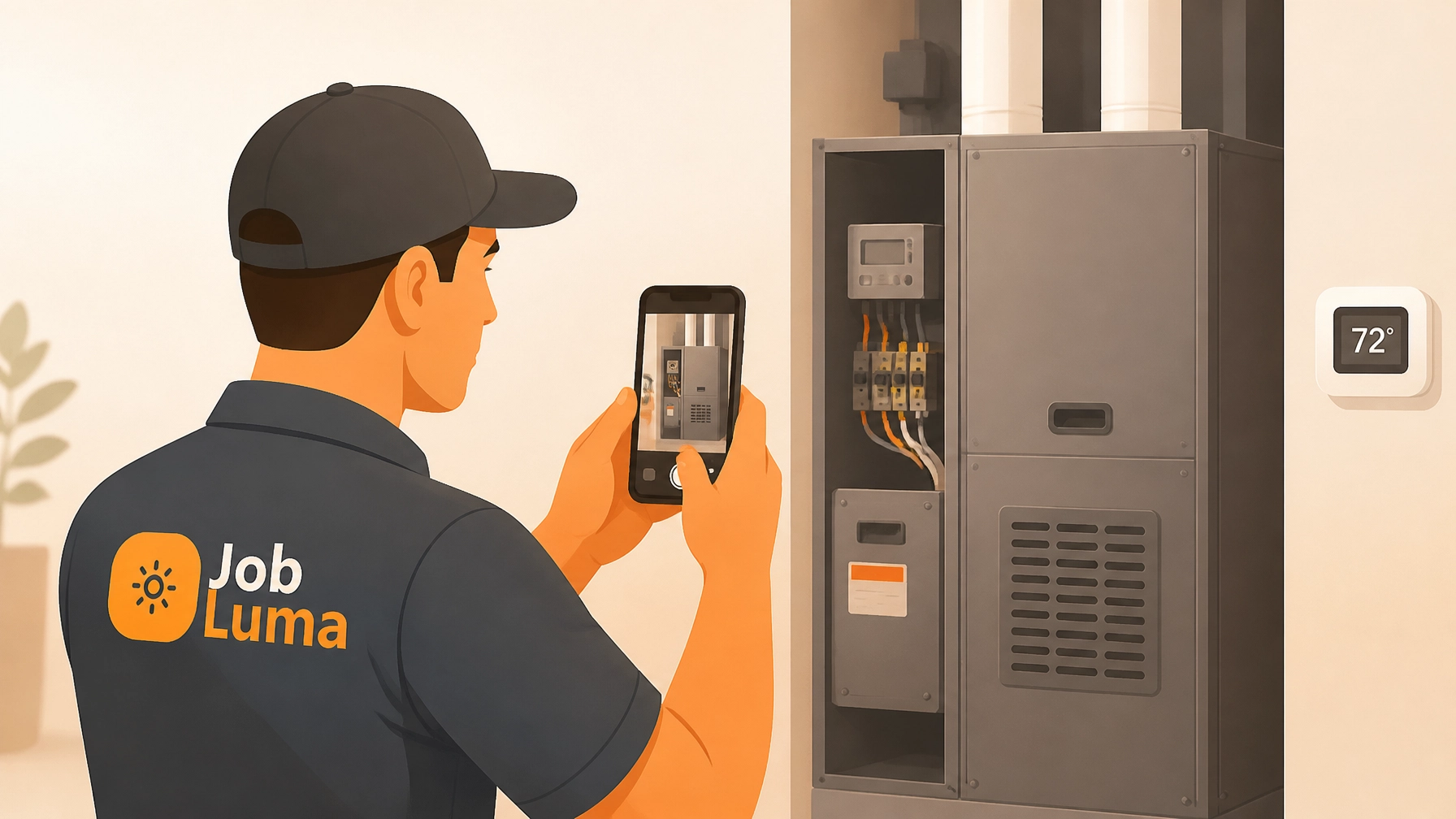
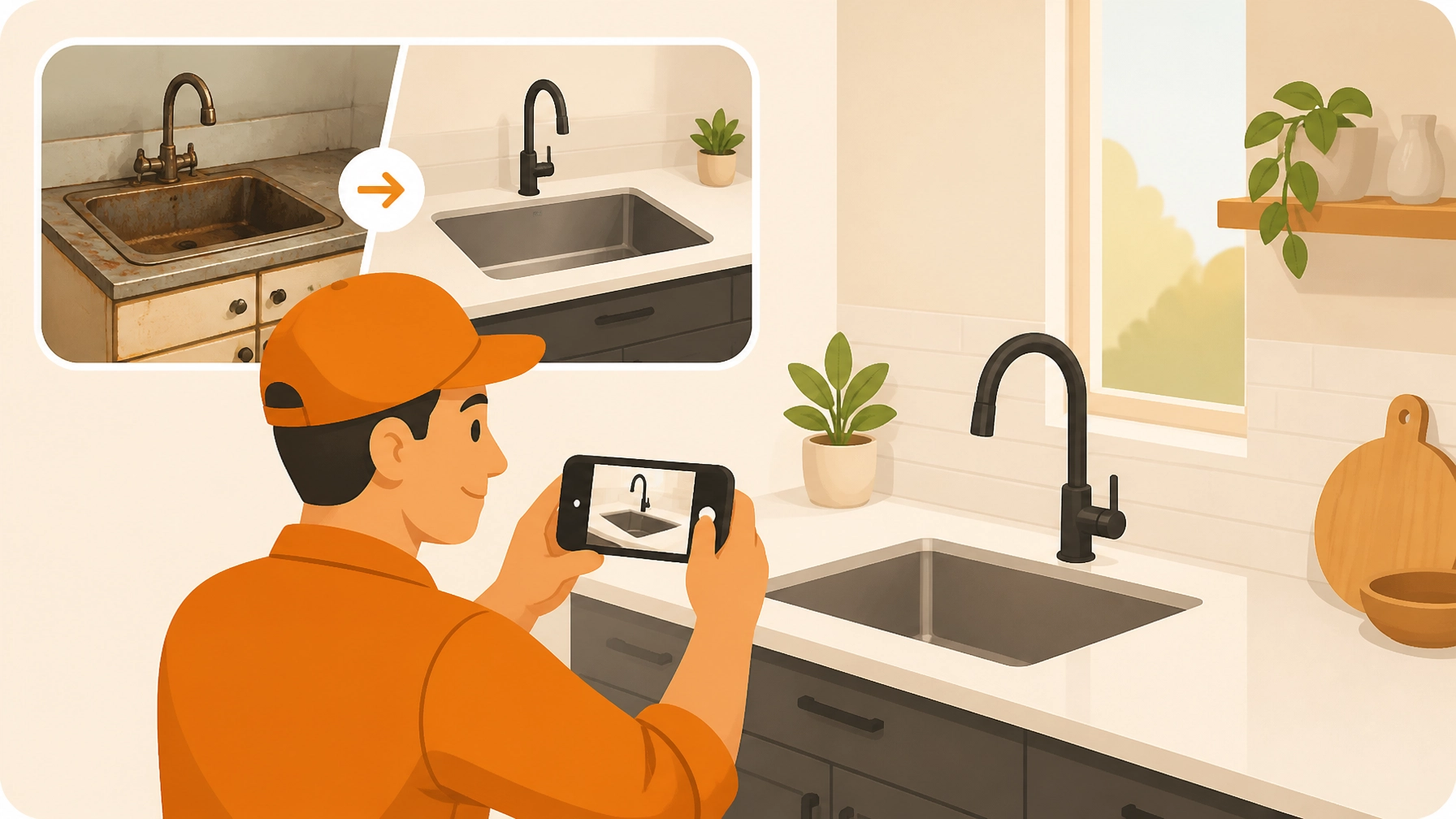
    Contractor using a photo timeline app to provide construction photo documentation to a client.

    Why a Photo Timeline Beats a Messy Camera Roll

    Most contractors realize they should take photos. The problem is where those photos end up. Usually, they’re buried in a smartphone camera roll alongside 4,000 pictures of your kids, your dog, and that one weird bug you saw on a job site three months ago.

    Trying to find a specific "before" photo of a pipe leak while a customer is arguing with you on the phone is a nightmare. This is why a dedicated before and after photo app is essential.

    A photo timeline app does three things that your camera roll can't:

    1. Organization by Job: It keeps every photo associated with the specific client and date.
    2. Sequential Storytelling: It shows the progress of the work from start to finish.
    3. Accessibility: It makes it easy to share that progress with the team and the client instantly.

    Protecting Your Bottom Line: The ROI of Documentation

    Let's talk about the "Bottom Line" part of the title. How does taking photos actually put more money in your pocket?

    1. Avoiding Rework and False Claims

    If a homeowner claims you damaged their property, a "before" photo is your "get out of jail free" card. If you have a clear shot of that pre-existing crack in the foundation or that scratch on the siding before you even touched your tools, the dispute ends before it starts.

    2. Getting Paid Faster

    Disputes over invoices often stem from the customer not seeing the "work" in the labor. When you provide a comprehensive construction photo documentation log, the customer sees the complexity of the task. They see the rusted-out valve you replaced or the messy wiring you cleaned up. When they see the effort, they’re much more likely to hit "pay" without a second thought.

    3. Professionalism That Scales

    As your business grows, you can't be at every job site. Using a contractor job app allows you to see what your crews are doing in real-time. You can spot a mistake on a photo timeline before the drywall goes up, saving you thousands in rework costs.

    A contractor job app on a smartphone showing visual proof that increases business profit.

    Why Most Contractor Software Fails the "Field Test"

    There are dozens of project management tools out there. Some of them are massive, enterprise-level platforms that try to do everything, scheduling, accounting, CRM, CAD drawings, and more.

    Here’s the problem: most of those tools were designed by people in suits who have never crawled through a crawlspace or stood on a roof in July. They’re "bloated." They’re too slow, too complicated, and they require a 20-minute tutorial just to upload a photo.

    At JobLuma, we believe in simple. We know that if a tool isn't easy to use while you're wearing gloves and balancing on a ladder, you won't use it. Our brand tone is simple because the work you do is already hard enough. You don't need your software to be another chore.

    The "No-App-Download" Advantage

    One of the biggest friction points for customers is being asked to "create a portal" or "download our app" to see their project updates. Nobody wants another app on their phone.

    This is where JobLuma shines. We’ve designed a customer experience that requires zero downloads for the client. You can share a professional, branded timeline of the work via a simple link. The customer clicks the link, sees the photos, and feels involved in the process. It’s mobile-first, fast, and incredibly professional.

    This simple touch sets you apart from the "Old School" guys who are still texting blurry photos or, worse, providing no visual updates at all.

    JobLuma logo A bold orange icon with a simple sun design, representing clarity and illumination

    Marketing Gold: Before and After Photos

    Beyond protection and organization, a photo timeline app is your best marketing tool.

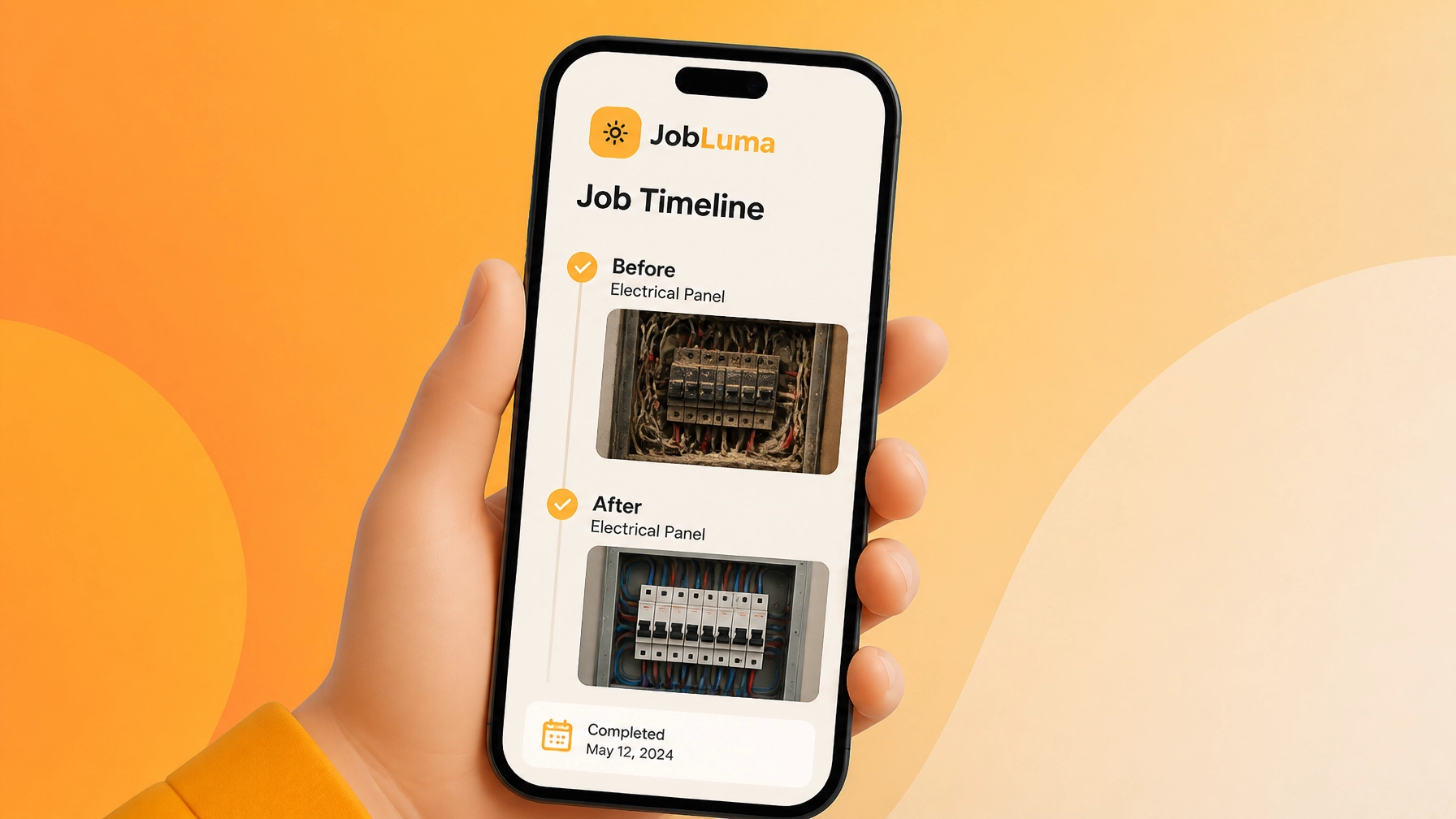
    Every time you finish a job, you have a story to tell. A "before" photo of a disastrous electrical panel followed by an "after" photo of a clean, labeled, and safe install is more effective than any paid advertisement.

    By consistently using a contractor photo app, you are building a portfolio of your best work every single day. You can use these timelines to show prospective clients exactly what to expect. "Here’s a link to a similar kitchen remodel we did last month," is a much more powerful sales pitch than just saying, "Trust us, we’re good."

    The Psychological Power of the Timeline

    There’s a psychological reason why visual proof matters so much. People are visual creatures. When a customer sees a timeline of photos, it triggers a sense of progress and accomplishment. It validates their investment.

    Think about it from the customer’s perspective: They are handing over hundreds or thousands of dollars for a service they might not fully understand. When you provide a visual record, you are being transparent. Transparency builds trust, and trust is the foundation of a long-term business relationship.

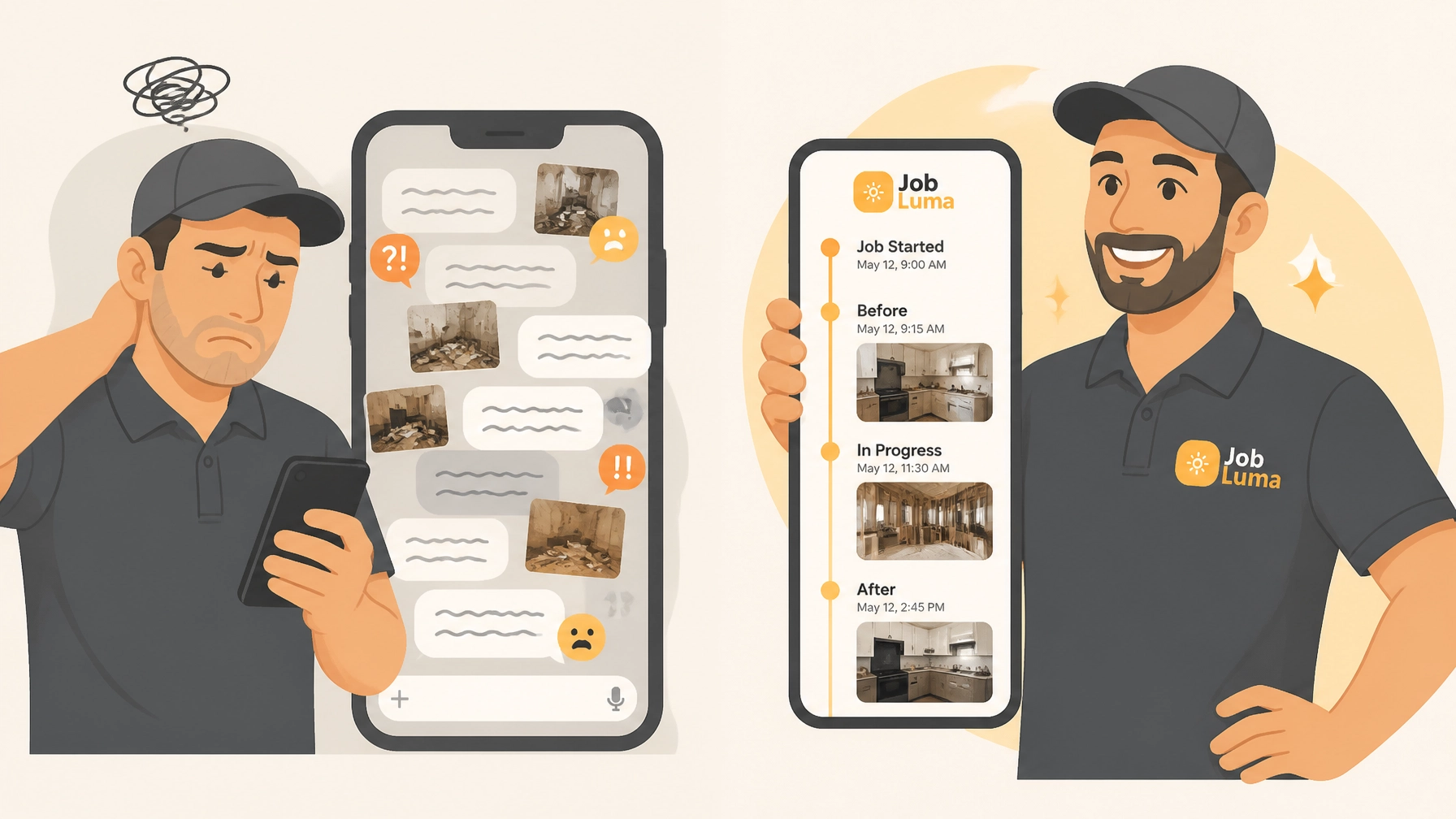
    Visual progress path using a before and after photo app for home service job tracking.

    Mobile-First: Because You’re Not at a Desk

    If you’re a service contractor, your "office" is your truck. Any photo timeline app worth its salt needs to be mobile-first.

    JobLuma was built for the field. We focused on making the photo logging process as fast as possible. Snap, tag, and move on. You don't have time to navigate through five sub-menus just to label a photo as "Completed." Our goal is to let you get the documentation done so you can get to the next job.

    Check out our features page to see how we’ve stripped away the fluff to leave only what contractors actually need.

    Conclusion: Start Protecting Your Business Today

    You wouldn't show up to a job without the right tools in your bag. In 2026, a digital tool for documentation is just as important as your impact driver or your multimeter.

    Don't wait for a dispute to happen before you start taking photos seriously. Protect your reputation, save your bottom line, and give your customers a better experience. Whether you're looking for a contractor photo app to keep your team on track or a way to show off your hard work, visual proof is the answer.

    Ready to see how simple it can be? Head over to our pricing page and see how JobLuma can fit your business. No more bloated software: just the tools you need to get the job done right.

    A contractor photo app on a mobile phone showing visual proof of a completed renovation.

  • Why a Simple Before and After Photo App Will Change the Way You Get Paid

    Why a Simple Before and After Photo App Will Change the Way You Get Paid

    We’ve all been there. You finish a long day on a hot job site. You’ve busted your tail, fixed the leak, rewired the panel, or installed the new HVAC unit. You pack up your tools, send the invoice, and head home thinking about a cold drink and a quiet evening. Then, two days later, the email hits your inbox: “Hey, I don’t think this was done right,” or worse, “That scratch on the wall wasn’t there before you arrived.”

    Suddenly, your payday is on hold. You’re not just a contractor anymore; you’re a private investigator trying to prove you did your job. This is the "he-said, she-said" trap that drains the bank accounts of small service businesses every single day.

    But what if you had a "receipt" for the quality of your work that was impossible to argue with? What if your construction photo documentation was so organized and easy to access that disputes vanished before they even started?

    That’s where a simple before and after photo app changes everything. It’s not just about taking pretty pictures for Instagram; it’s about protecting your bottom line and getting paid faster.

    The High Cost of "Good Enough" Documentation

    Most contractors "do" photos. You probably have a camera roll full of random pipes, wires, and drywall. But let's be honest: that camera roll is a mess. When a client calls with a complaint, you’re scrolling through 4,000 photos of your kids, your lunch, and ten different job sites trying to find that one specific "before" shot of a basement corner.

    By the time you find it (if you find it), the client is already frustrated, and your payment is already delayed.

    Traditional contractor software often tries to solve this by being "all-in-one." They want to handle your accounting, your HR, your GPS tracking, and your grandma’s birthday reminders. These bloated project management tools are usually too complex for a guy in the field. You don’t need a 20-minute onboarding session to learn how to upload a photo. You need to snap, click, and move on to the next job.

    Contractor job app displaying an organized grid of professional construction site photos on a mobile phone.

    Why Photos are Your Secret Weapon for Getting Paid

    Visual proof is the most powerful tool in your belt. Here is why a dedicated contractor photo app specifically designed for timelines and before/after comparisons will change your business:

    1. It Eliminates Disputes Instantly

    When you show a customer a clear "Before" photo of the damage and a "After" photo of the fix, the conversation shifts from "What did I pay for?" to "Wow, look at that difference." It’s hard to argue with a high-resolution photo timeline. When there’s no room for doubt, there’s no reason to withhold payment.

    2. It Builds Unshakeable Trust

    In the service industry, trust is the currency that matters most. When you use a professional contractor job app to document your progress, you look like a pro. It shows the client that you are transparent, organized, and detail-oriented. Trusting customers pay their bills on time.

    3. It Protects You from Liability

    We’ve all dealt with the customer who tries to blame the plumber for a cracked tile three rooms away. If your photo timeline shows the state of the house when you arrived and when you left, you have a digital paper trail that protects your reputation and your wallet.

    The Problem with Bloated Software

    A lot of contractor software on the market today was built by people who have never set foot on a construction site. They think you have thirty minutes between jobs to sit in your truck and navigate through five different sub-menus just to log a photo.

    At JobLuma, we believe in the "Keep It Simple" philosophy. We know that if a tool is hard to use, you won't use it. And if your crew finds it annoying, they definitely won't use it.

    The goal isn't to have more features; the goal is to have the right features. A mobile-first design means you can pull your phone out of your pocket, snap a photo, and have it automatically filed under the right project before you’ve even closed the customer’s front door.

    JobLuma logo

    Why the "No-App-Download" Experience is a Game Changer

    One of the biggest hurdles in modern service businesses is getting the customer involved. Most software asks your customer to download an app, create a login, and "join a portal."

    Let’s be real: your customers don't want another app on their phone. They want their AC fixed, and they want to see that it was done right.

    JobLuma is designed around a no-app-download customer experience. You can share your project timelines and photos with a simple link. The customer clicks, sees the work, and stays informed without any friction. When you make it easy for the customer to see the value you’ve provided, you make it easy for them to click "Pay."

    Before and after photo app interface showing an HVAC repair and a contractor shaking hands with a client.

    How to Build a Better Photo Timeline

    Using a photo timeline app shouldn't be a chore. Here’s a simple workflow that will save you thousands in disputed invoices:

    1. The Arrival Shot: Take a photo of the area as soon as you walk in. This captures the "pre-existing conditions."
    2. The "Guts" Shot: If you’re doing electrical or plumbing, take photos of what’s behind the wall before you close it up. This is the work the customer never sees but is paying the most for.
    3. The Completion Shot: The final, clean, finished product.
    4. The Site Exit: A quick photo showing the area is clean and no tools were left behind.

    When this is organized in a simple, searchable format, you aren't just a contractor; you’re a professional with a verifiable track record. If you’re looking to get started with a system like this, check out our features page to see how we make this process effortless.

    Speeding Up the Invoice Cycle

    The longer the gap between the work and the invoice, the harder it is to get paid. By using a before and after photo app, you can attach the photo timeline directly to your invoice.

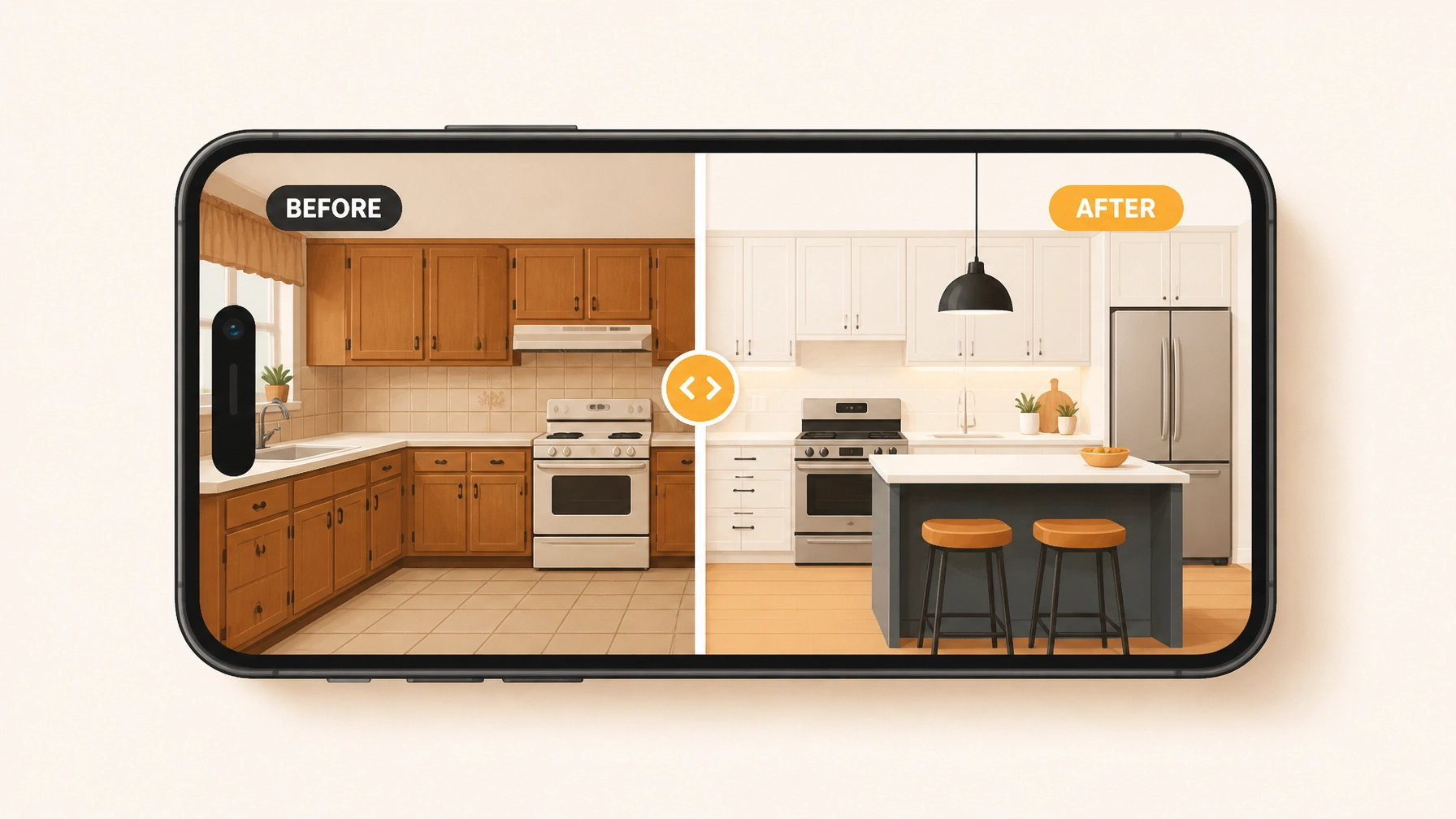
    Imagine a customer receiving an invoice and, right next to the total, they see a beautiful slider showing the transformation of their kitchen or the repair of their roof. It triggers a psychological "reward" response. They see the value, they remember the hassle you saved them, and they are much more likely to settle the bill immediately.

    Homeowner viewing a contractor photo timeline via a simple web link on their smartphone for easy payment.

    Mobile-First is the Only Way

    If your construction photo documentation requires you to go back to the office, upload files from a camera, and organize them into folders on a desktop, you’ve already lost the battle. The modern contractor works from their pocket.

    Your phone is your office. A contractor job app needs to be as fast as sending a text message. If it takes more than three taps to log a photo, it’s too slow. JobLuma was built with a mobile-first mindset because we know you’re usually holding a wrench in the other hand.

    Conclusion: Stop Leaving Your Payday to Chance

    You work too hard to let a lack of documentation stand between you and your money. Disputes are expensive, not just in terms of dollars, but in terms of time and stress.

    By switching to a simple, dedicated before and after photo app, you’re doing more than just taking pictures. You’re building a library of your expertise, protecting your business from false claims, and providing a customer experience that justifies your rates.

    Don't settle for bloated software that slows you down. Choose a tool that works as hard as you do. Ready to see how easy it can be? You can get started for free and start documenting your wins today.

    If you have questions about how to integrate photo documentation into your specific workflow, our help center is always open, or you can contact us directly. We’re here to help small service contractors win.

    Tablet on a workbench displaying before and after plumbing photos to speed up the contractor invoice cycle.

    Final Thoughts for the Field

    Remember, the best time to take a "before" photo was when you arrived. The second best time is right now. Start building that timeline, and watch how much faster those checks start clearing.

    For more tips on running a leaner, more profitable service business, keep an eye on the JobLuma blog. We’re constantly sharing ways to help you spend less time on paperwork and more time on the tools.

  • How to Create Professional Photo Timelines in 5 Minutes (Even From the Job Site)

    How to Create Professional Photo Timelines in 5 Minutes (Even From the Job Site)

    If you’re an electrician, plumber, or HVAC tech, you know the feeling. You’ve just finished a job that looks incredible. The wiring is neat, the pipes are perfectly aligned, or that new furnace is humming along beautifully. You take a quick photo on your phone, shove it back in your pocket, and rush off to the next service call.

    By the end of the week, your camera roll is a mess. You’ve got 40 photos of generic-looking copper pipes, three blurry shots of a circuit breaker, and a picture of your lunch. When it comes time to send a professional update to the customer or post a "before and after" to your Facebook page, you’re stuck scrolling for twenty minutes just to find the right files.

    Documentation shouldn't feel like a second job. In fact, if your construction photo documentation takes more than five minutes, you’re doing it wrong.

    In this guide, I’m going to show you how to create professional photo timelines that wow your customers and protect your business: all without leaving the job site or touching a piece of bloated project management software.

    The Problem With "Traditional" Contractor Software

    Most contractor software out there was built for guys sitting in an office, not for the person holding the wrench. They want you to create a project, assign a task, set a milestone, upload a file, and then tag three people. By the time you’ve done all that, you could have finished your next estimate.

    Small service contractors don't need a digital filing cabinet; they need a fast, reliable contractor photo app that works as hard as they do. You need something that lets you:

    1. Snap a "Before" photo.
    2. Snap an "After" photo.
    3. Automatically organize them by job.
    4. Share them with the customer instantly.

    The goal is to get in, get out, and get paid.

    Illustration of a contractor using a simple contractor job app instead of complex, bloated software.

    Why Photo Timelines Matter More Than You Think

    You might think, "My work speaks for itself. Why do I need a fancy timeline?"

    The truth is, homeowners and commercial clients love visuals. A professional photo timeline does three things for your business that words never will:

    1. It Builds Instant Trust

    When a customer sees a clear progression of the work, they feel like they’re getting their money's worth. Even if they don't understand the technical side of an electrical panel upgrade, seeing a "rat's nest" of wires turn into a clean, labeled system via a before and after photo app makes you look like a pro.

    2. It Protects Your Back

    We’ve all had that one client who claims you scratched their floor or broke a vase. Having time-stamped, organized photos from the moment you walked onto the job site provides an undeniable paper trail. It’s the cheapest insurance policy you’ll ever "buy."

    3. It Makes Referrals Easy

    When you send a professional-looking timeline to a client, they are much more likely to show it to their neighbor or post it on Nextdoor. It’s a digital business card that actually shows what you can do.

    How to Build Your Timeline in 5 Minutes (The JobLuma Way)

    You don’t need a degree in graphic design or a dedicated marketing person to make these timelines. Here is the workflow we recommend for the busiest contractors using a contractor job app like JobLuma.

    Step 1: The Arrival Snap (1 Minute)

    As soon as you hop out of the truck, take a photo of the house or the equipment you’re working on. This sets the stage. In JobLuma, you don't even need to create a complex folder structure. Just start the log.

    Step 2: The "Guts" (2 Minutes)

    Throughout the job, take photos of the things the customer won't see later. This includes wiring behind the drywall, the condition of the pipes before they were replaced, or the old, rusted-out water heater. These photos prove the "why" behind your bill.

    Step 3: The Finished Product (1 Minute)

    Clean up your tools, wipe down the area, and take your hero shot. Use good lighting (the flashlight on your phone is your best friend here).

    Step 4: Share the Link (1 Minute)

    This is where most contractors fail. They keep the photos on their phone. With JobLuma, you can generate a simple link to a professional photo timeline. You text it to the customer, and you're done. No bulky email attachments that get caught in spam filters.

    JobLuma logo

    The "No-App" Experience: Why Your Customers Will Love You

    One of the biggest hurdles with most construction photo documentation tools is that they require everyone to download an app. Your customer doesn't want to download "ContractorPortal 3000" just to see three photos of their leaky faucet.

    JobLuma is built on a "mobile-first, no-download" philosophy. You use the web-based app to organize your photos, and your customers receive a clean, professional web link. They click it, they see the work, and they’re impressed. It’s simple, fast, and stays out of the way.

    If you’ve been looking for a photo timeline app that doesn't require a manual to understand, this is it.

    Homeowner viewing a professional before and after photo timeline of a home repair on their smartphone.

    Avoiding the "Software Bloat" Trap

    When searching for contractor software, it’s easy to get sucked into platforms that promise to do everything: accounting, GPS tracking, lead generation, and payroll.

    But for a small service shop, "everything" usually means "too much." You end up paying $200 a month for features you never use, and the app is so slow that your guys in the field stop using it after the first week.

    Simplicity is a feature. By focusing solely on creating a great contractor photo app experience, JobLuma ensures that your documentation actually gets done. If it isn't easy, it won't happen. And if it doesn't happen, you're leaving money and protection on the table.

    Pro Tips for Better Job Site Photos

    Since you’re aiming to finish this in under five minutes, you need to make every shot count. Here are a few "pro" tips for the field:

    • Steady Your Hands: Tuck your elbows into your ribs to keep your phone steady in low-light basements or crawl spaces.
    • The "Context" Shot: Always take one wide shot of the room before you zoom in on the specific repair. It helps the customer (and you) remember exactly where the work was done.
    • Wipe Your Lens: Your phone lives in your pocket with lint and dust. Give the camera lens a quick wipe with your shirt before taking the "After" photo. It makes a world of difference in clarity.
    • Use the Same Angle: For the best "before and after" effect, try to take the final photo from the exact same spot you took the first one.

    Ready to Streamline Your Business?

    You didn't get into the trades to spend your evenings organizing digital files. You got into it to build things, fix things, and provide for your family.

    Stop letting documentation eat into your free time. Whether you’re looking to improve your marketing with a before and after photo app or you just want a better way to keep your jobs organized, JobLuma is here to help.

    You can check out our pricing to see how we fit into your budget, or sign up today to start your first professional timeline.

    Remember: A picture is worth a thousand words, but a professional timeline is worth a thousand referrals. See you on the job site!

    Efficient contractor software and streamlined photo documentation tools for field service professionals.


    Want to learn more about how to grow your contracting business without the headache? Visit our blog for more tips and tricks, or contact us if you have any questions about how JobLuma can work for your specific trade.

  • How to Create Professional Before and After Photo Documentation in Under 5 Minutes

    How to Create Professional Before and After Photo Documentation in Under 5 Minutes

    Let’s be real for a second. You didn’t get into the electrical, plumbing, or HVAC business because you loved filing paperwork. You got into it because you’re good with your hands, you like solving problems, and you like seeing a job well done.

    But as your business grows, you realize that the "job" isn't just about fixing the leak or wiring the panel. It’s about proving you did it. It’s about showing the homeowner that the moldy mess under their sink is now a pristine setup. It’s about covering your back if a customer claims you scratched their flooring three weeks after you left the site.

    The problem? Most contractor software feels like it was designed for people sitting in a skyscraper, not someone standing in a crawlspace. You don't have twenty minutes to navigate a complex menu just to upload a photo. You need a way to document your work that takes less time than it does to pack up your toolkit.

    In this post, we’re going to show you how to create professional before and after photo documentation in under five minutes: without the headache of bloated software.

    Why Before and After Photos are Your Secret Weapon

    Before we dive into the "how," let’s talk about the "why." If you aren't using a contractor photo app consistently, you're leaving money and peace of mind on the table.

    1. Building Instant Trust

    Most of your customers have no idea what you actually do. They see a bill for $400 and they think, "He was only here for an hour!" When you provide a professional timeline of photos, you show the complexity of the "before" and the quality of the "after." It justifies your pricing and builds instant authority.

    2. Liability Protection

    We’ve all had that one customer. The one who calls two weeks later claiming you broke a vase or left a stain. If you have a timestamped construction photo documentation trail showing the state of the room before you started and after you finished, those headaches disappear.

    3. Better Marketing

    Word of mouth is great, but a visual portfolio is better. High-quality before and after shots are the best content you can post on social media or your website. It’s visual proof that you know your stuff.

    Contractor showing homeowner professional before and after photo documentation on a smartphone.

    The "Bloated Software" Trap

    If you’ve searched for contractor job app solutions lately, you’ve probably seen the big names. They offer everything: project management, accounting, CRM, GPS tracking, and maybe even a way to order lunch.

    While those tools are great for massive construction firms building high-rises, they are often overkill for a service contractor.

    • They are expensive.
    • They have a steep learning curve.
    • They require your customers to download an app just to see a photo.
    • They take too long to use on-site.

    At JobLuma, we believe in keeping it simple. You shouldn't need a degree in computer science to log a photo. Our mobile-first design is built for the field, not the office. You need to get in, snap the pic, and get to the next job.

    The 5-Minute Professional Workflow

    Creating professional documentation doesn't require a DSLR camera or a studio setup. It requires a system. Here is how you can master it in under five minutes per job.

    Step 1: The "Entry Shot" (30 Seconds)

    Before you even touch a tool, take your phone out. Stand at the entrance of the work area and take a wide shot. Then, take 2-3 close-ups of the specific issue (the leaky pipe, the charred outlet, the rusted condenser).

    Pro Tip: Try to find a fixed point in the room: like a door frame or a specific tile: and keep that in the corner of your frame. This makes the "after" shot much more satisfying because the perspective matches.

    Step 2: The "Progress Snap" (optional, 1 minute)

    If it's a longer job, take one photo of the "guts" of the work. This shows the customer the parts they can't see once the drywall is back up or the unit is closed. It proves you didn't just put a "band-aid" on the problem.

    Step 3: The "Exit Shot" (30 Seconds)

    Once the work is done and: this is important: the area is cleaned up, take your "after" photos. Stand in the exact same spot where you took the "Entry Shot." Using a before and after photo app that allows you to see the previous photo as an overlay can help you line this up perfectly.

    Step 4: The Sync (1 Minute)

    Instead of letting these photos sit in your personal camera roll mixed in with pictures of your dog and your kids, use a dedicated photo timeline app. With JobLuma, these photos are automatically organized by job. You don't have to go home and sort through a mess of images at 8:00 PM.

    A contractor photo app displaying an organized job site photo timeline on a mobile device.

    Consistency is King

    The difference between a "guy with a truck" and a "professional service company" is consistency. If your photos are blurry, dark, or taken from weird angles, they won't have the impact you want.

    • Lighting: If you're in a dark basement, use a work light. Phone flashes often wash out the details of mechanical work.
    • Angles: Always try to take the photo at eye level or from a straight-on perspective.
    • Cleanliness: A "before" photo can be messy (that's the point), but an "after" photo should look like you were never there. Hide your tool bags and trash before snapping the final pic.

    Why Customers Love the JobLuma Experience

    One of the biggest friction points with modern software is the "App Download Barrier."

    Think about your customers. They are busy. They are stressed because something in their house is broken. The last thing they want to do is go to the App Store, remember their Apple ID password, download a 100MB app, and create an account just to see the photos of their new water heater.

    JobLuma solves this by focusing on a no-app-download customer experience. You can share a professional photo timeline via a simple link sent through text or email. The customer clicks the link, sees the professional branding, flips through the before and after photos, and feels great about the money they just spent. It’s simple for you, and it’s even simpler for them.

    JobLuma Logo

    Integrating Photos into Your Daily Routine

    The hardest part of documentation isn't the technology: it’s the habit. To make sure you actually hit that under-5-minute goal, you need to make it a "non-negotiable" part of your workflow.

    1. The "Photo First" Rule: You don't pick up a wrench until the "before" photo is taken.
    2. The "Payment Trigger": Don't send the invoice until the "after" photo is uploaded to your contractor software.
    3. Automate the Organization: Stop using manual folders on your computer. Use a tool like JobLuma that creates a photo timeline automatically.

    When your photos are organized by job and date, finding that one specific picture from a job six months ago takes five seconds instead of fifty minutes. Check out our features page to see how we handle the heavy lifting for you.

    Wrapping Up

    Professional documentation doesn't have to be a chore. In fact, it’s one of the highest-ROI activities you can do for your business. It protects you, it sells for you, and it makes you look like the expert you are.

    By ditching the overly complicated project management suites and sticking to a simple, mobile-first workflow, you can handle all your photo documentation in under five minutes per job.

    Stop letting your hard work go unrecorded. Start building a visual legacy of your craftsmanship today.

    Ready to simplify your job site photos? Sign up for JobLuma and see how easy professional documentation can be. No credit card required, just simple tools for hard-working contractors.

    Professional after photo of a clean HVAC installation showing high-quality construction photo documentation.

    Still have questions?

    If you're wondering how to transition your team over to a digital photo log or want to know more about our pricing, head over to our help center or check out our pricing page. We're here to help you get off the computer and back to the job site.

  • How to Create a Professional Photo Timeline in 5 Minutes (Without Bloated Contractor Software)

    How to Create a Professional Photo Timeline in 5 Minutes (Without Bloated Contractor Software)

    Let’s be honest: you didn’t get into the trades because you wanted to spend three hours a night staring at a computer screen. Whether you’re an electrician, a plumber, or an HVAC tech, your money is made in the field, not in a complicated dashboard.

    But there’s a catch. In 2026, if you aren't documenting your work, you're leaving money on the table and leaving yourself wide open to liability. Customers want to see what they’re paying for. They want to see the "Before" (the disaster) and the "After" (the masterpiece).

    The problem is that most contractor software is just too much. It’s bloated, it’s expensive, and it requires a PhD to navigate. You just want a way to show a professional photo timeline without the headache.

    In this post, we’re going to show you how to create a professional photo timeline in under five minutes. No bloat, no complex logins: just simple documentation that makes you look like a pro.

    Why Photo Documentation is Your Best Sales Tool

    Before we get into the "how," let’s talk about the "why." A photo timeline app isn't just a place to dump pictures; it's a storytelling tool.

    When you send a customer a professional timeline of the work you did, you are doing three things:

    1. Building Trust: You’re showing them exactly what was done behind the walls or under the floor.
    2. Protecting Your Back: If a customer claims you damaged something, you have the "Before" photo to prove the condition of the site when you arrived.
    3. Selling the Next Job: High-quality construction photo documentation is the best marketing material you can have. It proves your expertise far better than a written review ever could.

    Contractor using a before and after photo app on a tablet to show job documentation to a homeowner.

    The Problem with "Big Box" Contractor Software

    If you’ve searched for a contractor job app, you’ve probably seen the big names. These platforms promise to manage your entire life: from accounting to GPS tracking to HR.

    But for a small service shop or an owner-operator, that stuff is a nightmare.

    • The Learning Curve: You have to spend days watching "onboarding" videos.
    • The Friction: Your techs hate using it because it takes ten clicks just to upload one photo.
    • The Customer Experience: Many of these apps force your customers to create an account or download an app just to see their project photos. Spoiler alert: they won’t do it.

    That’s where the "5-minute timeline" comes in. You need something that works as fast as you do.

    How to Create Your Timeline in 5 Minutes

    You don't need a massive project management suite. You need a streamlined before and after photo app approach. Here is the play-by-step to get a professional timeline in front of your customer before you even leave their driveway.

    1. The "Arrival" Snap

    The moment you step on-site, take two photos. One of the overall area and one of the specific problem. This sets the baseline. In a contractor photo app like JobLuma, this takes three seconds.

    2. The "In-Progress" Proof

    People love seeing the "guts" of a project. If you’re a plumber, show the new piping before the drywall goes back up. If you’re an HVAC tech, show the clean wiring. These photos prove that you didn’t just slap a band-aid on the problem.

    3. The "Finished" Masterpiece

    This is the money shot. Clean up the area, grab your phone, and take a photo from the exact same angle as your "Arrival" snap. This creates that satisfying "Before and After" transition that customers love to share with their friends.

    4. The 60-Second Review

    Open your features and look at your log. Add a quick one-sentence caption to the key photos. "Old rusted water heater removed" and "New high-efficiency unit installed."

    5. Send the Link

    This is the most important part. Don’t send an email with 20 attachments that will get blocked by a spam filter. Send a single, professional link.

    Smartphone displaying a streamlined photo timeline app for service contractors to document job progress.

    The JobLuma Difference: No App, No Friction

    At JobLuma, we built our contractor photo app specifically for the person who hates complicated software. We focused on three things: Simple, Mobile-First, and No-Download.

    Why "No-Download" Matters

    Have you ever tried to get a homeowner to download a specific app just to see three photos of their leaky pipe? They won't do it. It’s annoying.

    With JobLuma, your customer gets a text or an email with a link. They click it, and it opens a beautiful, professional photo timeline in their mobile browser. No password to remember, no app to install. It just works. This creates a "Wow" factor that makes you stand out from the guy down the street who is still texting blurry photos one by one.

    Professional Tips for Better Photo Timelines

    If you want your photo timeline app to really shine, follow these quick field tips:

    • Wipe Your Lens: It sounds stupidly simple, but your phone lens is covered in pocket lint and finger grease. A quick wipe with your shirt will make your photos 10x sharper.
    • Lighting is King: If you're in a dark basement, use a work light, not just your phone flash. Flash often flattens the image and hides the detail of your work.
    • Context Matters: Don't just take a close-up of a wire. Take a step back so the customer can see where that wire is in relation to the rest of the house.
    • The "Hero" Angle: Find one angle and stick to it for the before, during, and after shots. It makes the timeline look like a time-lapse video.

    JobLuma Logo

    Stop Using Your Camera Roll as a Filing Cabinet

    We’ve all been there. You’re sitting at dinner on a Friday night, and a customer calls asking about a job you did three weeks ago. You spend twenty minutes scrolling through your phone, past photos of your dog and your kid’s soccer game, trying to find that one photo of the electrical panel.

    By using a dedicated tool for construction photo documentation, you keep your business life and your personal life separate. Every photo is tagged to a job, organized by date, and ready to be shared in seconds.

    Ready to Simplify Your Workflow?

    You don't need a bloated software suite that costs hundreds of dollars a month. You need a tool that lets you document your work, impress your customers, and get back to your life.

    If you’re tired of fighting with tech and just want a simple way to create professional photo timelines, it’s time to try a different approach. You can get started with JobLuma today and have your first timeline sent before your next coffee break.

    Check out our pricing to see how we fit your business, or better yet, jump right in and signup for free to see how easy it actually is.

    Summary Checklist for a 5-Minute Timeline:

    • Minute 1: Snap "Before" photos upon arrival.
    • Minute 2: Snap "During" photos of the critical work.
    • Minute 3: Snap "After" photos once the site is clean.
    • Minute 4: Add brief captions to provide context.
    • Minute 5: Send the professional link to the customer.

    No more "I'll send those photos when I get back to the office." Do it on-site, get it done, and look like the professional you are.

    Creating a professional image for your business doesn't have to be a full-time job. With the right contractor job app, it’s just part of the job you’re already doing. Keep it simple, keep it fast, and let your work speak for itself.

  • 7 Mistakes You’re Making with Construction Photo Documentation (and How to Fix Them)

    7 Mistakes You’re Making with Construction Photo Documentation (and How to Fix Them)

    Let’s be honest: nobody got into the trades because they loved taking pictures and filling out digital paperwork. Whether you’re an electrician, a plumber, or an HVAC tech, you’re in this business to build, fix, and solve problems. But in 2026, a "job well done" isn't enough if you don't have the proof to back it up.

    Construction photo documentation has become the backbone of modern contracting. It’s your insurance policy against "he-said-she-said" disputes, your ticket to getting paid faster, and your best marketing tool. Yet, most small service contractors are still making critical mistakes that cost them time, money, and sleep.

    If your current "system" involves a messy camera roll and a prayer that you don’t get sued, this post is for you. Here are the seven most common mistakes contractors make with their job site photos and how you can fix them without losing your mind.

    1. Thinking "Some" Photos Are Enough

    We’ve all been there. You’re finishing up a quick service call, you’re behind schedule, and you snap one quick photo of the finished panel or the new water heater. Done, right? Wrong.

    One photo is just a snapshot; it’s not a timeline. If a homeowner claims you scratched their flooring while moving equipment three days later, that single photo of the water heater won’t save you.

    The Fix: You need a photo timeline app approach. Capture the "arrival" state, the "work-in-progress" state, and the "departure" state. Documenting the path to the unit is just as important as documenting the unit itself. By having a chronological record, you create an airtight story of what happened on-site.

    2. Using "Monster" Project Management Software

    A lot of guys think they need the same software used to build skyscrapers. They sign up for bloated, expensive contractor software that requires a three-day training course just to figure out how to upload a JPEG.

    The result? Your field techs hate using it. It’s too slow, it crashes, and it has fifty buttons they don’t need. When software is hard to use, people stop using it. Then you’re right back to having zero documentation.

    The Fix: Keep it simple. Look for a contractor job app that is built for speed and mobile-first usage. You don't need Gantt charts and complex submittals for a residential service call. You need a way to snap, tag, and go. At JobLuma, we focus on the "Simple" part of our brand tone because we know that if it’s easy, it gets done.

    Illustration of a contractor choosing simple contractor software over bloated, complex management programs.

    3. The "Before" Photo Disappearing Act

    This is perhaps the biggest mistake in the book. It’s easy to remember to take a photo of your beautiful finished work: that’s the part you’re proud of! But the "before" photo is what actually protects your profit margins.

    Without a "before" photo, you can’t prove that the leak was already there, the drywall was already cracked, or the wiring was already a "bird’s nest" before you touched it.

    The Fix: Use a dedicated before and after photo app workflow. Make it a mandatory part of every job: no tools come out of the van until the "before" photos are uploaded. This simple habit can save you thousands in liability. Seeing the transformation also makes for great customer reports, which leads to better reviews.

    4. Poor Lighting and "Blurry-Cam"

    We work in crawl spaces, attics, and dark basements. Taking a photo in these conditions often results in a grainy, blurry mess where you can't tell a wire nut from a cockroach. If a dispute goes to court or an insurance adjuster, a blurry photo is about as useful as no photo at all.

    The Fix:

    1. Clean the lens: Your phone lives in your pocket with sawdust and lint. Wipe it before you snap.
    2. Use external light: Don't just rely on the phone's flash, which often creates a harsh glare on metal surfaces. Use your work light to bounce light off a wall or ceiling for a clearer shot.
    3. Check the focus: Tap the screen to focus on the specific connection or serial number you’re documenting.

    Professional construction photo documentation doesn't require a DSLR camera, but it does require 10 seconds of effort to ensure the image is legible.

    5. The "Manual Sync" Nightmare

    If your workflow involves taking photos on your phone and then "organizing them" at 9:00 PM on your laptop, you’ve already lost. Manual organization is where documentation goes to die. You’ll forget which photo belongs to which job, your phone storage will get full, and you’ll eventually just give up.

    The Fix: Your contractor photo app should handle the organization for you in real-time. Photos should be tagged to the specific project or customer the moment they are taken. If you’re still emailing photos to yourself, you’re wasting billable hours on admin work that should be automated.

    Automated sync organizing construction photo documentation into a clear photo timeline app.

    6. Forgetting the "Customer Experience"

    Many contractors think photo documentation is just for them. They keep all the photos in a private folder and never show the client. This is a missed opportunity to build massive trust. Customers love seeing what they’re paying for, especially for work they can't see (like in an attic or behind a wall).

    However, some software makes this a nightmare by forcing the customer to download an app or create a login just to see their project photos. Most customers won't do it.

    The Fix: Use a system like JobLuma that offers a no-app-download customer experience. Being able to send a simple link where a homeowner can view their job progress on their own phone: without an account: makes you look like a tech-savvy professional. Check out our features to see how we make sharing easy.

    7. No Context or Notes

    A photo of a pipe is just a photo of a pipe. Six months from now, will you remember why you took that photo? Will you remember that the pipe was vibrating or that the seal looked worn?

    The Fix: A good contractor job app allows you to add quick voice-to-text notes or labels to your photos. "South wall, existing water damage" is a lot more helpful than "IMG_5642.jpg." Context turns a picture into evidence.

    JobLuma logo A bold orange icon with a simple sun design

    Why Simplicity Wins Every Time

    In the world of field services, "simple" is a superpower. You don't have time to manage complex databases. You need a mobile-first design that works as fast as you do.

    This is why we built JobLuma. We saw too many electricians and HVAC techs struggling with software that was designed for office workers. We wanted to create a tool that felt like a natural extension of your tool belt.

    By avoiding these seven mistakes, you’re not just taking pictures: you’re building a valuable asset for your business. You’re protecting your reputation and ensuring that your hard work is documented and respected.

    Ready to level up your documentation?

    Stop fighting with your camera roll. If you're looking for a before and after photo app that doesn't require a PhD to operate, give JobLuma a look. Our goal is to get you off the phone and back to the job as quickly as possible.

    • Easy to start: Check our pricing to find a plan that fits your crew.
    • Questions? Visit our help center or contact us directly.
    • Get Started: Sign up today and start your first project timeline in seconds.

    Service technician using a contractor photo app to document a professional job well done.

    Bottom Line: Don't let a lack of photos (or a mess of unorganized ones) be the reason you lose money on a job. Start documenting the right way today. It’s the simplest way to grow a professional, stress-free service business.

  • How to Create Professional Job Timelines in 5 Minutes (Without Complex Contractor Software)

    How to Create Professional Job Timelines in 5 Minutes (Without Complex Contractor Software)

    You know the feeling. You’ve just spent eight hours in a crawlspace or up on a ladder, your back is aching, and you’re covered in dust. The job is done, and it looks great. But now comes the part most contractors dread: the paperwork.

    In a perfect world, you’d hand over a beautiful, professional report to the homeowner that shows exactly what you did, why it mattered, and how much value you added to their home. In reality? You probably have thirty random photos buried in your phone’s camera roll, mixed in with pictures of your kids and your dog. Sorting through them feels like a second job you didn't sign up for.

    Many guys try to solve this by looking for contractor software. But then they see the price tag: $200 a month: and the "training videos" that look like they require a PhD in project management. You’re an electrician, a plumber, or an HVAC tech; you aren't an IT consultant. You don't need a Gantt chart to fix a leaky pipe. You just need a way to show your work.

    Here’s the good news: you can create professional job timelines in under five minutes. No complex software, no steep learning curves, and no headache. Here is how to do it.

    The Problem with "Bloated" Project Management Tools

    If you search for a contractor job app, you’ll find plenty of options. The problem is that most of them are built for massive construction firms building high-rise apartments. They are "bloated."

    These tools ask you to input sub-tasks, dependencies, resource leveling, and budget tracking for every single light fixture you install. For a small service contractor, this is overkill. It’s like using a sledgehammer to hang a picture frame.

    When software is too complex, one of two things happens:

    1. You spend more time on the app than on the tools, which costs you money.
    2. You get frustrated, stop using it, and go back to sending blurry text messages to clients.

    This is why "simple" is a competitive advantage. If you can document your work quickly, you actually do it. If you actually do it, you get paid faster and look more professional than the guy down the street who just leaves a paper invoice on the kitchen counter.

    Contractor choosing simple job app over complex construction project management software.

    Why Photos are the Secret to a Professional Timeline

    A professional timeline isn't just a list of dates. For a service contractor, a timeline is a visual story. This is where a before and after photo app becomes your best friend.

    Humans are visual creatures. A homeowner might not understand the technical details of a new circuit breaker panel, but they can see the difference between a "rat’s nest" of wires and a neatly organized, labeled box.

    By focusing on construction photo documentation, you achieve three things instantly:

    • Trust: You show the client exactly what was broken and how you fixed it.
    • Protection: If a client claims you damaged something, you have the "before" photos to prove the state of the site when you arrived.
    • Marketing: Every professional timeline you create is a potential case study for your next lead.

    The 5-Minute Workflow: Step-by-Step

    You don't need an hour at the end of the day to make this happen. You just need a system. Here is how to build a professional timeline using a simple contractor photo app approach.

    1. The "Before" (1 Minute)

    As soon as you walk onto the job site, take three photos.

    • One wide shot of the area.
    • One close-up of the problem.
    • One of the surrounding area (to document existing condition).
      This establishes the baseline. In JobLuma, you can do this in seconds without even thinking about it.

    2. The "During" (2 Minutes)

    Midway through the job, take a photo of the "guts." If you’re a plumber, take a photo of the pipes before you close the wall. If you’re an HVAC tech, take a photo of the new unit being leveled. This shows the "invisible" work that the client usually doesn't see but is paying for.

    3. The "After" (1 Minute)

    Clean up the site and take your "money shot." This should be the polished, finished product. This is the photo the homeowner will show their friends when they recommend you.

    4. The Sync (1 Minute)

    This is where the right tool makes the difference. Instead of emailing thirty individual files, you use a tool like JobLuma to organize these photos into a single, scrollable timeline.

    JobLuma Logo

    Why JobLuma is the Shortcut to Professionalism

    At JobLuma, we built our platform specifically for the guys who hate complex software. We know you’re using your phone with gloves on or in low light. You need a mobile-first design that just works.

    Here is why JobLuma beats the "big name" software for small contractors:

    No App Download for Customers

    This is the biggest friction point in the industry. Most "pro" tools require your customer to download an app, create an account, and remember a password just to see their project photos. Guess what? They won't do it.
    With JobLuma, you send a simple link. The customer clicks it and sees their professional timeline in their phone's web browser. It’s frictionless, and it makes you look like a tech-savvy pro.

    Simple Photo Logging

    Our focus is on photo timeline app functionality. We don't distract you with 50 different buttons. You open the site, snap the photo, and it’s logged to the job. Done. You can check out our features page to see how we keep it simple.

    Professionalism on Autopilot

    When you use a dedicated photo timeline app, your reports look consistent. Every client gets the same high-quality experience, which helps you build a brand that people trust.

    Visual before and after photo timeline showing plumbing progress from start to finish.

    Avoiding the "Communication Gap"

    The "Communication Gap" is the space between you finishing the work and the customer feeling satisfied. If you finish a job and just send an invoice, the customer might wonder, "What did I actually pay for?"

    When you send a visual timeline, you close that gap. You are providing construction photo documentation that serves as an insurance policy for your reputation.

    If a homeowner sees a timeline of:

    • 9:00 AM: Arrived on site, protected floors with drop cloths.
    • 10:30 AM: Removed old, leaking water heater (Photo).
    • 1:00 PM: Installed new high-efficiency unit (Photo).
    • 2:30 PM: Tested for leaks and cleaned workspace (Photo).

    They don't complain about the bill. They see the effort, the care, and the result. This transparency is what leads to 5-star reviews and repeat business.

    Tips for Better Job Photos (No Photography Degree Required)

    You don't need a fancy camera; your smartphone is more than enough. But a few quick tips can make your contractor job app timelines look even better:

    1. Wipe the lens: You’re in dusty environments. A quick wipe with your shirt makes the difference between a "dreamy blur" and a crisp, professional photo.
    2. Turn on the lights: Use your work lights or the flash. Shadows make jobs look "dirty" or "unfinished."
    3. Include a "Scale" item: If you’re showing a small crack or a specific part, put your hand or a tool next to it so the client understands the size.
    4. The "Hero" Shot: For the final photo, try to get a straight-on angle. It looks more "architectural" and professional.

    Using a contractor photo app to take professional documentation of an HVAC installation.

    Saving Money by Choosing Simple

    Let’s talk about the bottom line. Many contractors think they need to spend thousands on software to be "modern." But the pricing for complex tools is often based on features you’ll never use.

    By choosing a simple, mobile-first solution, you save in two ways:

    1. Lower Monthly Cost: You aren't paying for "Enterprise" features meant for 500-person companies.
    2. Time Savings: If you save 15 minutes of admin time per job, and you do 10 jobs a week, that’s over 100 hours a year you’ve bought back. What is your hourly rate worth?

    Conclusion: Stop Being an Admin, Start Being a Pro

    You started your business because you’re good at your trade, not because you wanted to spend your evenings organizing digital folders. Creating professional job timelines shouldn't be a chore.

    By moving away from bloated software and focusing on a simple, photo-first approach, you can give your customers a world-class experience in about five minutes per job. You'll get paid faster, protect yourself from disputes, and have a gallery of work that sells your services for you.

    Ready to see how easy it can be? You can sign up for JobLuma today and start your first timeline before your next coffee break. If you have questions about how it fits your specific trade, feel free to contact us or check out our help center.

    Don't let the paperwork bury the great work you do. Keep it simple, keep it visual, and keep growing your business.

  • How to Create a Professional Photo Timeline in 5 Minutes (Without the Technical Headache)

    How to Create a Professional Photo Timeline in 5 Minutes (Without the Technical Headache)

    Let’s be honest for a second: you didn’t get into the trades because you loved paperwork. You’re an electrician, a plumber, an HVAC tech, or a general contractor because you like building things, solving problems, and getting your hands dirty.

    But as your business grows, the "office side" of the job starts to creep in. Suddenly, you’re spending your evenings scrolling through your phone’s camera roll, trying to find that one photo of the rough-in plumbing from three weeks ago to prove to a homeowner that, yes, the leak is actually their old pipes, not your new work.

    We call this the "Camera Roll Chaos." It’s frustrating, it’s unprofessional, and it’s a massive waste of time.

    The good news? You don’t need a fancy degree in project management or a $300-a-month software suite to fix it. You just need a simple way to create a professional photo timeline. In this guide, we’re going to show you how to do it in under five minutes using a contractor photo app that actually works the way you do.

    Why Photo Timelines Are Your Business’s Secret Weapon

    Before we dive into the "how," let’s talk about the "why." Why should you care about a photo timeline?

    1. Proof of Quality (The "Before and After" Effect)

    There is nothing more satisfying for a customer than seeing a "before and after" transformation. When you show a homeowner a photo of their rusted-out water heater next to the shiny, perfectly installed new unit, you aren’t just showing them a job well done, you’re showing them value. A before and after photo app makes this automatic.

    2. Legal and Liability Protection

    We’ve all been there. A customer claims you scratched their flooring or didn’t install a specific component. If you have a timestamped photo timeline showing the state of the job site when you arrived and the precision of your work as you progressed, those disputes disappear instantly. It’s your "get out of jail free" card.

    3. Faster Payments

    When customers can see exactly what they are paying for, they tend to reach for their wallets faster. A professional-looking photo log attached to an invoice is a signal that you are a high-end professional, not just a "guy with a van."

    Contractor before and after photo app showing professional water heater installation progress on a smartphone.

    The Problem with Traditional Contractor Software

    If you’ve looked for a contractor job app before, you’ve probably run into two extremes.

    On one hand, you have the "Old School" method: texting photos to yourself, emailing them to the office, or letting them rot in your phone’s gallery. It’s free, but it’s a mess.

    On the other hand, you have the "Enterprise" software. These are the big names you see advertised everywhere. They promise to manage your entire life, but they come with a "technical headache." They require hours of training, they have 50 buttons you’ll never use, and they’re often designed for massive construction firms with 500 employees, not a local service shop.

    Worst of all, these big apps usually force your customers to download an app just to see their project photos. Let’s be real: your customers don’t want another app on their phone. They want to see their project updates and get on with their day.

    That’s where JobLuma changes the game. We focused on construction photo documentation that is mobile-first and dead simple.

    How to Create Your Timeline in 5 Minutes (Step-by-Step)

    Ready to stop the chaos? Here is the simplest way to build a professional timeline without breaking a sweat.

    Step 1: Start the Job

    Instead of opening your phone's default camera app, open your photo timeline app. With JobLuma, you don’t have to navigate through ten menus. You just tap the job you're working on and hit "Take Photo."

    Step 2: Snap as You Go

    As you work, snap photos of the milestones.

    • The Arrival: Show the workspace before you start.
    • The "Guts": Take photos of things that will eventually be covered up (wires behind drywall, pipes under the floor).
    • The Finish: The final, polished result.

    The magic part? The software automatically organizes these by date and time. No more dragging and dropping files into folders.

    Step 3: Add Quick Notes

    You don’t need to write a novel. A simple note like "Discovered hairline crack in main stack" or "Final wiring check complete" adds massive context to your photos. Because it’s a contractor photo app, these notes stay attached to the image forever.

    Step 4: Share with One Click

    This is the part that makes you look like a pro. With JobLuma, you can send a link to your customer. They don't have to download anything. They just click the link in their text or email and see a beautiful, branded timeline of their project.

    Step 5: Archive and Relax

    Once the job is done, the timeline is saved in the cloud. If that customer calls you in two years asking about a specific part you installed, you can find the photo in seconds by searching the job name.

    Hand holding a mobile phone with a professional construction photo documentation timeline for contractors.

    The "No-App" Customer Experience

    We need to talk about why the "No-App" experience is so important for your business. In the modern world, "app fatigue" is real. If you tell a customer, "Hey, to see your bathroom remodel progress, please download this 100MB app, create an account, and verify your email," they are going to roll their eyes.

    JobLuma was built with a "Simple" brand tone because we know that the less friction there is, the better your business runs. When you use our contractor software, your customer gets a simple, mobile-optimized web view. It looks great on their iPhone or Android, it loads instantly, and it makes you look like a tech-savvy genius.

    Real-World Scenarios: How a Photo Timeline Saves the Day

    Still not convinced? Let’s look at how this plays out in the field for different trades.

    The HVAC Tech

    You’re out on a service call for an AC unit that’s blowing warm air. You find a burnt-out capacitor and a filthy evaporator coil. You take a photo of the "Before." You replace the parts, clean the coil, and take a photo of the "After." You also snap a photo of the thermostat showing the temp dropping to 68 degrees.

    Two days later, the customer calls saying it’s not working again. You check your photo timeline app and see exactly what you did. You realize the issue might be the drain line you noticed was aging. You have proof of what was fixed and what wasn't, turning a potential argument into a follow-up service call.

    The Residential Electrician

    You’re doing a kitchen remodel. Before the drywall goes up, you take photos of every single wire run and junction box. Six months later, the homeowner wants to hang a heavy pot rack. They ask where they can drill without hitting a wire. Instead of guessing (or using a stud finder and hoping for the best), you pull up the construction photo documentation and show them exactly where the wires are located. That’s a customer for life.

    The Plumber

    You’re dealing with a "he-said, she-said" situation regarding a leak under a concrete slab. By documenting the stages of the jackhammering, the pipe repair, and the backfill, you provide a transparent record of the labor involved. It justifies your invoice and prevents the customer from questioning why the job took four hours.

    Mobile-first contractor software showing tools for HVAC, plumbing, and electrical service documentation.

    Why Mobile-First Design Matters

    Most software is built for a desktop computer first and then "shrunk down" to fit a phone. That’s why those apps are so clunky to use when you’re standing on a ladder or squeezed into a crawlspace.

    JobLuma is a contractor job app designed for the thumb, not the mouse. The buttons are big, the interface is clean, and it works even when your hands are a little dusty. We know you’re using your phone in tough conditions, so we made the software tough enough to match.

    Ready to Ditch the Technical Headache?

    Creating a professional photo timeline shouldn't be a chore. It should be a natural part of your workflow that takes less time than it does to pack up your tools at the end of the day.

    By focusing on simplicity, you save time, protect your profits, and give your customers an experience that the "big guys" can't match. You don't need a bloated project management system. You need a tool that does one thing incredibly well: documenting your hard work.

    If you’re tired of losing photos in your camera roll and want to start building professional timelines in 5 minutes or less, it’s time to try JobLuma.
    Stop the chaos and start documenting like a pro.

    Contractor leaning against a van using a simple job photo app to manage project documentation at sunset.

    Final Thoughts for the Busy Contractor

    The trades are changing. The "best" contractor isn't just the one who can sweat a pipe or wire a panel the fastest; it's the one who can communicate the best. In a world of short attention spans, photos are the ultimate communication tool.

    Don't let your hard work go undocumented. Spend five minutes today setting up a system that will save you five hours (and a lot of gray hair) next month. Your business, your bank account, and your sanity will thank you.

    If you ever run into trouble or have questions about how to get the most out of your photo logs, our Help Center is always open, or you can contact us directly. We’re here to help small service contractors win.

    Now, get back out there and get to work: just don't forget to take a photo first!

  • Stop Wasting Time on Complicated Job Paperwork: Try This Simple Photo Timeline Hack

    Stop Wasting Time on Complicated Job Paperwork: Try This Simple Photo Timeline Hack

    It’s 6:00 PM on a Tuesday. You’ve just finished a grueling install, your back is aching, and your truck is finally packed up. You’re ready to go home, grab a cold drink, and see your family. But there’s one thing standing in your way: the dreaded paperwork.

    You know the drill. You have to write down what you did, document the materials used, and somehow prove to the customer (and your boss) that the job was done right. Most contractors try to handle this by typing out long paragraphs on their phones or, worse, scribbling notes on a coffee-stained clipboard that will inevitably get lost under the seat of the truck.

    What if I told you that you could slash your paperwork time in half and actually provide better documentation just by using your phone’s camera?

    It’s called the Photo Timeline Hack, and it’s the secret weapon for savvy electricians, plumbers, and HVAC techs who want to get home earlier. In this post, we’re going to show you why traditional paperwork is a waste of time and how a simple photo timeline app can transform your business.

    Why Paperwork is the Enemy of Small Contractors

    Let’s be real: you didn't get into the trades because you loved filling out forms. You got into this because you like building things, fixing problems, and working with your hands.

    The problem is that as your business grows, the "office work" grows with it. If you don't document your jobs, you run into three major headaches:

    1. Liability Issues: A customer claims you scratched their floor or didn't finish the wiring correctly. Without proof, it's your word against theirs.
    2. Payment Delays: Invoices get held up because the client "wants to check a few things" before they send the final check.
    3. Communication Gaps: Your team doesn't know what happened on-site yesterday, leading to mistakes and rework.

    To solve this, many guys look for contractor software. But here’s the trap: most of the "big" construction software out there is bloated, expensive, and takes three months to learn. You don't need a Gantt chart to fix a leaky pipe; you just need a way to show you did the work.

    Illustration of a contractor replacing messy paperwork with a simple job documentation app.

    The Hack: Transition to a Photo-First Workflow

    The Photo Timeline Hack is simple: Stop writing, start snapping.

    Instead of trying to describe the state of a furnace when you arrived, take a photo. Instead of writing down that you cleared the debris after a demo, take a photo. By creating a chronological "story" of the job through pictures, you create a digital trail that is far more valuable than a written report.

    Why Photos Beat Text Every Time

    • Speed: You can take ten photos in the time it takes to type one clear sentence on a touchscreen keyboard.
    • Clarity: A photo of a specific wire color or a serial number doesn't have "typos." It’s 100% accurate every time.
    • Proof: A before and after photo app provides visual evidence that is hard to argue with. It protects your reputation and your wallet.

    When you use a contractor photo app, you aren't just taking pictures; you’re building a timeline. This timeline tells the story of the project from start to finish. When the customer sees that timeline, they feel an immediate sense of trust. They can see exactly what they are paying for.

    The Problem with "Bloated" Project Management Software

    If you’ve ever tried to use one of those high-end project management suites, you know the frustration. They ask for 50 different data points before you can even upload a single image. They have buttons for "Resource Allocation" and "Critical Path Analysis": stuff that makes sense for building a skyscraper, but is total overkill for a residential service call.

    These apps are also "heavy." They take forever to load on a 5G connection in a basement, and they drain your battery faster than a circular saw.

    At JobLuma, we believe simple is better. You shouldn't need a PhD in software engineering to document a job. You need a contractor job app that works as fast as you do.

    Using a mobile-first contractor job app for quick photo documentation in the field.

    How JobLuma Simplifies Your Documentation

    We built JobLuma specifically for the field. We stripped away all the junk that slows you down and focused on the one thing that actually matters: getting your job photos organized and shared.

    Mobile-First Design

    Most software is built for a desktop and "ported" to a phone. JobLuma was built for the phone first. We know you’re using it with one hand while holding a flashlight in the other. Our interface is clean, the buttons are big, and it just works.

    Before and After Timelines

    Our construction photo documentation tool makes it incredibly easy to create before-and-after comparisons. With a couple of taps, you can show the messy "before" state and the pristine "after" result. This is pure gold for your marketing and even better for your customer's peace of mind.

    No App Download for Customers

    This is the big one. Most contractor software requires your customer to download an app, create an account, and remember a password just to see their project updates.

    Nobody wants to do that.

    With JobLuma, you send your customer a simple link. They click it, and they can see the photo timeline right in their mobile browser. No downloads, no friction, just a happy customer who is impressed by your professionalism. This "no-app" experience is a game-changer for referrals and repeat business.

    JobLuma Logo

    Step-by-Step: Implementing the Photo Timeline Hack

    Ready to try it? You don't need to change your whole business overnight. Just follow these four steps on your next three jobs:

    1. The Arrival Shot: As soon as you step onto the job site, take 2-3 photos of the current state. Focus on the problem area and the surrounding environment (to prove there was no pre-existing damage).
    2. The "Hidden" Work: Taking photos of things that will be covered up: like wiring behind a wall or pipes under a floor: is the best way to avoid "what happened?" phone calls six months later.
    3. The Completion Shot: Take photos of the finished product from the same angles as your arrival shots. This creates that satisfying before/after effect.
    4. The Immediate Share: Use a photo timeline app like JobLuma to send the link to the homeowner before you even pull out of their driveway.

    By the time you get home, the customer has already seen the great work you did, shared it with their spouse, and is much more likely to pay that invoice the second it hits their inbox.

    Before and after photo timeline showing construction project progress in a job app.

    Getting Paid Faster with Visual Proof

    Let’s talk about the money. The biggest reason contractors don't get paid on time is "clarification." The client has a question, they wait a few days to ask it, you wait a few days to answer, and suddenly a 15-day payment term turns into 45 days.

    When you provide a clear, visual timeline of the work, you eliminate the need for clarification. You are providing "Social Proof" that the job is done to a high standard.

    Using JobLuma as your contractor software puts you in the top 1% of service businesses in terms of professionalism. Most guys are still texting blurry photos or, worse, sending nothing at all. When you provide a dedicated, branded link with a clean timeline, you look like a much larger, more organized operation than you might actually be.

    Stop the Paperwork Headache Today

    You didn't start your business to become a data entry clerk. You started it to be your own boss and do great work.

    The Photo Timeline Hack isn't just about saving time; it’s about taking the stress out of your evenings. It’s about knowing that every job is documented, every customer is impressed, and your reputation is protected.

    Stop fighting with bloated software that wasn't built for you. Switch to a photo timeline app that understands the reality of being in the field.

    If you’re tired of wasting your nights on paperwork, it’s time to give JobLuma a try. It’s simple, it’s mobile-first, and your customers will love it.

    Ready to simplify your workday?
    Sign up for JobLuma today and see how easy job documentation can actually be. Check out our pricing or learn more about our features to see why hundreds of contractors are making the switch.

    Don't let paperwork keep you from the things that matter. Grab your phone, take the shot, and get home early.

  • The Solo Contractor’s Guide to Stress-Free Job Logging at the Job Site

    The Solo Contractor’s Guide to Stress-Free Job Logging at the Job Site

    You just finished a ten-hour day. Your boots are covered in dust, your back is aching, and all you want to do is grab a cold drink and sit on the couch. But as you’re driving home, that nagging feeling hits you: Did I remember to take a photo of that wiring before I closed the wall? Did I document the leak before I patched the pipe? How am I going to explain to the homeowner why that extra part was necessary?

    For a solo contractor: whether you’re an electrician, a plumber, or an HVAC tech: the "job" isn't just the physical labor. It’s the documentation. It’s the proof that you did what you said you’d do, and that you did it well. But let’s be honest: traditional contractor software often feels like it was designed for a 50-person corporate office, not a guy with a truck and a toolbox.

    If you’re tired of bloated project management tools that require a PhD to navigate, or if your "job logging system" is just a messy camera roll full of blurry photos, this guide is for you. We’re going to talk about how to make job logging stress-free, mobile-first, and: most importantly: fast.

    The Problem with "Big" Contractor Software

    Most construction photo documentation tools on the market are built for massive job sites. They have Gantt charts, complex resource allocation maps, and "administrative dashboards" that look like a flight simulator.

    As a solo pro, you don’t need that. You need to get in, do the work, document the progress, and get paid. When you use software that is too complex, one of two things happens:

    1. You spend way too much time doing "office work" on your phone while you should be working.
    2. You get frustrated and stop using it altogether, leaving you with zero records when a customer disputes a bill.

    The secret to stress-free logging isn't more features; it’s the right features. You need a contractor job app that stays out of your way.

    Why Visuals Beat Notes Every Time

    Writing down "replaced the valve" is fine, but a high-resolution photo of the old, corroded valve next to the shiny new one is bulletproof.

    Using a before and after photo app changes the dynamic of your business. It transforms you from "the guy who sent a bill" to "the professional who provided a visual story of the repair." This builds instant trust. When a client can see the timeline of the work, they are much less likely to question the invoice.

    Plus, let’s talk about liability. We’ve all been there: a week after you leave a site, a customer calls saying something else broke, and they think it was your fault. If you have a clear photo timeline app showing exactly what you touched (and what you didn't), you have the visual proof to protect your reputation and your wallet.

    JobLuma Logo

    3 Steps to Stress-Free Job Logging

    You don’t need a complicated system. You just need a rhythm. Here is the simplest way to log any job:

    1. The "Arrival" Snap

    The moment you walk onto the site, take a "before" photo. This isn't just for the client; it’s for you. It captures the state of the room, the existing equipment, and any pre-existing damage. If you use JobLuma, these photos are automatically timestamped and organized, so you don't have to go hunting through your personal photos later to find them.

    2. The "In-Progress" Milestone

    If you’re doing something that will be hidden later: like plumbing behind a wall or wiring in a ceiling: take a photo. This is the most critical part of construction photo documentation. It shows the quality of your work that the customer will never see with their own eyes.

    3. The "Completion" Hero Shot

    Clean up the site and take one final photo. This is your "After" shot. It proves the job is done, the area is clean, and the equipment is functioning.

    Contractor taking an after photo of a kitchen renovation using a job logging app.

    Stop Forcing Your Customers to Download Apps

    Here is a hard truth: Your customers don't want to download another app. They already have 50 apps on their phone they don't use. If you send them a link to a "Customer Portal" that requires a username, password, and an App Store download, they probably won't look at it.

    One of the biggest benefits of a modern contractor photo app like JobLuma is the "no-app-download" experience. You can share a professional photo timeline with your customer via a simple link or QR code. They click it, they see the work, and they’re impressed. No friction, no passwords, just professional results.

    Check out how easy this is on our features page.

    The Mobile-First Mindset

    You don't work at a desk, so your software shouldn't behave like it belongs on one. A truly "stress-free" system is one that works perfectly on your phone with one hand while you’re holding a flashlight with the other.

    A mobile-first design means:

    • Big buttons: Easy to tap even if your fingers are a little dusty.
    • Fast uploads: You shouldn't be staring at a spinning wheel for three minutes.
    • Zero Bloat: Only the tools you need in the field.

    When your software is as mobile as you are, logging doesn't feel like a chore. It feels like part of the tool kit.

    Solo contractor using mobile-first contractor software to log work at a construction site.

    How Better Logging Leads to Faster Payments

    Have you ever sent an invoice and waited two weeks for the check, only to have the client call and ask, "Wait, what exactly did you do for four hours?"

    When you use a photo timeline app, you eliminate those phone calls. By the time the invoice hits their inbox, they’ve already seen the progress. They’ve seen the "before," the "middle," and the "after." They understand the value because you showed it to them.

    Effective job logging is actually a sales tool. It proves your expertise and justifies your pricing. If you want to see how this can change your billing cycle, take a look at our pricing to find a plan that fits your solo operation.

    Keeping it Simple

    At the end of the day, you’re a contractor, not a data entry clerk. Your time is literally money. Every minute you spend fighting with a complicated software interface is a minute you aren't billing for.

    By focusing on simple photo documentation and a clean, mobile-first workflow, you can:

    • Protect yourself from liability.
    • Wow your customers with professional timelines.
    • Get home earlier because your admin work is already done.

    If you’re ready to ditch the messy spreadsheets and the over-complicated project management tools, it might be time to try something built specifically for the way you work. You can learn more about our mission here.

    Final Thoughts for the Solo Pro

    Being a solo contractor is a hustle. You’re the CEO, the lead tech, the marketing department, and the janitor. You don't have time for "bloat." You need tools that work as hard as you do and stay out of your way.

    Start small. Tomorrow, try taking just three photos of every job: Before, During, and After. See how much better it feels to have that record ready to go. Once you see the power of a simple photo timeline, you’ll wonder how you ever worked without it.

    Ready to make your job logging stress-free? Signup for JobLuma today and start building your first digital job timeline in seconds. No credit card required, just a better way to work.

    If you have questions or need a hand getting started, our help center is always open, or you can contact us directly. We’re here to help you get back to what you do best: the real work.