Blog

  • How to Create Professional Photo Timelines in 5 Minutes (Without Bloated Software)

    How to Create Professional Photo Timelines in 5 Minutes (Without Bloated Software)

    You know the feeling. You’re finishing up a long day on the job site. You’ve done great work, the client is happy, and you’re ready to pack up and head home. But then you look at your phone.

    Your camera roll is a disaster zone. Between photos of your kids, that weird meme your brother sent you, and 47 blurry shots of a crawlspace, you have no idea which "before" photo belongs to which "after" photo. You know you need to document your work: both for your own records and to show the client: but the thought of spending an hour organizing those photos into a professional report makes you want to throw your phone into a bucket of wet cement.

    Most contractor software out there makes this worse, not better. They want you to fill out twenty fields, set up "projects" with "sub-tasks," and navigate menus that feel like they were designed for NASA engineers.

    At JobLuma, we think that’s overkill. You’re a contractor, not a data entry clerk. You need a contractor photo app that works as fast as you do.

    Here is how you can create professional photo timelines in under five minutes without touching bloated software.

    The Problem: The "Camera Roll Trap"

    Every plumber, electrician, and HVAC tech has been there. You take a photo of a cracked heat exchanger or a bird's nest of wiring. You fix it. You take a photo of the clean, finished product.

    Two weeks later, the client calls. They have a question about something "behind the wall" that's now covered in drywall. You spend twenty minutes scrolling through your phone, trying to find that one specific photo to prove you did the job right.

    This isn't just annoying; it’s bad for business.

    1. Liability: If you can’t prove what you did, you’re on the hook for disputes.
    2. Trust: Clients love seeing progress. If you can't show them a professional before and after photo app style report, you look like an amateur.
    3. Referrals: Great documentation is a marketing tool. A clean photo timeline is something a customer will actually show their neighbors.

    Why "Big" Software Fails Small Contractors

    There are plenty of "all-in-one" construction management tools. They promise to handle your leads, your accounting, your scheduling, and your photo storage. But for a small service shop or a solo contractor, these platforms are often "bloated."

    They require a massive learning curve. They force your customers to download an app just to see their own project photos (which, let’s be honest, most customers won’t do). And they cost a fortune every month.

    You don't need a Swiss Army knife when you just need a hammer. You need a dedicated contractor job app that focuses on one thing: making your work look good and keeping your records organized.

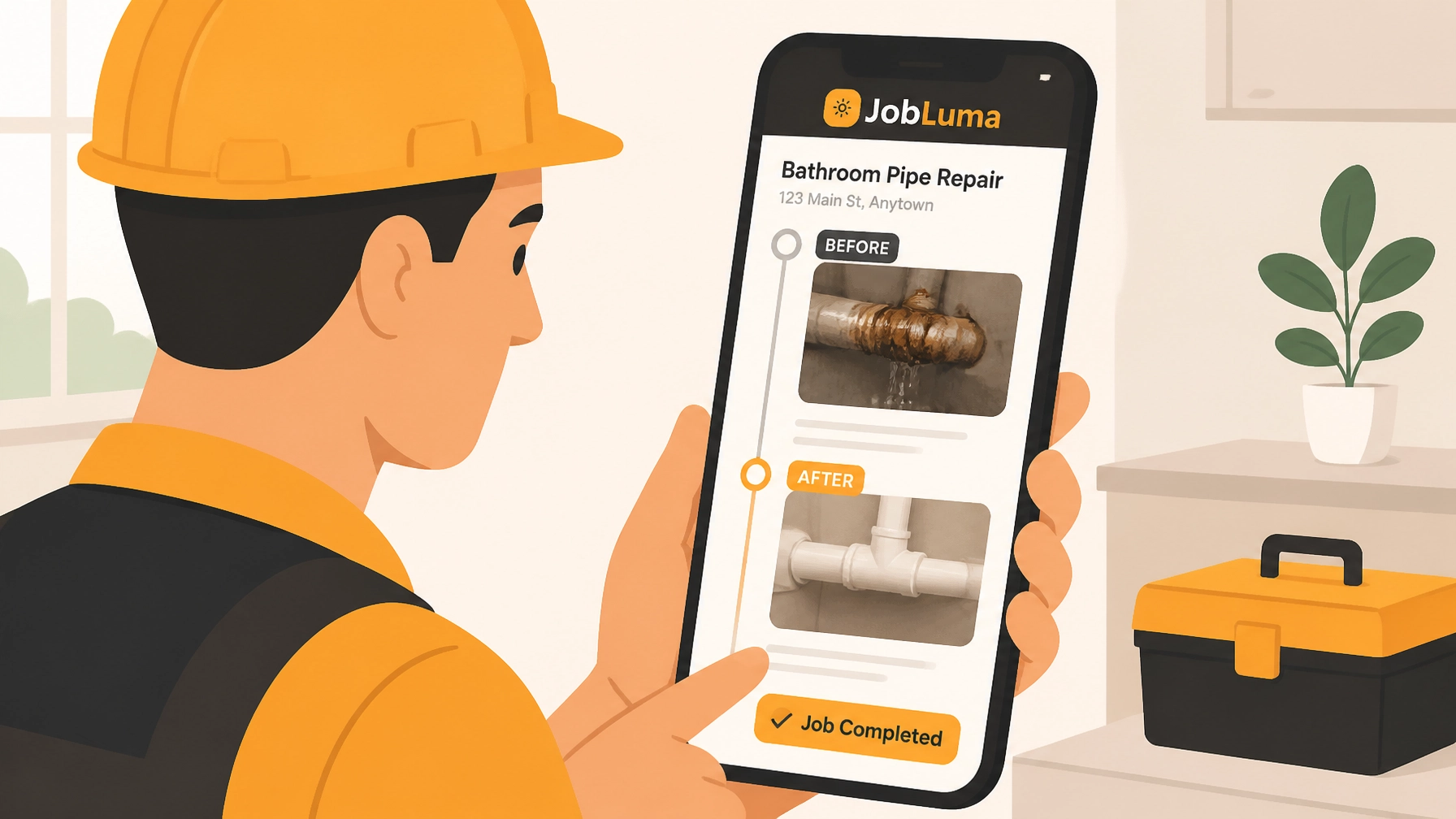
    Contractor using a mobile contractor photo app for quick before and after job site documentation.
    Caption: A simple, mobile-first interface is the key to consistent documentation on a busy job site.

    The 5-Minute Professional Timeline Method

    If you want to build a professional timeline without the headache, follow this simple framework.

    1. The "Fixed Point" Strategy (1 Minute)

    Professional photographers use a trick: they identify the "Anchor Events." For a contractor, your anchors are the Before, the Rough-In, and the Finished Product.

    Don't overthink it. Take two photos the second you walk onto the job site. Don't wait until you've cleared the tools or started the demo. Those "raw" before shots are the most powerful evidence of the value you provide.

    2. Live Documentation (2 Minutes)

    The biggest mistake is waiting until the end of the day to "organize" photos. If you use a tool like JobLuma, you can snap the photo directly into the job log.

    By taking 30 seconds to snap a photo during key transitions: like when the new piping is laid but not yet buried: you are creating a construction photo documentation trail in real-time. By the time you’re packing up, 90% of your report is already done.

    3. The "Quick Note" Add-On (1 Minute)

    A photo is worth a thousand words, but a photo with a quick note is worth a thousand dollars in avoided disputes.

    • "Found existing corrosion on the main line."
    • "Replaced 15ft of 12/2 wire."
    • "Customer requested change to outlet location."

    These small snippets, added while the memory is fresh, turn a simple photo gallery into a professional timeline.

    4. The 60-Second Share (1 Minute)

    This is where most contractors drop the ball. They have the photos, but they never send them to the client because it’s too much work to email or text 15 separate files.

    With a mobile-first photo timeline app, you should be able to hit "Share" and send a single link. No attachments, no "file too large" errors, and: most importantly: no app for the customer to download.

    The JobLuma Difference: Simple is Better

    We built JobLuma because we were tired of seeing contractors struggle with software that felt like a chore. We wanted to create something that actually fits into a busy workday.

    No App Download for Customers

    This is our secret sauce. When you share a job timeline with your customer, they get a professional, branded link. They click it, and they see their project photos in a beautiful, organized timeline. They don't have to create an account. They don't have to remember a password. They just see your great work.

    Mobile-First Design

    You aren't sitting at a desk. You’re on a ladder, under a sink, or in a van. JobLuma is designed to be used with one thumb. Big buttons, fast uploads, and a clean interface mean you can get your construction photo documentation done without slowing down your actual work.

    Professional Before and Afters

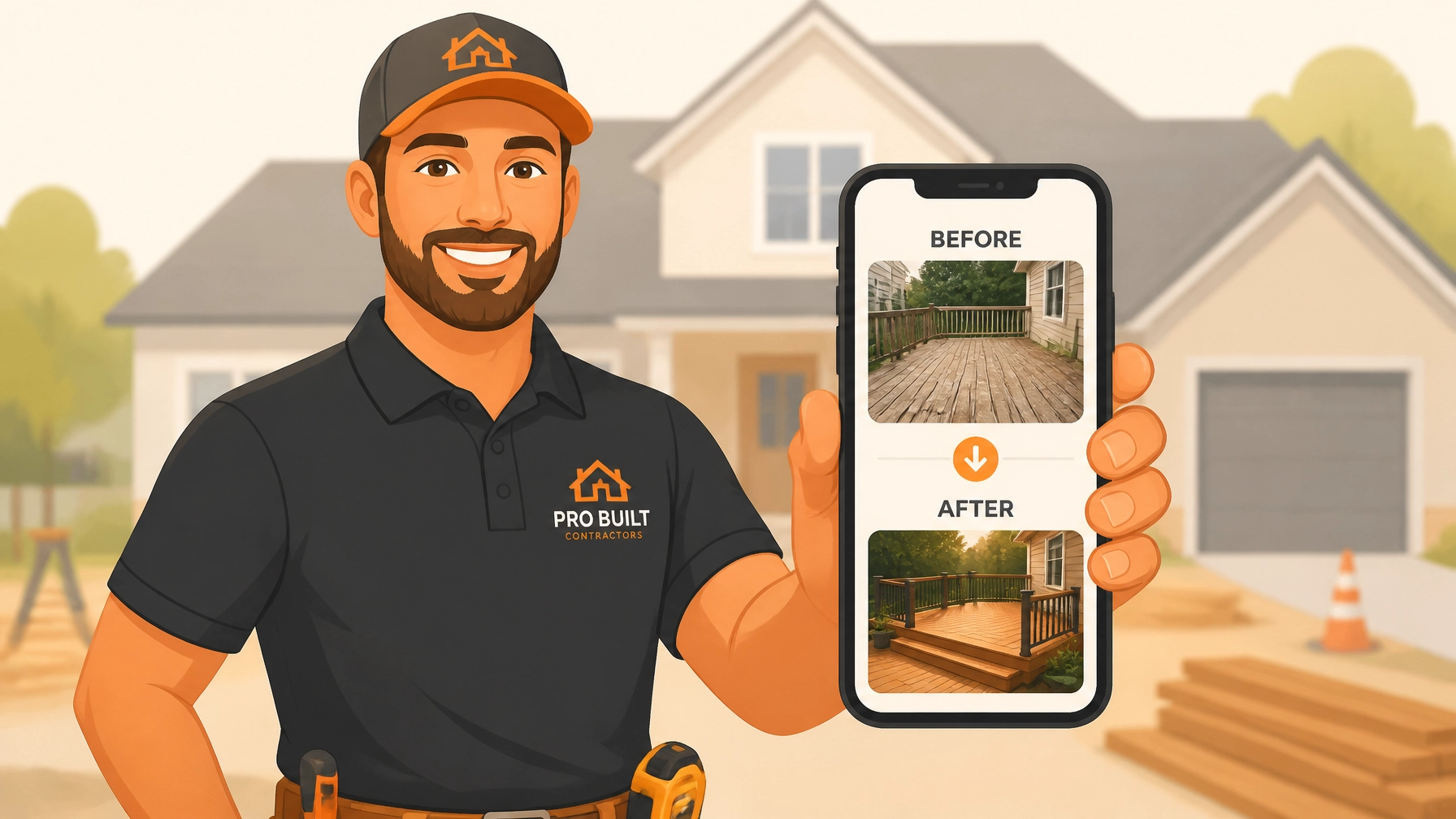
    Nothing sells your services better than a clear before-and-after. JobLuma makes these comparisons automatic. It’s the easiest way to show a homeowner exactly why they paid for your expertise.

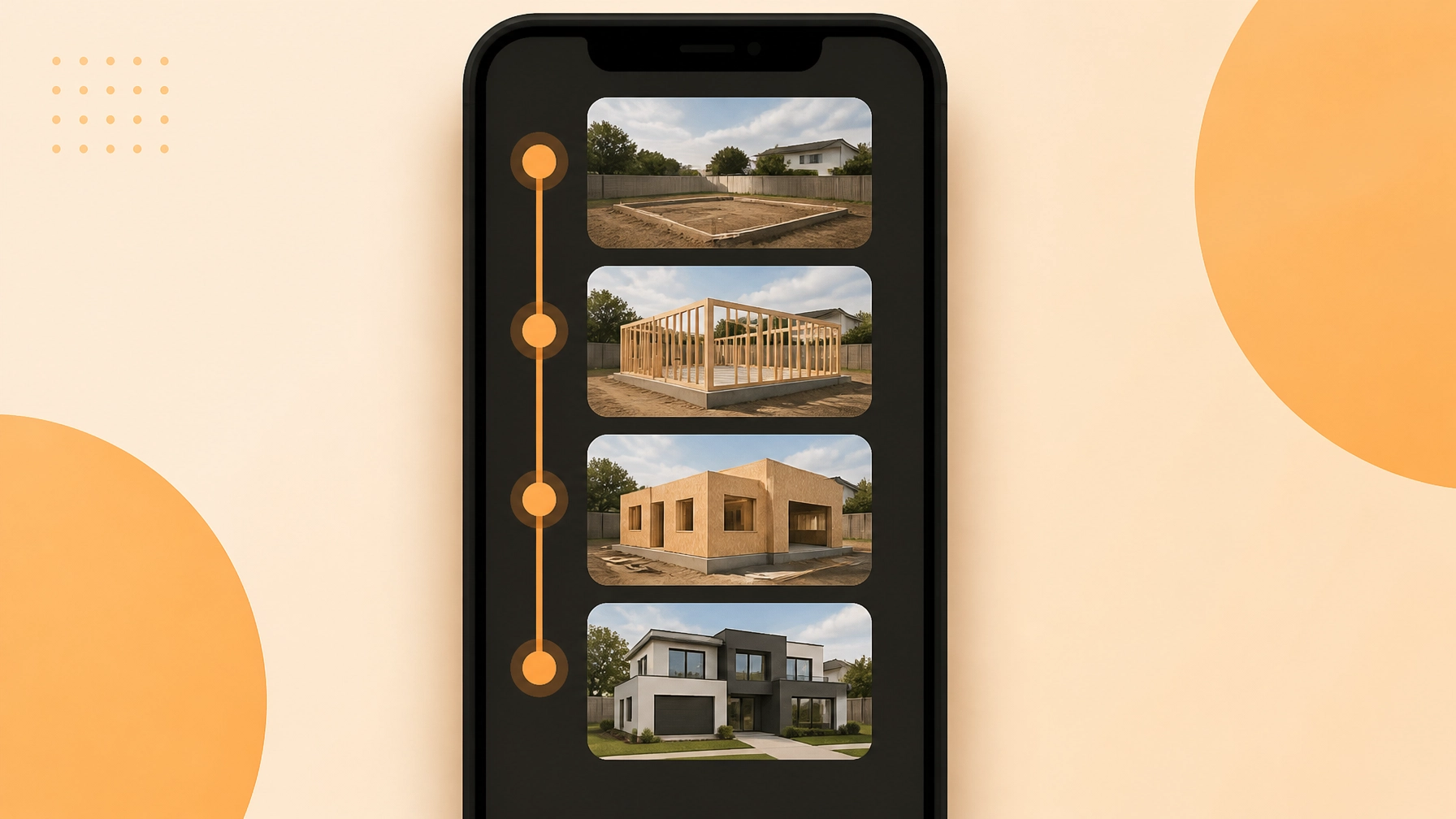
    Professional photo timeline showing clear construction photo documentation and job progress.
    Caption: JobLuma's simple sun logo represents clarity: the goal of every job site photo log.

    How Professional Photos Win You More Work

    Think about the last time you hired a service. If they sent you a professional, organized link showing exactly what they did, wouldn't you be more likely to hire them again? Wouldn't you be more likely to text that link to a friend who needs work done?

    A contractor photo app isn't just about storage; it's a sales tool.

    • Better Reviews: Customers are impressed by the transparency.
    • Fewer Callbacks: When a customer can see the "during" photos of a repair, they have fewer questions later.
    • Faster Payments: It's hard for a client to argue with an invoice when they are looking at a timestamped photo of a completed, high-quality install.

    Stop Fighting Your Phone

    You didn't get into the trades to become a tech expert. You got into the trades to build, fix, and create. Your software should support that, not get in the way.

    If you’re still using your text messages or a messy camera roll to manage your jobs, it’s time for a change. You can have a professional system up and running in less time than it takes to drink a cup of coffee.

    Ready to see how easy it can be?

    Don't let bloated software slow you down. Keep it simple. Keep it professional. Use JobLuma.

  • How to Create Client-Ready Photo Timelines in 5 Minutes (No Training Required)

    How to Create Client-Ready Photo Timelines in 5 Minutes (No Training Required)

    If you’re a plumber, electrician, or HVAC tech, your "office" is usually the front seat of a truck. You’ve got tools in the back, a schedule that’s constantly shifting, and a phone that doesn't stop ringing. By the time you get home at 7:00 PM, the last thing you want to do is spend two hours organizing photos, squinting at your screen, and trying to remember which "leaky pipe" photo belongs to Mrs. Smith and which one belongs to the Jones job.

    We get it. Admin work is the part of the job that doesn’t pay: until it does.

    In today’s world, homeowners don’t just want you to do the work; they want to see that the work was done right. They want transparency. They want proof. But most contractor software out there is so bloated and complicated that you need a PhD just to upload a photo.

    What if you could create a professional, client-ready photo timeline in less time than it takes to drink your morning coffee? We’re talking five minutes, zero training, and no late-night headaches.

    Here is how to master your construction photo documentation without losing your mind.

    The Problem with "Big" Contractor Software

    Most of the big-name contractor job apps were built for giant construction firms with dedicated IT departments and project managers who sit in air-conditioned trailers all day. They have features for everything from complex Gantt charts to inventory tracking for 500-man crews.

    For a small service shop or a solo contractor, that’s not just overkill: it’s a roadblock.

    When software is too complex:

    1. The guys in the field won't use it. If it takes ten clicks to save a photo, they’ll just take the photo on their personal camera roll and leave it there.
    2. You lose data. Photos get buried in text threads, lost in WhatsApp groups, or accidentally deleted.
    3. Clients get frustrated. If you try to make a customer download a heavy app just to see their project progress, they won’t do it.

    At JobLuma, we believe the best contractor photo app is the one you actually use. Simplicity isn't just a "nice to have": it’s the secret to keeping your records clean and your customers happy.

    Contractor using a simple photo app to navigate complex construction software requirements.

    Why Photo Timelines Are Your Best Sales Tool

    A photo timeline isn't just a record of work; it’s a story. It tells the story of a problem you solved.

    When you use a before and after photo app, you are doing three things simultaneously:

    1. Building Instant Trust

    Most homeowners have a healthy skepticism of contractors. They’ve heard horror stories of people getting ripped off. When you send a professional link showing the "Before" (the rusted-out water heater), the "During" (the clean installation process), and the "After" (the shiny new unit with perfect soldering), you aren't just a guy with a wrench. You’re a professional.

    2. Eliminating "He Said, She Said"

    Liability is a huge deal in the trades. If a client claims you scratched their floor or didn't install a specific part, your photo timeline is your legal shield. Having time-stamped construction photo documentation proves exactly what the site looked like when you arrived and when you left.

    3. Getting Paid Faster

    Ever had a bill get held up because the client "wasn't sure" the work was finished? A quick timeline sent via a link removes all doubt. It’s hard to argue with a photo of a completed, tested, and cleaned-up job site.

    The 5-Minute Workflow: No Training Required

    You shouldn't have to go to "software school" to use a contractor job app. Here is the dead-simple workflow we recommend for creating timelines in 5 minutes or less.

    Step 1: The "Before" Snap (1 Minute)

    As soon as you walk onto the job site, take two photos. One wide shot of the area and one close-up of the issue. Don't worry about lighting or framing: just document the starting point. Using an app like JobLuma means these photos go straight into the job folder, not your personal gallery next to your dog photos.

    Step 2: The "Mid-Point" Check (1 Minute)

    If it’s a bigger job, take one photo of the "guts" of the work before you close up the wall or cover the pipes. This is the stuff the client can't see once the job is done, and it’s the most valuable proof of quality you have.

    Step 3: The "After" Hero Shot (1 Minute)

    Once the tools are packed and the area is wiped down, take your final photo. This is the one that makes the client feel good about the check they’re about to write.

    Step 4: Add a Quick Note (1 Minute)

    A simple "Replaced 40-gallon tank and updated shut-off valve" is all you need. You don't need to write a novel.

    Step 5: Send the Link (1 Minute)

    This is where the magic happens. With JobLuma, you don't make the client log in. You send a simple link via text or email. They click it, and they see a beautiful, branded timeline of the work.

    JobLuma Logo

    Why "No-App-Download" is a Game Changer

    We’ve all been there. You get an email from a service provider telling you to "Download our app to view your invoice." What do you do? You ignore it.

    Your customers are the same way. They don't want another icon on their home screen. They don't want to remember a password for the plumber they use once every two years.

    JobLuma is built with a mobile-first design that focuses on the recipient’s experience. When you share a project, the client gets a web link that looks and feels like a premium app but runs right in their mobile browser. It’s friction-free. It’s easy. And it makes you look like a tech-savvy powerhouse compared to the guy who is still texting blurry photos one by one.

    Sending a professional photo timeline link to a client via a mobile contractor job app.

    Reclaiming Your Evenings

    Think about the "old way" of doing things:

    • Searching through your phone's "Recents" folder.
    • Emailing yourself photos from your phone to your laptop.
    • Opening a Word document or a clunky PDF creator.
    • Dragging and dropping images.
    • Fighting with formatting.
    • Trying to send a 20MB file that gets rejected by the client's inbox.

    That process takes 30 to 45 minutes per job. If you do three jobs a day, that’s over two hours of unpaid labor every single evening.

    By switching to a dedicated photo timeline app, you are buying back 10+ hours of your life every week. That’s more time with your family, more time to bid on new work, or: let’s be honest: more time to actually sleep.

    Is JobLuma Right for You?

    If you are a large-scale developer building skyscrapers, you probably need that $500/month bloated software. But if you are a:

    • Residential Electrician
    • Plumbing & Heating Specialist
    • HVAC Technician
    • Landscaper or Hardscaper
    • Remodeler or Handyman

    Then you need something that works as hard as you do, without the steep learning curve. You need a tool that lets you document, share, and protect your business in the time it takes to wait for a red light to turn green.

    Contractor gear resting at home, illustrating time saved using efficient photo documentation software.

    Final Thoughts: Start Small

    You don't have to revolutionize your entire business overnight. Start with your next job. Try the "5-minute timeline" approach. See how the client reacts when they get a professional, organized link showing the work you did.

    The trades are changing. The "best" contractor isn't just the one who is best with a pipe bender or a multimeter; it's the one who provides the best experience. Documentation is the foundation of that experience.

    Ready to stop fighting with your phone and start looking like a pro? Check out our features or sign up today to see how JobLuma makes photo documentation a breeze.

    For more tips on running a leaner, meaner service business, head over to the JobLuma Blog. We’re here to help you get the job done and get home on time.

  • How to Create Professional Construction Photo Documentation in 5 Minutes

    How to Create Professional Construction Photo Documentation in 5 Minutes

    Let’s be real for a second: you didn't get into the trades because you loved filing paperwork or organizing digital folders. Whether you’re an electrician, a plumber, or an HVAC tech, your office is the field. Your tools are your hands, your van, and your expertise.

    But there’s one "tool" that often feels like a giant weight around your neck: construction photo documentation.

    We’ve all been there. You finish a job, your phone’s camera roll is a chaotic mess of 400 photos, half of them are pictures of leaky pipes, and the other half are pictures of your kid’s birthday party or your dog. Then, three weeks later, a customer calls claiming you scratched their floor. Now you’re scrolling frantically, trying to find that one photo that proves the scratch was already there.

    What if I told you that professional-grade documentation doesn't have to take all night? What if you could handle the whole thing in exactly five minutes without ever touching a complicated, bloated project management system?

    At JobLuma, we believe in keeping it simple. Here is how you can create professional photo documentation in 5 minutes flat.

    The Problem with "Big" Contractor Software

    If you’ve looked into contractor software before, you’ve probably seen the giants. They promise to manage your entire life, from your GPS location to your coffee intake. But for a small service contractor, these apps are often "too much."

    They require your crew to download a heavy app. They require your customers to create logins just to see a photo of their new circuit breaker. They are expensive, slow, and built for 500-person skyscraper projects, not a three-person residential plumbing team.

    You need a contractor photo app that works as fast as you do.

    JobLuma Logo

    Step 1: The 60-Second Setup (Minute 1)

    Professional documentation starts the moment you pull up to the curb. Don't wait until the end of the day to try and remember what happened.

    With a mobile-first tool like JobLuma, you don’t need to spend hours setting up a project. You just open your browser, hit your project link, and you're in. Since there’s no app to download, you aren't wasting time waiting for updates or clearing space on your phone.

    Pro-tip: Name your project by the customer’s last name and the date. "Smith – Water Heater – 05/13/26." Simple. Done.

    Step 2: The "Before" Shots (Minute 2)

    This is the most important minute of your day. Before you pick up a wrench or a hammer, take three photos:

    1. The Wide Shot: Show the whole room or area. This sets the context.
    2. The Problem: The specific leak, the frayed wire, or the cracked tile you’re there to fix.
    3. The "Pre-Existing Damage" Shot: This is your insurance policy. If there’s a scuff on the wall near your workspace, snap it.

    Using a before and after photo app ensures these are timestamped and geolocated automatically. You aren't just taking pictures; you're creating a legal record that protects your business.

    Contractor using a photo app to document site conditions for professional construction records.

    Step 3: The "Progress" Snap (Minute 3)

    You don't need to document every single screw you turn. However, capturing one "mid-way" photo is incredibly valuable for two reasons:

    • Transparency: It shows the customer the "invisible" work you did behind the wall or under the floor.
    • Troubleshooting: If something goes wrong later, you have a record of how things were wired or piped before the drywall went back up.

    This should take about 30 seconds. Snap, upload, and get back to work.

    Step 4: The "After" Shots (Minute 4)

    The job is done. The site is clean. This is where you prove your value.

    Take photos from the exact same angles as your "Before" shots. This creates a powerful photo timeline app experience for the customer. Seeing the transformation from a messy, broken disaster to a clean, professional install is what makes people happy to pay their invoices.

    Professional documentation isn't just about cover-your-backside; it's a marketing tool. These "After" photos are your digital portfolio.

    Before and after comparison of an installation showing professional construction documentation.

    Step 5: The Instant Share (Minute 5)

    This is where most contractors fail. They have the photos, but they stay on the phone. Or they try to email 15 high-res files that get blocked by the customer’s inbox limit.

    The JobLuma way is different. You generate a simple, professional link. You text or email that link to the customer.

    Here is the magic part: The customer clicks the link and sees a beautiful, branded gallery of the work. They don’t have to download an app. They don’t have to create a password they’ll forget in ten minutes. They just see your great work.

    Why "No-App" is a Game Changer

    We talk a lot about "mobile-first design" and "no-app-download experiences." Why? Because friction kills documentation.

    If your technician has to fight with an app login, they won't use it. If your customer has to go to the App Store just to see their progress photos, they'll get annoyed. By using a web-based contractor job app, you remove all those hurdles. It’s as easy as sending a text message, but it looks a thousand times more professional.

    The Real Benefits of 5-Minute Documentation

    1. Stop the "He Said, She Said"

    We’ve all had that one client. The one who swears that the dent in the fridge wasn't there before you arrived. When you have a timestamped photo from "Minute 2" showing the dent, the conversation ends before it even starts. You save thousands in unnecessary repairs and insurance claims.

    2. Get Paid Faster

    People are hesitant to pay for things they can't see. If you did an amazing job fixing an HVAC unit in a cramped attic, the customer might not want to crawl up there to check. Sending them a professional photo timeline shows them exactly what they’re paying for. Transparency builds trust, and trust opens wallets.

    3. Build a Referral Machine

    When you send a customer a professional project gallery, you look like a high-end operation, even if you’re a one-man show. They are much more likely to share that link with a neighbor or friend who needs work done. "Look at the job these guys did!" is the best advertising you can get.

    Contractor showing a professional project photo gallery to a customer using a job app.

    Simple vs. Bloated: Choose Wisely

    There are plenty of construction photo documentation tools out there that have more bells and whistles than a parade. They have Gantt charts, inventory tracking, and complex weather integration.

    But if you’re a service contractor, you don't need a spaceship. You need a hammer. You need a tool that does one thing perfectly: capturing and sharing the story of a job well done.

    JobLuma was built for the people who actually do the work. We stripped away the bloat so you can get back to your family sooner, knowing your documentation is handled.

    Final Thoughts

    Five minutes. That’s all it takes to go from "just another contractor" to a "professional service provider."

    1. Setup (1 min)
    2. Before (1 min)
    3. During (1 min)
    4. After (1 min)
    5. Share (1 min)

    Stop letting your hard work go undocumented. Stop losing sleep over potential liability. And for the love of all things holy, stop mixing your job photos with your vacation photos.

    Ready to see how simple it can be? Check out our features or jump straight in and sign up today. Your camera roll (and your sanity) will thank you.

    If you have questions about how to integrate this into your specific trade, feel free to contact us. We’re here to help the trades shine.

  • How to Create Professional Construction Photo Documentation in 5 Minutes

    How to Create Professional Construction Photo Documentation in 5 Minutes

    You’ve just finished a long day on the job site. You’re covered in drywall dust, your back hurts, and all you want to do is grab a cold drink and sit on the couch. But there’s one thing nagging at you: you need to document the work.

    In the old days, this meant taking twenty photos on your phone, letting them get buried in your camera roll next to pictures of your dog and your kid’s birthday party, and eventually forgetting which pipe went where. Or worse, you’re forced to use some "enterprise-grade" contractor software that’s so bloated and slow it takes ten minutes just to log in.

    What if you could handle your construction photo documentation in just five minutes? No headaches, no complicated menus, and no "app fatigue" for you or your customers.

    At JobLuma, we believe simple is better. Here is how you can create professional-grade photo logs without losing your mind.


    Why Most Photo Documentation Systems Fail Small Contractors

    If you’re an electrician, plumber, or HVAC tech, you don’t have a dedicated IT department. You are the IT department. Most contractor job apps are built for massive skyscrapers and hundred-man crews. They ask for "metadata tags," "sub-zonal classifications," and "RFI integrations."

    For a small service contractor, that’s just noise. When the software is too hard to use, one of two things happens:

    1. You stop using it entirely.
    2. You do a bad job of it, leaving you unprotected when a client claims you damaged a wall that was already cracked.

    The goal isn't to become a professional photographer. The goal is to create a clear, undeniable photo timeline app experience that protects your business and impresses your clients.

    JobLuma Logo


    The 5-Minute Professional Workflow

    You don't need an hour to document a job. You just need a system. If you follow this 5-minute routine, you’ll have better documentation than 90% of your competitors.

    Minute 1: The "Before" Context (30 Seconds)

    Before you even pick up a tool, take two wide-angle shots. Don't just zoom in on the broken water heater. Stand back. Capture the surrounding floor, the walls, and the general state of the room. This protects you against "pre-existing condition" claims. If there was a scuff on the floor before you arrived, this photo is your insurance policy.

    Minute 2: The "Guts" (60 Seconds)

    Once you start opening things up, walls, electrical panels, or subflooring, take a few quick snaps. These are the photos the customer never sees but the inspector or a future technician will appreciate. Use a contractor photo app that automatically timestamps these, so there’s never a question of when the work was performed.

    Minute 3: The "After" Hero Shot (60 Seconds)

    This is your marketing gold. Clean up the area, wipe down the equipment, and take a high-quality photo from the same angle as your "Before" shot. This creates a satisfying "before and after" transition that sells your services better than any Yelp review ever could.

    Minute 4: The Label and Log (60 Seconds)

    Don't leave the photos sitting in a random folder. Give them a quick label. With JobLuma’s features, this is as simple as typing a quick note. "Main Panel Wiring" or "Kitchen Sink Rough-in" is all you need. Keep it under 25 characters to make it easy to read on mobile.

    Minute 5: Share the Link (30 Seconds)

    This is where most contractors drop the ball. They keep the photos for themselves. Instead, send a link to your customer. With a before and after photo app like JobLuma, your customer doesn't have to download anything. They get a simple, professional web link where they can see the progress of their project in real-time.

    Contractor photo app interface showing a shared photo gallery of electrical wiring work.


    Why "No App Download" is the Secret Sauce

    We’ve all been there. A contractor sends you a link, and it says: "To view your project, please download our app, create an account, and verify your email."

    What do you do? You close the tab. You don't want another app on your phone, and neither do your customers.

    JobLuma is designed to be a mobile-first experience that lives in the browser. When you use our contractor job app, you’re providing a premium experience. Your client gets a text, clicks a link, and boom: there are the photos. It makes you look like a tech-savvy pro without forcing your client to do any homework.


    The Power of the Before/After Timeline

    There is something psychological about a progress timeline. When a homeowner sees a messy, broken "Before" next to a clean, professional "After," the value of your work doubles in their eyes.

    Using a dedicated before and after photo app allows you to:

    • Justify your pricing: When they see the complexity of the "guts" of the project, they understand why it cost what it did.
    • Build Trust: Transparency is the fastest way to build a long-term relationship.
    • Get Referrals: Clients are much more likely to show off a cool digital photo gallery to their neighbors than a paper invoice.

    Before and after photo app comparison of a messy utility room vs a clean plumbing job.


    3 Pro-Tips for Better Construction Photos

    If you want your documentation to truly stand out, keep these three simple rules in mind:

    1. Find a Fixed Vantage Point: If you take the "Before" photo from the doorway, take the "After" photo from the doorway. It makes the transition look professional and organized.
    2. Lighting is Everything: If you're in a dark crawlspace or attic, use a secondary light source. A grainy, dark photo is almost as bad as no photo at all.
    3. Document the "Hidden" Work: If you’re an electrician and you’ve run wires behind a wall before the drywall goes up, document it. That photo is worth its weight in gold three years later when the homeowner wants to hang a heavy TV and needs to know where the wires are.

    Stop Fighting Your Software

    Most contractor software is built by people who have never stepped foot on a construction site. They think you want more buttons, more fields, and more "data points."

    At JobLuma, we know you just want to get the job done, prove it was done right, and get paid. Our about page tells the story: we built this for simplicity. We stripped away the bloat so you can focus on your trade.

    Whether you’re looking for a photo timeline app to track a three-week remodel or just a simple way to send a "Job Complete" photo to a property manager, we’ve got you covered.

    Simple contractor software for photo documentation on a tablet alongside professional tools.


    Ready to Simplify Your Business?

    You don't need a degree in project management to keep professional records. You just need five minutes and the right tool.

    Stop letting your valuable job photos die in your camera roll. Start building a library of your work that protects your business and delights your customers.

    Ready to see how easy it can be?

    Professional documentation doesn't have to be a chore. With JobLuma, it’s just part of a job well done. No apps, no fluff, just results. Keep it simple, keep it professional, and get back to what you do best.

  • How to Create a Professional Job Photo Timeline in 5 Minutes (Without the Bloat)

    How to Create a Professional Job Photo Timeline in 5 Minutes (Without the Bloat)

    Let’s be honest: you didn’t get into the trades to spend your life staring at a screen. Whether you’re an electrician, a plumber, or an HVAC tech, your office is the field. Your tools are in your hands, not in a complex project management suite that takes six weeks to learn.

    But there’s a problem. Every pro knows that if you didn't document the job, it’s like it never happened. When a customer questions an invoice or asks why a certain pipe was moved, "just trust me" doesn't carry much weight. You need a contractor job app that works as fast as you do.

    The "old way" of doing this involves scrolling through a messy camera roll, texting blurry photos to a client, or: heaven forbid: paying $200 a month for "bloated" contractor software that has 50 buttons you’ll never touch.

    Today, we’re showing you how to create a professional job photo timeline in exactly five minutes. No bloat, no complex training, and no headaches.

    Why Photo Documentation is Actually Your Best Friend

    Before we dive into the "how," let’s talk about the "why." A photo timeline app isn't just about taking pretty pictures. It’s about three things: Liability, Loyalty, and Getting Paid.

    1. Liability Protection: If a leak happens three weeks after you left the site, you want proof that everything was sealed and dry when you walked out. Construction photo documentation is your digital insurance policy.
    2. Customer Loyalty: People love seeing progress. A simple timeline shows them exactly what they paid for. It builds a level of trust that a simple paper invoice never could.
    3. The "Wow" Factor: A professional before and after photo app allows you to show off your craftsmanship. That messy wiring you turned into a clean, labeled panel? That’s your best marketing material.

    JobLuma logo

    The Problem with "Big" Software

    You’ve probably seen the ads for those massive project management tools. They promise to handle your scheduling, your payroll, your inventory, and even your morning coffee. But for a small service contractor, that’s usually overkill.

    These apps are "bloated." They require your crew to download a 200MB app, create a login, and navigate through endless menus just to upload one photo. Most of the time, the app crashes, or the crew just gives up and goes back to texting you photos.

    At JobLuma, we believe in the "Mobile-First" approach. Your phone is your primary tool. If the software isn't easier than sending a text, it’s not the right tool for the job.

    Contractor using a simple contractor photo app for easy project management on a mobile device.

    Step 1: The "Before" Shot (Minute 1)

    Every great job starts with a clear picture of the problem. Don't just start digging or tearing down drywall. Open your contractor photo app and snap the "Before."

    Why is this crucial? Because customers often forget how bad the situation was before you arrived. When you show them the "Before" alongside the "After," the value of your work doubles in their eyes.

    Pro Tip: Take the photo from a wide angle. You want to capture the context of the room or the area so the customer recognizes it immediately.

    Step 2: The "Process" Snap (Minute 2-3)

    Most contractors skip the middle. They take a photo of the mess and a photo of the finished product. But the "in-between" is where the hard work happens.

    Capture the rough-in, the insulation, or the specific way you routed the wires. This shows the customer that you didn't take shortcuts. It’s transparency at its finest. With JobLuma’s features, you can log these moments in seconds without leaving the job site screen.

    Step 3: The "After" Victory (Minute 4)

    This is the money shot. The job is done, the site is clean, and everything is working perfectly.

    When you take this photo, try to stand in the exact same spot where you took the "Before" shot. This creates a seamless transition in your timeline. This is what makes a before and after photo app so powerful: the contrast should be undeniable.

    Step 4: The 60-Second Share (Minute 5)

    This is where most systems fail. In a traditional setup, you’d have to go home, download photos to your computer, put them in a folder, and email them to the client.

    With JobLuma, you’re done before you even get in your truck.

    One of our biggest pride points is the no-app-download customer experience. Your client doesn't want to download another app just to see photos of their water heater. With JobLuma, you can send them a simple link. They click it, and they see their professional job timeline right in their browser. It’s simple, it’s clean, and it makes you look like a tech-savvy genius.

    Using a contractor job app to capture professional construction photo documentation of plumbing work.

    Why Simplicity Wins Every Time

    We built JobLuma for the guys and gals who are tired of fighting with their phones. We focused on making a simple interface because we know you're often wearing gloves, working in low light, or trying to finish a job before the sun goes down.

    If you want to see how we compare to the "big guys," check out our About page. You’ll see that we’re a team that actually understands the field service industry. We’re not a group of Silicon Valley suits; we’re people who want to help contractors spend less time on paperwork and more time on the tools.

    The Hidden Benefit: Better Social Media

    Once you have these 5-minute timelines, your marketing basically does itself. You can pull these high-quality before/after sets and post them directly to your business’s social media pages.

    Instead of a random photo of a truck, you’re showing real, tangible results. Potential customers searching for an electrician or plumber will see your organized, professional documentation and know you’re the right person for the job.

    Customer viewing professional results on a before and after photo app shared by their contractor.

    Stop Losing Photos in the Void

    Think about all the photos currently sitting on your phone. They’re mixed in with pictures of your kids, your dog, and that one weird bug you saw on a job site last Tuesday. Finding a specific photo from a project six months ago is a nightmare.

    By using a dedicated contractor job app, your photos are automatically organized by project. They’re backed up in the cloud, so if you drop your phone in a crawlspace (we’ve all been there), your data is safe. You can access your logs anytime by visiting our login page.

    Is it Worth the Switch?

    If you’re currently using:

    • WhatsApp/Texting: You’re losing quality and organization.
    • Google Drive/Dropbox: It’s too slow to upload and organize on-site.
    • Heavy CRM Software: You’re paying for features you don't use and wasting time on data entry.

    Then a streamlined photo timeline app is exactly what you need. It bridges the gap between "no organization" and "too much organization."

    We’ve kept our pricing straightforward because we know small businesses need to keep overhead low. No hidden fees, no complex tiers: just a tool that works.

    A professional photo timeline app displaying job site milestones from start to finish.

    Summary: The 5-Minute Professional Workflow

    To recap, here is how you dominate your job documentation without breaking a sweat:

    1. Arrive & Snap: Open JobLuma, create a project, and take the "Before" photo. (1 min)
    2. Work & Click: Take 1-2 photos of the "hidden" work while you're doing it. (2 mins)
    3. Finish & Polish: Clean up and take the "After" photo from the same angle as the first. (1 min)
    4. Send & Go: Hit share and send the timeline link to your customer. (1 min)

    That’s it. You’ve just provided a world-class customer experience, protected yourself from liability, and created a marketing asset: all in the time it takes to drink a cup of lukewarm coffee.

    Ready to cut the bloat and start documenting like a pro? You can sign up here and have your first timeline started before your next service call. If you have questions, our help center or contact page is always open.

    Don't let your hard work get lost in your camera roll. Make it professional. Make it simple. Make it JobLuma.

  • How to Create a Professional Job Timeline in 5 Minutes (Even if You Hate Tech)

    How to Create a Professional Job Timeline in 5 Minutes (Even if You Hate Tech)

    Let’s be honest for a second: you didn’t get into the trades to spend your evenings staring at a computer screen. Whether you’re an electrician, a plumber, or an HVAC tech, your office is the field. Your tools are your hands. The last thing you want to do after a ten-hour day is fight with "contractor software" that feels like it was designed by people who have never held a pipe wrench.

    But there’s a problem. Customers today expect more than just a job well done; they want to see it. They want a professional experience. They want to know exactly what’s happening in their home or on their property without having to hover over your shoulder.

    The solution is a professional job timeline. It’s the ultimate way to prove your value, protect yourself from liability, and win more referrals. And the best part? You can do it in under five minutes, even if you absolutely hate technology.

    The Problem with "Bloated" Contractor Software

    If you’ve ever looked into project management software, you’ve probably seen the big names. They promise to manage your entire life, from accounting to employee GPS tracking. But for a small service contractor, those apps are often a massive headache.

    They are expensive, they take hours to learn, and they require you to fill out twenty different fields just to log a single photo. Most of these platforms are designed for massive construction firms building skyscrapers, not a small team or a solo operator replacing a water heater or rewiring a kitchen.

    When the software is too complex, you stop using it. Your photos stay trapped in your phone’s camera roll, mixed in with pictures of your kids and your dog. When a customer asks for an update or, heaven forbid, challenges the work you did three months ago, you’re left scrolling through thousands of images trying to find proof.

    That’s why we built JobLuma. We believe that the best contractor photo app is the one that stays out of your way and lets you get back to work.

    Contractor choosing a simple contractor photo app instead of complex, bloated project management software.

    Why a Photo Timeline is Your Best Marketing Tool

    Before we dive into the "how," let’s talk about the "why." Why should you bother creating a timeline at all?

    1. Trust is Everything: Most homeowners don't understand what you do. They see a hole in the wall or a new box on the side of the house. A before and after photo app approach shows them the hidden work, the clean wiring, the sealed pipes, the things they can’t see once the drywall goes up.
    2. Liability Protection: If a homeowner claims you damaged something or didn't finish a part of the job, a time-stamped photo timeline is your "get out of jail free" card. It’s hard to argue with a dated, high-resolution photo of the completed work.
    3. The "Wow" Factor: When you send a professional, branded timeline to a customer, you look like a much larger, more organized company than the guy who just texts a grainy photo and an invoice. This leads to better reviews and more referrals.

    How to Create Your Timeline in 5 Minutes

    You don't need a degree in IT to look like a pro. Here is the dead-simple way to create a job timeline using a construction photo documentation strategy that actually works.

    Step 1: The "Before" Shot

    As soon as you walk onto the job site, take two minutes. Snap a photo of the area before you touch a single thing. This establishes the baseline. If there was a pre-existing scratch on the floor or a leak in the ceiling, you’ve documented it before your tools even left the truck.

    Step 2: The "In-Progress" Snap

    In the middle of the job, maybe when the walls are open or the old unit has been hauled out, snap another photo. This shows the customer the "guts" of the project. It demonstrates the labor they are paying for.

    Step 3: The "After" Masterpiece

    Once the job is done and the site is cleaned up, take your final photo. This is the "money shot."

    Step 4: The 60-Second Upload

    This is where most people get stuck, but with a contractor job app like JobLuma, it’s a breeze. You don't need to categorize, tag, or write a novel. You just upload the photos directly from your mobile device. Our mobile-first design means you can do this while you’re walking back to your truck.

    Step 5: Share the Link

    Instead of sending a dozen heavy email attachments or a string of text messages that get lost, you send one professional link.

    JobLuma logo

    The Magic of "No App Required" for Customers

    One of the biggest mistakes contractors make is asking their customers to download an app. Let’s be real: your customer doesn't want to create an account, verify their email, and learn a new interface just to see photos of their new furnace.

    At JobLuma, we focus on the "no-app-download" customer experience. You send them a link, they click it, and they see their professional job timeline immediately in their phone’s browser. It’s simple, it’s clean, and it makes you look like a tech genius without you actually having to be one.

    This is a huge part of our brand philosophy. We want the technology to be invisible so the quality of your work can shine.

    Turning Your Photos into a Portfolio

    Once you start using a photo timeline app consistently, something cool happens: you suddenly have a massive portfolio of your work.

    When you’re bidding on a new project and a potential client asks, "Have you ever done a job like this before?" you don't have to just say "yes." You can open your JobLuma dashboard, find a similar timeline, and show them exactly how you handled it.

    This kind of construction photo documentation isn't just for the customer you're working for right now; it's a sales tool for every customer you'll work for in the future.

    A photo timeline app showing construction photo documentation of a repair from start to finish.

    Stop Fighting Your Phone

    If you’re still using your standard camera roll to manage your business, you’re leaving money on the table and opening yourself up to unnecessary stress. You’re also probably spending way too much time at night trying to organize those photos to send to clients.

    Switching to a dedicated contractor software that focuses on simplicity is the best move you can make for your sanity.

    • No more "Where is that photo?"
    • No more "I forgot to send the updates."
    • No more "The customer says I didn't do X."

    With JobLuma, you get a simple, powerful tool that does one thing incredibly well: it documents your hard work and presents it beautifully.

    Ready to Level Up?

    If you’re tired of bloated software and want a way to document your jobs that actually saves you time instead of taking it away, it’s time to try something different.

    You can check out our pricing to see how we fit into your budget (spoiler: we’re built for small businesses), or just signup today to start your first timeline. It takes less than five minutes to get started, and you’ll wonder how you ever managed without it.

    Don't let the tech-heavy "solutions" out there scare you off. Professional documentation doesn't have to be a chore. It can be as simple as snap, upload, and finish.

    If you have questions about how to get the most out of your photo logs, our help center is always available, or you can contact us directly. We’re here to help you get back to what you do best: the actual work.

    Service contractor using a contractor job app on a smartphone to document a successful home repair.

    Quick Checklist for Your Next Job:

    • Arrival: Take 1 "Before" photo of the workspace.
    • Mid-Point: Take 1 "Action" photo of the progress.
    • Completion: Take 1 "After" photo of the finished, clean site.
    • Upload: Use JobLuma to sync them in seconds.
    • Share: Send the link to the customer before you leave the driveway.

    That’s it. That’s the whole process. Five minutes of effort for a lifetime of professional reputation. You’ve got the skills to do the job; let us give you the tools to show it off.

  • How to Create a Professional Job Timeline in 5 Minutes (Without Complex Contractor Software)

    How to Create a Professional Job Timeline in 5 Minutes (Without Complex Contractor Software)

    Let’s be honest: you didn’t get into the trades to spend your evenings staring at a computer screen, wrestling with complex project management software that looks like it was designed for NASA engineers.

    You’re an electrician, a plumber, or an HVAC tech. You’re out in the field, getting your hands dirty and solving problems. But in today’s world, doing the work isn't always enough. Customers want to see progress. They want to know what they’re paying for. And more importantly, you need to protect your business with clear documentation.

    The problem is that most contractor software is bloated. It’s expensive, it takes hours to set up, and it requires you to basically become a data entry clerk.

    What if you could create a professional, visual job timeline in just five minutes? What if you could do it while you're still on-site, using nothing but your phone?

    In this guide, we’re going to show you how to ditch the complex spreadsheets and the "all-in-one" apps that do way too much. We’re focusing on simple, visual construction photo documentation that wins you more jobs and keeps your customers happy.

    The Problem with "Big" Contractor Software

    If you’ve ever tried one of those massive project management platforms, you know the drill. You sign up for a "free trial," and suddenly you’re hit with a dashboard that has fifty different buttons. You have to create "entities," assign "permissions," and set up "Gantt charts."

    By the time you’ve figured out how to upload a single photo, you’ve wasted thirty minutes that you could have spent finishing the job or heading home to see your family.

    Small service businesses don't need a digital headquarters. You need a contractor job app that acts as a simple extension of your workflow. You need something that lets you:

    1. Snap a photo.
    2. Add a quick note.
    3. Show the customer the progress.

    That’s it. Anything more than that is just noise that slows you down.

    JobLuma Logo

    Why Visual Timelines Win Every Time

    Humans are visual creatures. You can tell a customer that you "replaced the faulty wiring and updated the junction box," but their eyes will probably glaze over.

    However, if you show them a before and after photo app sequence where they can see the tangled mess of wires versus the clean, organized new setup, they immediately understand the value of your work.

    1. It Builds Instant Trust

    When a customer can see a photo timeline of the work being done: even if they aren't home: they feel connected to the process. It eliminates the "What am I actually paying for?" question before it even starts.

    2. It Protects Your Reputation

    We’ve all been there. A customer claims you damaged something that was already broken, or they argue that a certain part of the job wasn't completed. With a clear photo timeline app, you have a digital paper trail. You have time-stamped evidence of the site condition before you started and after you finished.

    3. It Makes Referrals Easy

    When you provide a professional-looking timeline, your customers are much more likely to show it off to their neighbors or share it on social media. "Look at the job my plumber did!" is a lot more powerful when there's a gallery of high-quality photos attached.

    Before and after photo app displaying organized electrical work on a smartphone.

    How to Build a Timeline in 5 Minutes (The JobLuma Way)

    You don't need a degree in graphic design to make your work look good. The secret to a 5-minute timeline is to document as you go, rather than trying to remember everything at the end of the day.

    Step 1: The "Before" Shot (1 Minute)

    As soon as you walk onto the job site, take 60 seconds to snap photos of the current state of things. If you're an HVAC tech, take a photo of the old, rusted unit. If you're a landscaper, take a photo of the overgrown yard.

    Using a dedicated contractor photo app like JobLuma ensures these photos are organized by job immediately, so they don't get lost in your personal camera roll next to pictures of your dog.

    Step 2: The "Mid-Way" Milestone (2 Minutes)

    In the middle of the job, take a couple of shots of the "ugly" parts: the stuff that will eventually be hidden behind drywall or buried under the ground. This is crucial for construction photo documentation. It shows the customer that you did the foundational work correctly.

    Step 3: The "After" Shot (1 Minute)

    Once the tools are packed up and the area is swept, take your final photos. This is the "money shot." Make sure the lighting is decent and the area looks clean.

    Step 4: Share the Link (1 Minute)

    This is where most software fails. They force the customer to download an app, create an account, and log in just to see their photos. Nobody wants to do that.

    With JobLuma, you just send a simple link. The customer clicks it, and they see a beautiful, mobile-friendly timeline of their project. No passwords, no friction, just a great experience.

    Service contractor using a mobile contractor photo app to document construction progress.

    Mobile-First is a Requirement, Not a Feature

    Think about where you are when you're working. You’re in a basement, on a ladder, or in a van. You aren't sitting at a mahogany desk with a dual-monitor setup.

    A truly effective contractor job app must be designed for the thumb, not the mouse.

    • Big buttons.
    • Fast photo uploads (even on low signal).
    • Simple navigation.

    If a tool requires you to use a laptop to get the "full version," it’s the wrong tool for a field service professional. JobLuma was built from the ground up to be mobile-first because we know that’s where your business actually happens. You can check our features page to see how we’ve trimmed the fat to keep things fast.

    The "No-App" Advantage for Customers

    One of the biggest hurdles in modern contracting is "app fatigue." Your customers already have 50 apps on their phones. They don’t want to download another one just to see photos of their new water heater.

    When you use a system that relies on a web-based viewing experience, you remove the barrier to communication.

    • Higher engagement: Customers actually look at the photos.
    • Faster approvals: If they need to see something before giving the go-ahead, they can see it instantly.
    • Better reviews: People love things that are easy. Simple as that.

    Homeowner reviewing a professional project timeline via a simple photo timeline app.

    Stop Paying for Features You Don't Use

    Most contractor software prices their plans based on a hundred features you’ll never touch. You're paying for inventory management, complex HR modules, and GPS fleet tracking when all you really want is a way to organize your photos and look professional.

    We believe in keeping things simple. That’s why our pricing is straightforward. You shouldn't have to take out a second mortgage just to document your work.

    By focusing on the photo timeline app aspect of your business, you save money and: more importantly: you save time. And in this industry, time is the only thing you can't buy more of.

    Ready to Level Up Your Professionalism?

    Creating a professional job timeline shouldn't be a chore. It should be the easiest part of your day. By moving away from bloated software and embracing a simple, photo-first approach, you’ll find that:

    • Your customers are more satisfied.
    • Your crew stays more organized.
    • You have a rock-solid record of every job you've ever done.

    If you’re tired of the complexity and just want a better way to show off your hard work, it’s time to try a simpler approach. You can get started for free and see how a 5-minute timeline can change the way you run your business.

    Need more help getting started? Check out our help center or contact us directly. We’re here to help you get back to work: not back to the computer.

    Illustration comparing simple contractor software to complex, bloated project management tools.

    Summary Checklist for a Perfect 5-Minute Timeline:

    • Capture the "Before": Don't wait until the demo is done.
    • Show the Hidden Work: Document what's behind the walls.
    • The Hero Shot: Clean up before the final photo.
    • Use the Right Tool: Stick to a contractor photo app that doesn't require customer downloads.
    • Keep it Simple: If it takes more than 5 minutes, you're overthinking it.

    Building a great reputation takes years. Documenting it only takes five minutes. Make sure you’re using those five minutes wisely.

  • How to Create a Professional Job Timeline in 5 Minutes (No Training Required)

    How to Create a Professional Job Timeline in 5 Minutes (No Training Required)

    Let’s be honest: you didn’t get into the trades because you loved filling out paperwork or staring at a computer screen. Whether you’re an electrician pulling wire, a plumber fixing a main line, or an HVAC tech installing a brand-new system, your office is the field. Your tools are your hands, not a complex project management suite that requires a four-week certification course just to log a single photo.

    But here’s the reality of the business in 2026: customers expect more than just a job well done. They want to see what you did. They want updates. And most importantly, they want to feel like they’re in good hands.

    Creating a professional job timeline: a visual record of everything you did from start to finish: is the best way to build that trust. Usually, this takes hours of downloading photos from your phone, emailing them to yourself, and trying to remember which "before" photo belongs to which "after" photo.

    What if I told you that you could do it all in five minutes, with zero training? Here is how you can transform your workflow using a simple contractor photo app and stop the administrative headache once and for all.

    The Problem with "Bloated" Contractor Software

    If you’ve ever tried one of those massive "all-in-one" construction platforms, you know the pain. They promise to manage your accounting, your fleet, your payroll, and your inventory. But when you just want to snap a quick photo of a leaky pipe before you fix it, you find yourself buried in ten different menus.

    Most small service contractors don't need a digital version of a corporate HR department. You need a contractor job app that works as fast as you do. When software is too complex, one of two things happens:

    1. You spend your nights (when you should be resting) fighting with the app to get your reports finished.
    2. You stop using it entirely and go back to a messy camera roll full of 4,000 unsorted photos.

    JobLuma was built to solve this by focusing on construction photo documentation that stays out of your way. We believe that the best software is the one you don’t have to "learn."

    Contractor using a simple job app to cut through complex, bloated software clutter.

    Why a Visual Timeline is Your Secret Sales Weapon

    A timeline isn't just a list of tasks; it’s a story. For a homeowner, seeing a before and after photo app in action is incredibly satisfying. It justifies the invoice. When a customer sees the mess of wires you inherited versus the clean, labeled panel you left behind, they don't question the price. They see the value.

    Beyond sales, a professional timeline protects you. We’ve all had that one client who claims you scratched a floor or broke a tile that was already damaged. With a proper photo timeline app, you have a date-stamped, organized record of the site condition the moment you walked in. It’s the ultimate "I told you so" that prevents legal headaches and payment disputes.

    How to Create Your Timeline in 5 Minutes

    You don't need a degree in IT to make this work. Here is the 5-minute workflow that top-tier contractors are using right now.

    Step 1: The "Before" Snap (30 Seconds)

    The moment you arrive at the job site, open your contractor photo app. Take two or three photos of the area you’re about to work on. Don’t worry about lighting or perfect angles: just document the current state.

    Step 2: Live Progress (2 Minutes)

    As you work, snap photos of the "hidden" stuff. If you’re a plumber, take a photo of the soldering before you close the wall. If you’re an HVAC tech, snap the serial number of the new unit. This builds a "middle" for your story. It shows the customer the parts of the job they can’t see once the drywall is up or the unit is closed.

    Step 3: The "After" Shot (30 Seconds)

    Clean up your workspace (the most important part!) and take your final photos. These are the ones that make you look like a pro.

    Step 4: Instant Organization (1 Minute)

    With JobLuma, you don’t have to manually create folders. The app organizes these photos into a chronological timeline automatically. You aren't tagging, dragging, or dropping. The software knows when and where the photo was taken.

    Step 5: The Frictionless Share (1 Minute)

    This is where the magic happens. Instead of sending a massive ZIP file or a confusing link that requires the customer to create an account, you send a simple link. The customer clicks it and sees a beautiful, professional timeline of their project right in their mobile browser.

    Before and after photo app illustration showing a clean workshop job timeline.

    The "No-App-Download" Advantage

    One of the biggest hurdles in modern contracting is getting the customer to engage with your tech. Most homeowners don't want to download yet another app just to see photos of their water heater. They already have too many icons on their screen.

    JobLuma is designed with a mobile-first philosophy that prioritizes the customer experience. When you share a job timeline, the customer gets a clean, professional web view. It looks great on their phone, it's easy to scroll through, and they can save it for their own records.

    By removing the "friction" of a download, you increase the chances of them actually looking at your work, sharing it with their spouse, and giving you that 5-star review you deserve. You can see how this works on our features page.

    Keeping it Simple: Your Nightly Routine Restored

    Imagine coming home on a Friday evening. Instead of spending an hour at your kitchen table trying to match photos to invoices, you’re already done. Because you used a dedicated contractor job app throughout the day, your documentation finished itself the moment you packed your tools.

    This simplicity is at the core of what we do. We aren't trying to be the most complex software on the market; we’re trying to be the most used. Check out our about page to see why we focus on the small service contractor.

    JobLuma Logo

    Why You Should Switch from Your Camera Roll Today

    Relying on your phone’s default camera roll is a recipe for disaster.

    • Storage Issues: Your work photos get mixed with your family photos. Nobody wants to scroll past pictures of their kid’s birthday party to find a photo of a circuit breaker.
    • No Context: A photo of a pipe looks like every other pipe. Six months from now, will you remember which house that was?
    • Poor Sharing: Texting ten photos to a client is annoying for them and unprofessional for you.

    A dedicated photo timeline app keeps your business life and your personal life separate. It ensures that every photo is attached to a specific job, a specific location, and a specific time.

    Homeowner viewing professional construction photo documentation on a smartphone browser.

    Ready to Level Up Your Professionalism?

    Creating a professional job timeline shouldn't be a chore. It should be a natural part of your workflow that takes less time than it does to drink a cup of coffee. By focusing on simple construction photo documentation, you protect your business, impress your clients, and get your evenings back.

    If you’re tired of bloated software and want something that just works, it’s time to give JobLuma a shot. You can sign up here and start your first timeline in minutes. No credit card, no training, no headaches.

    Still have questions? Our help center is full of simple tips to get you started, or you can contact us directly. We’re here to help you get back to the work that matters.

    Professional contractor using a photo timeline app to complete job documentation on-site.

    Stop making "paperwork" a second job. Start using a tool built for the way you actually work. Your customers will thank you, and your sanity will too. Visit jobluma.com today and see the difference simplicity makes.

  • Why a Simple Contractor Photo App Will Change the Way You Document Jobs

    Why a Simple Contractor Photo App Will Change the Way You Document Jobs

    If you’re an electrician, plumber, or HVAC tech, you know the drill. You finish a long day of installs, your boots are caked in mud, and your phone’s gallery is a chaotic mess of wiring diagrams, leaky pipes, and pictures of your kid’s soccer game from last Saturday.

    When a client calls two weeks later asking why a specific valve was placed where it was, you’re stuck scrolling through five hundred photos trying to find that one specific shot. Or worse, you realize you forgot to take the "before" photo entirely, and now it’s your word against theirs.

    The truth is, most contractor software is built for massive construction firms with dedicated IT departments. It’s bloated, expensive, and takes three days of training just to figure out how to upload a file. For a small service contractor, you don't need a spaceship; you just need a reliable way to prove you did the job right.

    That’s where a dedicated, simple contractor photo app changes everything. Let’s dive into why ditching the camera roll for a streamlined system like JobLuma will be the best move you make for your business this year.

    The Problem with the "Digital Shoebox"

    Most contractors document jobs using the "Digital Shoebox" method. You take photos on your phone, and they just sit there. Maybe you text a couple to the office, or maybe you email a few to the homeowner.

    This creates three major problems:

    1. Organization is non-existent: Photos aren't tied to a specific job or address unless you manually rename them or move them into folders (which, let's be honest, nobody has time for).
    2. Storage issues: High-resolution photos eat up phone storage fast. Before you know it, you’re deleting old job photos to make room for new ones.
    3. Communication gaps: Your team in the office has no idea what’s happening in the field until you physically return or spend an hour sending links.

    A simple construction photo documentation tool solves this by centralizing everything. Instead of a shoebox, you have a digital filing cabinet that organizes itself.

    Contractor photo app organizing messy job site pictures into organized construction photo documentation.

    Why "Simple" is a Feature, Not a Limitation

    When people hear "simple," they sometimes think "basic" or "low-power." In the world of field services, simple means it actually gets used.

    If an app requires your techs to log in, navigate five menus, and tag seventeen different metadata fields just to snap a photo, they won't do it. They’ll go back to the camera roll. A contractor job app needs to be mobile-first and lightning-fast.

    JobLuma was built with this exact philosophy. We know you’re often working in crawl spaces, on ladders, or in rainstorms. You need a big button that says "Take Photo" and an interface that doesn't require a manual. By focusing on simplicity, you ensure that 100% of your jobs get documented, not just the ones where you had extra time.

    The Power of the Before and After Photo App

    There is nothing more satisfying: or more professional: than a clean "before and after" comparison. It’s the ultimate proof of value.

    Using a before and after photo app workflow allows you to:

    • Show, don't tell: Show the homeowner the rusted-out water heater before you replaced it with a shiny new unit.
    • Protect your reputation: If a client claims you damaged something, your "before" photos act as your insurance policy.
    • Market your business: Before and after shots are gold for social media and your website.

    With a dedicated photo timeline app, these shots are automatically paired. You don't have to hunt for the "before" shot from three days ago; the app keeps the job history in one continuous stream.

    Stop Paying for Bloated Project Management Software

    You’ve probably seen the ads for massive project management platforms. They promise to handle your payroll, your fleet tracking, your inventory, and your grandmother’s birthday reminders.

    For a small service shop, these platforms are often a trap. They are:

    1. Too expensive: You’re paying for 90% of features you’ll never touch.
    2. Too complex: They require "onboarding sessions" and "account managers."
    3. Too slow: They are often designed for desktops and ported poorly to mobile.

    JobLuma stays in its lane. We focus on being the best contractor photo app on the market. We don't try to be your accounting software; we try to be the tool that saves you from legal disputes and helps you get paid faster by providing clear documentation.

    Service contractor using a contractor job app to document plumbing pipes on a mobile smartphone.

    No-App-Download: The Customer Experience Game Changer

    Here is the dirty secret of most contractor apps: customers hate downloading them. If you tell a homeowner they need to go to the App Store, create an account, and verify their email just to see progress photos of their kitchen remodel, they’re going to say "Just text them to me."

    And then you’re right back to the "Digital Shoebox" problem.

    JobLuma solves this with a no-app-download experience for your customers. You can share a professional, branded link with them. They click it, and they see the photo timeline app view of their project instantly in their mobile browser. It makes you look like a tech-forward, high-end company without putting any burden on the client.

    JobLuma logo A bold orange icon with a simple sun design

    Speeding Up Payments with Proof of Work

    One of the biggest hurdles to getting paid is "client amnesia." This is when a client forgets the state of the job site before you arrived or doesn't fully understand the work that was done behind a wall or under a floor.

    When you send an invoice accompanied by a full construction photo documentation report, the "check is in the mail" happens a lot faster. It’s hard to argue with a timestamped, GPS-tagged photo of a completed install.

    Real-World Benefits for the Trades

    Let's look at how this specifically helps different service niches:

    For Electricians

    Documenting the wiring inside a wall before the drywall goes up is crucial. A contractor photo app allows you to show exactly where the wires run, saving you (or the next guy) from accidentally drilling into a line six months later.

    For Plumbers

    Nothing says "job well done" like a photo of a dry, leak-free joint in a dark basement. Use the before and after photo app features to show the clogged drain versus the cleared one, providing peace of mind to the customer.

    For HVAC Techs

    HVAC systems are complex. Documenting model numbers, serial plates, and the final state of the ductwork ensures that if a warranty issue arises, you have all the data you need at your fingertips without driving back to the site.

    Illustration comparing complex, bloated contractor software to a simple and powerful mobile photo tool.

    Mobile-First is the Only Way

    If a software company’s primary demo is on a laptop, it wasn't built for you. You live on your phone. Your "office" is the driver's seat of a Ford F-150.

    JobLuma is mobile-first because that’s where the work happens. The interface is designed for thumbs, not mice. It’s designed for quick interactions between tasks. The goal is to spend less time on your phone and more time on the tools.

    Why You Should Start Today

    The transition from a messy camera roll to a structured contractor software system doesn't have to be a headache. In fact, if the software is designed correctly, it should feel like a weight off your shoulders.

    Imagine:

    • No more searching for photos.
    • No more "he-said, she-said" disputes.

    • Professional photo reports sent to clients with one click.
    • A clear history of every job your team has ever touched.

    A simple contractor photo app isn't just about taking pictures; it's about building a foundation of trust with your clients and protecting the business you’ve worked so hard to build.

    Ready to see how simple it can be? Skip the bloat and get back to work.

    Mobile-first contractor photo app showing a photo timeline app interface inside a service vehicle.


    Want to try the simplest way to document your jobs? Check out JobLuma and see how our features can save you hours of headache every week. Whether you're looking for a photo timeline app or just a better way to organize your crew, we’ve got you covered. Check out our pricing or sign up to get started today!

  • Construction Photo Documentation 101: How to Protect Your Work Without the Headaches

    Construction Photo Documentation 101: How to Protect Your Work Without the Headaches

    You’re an electrician finishing up a complex rewiring job. You’re a plumber who just installed a brand-new water heater. You’re an HVAC tech who spent all day in a cramped attic getting the AC back online. You’re a pro, you do great work, and you take pride in it.

    But then, two weeks later, the phone rings. It’s the homeowner. They’re claiming you scratched their hardwood floors, or they’re questioning if you actually replaced that specific valve they paid for. Suddenly, your hard-earned profit is at risk, and your reputation is on the line.

    This is where construction photo documentation becomes your best friend. It’s not just about taking pretty pictures for Instagram; it’s about creating an undeniable paper trail: or rather, a digital trail: that protects your business.

    In this guide, we’re going to break down everything you need to know about documenting your jobs without it becoming a second full-time job. We’ll look at why a simple contractor photo app is better than a bulky management suite and how you can start protecting your work today.


    Why You Need a "Digital Witness" on Every Job

    Let’s be real: your memory is good, but a timestamped photo is better. In the world of field services, "he-said, she-said" is a losing game. When you have a clear visual record of the job site before you started, while you were working, and the moment you finished, you aren't just a contractor: you're a contractor with proof.

    1. Liability Protection

    This is the big one. If a client claims you caused damage, you can pull up your "before" photos. If they claim you didn't install something to code before the drywall went up, you have the "during" photos to prove otherwise. A solid construction photo documentation strategy is basically the cheapest insurance policy you’ll ever own.

    2. Getting Paid Faster

    Ever had a client delay payment because they "weren't sure" if the job was fully completed? When you send over a professional photo timeline of the finished work, you remove the guesswork. It shows the client exactly what they’re paying for, making it much harder for them to sit on your invoice.

    3. Fewer Call-Backs and Disputes

    Sometimes, a customer genuinely forgets what the area looked like before you arrived. Showing them a before and after photo app gallery helps them visualize the value you provided. It also helps your team internally; if there’s a leak or a failure later, you can look back at the photos to see exactly how the installation was handled without driving back to the site.

    Contractor using a mobile app to document a successful job installation for liability protection.


    The "Headache" of Traditional Contractor Software

    If you’ve looked for a contractor job app before, you’ve probably run into a common problem: they are way too complicated.

    Most project management software is built for massive construction firms building skyscrapers. They want you to track lumber costs, manage 50 sub-contractors, and generate 20-page PDF reports. For a small service contractor: an electrician or a plumber with a small crew: that’s just noise.

    The headaches of big software include:

    • The "App Store" Barrier: You have to convince your guys to download a 200MB app, create an account, and remember a password.
    • Bloated Interfaces: You just want to take a photo, but you have to click through six menus first.
    • High Costs: You’re paying for a hundred features you’ll never use.
    • Customer Friction: If you want to show the customer the progress, they often have to log into a "portal." Nobody wants another portal.

    At JobLuma, we believe your contractor software should be as simple as the tools in your truck. It should stay out of your way and let you get back to work.


    Construction Photo Documentation 101: The "Simple Way"

    You don’t need a fancy camera or a degree in photography. You just need a system. Here is the 101 on how to document a job like a pro.

    Step 1: The "Before" Shots (The Context)

    Before you even pick up a wrench, take three wide-angle shots of the work area. Capture any existing damage (scratches on the floor, dings in the wall) so you aren't blamed for them later.

    Step 2: The "Hidden" Work

    This is the most critical part for trades like plumbing and electrical. Take photos of anything that will eventually be covered by drywall, insulation, or concrete. This includes wiring runs, pipe connections, and structural supports. If an inspector has a question later, you can show them the photo instead of tearing down a wall.

    Step 3: The "After" Shots (The Glory)

    Take photos from the same angles as your "before" shots. This creates a satisfying timeline that shows the transformation. Using a photo timeline app makes this easy to organize.

    Step 4: Organization (Don't Let Them Rot in Your Camera Roll)

    The biggest mistake contractors make is leaving 4,000 job photos in their phone’s generic "Recents" folder. Good luck finding that one photo of a junction box from three months ago when you need it. You need a way to tie photos directly to a specific job or customer name automatically.

    Visual job timeline showing before and after photos of an electrical installation for easy documentation.


    Why "No-App-Download" is a Game Changer

    We’ve talked to hundreds of contractors, and the biggest complaint about technology is the friction. If a tool is hard to use, the crew won't use it.

    That’s why JobLuma was built with a mobile-first, simple design. We focus on a "no-app-download" experience for the customer and a streamlined interface for the contractor. You don't want your customers fumbling with an app store just to see a progress update on their HVAC install. You want to send them a link, and you want it to work.

    When your contractor photo app is web-based and optimized for mobile, it means:

    • Instant Access: Open your browser, snap a photo, and it’s saved to the job record.
    • No Updates Needed: You’re always using the latest version.
    • Better Battery Life: Heavy apps drain your phone; a simple mobile site doesn't.
    • Easy Sharing: Send a link to the homeowner or the GC, and they can see the timeline instantly.

    Check out our features page to see how we’ve stripped away the bloat to focus on what actually helps you finish the day faster.


    3 Pro-Tips for Better Job Site Photos

    If you want your documentation to actually hold up in a dispute, keep these three tips in mind:

    1. Lighting is Everything: If you're in a dark basement or attic, use a work light. A blurry, dark photo is useless as evidence.
    2. Use a Reference Point: If you’re photographing something small, put your hand or a tape measure in the frame to show the scale.
    3. The "Sweep" Method: Don't just take one photo of the finished product. Do a slow visual sweep of the entire room. This proves that you left the whole site clean and undamaged, not just the specific spot where you worked.

    Using a contractor photo app to capture detailed mechanical work and site conditions clearly.


    Moving Beyond the Spreadsheet

    A lot of guys start by using Google Drive or just texting photos to the office. While that’s better than nothing, it eventually falls apart. Folders get messy, texts get deleted, and images lose their quality when compressed.

    Switching to a dedicated photo timeline app like JobLuma ensures that every photo is automatically organized by job. It’s about building a library of your company’s success. Imagine being able to show a prospective client a 10-second scroll of your last five similar projects. That’s a powerful sales tool that most of your competitors aren't using.

    Whether you are looking for pricing information or just want to see how we compare to the "big guys," the goal remains the same: protect your work, save your time, and eliminate the headache.


    Conclusion: Start Protecting Your Business Today

    Construction photo documentation doesn't have to be a chore. It’s simply about changing your workflow by about 30 seconds per job. Those 30 seconds can save you thousands of dollars in legal fees, unpaid invoices, or unnecessary rework.

    Stop letting your hard work go undocumented. Get rid of the bloated software that requires a manual to understand. Choose a simple, mobile-first solution that works as hard as you do.

    Ready to see how easy job documentation can be? Sign up for JobLuma today and start building your first job timeline in seconds. No credit card required, no app store headaches: just a better way to run your business.

    If you have questions about how to implement this in your specific trade, feel free to contact us or check out our blog for more tips on staying efficient in the field.