Author: adminjobluma

  • Stop Wasting Time on Bloated Contractor Job Apps: Try This Simple Photo Timeline Instead

    Stop Wasting Time on Bloated Contractor Job Apps: Try This Simple Photo Timeline Instead

    If you’ve ever tried to use a “do-everything” contractor job app, you already know the pattern:

    • You download it (and so does your crew).
    • You set up 14 things you don’t actually need.
    • You forget where the one useful thing lives.
    • You end up texting photos anyway.

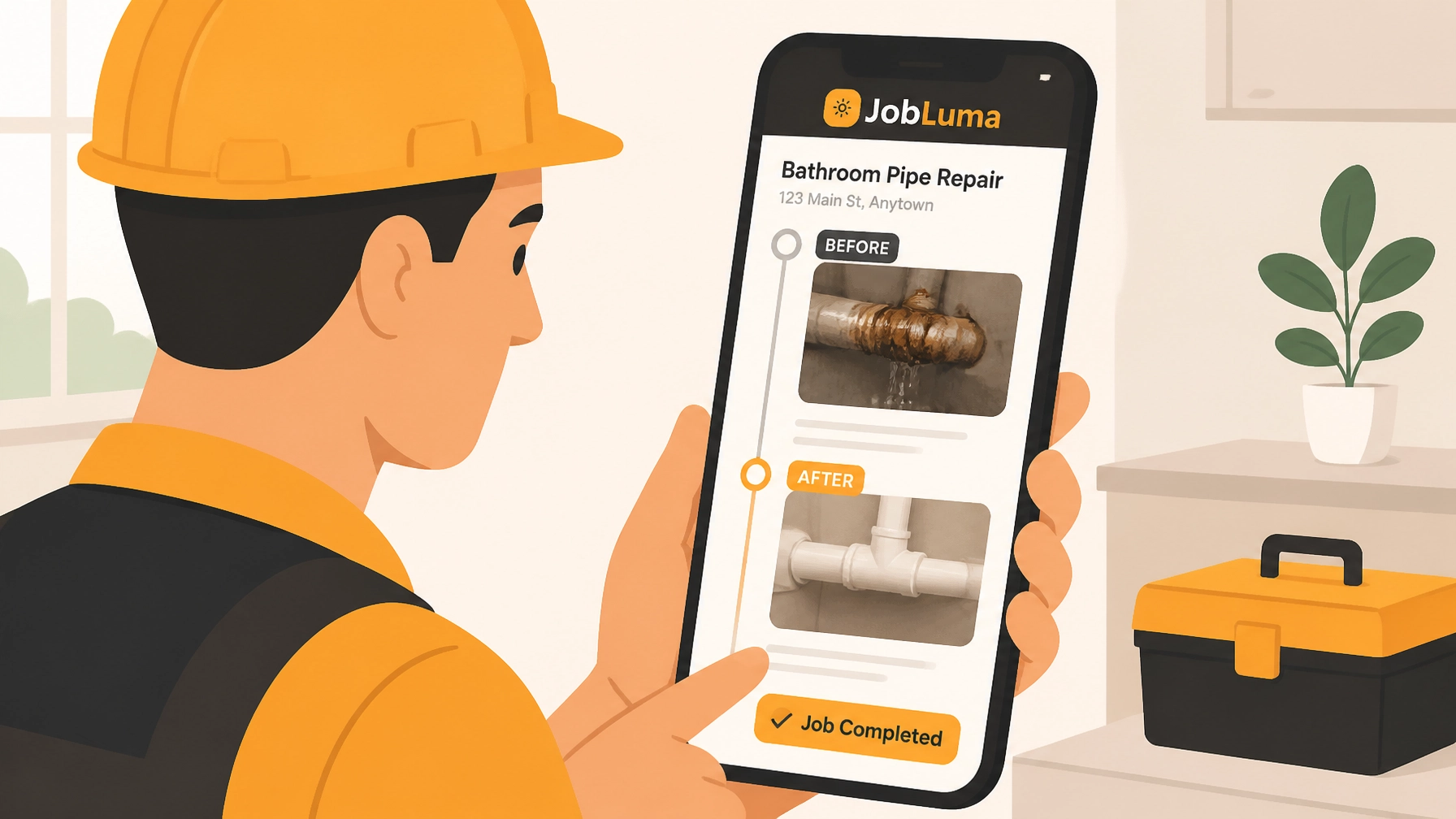
    Most small service contractors: electricians, plumbers, HVAC, garage door, roofing, concrete, handyman teams: don’t need a full-on project management suite to prove work happened. What you need is simple construction photo documentation that’s fast on-site, organized automatically, and easy to share when a customer asks, “What did you do exactly?” or when someone disputes a change.

    That’s where a photo timeline wins. Not a bloated contractor job app. A clean, mobile-first before/after photo workflow that gives you a chronological record of the job: without turning your day into admin work.


    The problem with “all-in-one” contractor job apps (for small crews)

    Big platforms are built for big workflows: RFIs, submittals, daily logs, Gantt charts, budget approvals, internal message threads, and 35 menu items nobody touches after week one.

    For a small service shop, that “power” usually creates three real problems:

    1) The app becomes a second job

    Every extra field you’re “supposed” to fill out is another minute you’re not billing. When your day is packed with calls, troubleshooting, and drive time, you don’t have room for a system that needs constant feeding.

    2) Your crew won’t use it consistently

    If logging photos requires five taps, choosing from a dozen folders, and typing notes on a tiny screen: your techs will skip it. Then your “system” becomes incomplete, and incomplete documentation is basically the same as none.

    3) Customers don’t want another download

    You want to show proof, progress, and before/after results. Customers want to view it instantly. Most homeowners and property managers do not want to install a contractor photo app just to see what happened in their attic.

    So the question becomes: what’s the simplest tool that still protects you and makes you look professional?


    Why photo timelines are the sweet spot for construction photo documentation

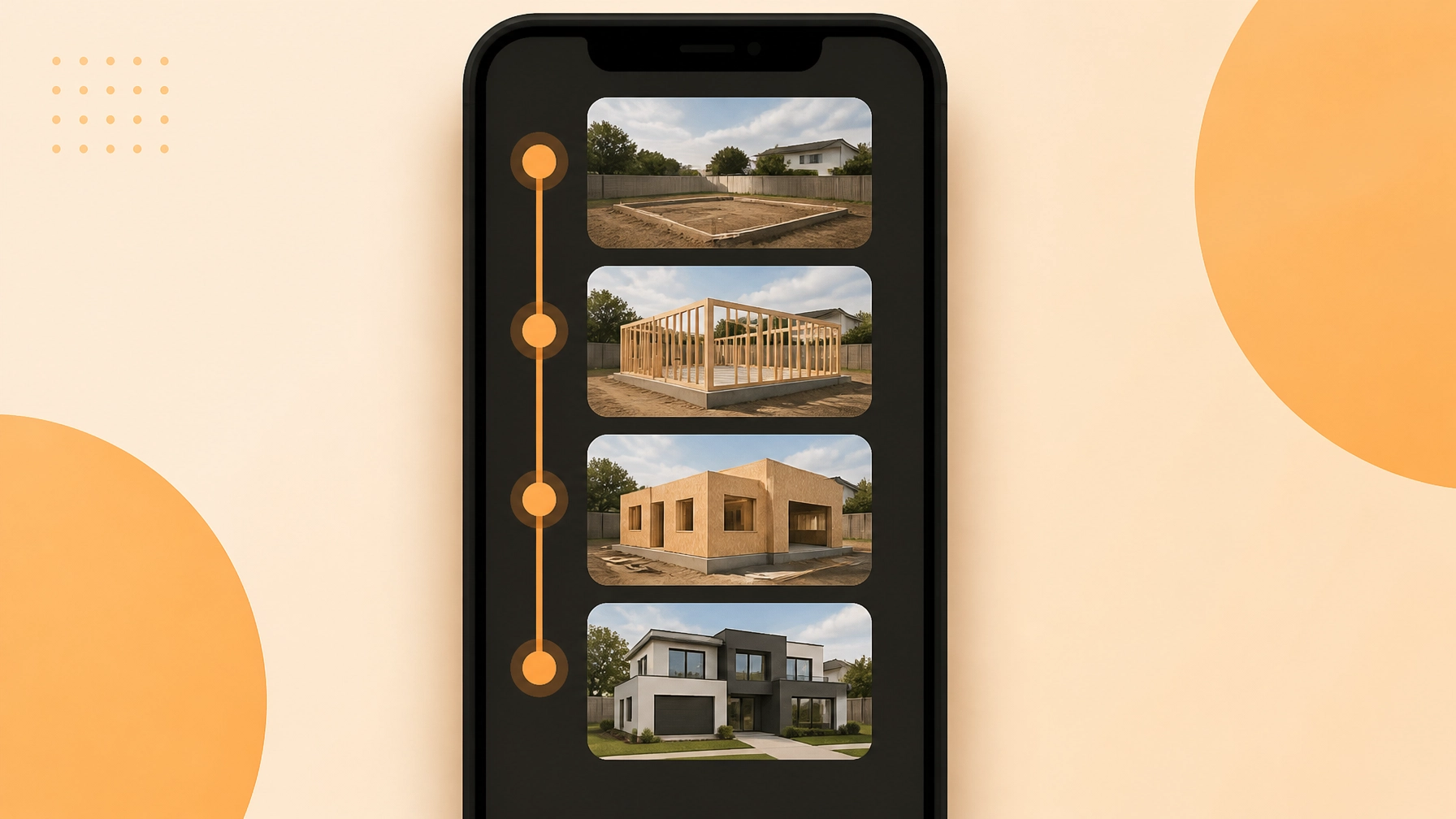
    A photo timeline is exactly what it sounds like: photos captured during the job, automatically arranged in chronological order, tied to the job record.

    This solves the real-world problems small contractors deal with every week:

    • “Did you take a picture before you opened that wall?”
    • “What was the condition when you got there?”
    • “Can you show what you replaced?”
    • “Can you prove it was finished on Tuesday?”
    • “Insurance wants documentation.”
    • “Customer says we damaged something that was already like that.”

    And you don’t need a huge system to do that. You need a fast, consistent habit: snap photos as you go, let the tool organize them, share when needed.

    Contractor photo app showing a visual timeline of construction work from before to after completion.

    Suggested AI image: A simple 3-step graphic showing “Before → During → After” photos stacked in a timeline on a phone screen.


    The “before / during / after” method that keeps you out of disputes

    If you only change one thing about your process, make it this:

    Before (2 photos)

    • Wide shot of the area (context)
    • Close-up of the problem (detail)

    During (1–3 photos)

    • Anything that will be hidden later (wiring, plumbing, supports, moisture, damage)
    • Any change order trigger (rot, code issue, unsafe condition)

    After (2 photos)

    • Wide shot finished
    • Close-up of the repair/installed part

    That’s it. You don’t need 40 photos. You need the right ones.

    A solid before and after photo app (or photo timeline app) makes this feel effortless: open job → take photos → move on.


    What “simple” photo documentation should actually look like

    Let’s be blunt: if your construction photo documentation tool feels like paperwork, it’s not simple.

    Here’s what you want instead:

    Fast capture on-site

    The camera experience should be the main feature: not buried inside “Project > Tasks > Attachments > Add Media.”

    Auto-organization

    Photos should naturally sort by job and time. You shouldn’t be dragging images into folders at 9 PM.

    Built for the way crews work

    Multiple people can add photos without stepping on each other or creating a mess.

    Easy sharing (without friction)

    Customers and property managers should be able to view the timeline without jumping through hoops.

    Many photo-first tools in the market focus on this lighter workflow: capture, timestamp, organize, share: without the heavy overhead of full project management. Some even emphasize automatic timestamps, GPS data, or team-based uploading to keep documentation reliable and easy to retrieve.

    But the biggest difference is this: photo documentation tools respect your time.


    The hidden cost of “we’ll just text the photos”

    Texting works… until it doesn’t.

    Here’s what breaks:

    • Photos are scattered across personal phones
    • The “before” photo is in a different thread than the “after”
    • Somebody upgrades their phone and the images disappear
    • You can’t find the right photo when a customer calls three weeks later
    • The photos lose job context (address, scope, date)

    Texting also makes your business look less organized than it really is. You can do great work and still look sloppy if your documentation is scattered.

    A contractor photo app that keeps everything in a clean job timeline makes you look buttoned-up: without you having to do extra work.


    JobLuma’s take: contractor software that stays out of your way

    JobLuma is built for small service contractors who want proof and professionalism without the bloat.

    The goal is simple:

    • Capture job photos fast
    • Automatically build a clean photo timeline
    • Share it with customers without making them download an app
    • Keep everything mobile-first so your crew actually uses it

    If you’ve been stuck choosing between “do nothing” and “use a complicated system nobody likes,” this is the middle path.

    You can learn more about how JobLuma approaches photo timelines on our features page: https://jobluma.com/features


    The no-app-download customer experience (this matters more than you think)

    Most contractor job apps are built for internal teams, not for customers. That’s fine: until you need to show work.

    With JobLuma-style sharing, the customer experience should feel like:

    1. You send a link
    2. They tap it
    3. They see the timeline
    4. Done

    No login. No app store. No “create a password.” Just proof.

    That one detail reduces friction and speeds up approvals: especially for:

    • property managers juggling multiple vendors
    • homeowners who want to see what happened while they were at work
    • insurance-related jobs where documentation needs to be forwarded

    This is where a simple photo timeline can outperform a “bigger” contractor job app. Bigger isn’t better if nobody can access what you’re trying to show.


    Where photo timelines save you the most time (and headaches)

    1) Change orders and “while you were in there…”

    Photos make change orders easier to explain. A quick “here’s the rot behind the trim” picture can prevent a 20-minute call.

    2) Warranty calls

    When someone says, “This was never fixed,” you can pull up the exact after photo and date.

    3) Team handoffs

    If one tech starts and another finishes, the timeline keeps continuity without long notes.

    4) Training and quality control

    You’ll spot patterns fast: recurring issues, sloppy finishes, missing steps. Photos don’t lie.

    5) Marketing content (without extra effort)

    A clean before/after gallery is basically marketing gold. If you’re already taking the photos, you might as well get more value from them.

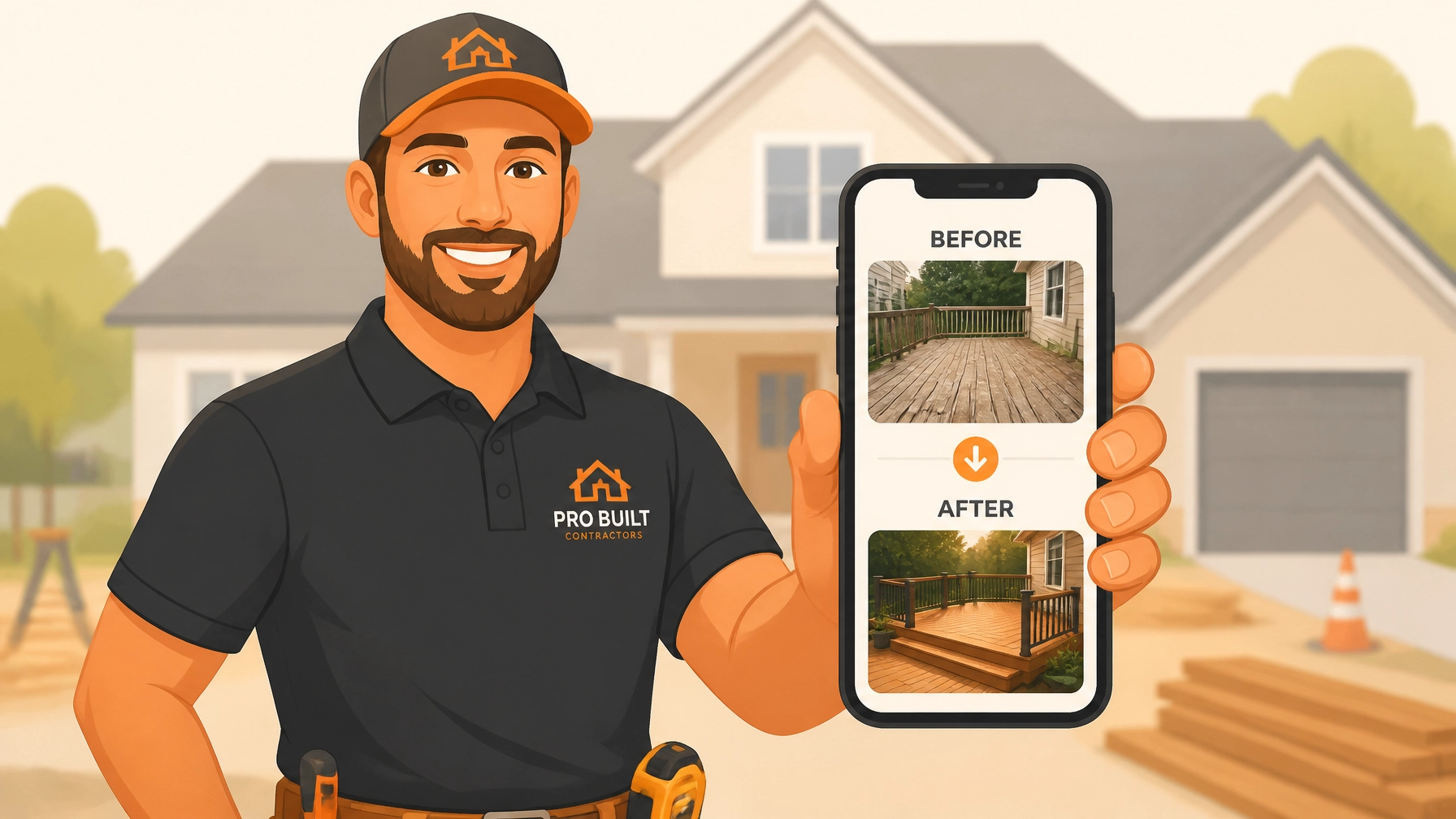
    Service contractor showing a homeowner professional before and after project photos on a mobile device.

    Suggested AI image: A contractor showing a homeowner a phone screen with a simple “Before / After” slider and a timeline underneath.


    What to look for in a “before and after photo app” (quick checklist)

    When you’re evaluating contractor software for photo documentation, keep it simple. Ask:

    • Is it faster than texting? (If not, your team won’t use it.)
    • Does it auto-sort by job and date?
    • Can multiple crew members contribute easily?
    • Can I share with customers via link?
    • Does it work great on a phone with one hand?
    • Can I find a job’s photos in 10 seconds?

    If the answer is “maybe,” it’s probably too complicated.


    A simple workflow you can start using this week

    Here’s a practical, low-drama process that works for most service contractors:

    Step 1: Create the job

    Keep it minimal: customer name + address + job title. Don’t overthink it.

    Step 2: Take 2 “before” photos the moment you arrive

    Do this before you touch anything. Make it a habit.

    Step 3: Take photos of anything that will be covered up

    Wiring runs, pipe routing, moisture, damage, framing repairs, valve replacements: anything that disappears behind drywall or panels.

    Step 4: Take 2 “after” photos before you leave

    Wide + detail. That’s your proof and your portfolio.

    Step 5: Share the timeline link if the customer asks (or if you want to look extra professional)

    Especially helpful when the customer wasn’t home.

    This workflow is the reason photo timeline apps exist. It’s the smallest effort that produces the biggest payoff.


    “Isn’t this just another app?” Not if it’s built like JobLuma

    Fair question. There are plenty of tools that claim they’re simple and then immediately ask you to configure:

    • roles and permissions
    • workflows
    • templates
    • project phases
    • reporting modules

    JobLuma is designed to be the opposite of that. It’s contractor software focused on one core job: make photo documentation effortless and organized.

    Mobile-first. Simple UI. Photo timeline front and center. And a customer-friendly sharing experience that doesn’t require an app download.

    If you want to see pricing without a long demo process, it’s here: https://jobluma.com/pricing


    Common objections (and why they don’t hold up)

    “My guys won’t remember to take photos.”

    They won’t: if it’s annoying. If it’s quick and the job is set up properly, it becomes routine. Start with just before + after. Add “during” photos only when it matters.

    “We already have a contractor job app.”

    If it’s working and your photo documentation is clean, great. But if you’re still texting photos or can’t find them later, the tool isn’t solving the real problem.

    “This sounds like it’s for construction, not service.”

    Service is where photo timelines shine. Short jobs, lots of volume, customers not on-site, high potential for misunderstandings: documentation keeps things smooth.


    The simplest contractor photo app is the one you actually use

    Most small contractors don’t need more software. You need less friction.

    A good photo timeline app helps you:

    • document jobs without slowing down
    • keep photos organized automatically
    • show before/after proof in seconds
    • share with customers without a download
    • look professional without extra admin

    That’s the whole point.

    If you want to try a simple, mobile-first way to document your jobs with a clean photo timeline, check out JobLuma here: https://jobluma.com/signup

    ![JobLuma logo]

  • How to Create a Professional Photo Timeline in 5 Minutes (Without the Technical Headache)

    How to Create a Professional Photo Timeline in 5 Minutes (Without the Technical Headache)

    Let’s be honest: you didn't get into the trades because you wanted to spend your afternoons playing around with graphic design software or organizing folders on a computer. Whether you’re an electrician, a plumber, or an HVAC tech, your office is the field. Your tools are your wrenches, meters, and drills, not a complex project management suite that takes a PhD to navigate.

    But here’s the reality of the modern service industry: customers want to see what they’re paying for. They want transparency. And more importantly, you need protection.

    Ever had a client claim you damaged something that was already broken? Ever struggled to get a final payment because the homeowner couldn’t "see" the value of the work hidden behind a wall? This is where a professional photo timeline becomes your best friend.

    The good news? You don’t need to be a tech genius to create one. In fact, you can do it in under five minutes. Let’s dive into how to build a world-class before and after photo app workflow without the technical headache.

    The Camera Roll Trap: Why Your Phone is a Mess

    We’ve all been there. You finish a job, and your phone's gallery is a chaotic mix of blurry photos of serial numbers, pictures of your lunch, a few shots of a leaky pipe, and maybe a photo of your dog.

    When it comes time to send a report to a customer or a contractor, you’re stuck scrolling, squinting, and trying to remember which "grey pipe photo" belongs to which job.

    Using your standard phone gallery for construction photo documentation is a recipe for disaster.

    1. Zero Organization: Photos from three different jobs get lumped together.
    2. Hard to Share: Emailing 20 high-res photos often fails because the files are too big.
    3. Lack of Context: A photo of a wire doesn’t mean much without a caption or a date stamp.

    You need a system that organizes itself while you work.

    Smartphone showing messy construction photos organizing into a professional job photo timeline.

    The 5-Minute Workflow for a Professional Timeline

    If you want to look like a pro without spending hours on paperwork, you need a repeatable process. Here is the simplest way to build a timeline that will wow your clients.

    1. The "Before" Shot (1 Minute)

    Before you even touch a tool, take two photos. One "wide" shot to show the entire workspace and one "tight" shot of the specific problem. This sets the stage. In any contractor photo app, this is your baseline. It proves the condition of the site when you arrived.

    2. The "During" Progress (2 Minutes)

    This is the part most guys skip, but it’s the most important for getting paid. If you’re installing a complex wiring system or a new HVAC unit, take a quick snap of the components before the walls go back up or the unit is sealed. It shows the quality of your craftsmanship that will eventually be invisible.

    3. The "After" Money Shot (1 Minute)

    Clean up the workspace and take your final hero shot. This is what the customer sees. A clean, finished project presented in a clear timeline makes you look 10x more professional than the guy who just sends a text saying "Job's done."

    4. The Summary (1 Minute)

    Add a quick note to the timeline. "Replaced corroded copper piping with PEX, tested for leaks, site cleared." Done.

    Why Traditional "Contractor Software" Fails Small Biz

    If you search for "construction management software," you’ll find massive platforms that promise to do everything from payroll to drone mapping. For a small service contractor, these are usually a nightmare.

    • The Learning Curve: You don't have time for a three-week training course.
    • The Price Tag: You shouldn't have to pay $200 a month just to organize photos.
    • The "App Fatigue": Your customers don't want to download a clunky app, create an account, and remember a password just to see photos of their new water heater.

    This is exactly why we built JobLuma. We saw too many electricians and plumbers struggling with "bloated" software that actually made their lives harder.

    The JobLuma Difference: Simplicity is the Ultimate Sophistication

    When we designed our contractor job app, we had one goal: keep it simple. We wanted to create a tool that felt like an extension of your existing workflow, not a new chore.

    No App Download for Customers

    This is the game-changer. When you use JobLuma to share a photo timeline, your customer gets a simple link. They click it, and they see a beautiful, professional gallery of your work. No logins, no "forgot password" emails, no friction. It makes you look like a tech-forward company while keeping things incredibly easy for the client.

    Mobile-First Design

    We know you’re using your phone with gloves on, in tight crawlspaces, or on top of ladders. Our interface is designed for the field. Large buttons, fast uploads, and a layout that makes sense on a small screen. You can check out our features page to see how we prioritize speed.

    JobLuma Logo

    How Professional Documentation Wins You More Work

    You might think, "I'm a good plumber, my work speaks for itself." And while that’s true, in 2026, the experience you provide is just as important as the repair you make.

    Building Instant Trust

    When a customer receives a professional timeline, they feel in control. They see the "before" and the "after," and they understand exactly where their money went. This transparency leads to better reviews and more referrals.

    Eliminating Liability

    "That crack wasn't there before you started!" Every contractor has heard some version of this. Having a time-stamped, organized photo timeline is your best insurance policy. It’s hard to argue with a high-resolution photo taken at 9:02 AM on the day the job started.

    Faster Payments

    Invoices get paid faster when there's no confusion. By attaching your photo timeline to your bill, you’re providing the "proof of work" immediately. No more "I'll pay you once I get home and check it out." They’ve already seen the evidence.

    Contractor sharing a digital before and after photo timeline with a client on a tablet for job proof.

    Stop Fighting Your Technology

    The "technical headache" of photo documentation usually comes from trying to use tools that weren't meant for you. You don't need a template from a design site where you have to manually drag and drop boxes and align text. You need a system where you take a photo, and the software does the "design" work for you.

    With a dedicated photo timeline app, the organization happens in the background. You focus on the pipe, the wire, or the furnace. We focus on making sure that photo is stored, categorized, and ready to be shared in a professional format.

    Ready to Level Up Your Professionalism?

    If you’re tired of the camera roll mess and want a way to impress your clients without adding an hour to your workday, it’s time to change your approach.

    Creating a professional photo timeline shouldn't be a chore. It should be the easiest part of your job. By following the 5-minute workflow and using a tool designed specifically for field services, you can protect your business and grow your brand at the same time.

    Don't let the technical headache hold you back. Keep it simple, keep it mobile, and keep it professional.

    Want to see how easy it can be?
    Check out our pricing to find a plan that fits your crew, or sign up today to start your first timeline. If you have questions about how JobLuma can fit into your specific trade, feel free to visit our help center or contact us directly. We’re here to help you get back to the work that matters.

  • How to Create Professional Job Timelines in 5 Minutes (Without Making Your Customers Download an App)

    How to Create Professional Job Timelines in 5 Minutes (Without Making Your Customers Download an App)

    Let’s be honest: most "contractor software" was designed by people who have never spent a Tuesday afternoon knee-deep in a crawlspace or troubleshooting a blown circuit. They love their complex dashboards, their twenty-step onboarding processes, and their endless "feature" lists that you’ll never actually use.

    But for the average electrician, plumber, or HVAC tech, time is literally money. You don't need a PhD in software engineering to show a customer that you fixed their leaky pipe. You just need a way to prove you did the work, show how good it looks, and get paid.

    The biggest hurdle? Friction. We’ve all been there, you try to use a "professional" project management tool, only to realize that for your customer to see the progress, they have to download an app, create a password, verify their email, and learn a new interface.

    Spoiler alert: They won't do it. They’ll just ask you to text them the photos, and suddenly your professional workflow is back to a cluttered camera roll and a messy group text.

    At JobLuma, we think that’s broken. Here is how you can create professional job timelines in under five minutes without ever making your customers download a single thing.

    The Problem with "Bloated" Contractor Software

    If you search for "contractor job app" on the App Store, you’ll find hundreds of options. Most of them are trying to be everything to everyone. They want to handle your accounting, your GPS tracking, your payroll, and your inventory.

    While that sounds great in a sales pitch, in reality, it often leads to:

    1. Complexity: It takes longer to log the job than it did to do the work.
    2. High Costs: You’re paying for a massive suite of tools when you really just need a before and after photo app.
    3. Customer Friction: Your clients are busy. They don't want another icon on their phone screen.

    The goal should be to provide a "wow" experience for the customer while keeping your internal process as lean as possible. That’s where simple construction photo documentation comes in.

    Simple construction photo documentation on a smartphone vs bloated contractor software.

    Why a Visual Timeline is Your Secret Sales Weapon

    People don't just buy your technical skills; they buy peace of mind. This is especially true in field services where much of your work is hidden behind drywall, under floors, or inside mechanical units.

    A professional photo timeline does three things for your business:

    1. It Builds Instant Trust

    When a customer can see the "before" (the mess, the leak, the old wiring) and the "after" (your clean, professional install), the value of your invoice becomes undeniable. It moves the conversation from "Why did this cost $500?" to "Wow, look at the difference!"

    2. It Protects Your Back

    Liability is real. Having a time-stamped, organized record of the job site before you started and after you finished is the best insurance policy you can have. If a customer claims you scratched their floor or left a mess, you have the visual proof to settle the debate instantly.

    3. It Makes Referrals Easy

    When you send a slick, web-based timeline to a customer, they are much more likely to show it off to their neighbor or post it on social media. A text message with 12 loose photos gets lost. A professional link to a JobLuma gallery gets shared.

    How to Build a Professional Timeline in 5 Minutes

    You don't need a dedicated marketing team to look professional. You just need a system. Here is the fastest workflow to document your jobs using a simple contractor photo app approach.

    Step 1: The "Before" Snap (1 Minute)

    As soon as you walk onto the site, take three photos. One wide shot of the work area, and two close-ups of the specific issue. Don't worry about lighting or being a photographer: just capture the "problem" state.

    Step 2: The "In-Progress" Documentation (2 Minutes)

    This is the part most contractors skip, but it’s the most valuable for showing high-quality craftsmanship. Snap a photo of the new wiring before the walls go up, or the new pipe layout before it’s buried. This shows the customer the "hidden" value they are paying for.

    Step 3: The "After" Hero Shots (2 Minutes)

    Once the job is done and the area is cleaned up (don't forget to clean up!), take your final photos. These are your marketing assets.

    Step 4: Share the Link

    Instead of emailing a zip file or sending a barrage of texts, you use a tool like JobLuma to generate a single, professional link. You send that link via text or email. The customer clicks it, and boom: they see a beautiful, branded timeline of the work. No login. No app download. Just results.

    Contractor showing a professional job timeline with a before and after photo app.

    Why "No Download" is the Future of Customer Experience

    We live in the age of "App Fatigue." People are tired of being forced to download an application for every single service they interact with. Think about the last time a restaurant made you download an app just to see the menu. It was annoying, right?

    Your customers feel the same way about their plumber or electrician.

    By using a web-based contractor job app experience, you are removing the friction. Your customer can view the project timeline on their phone, tablet, or desktop instantly. This "low-barrier" approach makes you look tech-savvy and modern without being a burden on your client’s storage space.

    Comparison: JobLuma vs. Generic Design Tools

    In our research, we've seen some contractors use tools like Adobe Express or Canva to build project updates. While these are great for making things look pretty, they aren't built for the field.

    • Adobe/Canva: You have to manually upload photos, drag them into templates, type in descriptions, and then export a file. It’s a "desk" task.
    • JobLuma: It’s a mobile-first experience. You take the photo inside the app, it’s automatically organized by job, and the timeline builds itself. It’s a "field" task.

    For a small service contractor, you don't want to spend your evenings at a computer designing PDFs. You want to finish the job, send the link, and go home to your family.

    JobLuma logo A bold orange icon with a simple sun design, representing clarity and illumination, next to the company name in white and orange text against a dark background.

    Pro Tips for Better Photo Documentation

    If you want your timelines to really stand out, keep these simple tips in mind:

    • Consistency is Key: Try to take the "after" photo from the exact same angle as the "before" photo. This creates a powerful visual transition that tells a clear story.
    • Clean the Lens: It sounds stupid, but a quick wipe of your phone camera lens with your shirt will remove the "pocket grease" that makes photos look blurry and unprofessional.
    • Let There Be Light: If you’re in a dark basement or attic, use a work light. High-quality photo timeline app entries look much better when the customer can actually see the detail of your work.
    • Use Captions Sparingly: A picture is worth a thousand words, but a five-word caption like "New 200-amp panel installed" adds that extra layer of professionalism.

    Getting Started with Simple Contractor Software

    The jump from "guy with a truck" to "professional service business" often comes down to the tools you use and the image you project. You don't need to spend thousands of dollars on enterprise-level software to get there.

    You can start small. Focus on your photo documentation. Start showing your customers exactly what they are paying for in a way that is easy for them to digest.

    If you’re tired of losing photos in your text threads or struggling with software that’s too complicated for your daily needs, it might be time to try a simpler approach.

    Check out our features to see how we’ve stripped away the junk to focus on what actually matters: documenting your work and impressing your customers.

    Customer using a contractor photo app to view a gallery of professional job documentation.

    Final Thoughts

    Creating professional job timelines doesn't have to be a chore. In fact, it should be the easiest part of your day. By focusing on a "mobile-first, no-download" strategy, you’re not just documenting a job: you’re building a brand.

    Ready to stop the app-download madness and start showing off your hard work? Sign up for JobLuma today and see how easy it is to create your first timeline in under five minutes.

    Your customers will thank you (mostly because they didn't have to download another app).


    Want to learn more about how to streamline your contracting business? Check out our pricing or read more tips on our blog.

  • How to Create a Professional Photo Timeline in 5 Minutes (Without Bulky Contractor Software)

    How to Create a Professional Photo Timeline in 5 Minutes (Without Bulky Contractor Software)

    Let’s be honest: you didn’t get into the trades because you loved filing digital paperwork or spending your evenings organizing folders on a laptop. You’re an electrician, a plumber, an HVAC tech, or a general contractor because you like building things, fixing problems, and seeing a job well done.

    But here’s the reality of the business in 2026: if you didn’t take a photo of it, it didn’t happen.

    Whether you’re trying to prove to a skeptical homeowner that the wiring behind the drywall was done to code, or you're trying to show a commercial client why a simple repair turned into a major overhaul, photos are your best friend. The problem is that most contractor software is just too much. It’s bulky, it’s expensive, and it requires you and your customers to download massive apps that eat up phone storage.

    What if you could create a professional photo timeline of your project in under five minutes? No bloat. No training manuals. Just a clean, professional record of your hard work.

    The "Folder Fumble": Why Your Current System is Failing You

    We’ve all been there. You’re standing in a client's driveway, trying to find that one "before" photo of the rusted-out water heater. You’re scrolling through your phone’s camera roll, swiping past photos of your kids’ soccer game, your dog, and yesterday’s lunch.

    By the time you find the photo, the client has already checked their watch three times, and you look like you don’t have your act together.

    Storing photos in your phone’s generic gallery is a recipe for disaster. It’s not just about organization; it’s about liability and sales. When your photos are scattered, you lose the ability to tell a story. A photo timeline app should help you tell that story instantly.

    A frustrated contractor struggling to find job site photos on a cluttered and disorganized smartphone.

    Why "Big" Construction Software Isn’t the Answer for Small Shops

    If you search for "construction photo documentation," you’ll find giant platforms designed for skyscraper projects and thousand-person crews. They have features for everything from structural engineering schematics to complex payroll integration.

    But for a small service contractor, these "all-in-one" solutions are usually "all-in-the-way."

    1. The Learning Curve: You don't have time to take a three-week onboarding course just to learn how to upload a picture.
    2. The Price Tag: Why pay $300 a month for features you’ll never touch?
    3. The "App" Fatigue: Your customers don't want to create an account or download an app just to see the progress on their kitchen remodel.

    At JobLuma, we believe in keeping it simple. You need a contractor job app that works as hard as you do, without the fluff. You can check out our features to see exactly how we stripped away the nonsense.

    The 5-Minute Workflow: Creating Your Timeline

    So, how do you actually build a professional timeline without losing your mind? It comes down to a simple, repeatable process.

    1. The "Before" Snap (30 Seconds)

    Before you even pick up a wrench, take three photos. One wide shot of the work area, one medium shot of the specific unit or problem, and one close-up of the serial number or specific damage.

    2. The "During" Documentation (1 Minute)

    When you find something unexpected: like mold behind a wall or a frayed wire: stop and take a photo. This is your "CYA" (Cover Your Assets) moment. If the scope of work changes, you have instant visual proof of why.

    3. The "After" Glory Shot (30 Seconds)

    Clean up the site and take your final photos from the same angles as your "before" shots. This creates a satisfying visual "click" for the customer.

    4. The Sync (1 Minute)

    Using a before and after photo app like JobLuma, these photos are automatically organized by job. You don’t have to drag and drop files into folders. They are already where they belong.

    5. The Share (1 Minute)

    Send a link to your client. They click it, and they see a professional, branded timeline of the work. No downloads required.

    JobLuma logo

    The Power of the "No-Download" Experience

    One of the biggest hurdles in construction photo documentation is getting the client to actually look at the photos. If you send a zip file, it stays in their "Downloads" folder forever. If you ask them to join a portal, they’ll forget the password.

    JobLuma was built with a mobile-first, browser-based design. When you share a job timeline, the customer gets a simple link. It opens in their phone’s browser, looks beautiful, and makes you look like a tech-savvy pro. This "no-app-download" approach is a game-changer for customer satisfaction.

    Benefits Beyond Just "Looking Cool"

    Creating a photo timeline isn't just about showing off; it's about protecting and growing your business.

    Protection Against "He Said, She Said"

    We’ve all had that one client who claims you scratched their floor or broke a vase that was already in pieces. A dated, timestamped photo timeline is your best defense. When you have a clear record of the site condition before you started, those "damages" claims disappear.

    Winning More Bids

    When you provide a quote, show the prospect a link to a previous project timeline (with the previous client's permission, of course). Showing them a photo timeline app in action proves that you are organized, transparent, and professional. It justifies a higher price point because you’re providing a higher level of service.

    Faster Payments

    It’s a psychological fact: people pay faster when they feel good about the work. Sending a stunning before-and-after gallery along with your invoice reminds the customer exactly what they are paying for. It turns an "expense" into a "solution" in their eyes.

    Professional before and after photo documentation showing a successful repair for a service client.

    Key Features to Look for in a Contractor Photo App

    If you're shopping around for a contractor photo app, don't get distracted by bells and whistles. Look for these three essentials:

    • Speed: Can you go from "pocket" to "photo" in under three seconds?
    • Organization: Does it automatically tag photos by job site and date?
    • Accessibility: Can you access your photos from your phone, tablet, and office computer without syncing issues?

    JobLuma handles all of this. We designed it specifically for the person who is wearing work boots, not a suit. You can learn more about our philosophy on our about page.

    Tips for Better Job Site Photos

    You don't need a high-end DSLR to make your photo timelines look professional. Your smartphone is more than enough if you follow a few simple rules:

    1. Wipe the Lens: You work in dusty environments. A quick rub of your lens against your shirt will fix 90% of "blurry" photo issues.
    2. Turn on the Lights: If you’re in a crawlspace or an attic, use a work light. Phone flashes are okay, but a steady light source makes the "after" photos look much more impressive.
    3. Use a Reference Object: If you're photographing a small crack or a specific measurement, put your pen or a coin next to it so the viewer understands the scale.
    4. Keep it Consistent: Try to take the "after" photo from the exact same spot as the "before" photo. This makes the transition in your before and after photo app look seamless.

    Using a contractor photo app to take clear, organized pictures of an electrical panel job site.

    Stop Managing Files, Start Managing Jobs

    At the end of the day, your time is your most valuable asset. Every minute you spend resizing images or trying to remember which job a photo belongs to is a minute you aren't making money.

    The transition to professional construction photo documentation doesn't have to be a headache. You don't need "enterprise" software that costs a fortune and takes a month to learn. You just need a simple tool that fits into your existing workflow.

    Ready to see how easy it can be? You can get started with JobLuma today. We’ve kept our pricing simple because we know you have better things to do than calculate complex subscription tiers.

    Conclusion: The Professional Edge

    In a crowded market, the "small things" are what set you apart. Providing a professional photo timeline isn't just a courtesy: it's a signature of quality. It shows that you care about the details, you respect the client's property, and you're proud of your craft.

    Stop letting your best work get buried in your phone’s camera roll. Spend five minutes, create a timeline, and watch how it transforms your business relationships.

    If you have questions or need help getting set up, our help center is always available, or you can contact us directly. We’re here to help you get back to what you do best: the real work.

    A smiling contractor and homeowner celebrating a finished project with professional documentation.


    Want more tips on running a leaner, meaner contracting business? Check out our blog for more insights on service industry tech and growth.

  • How to Create Professional Construction Photo Documentation in 5 Minutes

    How to Create Professional Construction Photo Documentation in 5 Minutes

    You didn’t get into the trades to become a professional photographer or a data entry clerk. You became an electrician, a plumber, or an HVAC tech because you like building things, solving problems, and getting your hands dirty.

    But here’s the reality of the modern job site: if you didn’t take a photo of it, it basically didn't happen.

    In a world of "he-said, she-said" disputes, insurance claims, and customers who want to see exactly what they’re paying for, photo documentation is no longer optional. It’s your best defense and your best marketing tool. The problem? Most contractor software is way too complicated. It’s bloated, it takes forever to load, and it requires your customers to download an app they’ll never use.

    What if you could create professional-grade construction photo documentation in just five minutes? No fluff, no wasted time: just clear, organized records that protect your business and impress your clients.

    Here is how you do it using a simple, mobile-first approach.

    Why You’re Losing Money Without Good Photos

    Before we dive into the "how," let’s talk about the "why." Poor documentation isn't just a minor annoyance; it’s a leak in your profit margin.

    1. The "He Said, She Said" Trap

    We’ve all been there. You finish a job, leave the site clean, and three days later the homeowner calls claiming you scratched the hardwood or left a mess in the crawlspace. Without a time-stamped photo of the finished area, it’s your word against theirs. Usually, the contractor loses that battle just to keep the peace.

    2. Getting Paid Faster

    Commercial clients and even some residential homeowners are hesitant to cut the check until they see progress. Detailed photo timelines prove that milestones have been met. When you use a contractor job app that organizes photos chronologically, you provide a level of transparency that makes people feel comfortable hitting the "pay" button.

    3. Avoiding the "Hidden Work" Headache

    For plumbers and electricians, the most important work is often behind a wall or under a slab. Once the drywall goes up or the concrete is poured, that work is invisible. If there’s a leak or a short later, having a photo of the rough-in can save you hours of guesswork and destructive "exploratory" demolition.

    JobLuma logo

    The 5-Minute Professional Photo Routine

    You don't need a DSLR or a tripod. Your smartphone is more than enough. The key is a standardized process. If you follow this 5-minute protocol on every job, you’ll have better documentation than 90% of your competition.

    Minute 1: The "Fixed Position" Overview

    As soon as you walk onto the site, take four wide-angle shots. Stand in the corners of the room or at specific vantage points that you can return to later. This creates a baseline. It shows the state of the site before you even touched a tool.

    Minute 2-3: The "Guts" (The Detail Shots)

    This is where you document the technical work. Take close-ups of:

    • Model and serial numbers on equipment.
    • Wiring configurations inside a panel.
    • Pipe slopes and connections.
    • The specific brand of materials used.
    • Any existing damage you found upon arrival.

    Minute 4: The Finish and Cleanup

    Once the tools are packed, go back to those same "fixed positions" from Minute 1 and take the same four shots. This creates an instant "before and after" comparison. Then, take one final shot of the thermostat, the breaker, or the shut-off valve to show everything is in the "on" or "correct" position.

    Minute 5: Sync and Organize

    This is where most contractors fail. They leave the photos in their phone’s camera roll, mixed in with pictures of their kids and their lunch. By the time they need the photo, it's buried under 500 other images.

    Using a dedicated photo timeline app like JobLuma allows you to upload these photos to a specific job folder in seconds. Because JobLuma is designed to be a contractor photo app first, it doesn't ask you for 20 fields of data. You just upload, and the app handles the organization.

    Mobile contractor photo app with organized timeline for professional construction photo documentation.

    Stop Using "Bloated" Project Management Software

    If you’ve searched for contractor software, you’ve probably seen the "all-in-one" giants. They promise to handle your estimating, accounting, HR, fleet tracking, and 100 other things.

    For a small service shop, these platforms are often more trouble than they're worth.

    • The Learning Curve: You don't have time to take a six-week course just to learn how to upload a photo.
    • The "App" Fatigue: Your customers don't want to create an account, verify their email, and download a 200MB app just to see a photo of their water heater.
    • The Cost: Why pay $300 a month for features you’ll never use?

    We built JobLuma to be the opposite of that. It’s a simple, mobile-first tool focused on what actually matters: logging photos and keeping customers in the loop. It’s the before and after photo app that stays out of your way so you can get back to work.

    The Power of the "No-App" Customer Experience

    One of the biggest hurdles in construction photo documentation is sharing the info with the client. If you email a zip file, it ends up in spam. If you text 20 photos, you blow up their data plan and clutter their gallery.

    The JobLuma advantage is the "No-App" experience. You can send your client a link to their specific job timeline. They click it, and it opens right in their mobile browser. They can see the progress, view the before and afters, and feel confident in your work: all without ever downloading a single thing.

    This professional touch separates the "guy with a truck" from a legitimate service business.

    Contractor photo timeline app showing instant sharing of job progress photos with customers.

    Using Photos as Your Best Marketing Tool

    A photo timeline app isn't just for protection; it’s for growth. Every time you finish a job, you have a story to tell.

    • Before: A messy, dangerous electrical panel.
    • After: A clean, labeled, and safe installation.

    When you have these photos organized, posting to social media or updating your website becomes a 30-second task. Prospective customers love seeing real work. They don't want stock photos of people in clean hardhats; they want to see the quality of work you did for the neighbor down the street.

    By consistently using a contractor photo app, you are building a library of social proof that sells your services for you.

    Quick Tips for Better Construction Photos

    To make your 5-minute documentation even better, keep these simple tips in mind:

    1. Let there be light: If you're in a crawlspace or attic, use a work light. Grainy, dark photos are useless in a dispute.
    2. Scale matters: If you're documenting a crack or a specific measurement, put your tape measure or even a coin in the shot for scale.
    3. Clean the lens: It sounds basic, but a quick wipe of your phone lens with your shirt will remove the drywall dust and fingerprints that make photos look blurry.
    4. Capture the "Why": If you’re documenting a change order, take a photo of the obstacle (like an unexpected pipe in the way) to justify the extra cost to the client.

    Getting Started with JobLuma

    If you're tired of scrolling through thousands of photos to find that one shot of a leak from last Tuesday, it's time to simplify.

    At JobLuma, we believe that the best software is the one you actually use. Our platform is designed for the field, not the office. It’s fast, it’s simple, and it’s built specifically for contractors who want to get the job done right.

    Ready to see how easy professional documentation can be?

    • Check out our features to see how we handle photo logging.
    • View our pricing (spoiler: it’s affordable).
    • Or sign up today and start your first job timeline in seconds.

    Service contractor using a job app to track and document construction project milestones.

    Summary: Your 5-Minute Success Plan

    Professional construction photo documentation doesn't have to be a headache.

    1. Standardize: Use the 5-minute routine (Overview, Guts, Finish).
    2. Simplify: Avoid bloated software that slows you down.
    3. Share: Give your customers a "no-app" experience that builds trust.
    4. Protect: Use time-stamped photos to end disputes before they start.

    Your work is high-quality. Make sure your documentation proves it. Stop letting your hard work go unrecorded and start building a digital trail that protects your business and helps you grow.

    For more tips on running a leaner, more efficient contracting business, head over to our blog or reach out to us at contact if you have any questions!

  • How to Create Professional Construction Photo Documentation in 5 Minutes

    How to Create Professional Construction Photo Documentation in 5 Minutes

    Let’s be honest: as a contractor, you didn’t get into this business because you loved paperwork. Whether you’re an electrician pulling wire through a crawlspace, a plumber fixing a slab leak, or an HVAC tech installing a multi-zone system, your value is in your hands and your expertise: not your ability to manage a digital filing cabinet.

    But here’s the cold, hard truth: in 2026, if it isn’t in a photo, it didn’t happen.

    We’ve all been there. A customer calls three weeks after the job is done, claiming a scratch on the floor or a dent in the drywall that definitely wasn’t there when you left. Without proof, it’s your word against theirs. Or maybe you’re trying to explain a complex change order to a homeowner who doesn't know a manifold from a muffler.

    Professional construction photo documentation is the ultimate "get out of jail free" card. But most contractor software is so bloated and complicated that it feels like you need a PhD just to upload a picture.

    At JobLuma, we believe in keeping it simple. You can have professional-grade project timelines and documentation ready to go in under five minutes. Here is exactly how to do it without losing your mind.

    Why 5 Minutes is All You Need

    When most people hear "documentation," they think of hours spent sitting at a laptop after a 10-hour shift. That’s the old way. The new way: the JobLuma way: is about capturing data in the flow of work.

    If you spend just 60 seconds at three different points during the job, you’ve already done 90% of the work. The remaining two minutes are for the "money shots" that help you sell the next job.

    The Cost of Ignoring Your Photos

    Before we dive into the "how," let’s talk about the "why." Using a dedicated contractor photo app isn't just about being organized; it’s about protecting your bottom line.

    1. Liability Protection: Photos are objective. They show the state of the site before you touched it and the quality of the work after you finished.
    2. Faster Payments: When a client can see a clear photo timeline app showing progress, they are much more likely to hit "pay" on that invoice without questioning every line item.
    3. Marketing Gold: Those before-and-after shots are your best sales tools for social media and your website.

    Before and after bathroom renovation shots captured with a contractor photo app for professional documentation.

    Step 1: The "Before" Sweep (1 Minute)

    The moment you step onto a job site, your phone should be out. Before you lay down a single drop cloth or grab your drill, take four "overview" shots.

    Stand in the corners of the room or the edges of the exterior work zone. These photos establish the "baseline." You’re looking for:

    • Existing damage (cracked tiles, stained carpet).
    • The general state of the workspace.
    • Weather conditions (especially important for outdoor field services).

    By using a contractor job app that automatically timestamps and geotags these photos, you’re creating a permanent record that cannot be disputed. You aren't just taking pictures; you're creating a digital paper trail.

    Step 2: The "In-Progress" Snap (2 Minutes)

    This is the part most contractors skip, and it’s the part that causes the most headaches later. Once the walls are closed or the concrete is poured, your work is invisible.

    Take photos of:

    • Rough-in wiring or plumbing before the drywall goes up.
    • Model numbers and serial tags on new equipment.
    • Structural repairs that will be hidden by finishes.

    This isn't just for the customer; it’s for you. Two years from now, when that same customer wants to add a new outlet, you can look back at your construction photo documentation and see exactly where the studs and pipes are located.

    Step 3: The "After" Showcase (2 Minutes)

    This is where you shine. The job is done, the site is clean, and the client is happy. Now, take those high-quality "after" shots from the same angles you used for your "before" shots.

    This creates a seamless before and after photo app experience. When you show a homeowner a side-by-side comparison of their old, leaking water heater next to your pristine, professional installation, you aren't just a service provider: you're a pro.

    Using a contractor job app to capture construction photo documentation of plumbing and wiring behind a wall.

    Avoid the "Bloated Software" Trap

    There are dozens of project management tools out there that claim to help contractors. The problem? They were designed by people who sit in offices, not people who stand on ladders.

    You know the ones. They require you to create a "project," assign "users," set "permissions," and navigate through fifteen menus just to take a photo. By the time you’ve opened the app, you could have finished the repair.

    JobLuma is different. We built our features specifically for the small service contractor.

    • Mobile-First Design: It works the way you work: on your phone, in the field.
    • No App Download for Customers: This is the game-changer. Your customers don't want to download another app just to see photos of their leaky faucet. With JobLuma, you can share a link, and they can see the progress in their mobile browser instantly.
    • Simple Interface: We stripped away the junk. No Gantt charts, no complex resource leveling: just the tools you need to document and share your work.

    JobLuma Logo

    The Power of a Photo Timeline

    One of the biggest benefits of using a dedicated photo timeline app like JobLuma is the chronological organization. Instead of a messy camera roll filled with pictures of your kids, your lunch, and your work jobs all mixed together, everything is neatly categorized by project.

    When a general contractor asks for a progress report, you don't have to spend an hour scrolling through your phone. You simply send a link to the project timeline. It looks professional, it’s organized, and it saves you time.

    How to Organize Your Photos for Maximum Efficiency

    If you're doing this manually, use a simple folder structure: Year-Month-Day_ClientName_ProjectPhase. But honestly, why do that when you can let software do it for you? A good contractor software solution should handle the naming and organization in the background so you can stay focused on the task at hand.

    Why Customers Love It (And Why That Matters for You)

    In the service industry, trust is everything. Homeowners are often nervous about having strangers in their house and even more nervous about spending thousands of dollars on something they don't fully understand.

    When you provide professional documentation, you are providing peace of mind.

    • Transparency: They can see the progress even if they aren't home.
    • Communication: A photo is worth a thousand words (and ten phone calls).
    • Referrals: When a customer has a beautiful digital gallery of the work you did, they are much more likely to share it with their friends and neighbors.

    If you make the experience easy for them: meaning they don't have to log in or download anything: they will love you for it. Check out our about page to see why we’re so obsessed with the customer experience.

    Homeowner viewing a professional project gallery using a simple photo timeline app on their mobile phone.

    Putting It Into Practice: A 5-Minute Checklist

    Ready to start? Here is your 5-minute documentation checklist for your next job:

    1. Minute 1: Arrive on site. Take 4 wide shots of the work area before touching anything.
    2. Minute 2: Identify any pre-existing damage. Snap a close-up and note it.
    3. Minute 3: Midway through the job, take 2 photos of "hidden" work (wiring, piping, insulation).
    4. Minute 4: Clean up. Take "after" shots from the same spots as your "before" shots.
    5. Minute 5: Hit "sync" or "share" in your JobLuma app to send the update to the client.

    That’s it. You’re done. You’ve protected your business, impressed your client, and built a library of marketing content: all in the time it takes to drink a cup of coffee.

    Final Thoughts

    You don't need a massive office staff or expensive, complicated software to run a professional operation. You just need the right tools and a simple process. By mastering the 5-minute photo documentation habit, you’re setting your business apart from the "chuck-in-a-truck" competition.

    Stop letting your hard work go undocumented. Stop worrying about "he-said, she-said" disputes. And most importantly, stop wasting your evenings trying to organize a messy phone gallery.

    Ready to see how simple it can be? Head over to our pricing page to find a plan that fits your business, or sign up today to start your first project. If you have questions, our help center is always available to get you up and running.

    Documentation doesn't have to be a chore. With JobLuma, it’s just part of a job well done.

  • Why a Simple Before and After Photo App Will Change the Way You Document Every Job

    Why a Simple Before and After Photo App Will Change the Way You Document Every Job

    If you’re an electrician, plumber, or HVAC tech, you know the drill. You finish a job, wipe the sweat off your forehead, grab your phone, and snap a quick photo of the finished work. Maybe you took a "before" shot, maybe you didn’t. Then you hop in the truck, head to the next site, and do it all over again.

    By Friday afternoon, your phone’s photo gallery is a chaotic mess of wire nuts, leaky valves, and half-installed furnaces mixed in with photos of your kid’s soccer game and what you had for lunch. When a client calls two weeks later asking for proof of work: or worse, claiming you damaged something: you’re stuck in the "gallery scroll of death," desperately trying to remember which blurry photo belongs to which job.

    It’s a headache. It’s unprofessional. And honestly? It’s costing you money.

    This is exactly why a simple before and after photo app is no longer just a "nice-to-have" tool: it’s a necessity for any service contractor who wants to stay organized, get paid faster, and protect their reputation.

    The Problem with "Big" Software

    Most contractor software on the market today was built for massive construction firms managing 50-story skyscrapers. These platforms are bloated, expensive, and take three months of training just to figure out how to upload a file.

    For a small service business, you don't need a 4D BIM modeling suite. You need something that works in the three seconds you have between finishing a task and moving to the next one. You need a contractor photo app that is mobile-first, dead simple, and doesn't require a degree in computer science to operate.

    At JobLuma, we believe documentation shouldn't feel like a chore. It should be as easy as sending a text message.

    Illustration of a contractor choosing simple mobile software over bloated project management tools.

    1. Protection Against the "He-Said, She-Said"

    Let’s talk about the nightmare scenario: a customer calls you a month after a job is finished and says, "That scratch on my hardwood floor wasn't there before you showed up."

    Without clear construction photo documentation, you’re stuck. Even if you know you didn't do it, you have no way to prove it. You might end up paying for a repair just to keep the customer from leaving a one-star review.

    A dedicated before and after photo app changes the game. When you arrive at a site, you snap a photo of the workspace. When you’re done, you snap another. These photos are automatically timestamped and geotagged. If a dispute arises, you have a digital paper trail that shows exactly what the site looked like before you touched a single tool. It’s the cheapest insurance policy you’ll ever "buy."

    2. Professionalism That Sells Itself

    In the service industry, your work is often hidden behind walls, under floors, or up in attics. Your customers can’t always see the quality of your craftsmanship.

    When you use a photo timeline app, you aren't just taking pictures; you're building a story of the project. Sending a professional, organized timeline of the work to a customer doesn't just show them what you did: it shows them that you’re a pro who cares about the details.

    Imagine two contractors:

    • Contractor A finishes the job, sends a handwritten invoice, and leaves.
    • Contractor B sends a digital link showing the exact "before" state, the progress photos of the "guts" of the project, and the final "after" shot.

    Who is that customer going to call back next time? Who are they going to refer to their neighbors? Contractor B wins every time.

    JobLuma logo A bold orange icon with a simple sun design

    3. The "No-App-Download" Experience for Customers

    One of the biggest friction points with traditional contractor job apps is that they require the customer to download yet another app just to see their project updates. Most homeowners won't do it. They’ll ignore the invite, and you’re back to square one.

    JobLuma was designed with a "customer-first" mentality. When you share a project timeline, your customer doesn't have to download anything. They get a simple link that opens in their phone’s browser. They can see the progress, view the photos, and feel confident in your work without the hassle of creating an account or managing another password.

    This mobile-first, no-download approach makes you look tech-savvy and easy to work with: two things that are high on every homeowner's wishlist.

    4. Faster Billing and Fewer Payment Delays

    Ever had a payment held up because a client or a general contractor says they "don't see the progress" yet?

    When your photos are organized into a clear timeline, you have undeniable proof of milestones. You can attach a link to your invoice showing the completed work. It’s hard for anyone to argue with a timestamped photo of a finished installation.

    By using a before and after photo app, you provide the transparency needed to get invoices approved and paid without the back-and-forth emails.

    Before and after photo app showing plumbing repairs to help contractors get paid faster.

    5. Stop Losing Your Best Marketing Material

    You do great work. But if that work stays buried in your phone's camera roll, it’s useless for your business growth.

    Before and after photos are the gold standard for social media marketing. People love seeing a messy, broken situation turned into something clean and functional. However, most contractors forget to post because finding the "before" shot from three weeks ago is too much work.

    With an organized contractor photo app, your marketing content is already organized for you. You can pull up a finished project, grab the before/after pair, and post it to your Facebook or Instagram page in seconds. It’s an automated way to build a portfolio that keeps your phone ringing.

    How JobLuma Makes It Easy

    We didn't set out to build a complex project management monster. We built JobLuma to be the simplest way for contractors to document their day.

    • Mobile-First Design: We know you’re on a ladder or in a crawlspace, not sitting at a desk. Our interface is built for thumbs and quick actions.
    • Simple Organization: No more creating folders or renaming files. The app keeps everything sorted by job.
    • Before and After Timelines: Instantly see the transformation of every project.
    • Easy Sharing: Send a professional link to your clients so they can follow along.

    Service professional using a smartphone for easy construction photo documentation on the job.

    Why You Should Start Today

    If you’re still relying on your phone’s default photo app, you’re leaving yourself vulnerable and missing out on an easy way to level up your business. Transitioning to a dedicated before and after photo app doesn't have to be a major "tech project."

    You can start small. On your next job tomorrow morning, take one "before" photo. When you wrap up, take one "after" photo. Do that for a week, and you’ll suddenly see your business in a whole new light. You'll feel more organized, your customers will be more impressed, and you'll have the peace of mind that comes with having your work documented.

    Ready to stop the "gallery scroll" and start documenting like a pro? Check out our features or see our pricing to find a plan that fits your crew.

    At the end of the day, your work speaks for itself: but a good photo makes sure everyone else can hear it, too.

    Ready to simplify your workflow?

    Sign up for JobLuma today and see why simple is always better.

    If you have questions about how we can help your specific trade, feel free to visit our help center or contact us directly. We’re here to help you get back to what you do best: the actual work.

  • How to Create a Professional Photo Timeline in 5 Minutes (Without the Tech Headache)

    How to Create a Professional Photo Timeline in 5 Minutes (Without the Tech Headache)

    Let’s be honest: your phone’s photo gallery is probably a disaster zone. Between the screenshots of parts you need to buy, photos of your kids, and those random blurry shots of a leaky pipe, finding a specific "before" photo to show a client is like looking for a needle in a haystack.

    You know you need to document your work. It protects you from liability, helps you get paid faster, and makes your business look a whole lot more professional. But who has the time to sit down at a computer and organize a "photo timeline" after a ten-hour day in the field?

    Most contractor software out there makes it even harder. They want you to spend three hours in a "onboarding" call just to learn how to upload a picture. You don’t need a digital filing cabinet that requires a PhD to operate. You just need a way to show what you did, when you did it, and how great it looks.

    Here is the good news: you can create a professional photo timeline in about five minutes without the tech headache. Let’s dive into how to do it.

    Why a Photo Timeline is Your Best Employee

    Before we get into the "how," let’s talk about the "why." A photo timeline app isn't just a fancy toy; it's a tool that saves you money.

    1. Liability Protection: If a customer claims you damaged a wall during an HVAC install, you can pull up your timeline. "Actually, here is the photo from 9:02 AM showing the wall was already cracked before we touched it."
    2. Instant Trust: When you send a client a professional link showing the progress of their kitchen remodel, they feel involved and informed. They aren't wondering what they’re paying for.
    3. The "Wow" Factor: Everyone loves a good transformation. A high-quality before and after photo app experience turns a happy customer into a referral machine.
    4. Faster Payments: It’s much harder for a client to hold up a final payment when they have a chronological record of the high-quality work you performed.

    A contractor using a professional photo timeline app to document before and after job site progress.
    (Caption: A contractor using a mobile-first app to document a job site on the fly.)

    The Problem with "Big" Contractor Software

    If you’ve looked into construction photo documentation, you’ve probably seen the giants in the industry. These platforms are designed for massive skyscraper projects with 500 workers. They have Gantt charts, complex budget tracking, and about 400 buttons you’ll never click.

    For a small service contractor, an electrician, a plumber, or a landscaper, this is "bloatware." It’s too expensive and too slow. You end up going back to texting photos to clients because the "official" software is too much of a pain to use.

    The goal is simplicity. You want to take a photo, tag it to a job, and move on to the next task.

    How to Build Your Timeline in 5 Minutes

    You don't need a graphic designer or a tech team. You can follow these steps using a simple contractor job app like JobLuma.

    1. Snap as You Go

    The biggest mistake is waiting until the end of the day to organize. The "5-minute" method relies on you taking photos during the job.

    • Step 1: Arrive at the site and snap the "before" conditions.
    • Step 2: Take a "progress" shot during the messy middle.
    • Step 3: Take the "after" hero shot.

    2. Ditch the Folders

    Stop creating folders on your phone like "Smith Job – Kitchen." It takes too long. A dedicated contractor photo app should automatically organize these by the job name or location for you.

    3. Use a Mobile-First Design

    If the software you use looks like a 1990s spreadsheet, delete it. You’re working on a phone, usually with gloves on or dirty hands. You need big buttons, a simple interface, and a "mobile-first" experience.

    4. Share the Link (The Easy Way)

    This is where most pros fail. They try to email 20 high-res photos to a client, and the email bounces because the files are too big. Or they try to force the client to download an app.
    Pro tip: Your customer doesn't want to download another app. They have enough junk on their phone. Use a tool like JobLuma that lets you send a simple web link. The client clicks it, sees the timeline, and says "Wow."

    Mobile-friendly construction photo documentation timeline showing chronological project updates on a smartphone.
    (Caption: A side-by-side comparison of a cluttered phone gallery versus a clean, professional JobLuma timeline.)

    Why JobLuma is Different

    We built JobLuma because we saw too many hard-working contractors struggling with bloated software. We wanted to create the simplest photo timeline app on the planet.

    No App Download for Customers

    This is our secret sauce. When you finish a job and want to show off the results, you just send a link. Your customer doesn't have to create a password or download anything from the App Store. They just click and view. It’s the ultimate frictionless experience.

    Simple for Your Team

    If you have a couple of guys working for you, you know how hard it is to get them to use new tech. JobLuma is so simple that if they can send a text message, they can use our contractor job app. There’s no learning curve. Just open, snap, and save.

    Focus on the Field, Not the Office

    Most software is built for people sitting in an office chair. JobLuma is built for the person standing in a crawlspace or on a roof. It’s fast, it’s reliable, and it gets the job done so you can get home to your family.

    JobLuma Logo

    Pro Tips for Better Photo Documentation

    If you want your timelines to really pop, keep these three tips in mind:

    • Lighting is Everything: If you’re in a dark basement, use a work light. A clear photo of a panel or a pipe looks much more professional than a grainy, dark one.
    • The Same Angle: For the best "before and after" effect, try to stand in the exact same spot for both photos. It makes the transformation look much more dramatic.
    • Capture the Details: Don't just take a wide shot of the room. Take a close-up of the clean wiring or the perfect solder joint. It shows you take pride in the small stuff.

    Close-up of a contractor using a contractor photo app to document high-quality electrical work.
    (Caption: An electrician taking a clear, well-lit photo of a newly installed circuit breaker panel.)

    Stop Fighting Your Phone

    You didn't get into the trades to become a digital archivist. You got into this to build things, fix things, and provide for your family. Technology should be your assistant, not your headache.

    By switching from a mess of text messages and phone folders to a dedicated photo timeline app, you’re reclaiming your time. You're also building a digital asset for your business: a library of your best work that you can use for marketing, training, and protecting your reputation.

    Ready to see how easy it can be? You can check out our pricing to find a plan that fits your business, or sign up today to start your first timeline.

    Summary

    Creating a professional photo timeline doesn't require a tech degree or a massive budget. By using a simple, mobile-first tool, you can:

    • Document every job in under 5 minutes.
    • Protect yourself from "he-said, she-said" disputes.

    • Give your customers a "no-app-needed" professional experience.
    • Keep your personal photos separate from your work photos.

    Don't let your hard work get lost in your camera roll. Start organizing your jobs the easy way. If you have questions about how to get started, feel free to visit our help page or contact us anytime.

    A happy customer viewing a professional job timeline on their phone without needing to download an app.
    (Caption: A happy customer viewing a job timeline on their smartphone without needing to download an app.)

    Whether you’re a solo operator or running a small crew, the transition to simple construction photo documentation is the fastest way to level up your professional image. Give it a shot on your next job: your future self (and your customers) will thank you.

  • How to Create a Pro Photo Timeline in 5 Minutes (No App Download Needed)

    How to Create a Pro Photo Timeline in 5 Minutes (No App Download Needed)

    Let’s be honest: nobody got into the trades because they loved paperwork. You started your business to fix things, build things, and help people. But as your business grows, you realize that "doing the work" is only half the battle. The other half is proving you did it right, getting paid on time, and making sure the customer is happy enough to recommend you.

    In the old days, you might have carried a digital camera or just relied on your memory. Today, we all have powerful cameras in our pockets, but that’s created a new problem: the "Camera Roll Chaos." You have 4,000 photos on your phone. Somewhere between the picture of your kid’s birthday cake and that funny meme your brother sent you, there are three crucial photos of a leaky pipe you fixed last Tuesday.

    Finding those photos to show a client, or worse, to prove to an insurance company that you weren’t responsible for a pre-existing crack, is a nightmare. You need a photo timeline app, but you don’t want another bloated piece of "contractor software" that takes three hours to learn and costs a fortune.

    Here is the good news: you can create a professional photo timeline in under five minutes, and you don’t even need to ask your crew or your customers to download a single app.

    Why a Photo Timeline is Your Best Insurance Policy

    Before we dive into the "how," let’s talk about the "why." A photo timeline isn’t just a fancy slideshow; it’s a chronological record of your professionalism. For electricians, plumbers, and HVAC techs, construction photo documentation serves three main purposes:

    1. Trust and Transparency: When a customer sees a step-by-step visual of the work, they feel confident. They see the "before," the "during" (the parts they can't see once the walls are closed up), and the "after."
    2. Liability Protection: If a homeowner claims you damaged something, you can pull up a photo from your timeline showing that the damage was there before you arrived. It’s your word against a timestamped photo. The photo wins every time.
    3. Faster Payments: It’s much harder for a client to haggle over an invoice when it’s accompanied by a crisp, professional gallery showing exactly what they’re paying for.

    JobLuma Logo

    The Problem with Traditional "Contractor Job Apps"

    If you’ve looked into contractor software before, you’ve probably seen the big players. They promise to do everything: scheduling, invoicing, CRM, GPS tracking, and even your laundry. But for a small service shop, these platforms are often overkill.

    They are expensive. They are complicated. And worst of all, they require an "app download."

    Think about your sub-contractors or your new hires. Do they really want to download another 200MB app that tracks their location and drains their battery? Probably not. Think about your customers. If you tell them, "Hey, download this app to see the photos of your water heater," they’re going to roll their eyes.

    The best contractor photo app is the one that stays out of the way. That’s why we built JobLuma to be a mobile-first, browser-based experience. No downloads. No friction.

    Contractor choosing a simple contractor photo app over bloated and complex project management software.

    The 5-Minute Workflow: Creating Your Timeline

    So, how do you actually do it? Whether you’re using generic tools or a specialized platform like JobLuma, the process should be simple.

    Step 1: Capture the "Before" (1 Minute)

    The second you walk onto a job site, take three photos. One wide shot of the work area, one medium shot, and one close-up of the specific issue. This sets the baseline. In a before and after photo app, these are the most important shots you’ll ever take because they prove the condition of the site when you took possession of it.

    Step 2: Document the "In-Between" (2 Minutes)

    This is where most contractors drop the ball. If you’re an electrician, take a photo of the wiring before the drywall goes up. If you’re a plumber, take a photo of the new fittings before they’re buried. These "hidden" photos are pure gold for your construction photo documentation. They show the quality of your work that the customer literally cannot see once the job is finished.

    Step 3: The Final "After" (1 Minute)

    Clean up the job site first. A photo of a beautiful new HVAC unit surrounded by trash doesn't look professional. Take a final set of photos that match the angles of your "before" shots.

    Step 4: Generate and Share (1 Minute)

    This is where the magic happens. Instead of emailing 15 individual attachments (which will get blocked by spam filters), you use a tool to create a single link.

    With JobLuma, this happens almost automatically. You upload the photos from your mobile browser, and the timeline is built for you. You can then send a simple link to the customer via text or email. They click it, and they see a professional, branded timeline of the project. No login required for them.

    Using Generic Tools vs. JobLuma

    If you’re just starting out and have plenty of time on your hands, you can use free tools like Canva or Adobe Express to manually build a timeline.

    • Adobe Express: You can upload your photos, choose a template, and manually add text and dates. It looks great, but it takes time. You have to drag and drop, resize, and then export a PDF or a static image.
    • Canva: Similar to Adobe, it’s great for design but wasn't built for a guy standing in a crawlspace with dirty hands.

    The difference with a dedicated contractor job app like JobLuma is that it’s built for the field. We know you’re usually using one hand to hold your phone and the other to hold a flashlight. Our interface is designed to be "thumb-friendly" and lightning-fast.

    Contractor viewing construction photo documentation on a mobile phone timeline while at a job site.

    Why "No App Download" is a Game Changer

    We live in the age of "app fatigue." Everyone wants you to download their app. Your grocery store, your gas station, even your toaster probably has an app.

    When you use a "no app download" system:

    • Onboarding is instant: Your crew can start using it on day one without waiting for downloads or updates.
    • Client satisfaction is higher: Clients can view progress photos on their phone while they're at work with a single tap.
    • Battery life is preserved: Real-time GPS apps are notorious for killing phone batteries by midday. Browser-based tools are much lighter.

    For more details on how this works, you can check out our help section or see our pricing to see how affordable simplicity can be.

    Pro-Tip: The "Referral Photo"

    Here is a secret trick to get more business using your photo timeline: include a photo of your business card or a "Thank You" note at the end of the timeline.

    When you send that professional link to your customer, they aren't just going to look at it; they’re going to show their friends. "Look at the work these guys did on my kitchen!" When they share that link, they are sharing your brand. It’s a digital business card that actually shows your skill.

    Contractor sharing professional project results and referrals using a before and after photo app.

    Real-World Examples: The Impact of Photo Logs

    Let’s look at a few scenarios where a 5-minute photo timeline saved the day:

    • The "Leaky" Roof: A roofer finished a job on Friday. It rained on Sunday, and the homeowner called screaming that the roof was leaking. The roofer pulled up the JobLuma timeline and showed the homeowner photos of the perfectly sealed flashing. It turned out the "leak" was actually a window the homeowner had left cracked open. Dispute settled in 30 seconds.
    • The Electrical Rough-In: An electrician took photos of the wiring before the walls were closed. Six months later, the homeowner wanted to hang a heavy TV. The electrician sent them the link to the photo timeline, and the homeowner could see exactly where the studs and wires were located. That’s a customer for life.
    • The HVAC Maintenance: A tech takes a photo of the dirty filter and the old, frayed belt before replacing them. The customer, who knows nothing about HVAC, can see the physical proof of why the parts needed replacing. They pay the bill happily.

    Summary: Speed Wins

    In the construction and field services world, the fastest person to provide proof usually wins the argument and gets the check. You don't need a degree in photography or a $500/month software suite to look like a pro.

    All you need is a consistent habit of taking photos and a simple way to organize them.

    If you're tired of the camera roll mess and want a simple, professional way to document your jobs, signup for JobLuma today. We’ve stripped away all the bloat to give you exactly what you need: a fast, reliable, and "no-app-needed" way to show off your hard work.

    Stop hunting for photos and start building your legacy, one timeline at a time. If you have questions about how we can fit into your specific trade, feel free to contact us. We’re here to help you get back to the work that matters.

  • How to Create a Shareable Before-and-After Photo Timeline in 5 Minutes (No Customer App Download Needed)

    How to Create a Shareable Before-and-After Photo Timeline in 5 Minutes (No Customer App Download Needed)

    You’re on a job site. The sweat is real, the work is tough, and you’ve just transformed a literal disaster zone into a work of art. Maybe it’s a perfectly soldered copper manifold, a crystal-clear pool, or a rewire that actually looks like a professional did it.

    You take a photo of the finished product. You remember you took a "before" photo somewhere… let’s see… was it Tuesday? You scroll through your camera roll, past 400 photos of your kids, a few memes from the guys at the shop, and a blurry picture of a serial number you needed three days ago.

    By the time you find the "before" shot, the client has already left, and the moment to "wow" them has passed. Even if you do find both photos, what’s next? You text them two separate files? They get lost in a thread. You try to use some complex contractor software you bought last year, but it asks the customer to "Create an Account" just to see the project gallery.

    Spoiler alert: They aren't going to download an app. They just want to see the work they paid for.

    In this guide, we’re going to show you how to create a professional, shareable before-and-after photo timeline in under five minutes using a contractor photo app designed for the real world: no customer downloads required.

    The Problem with "Bloated" Contractor Software

    If you’ve been in the trades for more than a week, you’ve probably been hit with ads for "All-in-One" project management tools. They promise to handle your accounting, your GPS tracking, your HR, and your photo documentation.

    But here’s the reality for most small service contractors (electricians, plumbers, HVAC techs): those apps are a headache. They are built for massive construction firms with dedicated office staff. For the guy in the truck, they’re just "bloat."

    1. Too Complex: You need a PhD just to upload a photo.
    2. Too Expensive: You’re paying for 50 features you’ll never use.
    3. The "App Barrier": This is the big one. If your customer has to go to the App Store, remember their Apple ID password, download a 100MB app, and "verify their email" just to see a photo of their new water heater, they’re not going to do it.

    That’s why we built JobLuma. We focused on one thing: making construction photo documentation as fast and frictionless as possible.

    Contractor using a simple photo timeline app to organize construction photo documentation easily.

    Why Before-and-After Timelines Matter (The "Wow" Factor)

    Before we get into the "how-to," let’s talk about the "why." Why should you bother with a photo timeline app?

    1. Proof of Value

    A lot of your best work is hidden behind walls, under floors, or in attics. When a customer sees a bill for $2,000, they might feel a bit of "sticker shock." When they see a digital timeline showing the rusted-out mess you started with and the pristine installation you finished with, that shock turns into appreciation.

    2. Liability Protection

    If a homeowner claims you scratched their floor or broke a vase, having a time-stamped "before" photo of that specific area is your best defense. It’s not just about showing off; it’s about covering your assets.

    3. Google Reviews and Marketing

    A great before-and-after is marketing gold. If you can send a customer a link that looks professional and is easy to share, they are much more likely to post it on their Facebook or local community group. "Look what the guys at [Your Company] did today!" is the best lead generator you can get.

    How to Create Your Timeline in 5 Minutes

    Let’s get down to brass tacks. You want a contractor job app that works as fast as you do. Here is the workflow using JobLuma.

    Step 1: Snap the "Before"

    Open the browser on your phone. No need to download anything from the store. Log in to your JobLuma account and start a new job. Snap your "before" photo directly into the app. It’s instantly synced and saved to that specific job. No more hunting through your personal camera roll.

    Step 2: Document the Progress

    If it’s a multi-day job, take a few "during" shots. This builds a narrative. It shows the customer the "hidden" work: the prep, the bracing, the cleaning.

    Step 3: The "After" Shot

    The job is done. The site is clean. Take that final hero shot.

    Step 4: Generate the Shareable Link

    Inside JobLuma, you simply click "Share." The app generates a unique, private URL for that specific job.

    Step 5: Send it to the Customer

    Text or email the link to the client. When they click it, it opens a beautiful, mobile-optimized gallery in their phone’s browser. They can see the transformation from start to finish. They don't need to log in. They don't need to download an app. They just see your great work.

    JobLuma logo A bold orange icon with a simple sun design, representing clarity and illumination, next to the company name in white and orange text against a dark background.

    Why "No-App-Download" is a Game Changer

    We live in an age of "app fatigue." Everyone wants us to download their app: the grocery store, the gas station, the local pizza place. Most people are hitting "delete" more than "download."

    When you use a before and after photo app that is web-based, like JobLuma, you remove the friction. You aren't asking the customer for a favor (downloading an app); you’re providing them with a service (easy access to their project photos).

    This mobile-first design is what sets us apart. You can learn more about our philosophy on our About page.

    Homeowner viewing a contractor photo timeline link on a mobile phone without needing an app download.

    Using the Right Tools for the Job

    While there are general tools like Canva or simple side-by-side generators, they aren't built for the field.

    • Canva is great for marketing, but do you really want to be "designing" a graphic while standing in a crawlspace?
    • SiteCam or MERIDIQ offer some cool slider features, but they often lack the "job management" aspect.

    A true contractor photo app should bridge the gap. It should be a place where your photos live permanently, organized by job name or address, so you can find them six months from now when the customer calls with a question.

    Pro-Tips for Better Contractor Photos

    If you’re going to use a photo timeline app, you might as well take photos that make you look like a pro.

    • Same Angle: For the best "before and after" effect, try to take the final photo from the exact same spot and height as the first one. It makes the transformation much more dramatic.
    • Lighting is Everything: If you’re in a dark basement, use a work light. Phone flashes usually make everything look flat and greasy.
    • Clean Up First: Don't take the "after" photo with your lunch wrapper or a pile of debris in the corner. A clean job site is the sign of a premium contractor.
    • Close-ups and Wide-outs: Take a wide shot to show the whole room, and a close-up to show the quality of your connections or finishes.

    Capturing professional before and after photos of a service job for a shareable project timeline.

    Simplicity is the Ultimate Sophistication

    As a small service contractor, your time is your most valuable asset. Every minute you spend fighting with software is a minute you aren't billing for.

    JobLuma was designed to be the "anti-bloat" solution. We don't want to run your whole life; we just want to make your photo documentation effortless.

    • Check out our Features to see how we handle photo logging.
    • See our Pricing (spoiler: it’s simple and affordable).
    • Ready to start? Sign up here.

    Final Thoughts

    You take pride in your work. You should have a way to show it off that doesn't involve a 20-minute struggle with technology. By using a mobile-first, web-based tool, you can provide a world-class customer experience that makes you stand out from the "old school" guys who are still scribbling notes on the back of an envelope.

    Stop digging through your camera roll. Stop asking your customers to download apps they don't want. Start building a digital legacy of your hard work, one job at a time.

    If you have questions or need help getting started, visit our Help Center or Contact us directly. We’re here to help you get back to work.

    Organizing a messy camera roll into a professional job photo timeline using a contractor photo app.