Author: adminjobluma

  • How to Create Professional Photo Timelines in 5 Minutes (Without Making Customers Download Anything)

    How to Create Professional Photo Timelines in 5 Minutes (Without Making Customers Download Anything)

    You just finished a killer HVAC install. The before photos show a rusty mess from 1987, and your after shots? Chef's kiss. Your customer needs to see the transformation to understand why that invoice is worth every penny.

    So you text them: "Download this app to see your job photos."

    And then… crickets.

    Here's the thing: your customers aren't going to download another app. They're not creating accounts, verifying emails, or navigating through six screens just to see pictures of their new water heater. They've got 47 apps already, their phone storage is screaming for mercy, and they just want to see the damn photos.

    The good news? You don't need to make them download anything. Not an app, not a file, nothing.

    Why Photo Timelines Actually Matter (Beyond Just Looking Cool)

    Before we get into the how-to, let's talk about why photo timelines are worth your time at all.

    They prevent scope creep arguments. When Mrs. Henderson claims you "destroyed her lawn" during the pipe replacement, your photo timeline shows exactly what her yard looked like before you touched it. Spoiler: those dead patches were already there.

    They justify your pricing. A simple before/after comparison turns "Why does this cost so much?" into "Oh wow, I see why this was necessary." Your customer sees the corroded wiring, the water damage, the actual work involved, not just the bill.

    They make you look legitimate. Fly-by-night contractors don't document their work. Professionals do. A clean photo timeline screams "I stand behind my work" louder than any warranty promise.

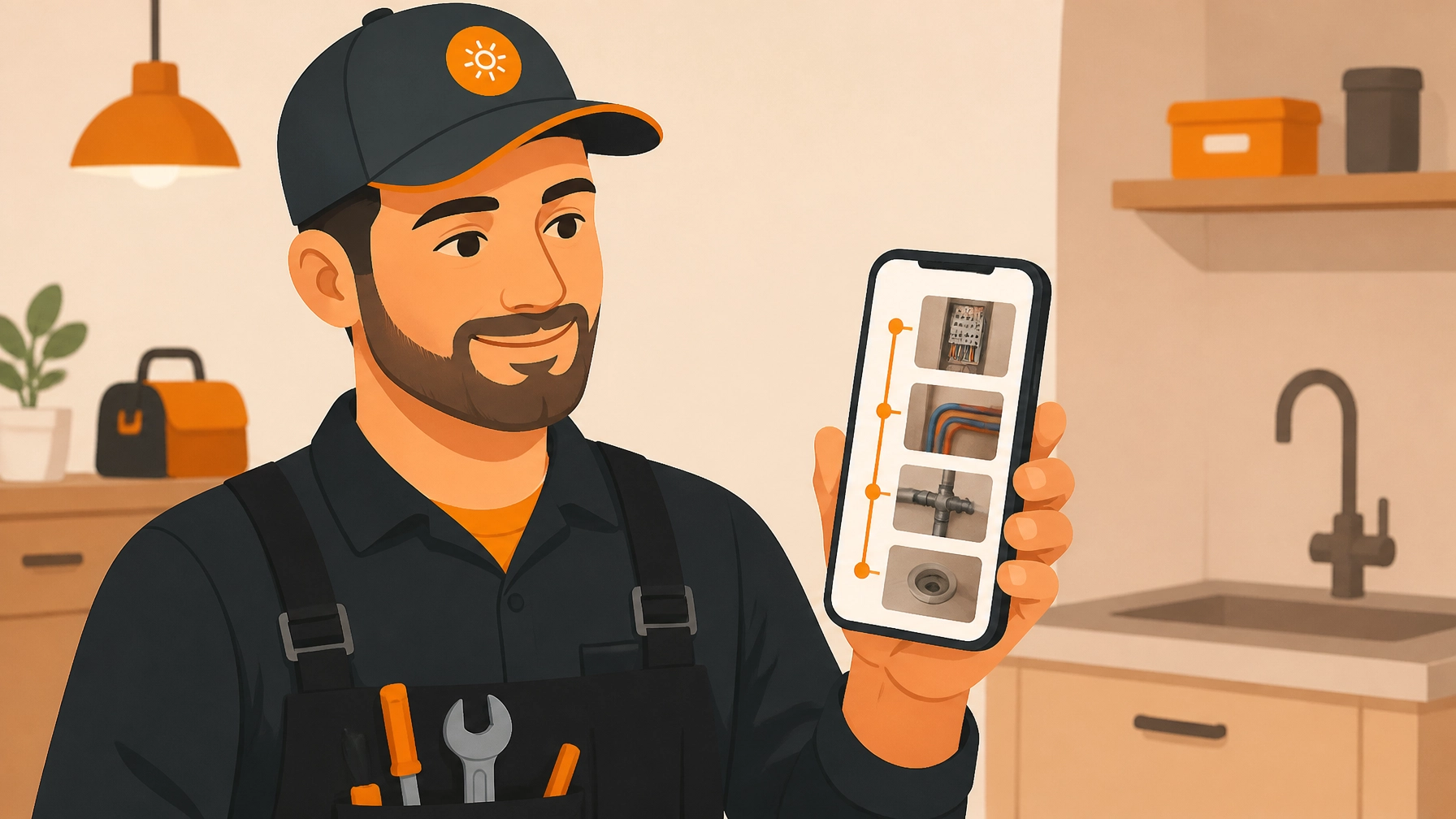
    Contractor holding phone showing before and after renovation photos on mobile timeline app

    The Old Way (That Nobody Has Time For)

    The traditional approach to construction photo documentation goes something like this:

    Take photos on your phone. Forget where you saved them. Find half of them three days later. Email them to yourself. Download them to your computer. Open PowerPoint or Word. Spend 45 minutes wrestling with image formatting. Save as PDF. Email the 47MB file that bounces back because it's too large. Upload to Dropbox. Send customer a link. Customer clicks link. Customer gets asked to create a Dropbox account. Customer gives up.

    Or maybe you've tried one of those heavyweight project management platforms that treat every toilet repair like you're building the Brooklyn Bridge. You pay $99/month for features you'll never use, and your 67-year-old customer needs a PhD to navigate the "client portal."

    Neither option is quick, simple, or customer-friendly.

    The 5-Minute Solution: Web-Based Photo Timelines

    Here's what actually works: a mobile-first contractor photo app that creates shareable photo timelines your customers can view instantly in their browser. No downloads, no accounts, no BS.

    Step 1: Snap photos as you work (2 minutes)

    Pull out your phone and document key stages. You don't need to be Ansel Adams here, just clear shots that show:

    • Conditions before you started
    • Important discoveries (that corroded connection, the water damage behind the wall)
    • Work in progress
    • Final results

    Take vertical photos. Why? Because you're holding your phone like a normal human, and your customers will view them on their phones like normal humans.

    Step 2: Add photos to your timeline (1 minute)

    With the right contractor job app, you just tap to add photos to your project timeline as you go. They're automatically organized by date and time. No sorting, no organizing, no filing system needed.

    The secret is doing this throughout the job, not at the end. Finished installing the new panel? Add those photos right then. Caught a weird issue? Document it immediately. This real-time approach means you're not scrambling to remember what happened when you're writing up the invoice three days later.

    Frustrated contractor managing complicated photo documentation workflow with multiple devices

    Step 3: Add context with captions (1 minute)

    Photos are great. Photos with quick explanations are better. Add a one-line caption to important photos:

    "Original wiring from 1973, no ground wire present"
    "Water damage discovered behind shower valve"
    "New tankless system installed and tested"

    Your customer doesn't need a technical manual. They just need enough context to understand what they're looking at.

    Step 4: Generate and share the link (1 minute)

    Here's where the magic happens. Instead of exporting files or requiring app downloads, your before and after photo app generates a simple web link. You text or email that link to your customer, and they click it. That's it.

    The timeline opens right in their browser, on their phone, tablet, or computer. No software to install, no accounts to create, no passwords to remember. They just see your work, chronologically organized, looking professional as hell.

    This is the key difference between old-school contractor software and modern solutions built for the real world. The customer experience matters just as much as yours.

    Real-World Example: The HVAC Install That Paid for Itself

    Mike runs a small HVAC company in Phoenix. Last month, he replaced an ancient AC unit for a commercial client. The old system was leaking refrigerant, had corroded coils, and the ductwork was held together with what appeared to be prayers and duct tape.

    Mike documented everything with photo timelines. When he sent the invoice, the property manager freaked out about the cost (as property managers do). Mike simply resent the photo timeline link.

    Five minutes later: "Oh. Wow. Yeah, that needed to be done. Approved."

    No phone calls, no site revisit, no arguing. The photos told the story. Mike got paid without drama, and the property manager looked like a hero to the building owner by documenting the necessary work.

    That's the power of a simple photo timeline app that doesn't require your customer to jump through hoops.

    Contractor photographing HVAC equipment with smartphone for real-time job documentation

    What Makes a Good Photo Timeline (The Stuff Most Contractors Miss)

    Show the mess. Don't just photograph the pretty finished work. Document the problems you solved. That's where your value lives.

    Capture scale. Include a hand, tool, or measuring tape in some shots so people can understand sizes. That "small leak" looks way different when there's a quarter-sized hole in the pipe.

    Get wide shots and details. One photo showing the whole room, another zooming in on the specific issue. Context plus detail tells the complete story.

    Think chronologically. Your timeline should tell a story from start to finish. Before, during (the important bits), and after. It's a narrative, not just a random photo dump.

    Keep it clean. You don't need 47 photos of slightly different angles. Pick the clearest shots that show what matters. Quality over quantity.

    Common Mistakes That Make You Look Amateur

    Making customers work too hard. If viewing your photos requires more than one click, you've already lost half your customers. Keep it dead simple.

    Forgetting the "before" photos. You can't prove transformation without documentation of the starting point. Take those before shots even when the situation seems obvious.

    Waiting until the job is done. By then, you've forgotten half the important moments, and you can't go back and photograph that hidden leak before you fixed it.

    Using generic tools not built for contractors. Google Photos or Dropbox work fine for vacation pictures. For professional construction photo documentation, you need tools built for how you actually work: on the job site, with gloves on, in a hurry.

    The Bottom Line

    Creating professional photo timelines doesn't require fancy equipment, design skills, or making your customers jump through digital hoops. It requires a mobile-first contractor photo app that understands how real service businesses operate.

    Your customers want to see the work. They just don't want homework. Give them a link they can click, show them the transformation, and watch how much easier it becomes to justify your pricing and avoid payment disputes.

    Five minutes of documentation can save you hours of explanation and headaches. And when your customer can view everything without downloading yet another app? That's just smart business.

    Ready to simplify your photo documentation? Check out JobLuma and see how easy before/after timelines can actually be.

  • How to Create Professional Before and After Photo Timelines in 5 Minutes (No Customer App Required)

    How to Create Professional Before and After Photo Timelines in 5 Minutes (No Customer App Required)

    Let's be honest: your customers don't want to download another app just to see photos of their plumbing repair or HVAC installation. They're already juggling dozens of apps on their phones, and asking them to download yours? That's a quick way to lose their patience before you even start the job.

    But here's the thing: you do need a professional way to document your work. Before and after photos aren't just nice to have; they're essential for protecting yourself, showcasing quality, and building trust with customers. The good news? You can create professional photo timelines in about 5 minutes without forcing anyone (including yourself) to deal with complicated software or app downloads.

    Why Before and After Photos Actually Matter

    If you're not documenting your jobs with photos, you're leaving money and protection on the table. Here's why this stuff actually matters:

    You're covering your backside. When a customer claims you damaged something that was already broken, your before photos are your proof. No more he-said-she-said situations: just facts.

    You're building instant credibility. Showing a clear timeline of your work proves you actually did what you said you'd do. It's way more convincing than just telling someone "trust me, it looks great."

    You're creating marketing gold. Those transformation shots are perfect for social media, your website, and showing future customers what you can do. Every job becomes a portfolio piece.

    You're justifying your pricing. When customers see the scope of work through photos, they understand why the job costs what it costs. It turns an abstract number into a visible transformation.

    Contractor using smartphone to view before and after photos of completed repair job

    The Problem with Most Contractor Photo Apps

    Most contractor software treats photo documentation like it's rocket science. They make you:

    • Download a massive app that eats your phone storage
    • Force your customers to download their app too (good luck with that)
    • Navigate through 47 menus just to upload a photo
    • Pay for features you'll never use (project management, time tracking, invoicing: when you just need to take some pictures)
    • Deal with clunky interfaces designed by people who've never worked in the field

    And the worst part? After jumping through all those hoops, you end up with photo timelines that look like they were made in 1995.

    The Simple Way: Mobile-First Photo Documentation

    Here's how it should work: You pull out your phone, snap some photos at the job site, and boom: your customer automatically gets a professional-looking timeline they can view from any device. No apps for them to download, no complicated uploading process for you.

    The secret is using contractor software that's actually designed for how real contractors work in the field: not how some software developer thinks contractors work.

    Step 1: Take Your Before Photos (1 minute)

    Before you touch anything at the job site, pull out your phone and snap photos of:

    • The overall area you'll be working in
    • The specific problem you're fixing
    • Any existing damage or issues you didn't cause
    • Surrounding areas that could be blamed on you later

    Pro tip: Take more photos than you think you need. Storage is cheap; disputes are expensive.

    Step 2: Document During the Job (2 minutes)

    As you're working, grab a few photos showing:

    • Major steps in the process
    • Hidden work (behind walls, under floors, etc.)
    • Any surprises you discovered
    • Materials and parts you're using

    You don't need to photograph every single screw you turn. Just capture the important moments that show the scope and quality of your work.

    Frustrated contractor overwhelmed by complicated construction photo documentation software

    Step 3: Capture Your After Photos (1 minute)

    When you're done, document:

    • The completed work from multiple angles
    • Close-ups showing quality details
    • The cleaned-up work area
    • Anything you want the customer to remember about the installation

    Step 4: Share the Timeline (1 minute)

    This is where most contractor photo apps completely fail. They make sharing as complicated as filing taxes.

    With the right contractor photo app, you just hit send and your customer gets a link to view everything. No login required. No app download. Just a clean, professional timeline they can view from their phone, tablet, or computer.

    They can see exactly what you did, when you did it, and how professional the result looks. And if they want to share it with their spouse or show their neighbor, they just forward the link.

    Best Practices for Professional-Looking Photos

    You don't need a fancy camera or photography skills. Just follow these simple rules:

    Light matters more than you think. Turn on extra lights at the job site. Take photos from different angles to avoid shadows. Dark, murky photos make even great work look sketchy.

    Keep your lens clean. Seriously, wipe your phone camera before every job. That smudge you don't notice makes every photo look unprofessional.

    Stay consistent with your angles. If possible, take your before and after shots from the exact same spot. It makes the transformation way more obvious.

    Include context. Don't just photograph the pipe or wire: show enough of the surrounding area that people understand where this work is located and what you're actually doing.

    Avoid clutter in the background. Move tools, buckets, and debris out of the shot before you snap the photo. A clean background makes your work look more professional.

    Contractor documenting plumbing work with smartphone camera under sink

    Why "No Customer App" Changes Everything

    Here's something most contractors don't realize: the moment you ask a customer to download an app, you're creating friction. And friction kills customer satisfaction.

    Think about it from their perspective. They just want to see photos of their new water heater or finished electrical panel. They don't want to:

    • Search for your app in the app store
    • Create yet another account with a username and password
    • Figure out how to navigate your software
    • Give permissions to access their camera, location, and contacts
    • Wait for a massive app to download on their data plan

    When you share a simple link instead, they click once and see everything. It's so obvious it shouldn't even need to be said: but most construction photo documentation software completely misses this point.

    The Mobile-First Advantage

    Let's talk about how you actually use your phone on job sites. You're not sitting at a desk with time to carefully organize files into folders. You're:

    • Balancing on a ladder
    • Dealing with dirty gloves
    • Moving between multiple jobs in one day
    • Working in tight spaces
    • Getting interrupted by customer questions

    You need contractor software that works the way you work. That means big buttons you can tap with work gloves on. Simple interfaces that don't require squinting at tiny text. Fast uploads that work even when you're in a basement with spotty cell signal.

    That's what mobile-first actually means: not just an app that works on your phone, but software designed from the ground up for someone doing real fieldwork.

    Customer viewing professional job photo timeline on smartphone without downloading app

    Quick Tips for 5-Minute Photo Timelines

    Batch your photos. Take all your befores at once, all your progress shots together, and all your afters in one go. It's faster than switching back and forth.

    Add quick notes. A one-line caption like "Replaced corroded copper pipe" makes your timeline way more professional than just random photos with no context.

    Set a daily reminder. If you tend to forget, set a phone alarm for the end of your workday to upload photos. Make it a habit.

    Use timestamps. Good contractor job apps automatically timestamp your photos so customers can see exactly when work was done. This protects you if timeline questions come up later.

    Keep personal stuff out of the frame. Check your photos before sharing to make sure you didn't accidentally capture customer info, other clients' addresses, or anything unprofessional.

    The Bottom Line

    Creating professional before and after photo timelines shouldn't take longer than the actual work you're documenting. And it definitely shouldn't require forcing your customers to download an app they'll use exactly once.

    The right contractor photo app makes documentation so simple that you actually do it consistently: which means you're protected on every job, you build trust with every customer, and you create marketing material without even trying.

    Keep it simple. Take the photos. Share them easily. Move on to the next job.

    If you're tired of bloated project management software and want construction photo documentation that actually works the way contractors work, check out JobLuma. It's designed for exactly this: simple, fast, mobile-first photo timelines with no customer app required.

    Because at the end of the day, you're a contractor: not a software engineer. Your tools should work for you, not the other way around.

  • How to Create Professional Before and After Photo Timelines in 3 Minutes (Without Making Customers Download Apps)

    How to Create Professional Before and After Photo Timelines in 3 Minutes (Without Making Customers Download Apps)

    You just finished a complicated HVAC installation. The customer's basement went from a tangled mess of old ductwork to a clean, efficient system. You snap a few photos on your phone, send them in a text, and… that's it.

    Meanwhile, your customer has already forgotten what the "before" looked like. And when their neighbor asks who did the work, they can't quite remember the transformation that justified your price.

    Sound familiar?

    Here's the thing: before and after photos are pure gold for contractors. They prove your value, justify your pricing, and turn satisfied customers into walking billboards. But most contractors either skip them entirely or make them way more complicated than they need to be.

    Why Before and After Photos Actually Matter (More Than You Think)

    Let's be real. When you tell someone you charged $4,500 for a plumbing job, they might wince. But when they see the nightmare of corroded pipes, leaks, and water damage you fixed? Suddenly that price makes total sense.

    Before and after photo documentation does three critical things for your business:

    It proves the value. Customers remember problems differently after they're fixed. Having visual proof of what you actually dealt with stops "sticker shock" conversations before they start.

    It generates referrals. A timeline showing the progression of work is way more shareable than you saying "yeah, we did a good job." Your customers will actually show their friends and family.

    It protects you legally. When a customer claims you damaged something or didn't complete work, having timestamped photo documentation saves your butt.

    The problem? Most contractors either use bloated project management software that's overkill, or they ask customers to download some clunky app just to see their photos. Neither option is ideal.

    The "Download Our App" Problem Nobody Talks About

    Frustrated homeowner overwhelmed by contractor app download requests and permission notifications

    Here's what usually happens with traditional contractor photo apps:

    You finish a job and tell Mrs. Johnson, "Great! I'll send you the before and after photos through our app. Just download it from the App Store, create an account, verify your email, and…"

    Mrs. Johnson nods politely. But she's never downloading that app. She's got 47 unread emails, three kids screaming in the background, and she's not about to install yet another app for something she'll use exactly once.

    Your photos sit there, unviewed. No referrals. No social proof. No "wow, look at this transformation!" moments with her neighbors.

    This is where most contractor software gets it wrong. They build these massive platforms with features you'll never use, then force your customers to jump through hoops just to see photos of their own property.

    There's a better way.

    The 3-Minute Photo Timeline That Actually Works

    The fastest approach isn't about fancy editing tools or complicated workflows. It's about keeping it dead simple, for you AND your customers.

    Here's how to create professional photo timelines in under three minutes:

    Minute 1: Capture the befores

    Before you start any work, pull out your phone and take 3-4 photos of the work area from different angles. Don't overthink it. Just make sure you capture the current state clearly.

    Pro tip: Take photos from the same spot you'll stand later for the "after" shots. Consistent angles make the transformation way more obvious.

    Minute 2: Document as you work

    Snap a few progress shots during the job, especially when you uncover problems the customer can't see in the final result (corroded pipes, faulty wiring, structural issues). These photos justify your invoice later.

    Minute 3: Take the afters and create the timeline

    Once the job's done, take your "after" photos from those same angles. With the right contractor photo app, you can instantly create a timeline that shows the progression from start to finish, no editing software needed.

    Three-panel photo timeline showing before, during, and after stages of contractor job documentation

    The key difference? Choose construction photo documentation software that creates shareable links your customers can open in any browser. No downloads. No accounts. No friction.

    They click, they see the timeline, they share it with everyone they know. Done.

    What Makes a Good Before and After Photo App for Contractors

    Not all contractor job apps are created equal. Here's what actually matters when you're documenting jobs:

    Mobile-first design: You're not editing photos on a desktop computer. You need something that works perfectly on your phone, in the field, with gloves on.

    Instant sharing: The timeline should generate a link you can text or email immediately. If it takes more than 10 seconds to share, it's too slow.

    No customer downloads required: This is non-negotiable. Your customers shouldn't need to install anything to view their project timeline.

    Automatic organization: Photos should automatically organize by job, date, and customer. You shouldn't be hunting through your camera roll trying to remember which basement belonged to which Johnson.

    Professional presentation: The timeline should look clean and branded, not like you just threw some iPhone photos into a text message.

    The goal is simple: make yourself look more professional while doing less work. That's it.

    Real-World Example: 3-Minute Timeline in Action

    Contractor using mobile phone to share before and after photos with customer via link

    Let's say you're an electrician upgrading an old panel to modern standards. Here's the actual workflow:

    Before starting (30 seconds): Open your contractor photo app, create a job for "Anderson Panel Upgrade," snap 3 photos of the old, outdated panel.

    During the job (1 minute): When you open the wall and find the sketchy wiring the homeowner couldn't see, document it. Take a photo of the new panel before you close everything up.

    After completion (1.5 minutes): Photograph the finished panel and clean workspace. Hit "create timeline" in your app. Send the generated link to Mr. Anderson via text.

    Total time: 3 minutes. Maybe less if you're fast.

    Mr. Anderson opens the link (no app download), sees the progression, and immediately understands why the job cost what it did. He shows his brother-in-law, who needs the same work done. You get a referral without asking.

    That's the power of friction-free photo documentation.

    Tips for Photos That Actually Impress Customers

    You don't need a professional camera or photography skills. But these simple tricks make your timelines look way more professional:

    Use natural light when possible. Those dark basement photos with your phone's flash make everything look worse than it is. Open a window or bring a work light.

    Keep the angle consistent. Before and after shots from the exact same position make the transformation obvious. Step back to the same spot.

    Clear the clutter. Move your tools out of frame before taking "after" photos. A clean workspace looks more professional.

    Capture the details. Get close-up shots of your best work, the neat wire runs, the perfectly level installation, the clean solder joints. These details matter to discerning customers.

    Show the context. One wide shot showing the entire space helps customers understand scope. Then add detail shots.

    The goal isn't winning photography awards. It's creating a visual story that makes sense to someone who wasn't there.

    Why Simple Contractor Software Wins Every Time

    Electrician documenting before and after photos of electrical panel upgrade in under 3 minutes

    There's this weird trend in construction software where companies think more features = better product. So they cram in scheduling, invoicing, inventory management, team messaging, GPS tracking, and seventeen other things you didn't ask for.

    Then the app becomes slow, confusing, and expensive.

    Here's the truth most software companies won't tell you: you don't need all that. You need tools that do ONE thing really well.

    For photo documentation, that means:

    • Fast photo capture
    • Automatic timeline creation
    • Easy sharing with customers
    • Clean, professional presentation

    That's it. If the photo timeline app you're using requires a training video to understand, it's too complicated.

    The Customer Experience Nobody Else Prioritizes

    Most contractor software focuses entirely on YOU, the contractor. They forget that your customer is part of the equation.

    Think about it: You send a photo timeline link, and your customer…

    • Clicks it on their phone (no download)
    • Sees a professional timeline of their project
    • Shows it to their spouse/neighbor/whoever
    • Those people are now pre-sold on your quality

    Versus the old way:

    • "Download our app"
    • Customer ignores it
    • Photos never get viewed
    • No referrals happen

    The no-download customer experience isn't just convenient. It's actually better marketing than anything else you could do. When customers can easily share your work, they become your sales team.

    Getting Started With Better Photo Documentation

    You don't need to overhaul your entire business process. Start simple:

    1. Pick a photo timeline app that prioritizes simplicity (like JobLuma)
    2. Take before photos on your next three jobs
    3. Document one or two "wow" moments during the work
    4. Capture clean after photos
    5. Send the timeline link to your customer

    Do this consistently for a month. Track what happens to your referrals, your customer satisfaction, and your ability to justify pricing.

    We're betting you'll never go back to the old way.

    The contractors who win in 2026 aren't the ones with the most complicated software. They're the ones who make themselves look the most professional while keeping their actual workflow simple.

    Before and after photo timelines check both boxes. They take three minutes to create, require zero effort from customers to view, and generate referrals on autopilot.

    Stop overthinking it. Snap the photos. Share the timeline. Watch the referrals roll in.

  • How to Create Professional Photo Timelines in 5 Minutes (Without Customers Downloading Apps)

    How to Create Professional Photo Timelines in 5 Minutes (Without Customers Downloading Apps)

    Let's be honest, asking your customers to download an app is like asking them to read the instruction manual. They're not going to do it.

    Yet somehow, half the contractor software out there thinks it's totally reasonable to expect homeowners to install some clunky app just to see photos of their own job. Spoiler alert: it's not reasonable, and they won't do it.

    The good news? You can create professional photo timelines that wow your customers in about 5 minutes, without making them jump through hoops. Let me show you how.

    Why Photo Timelines Actually Matter (Even If You Think They Don't)

    You might be thinking, "I already take photos on my phone. Why do I need fancy timelines?"

    Here's why: presentation matters.

    When you send a customer a random dump of 47 photos via text message, you're making them do the work. They have to figure out what they're looking at, what order things happened in, and whether that's the before or after shot.

    A photo timeline does the thinking for them. It tells the story of the job from start to finish. And when people can actually see the transformation you created, organized and professional, they're way more likely to:

    • Pay promptly without nickel-and-diming
    • Leave you a glowing review
    • Refer you to their neighbors
    • Hire you again for the next project

    Plus, construction photo documentation isn't just nice to have anymore. It's often required for permits, warranty claims, and protecting yourself if disputes come up later. Having everything organized in a timeline beats digging through thousands of phone photos at 10 PM.

    Contractor viewing organized photo timeline on smartphone with before and after construction photos

    The Old Way Was Painful (And Nobody Liked It)

    Here's how most contractors handle job photos today:

    1. Take photos on your phone
    2. Forget to organize them
    3. Mix them in with photos of your kid's soccer game
    4. Eventually text 30+ photos to the customer in random order
    5. Customer gets confused, asks questions
    6. You have to explain which photo is which
    7. Nobody's happy

    Or worse, you're using some bloated project management software that requires:

    • The customer to create an account
    • Download a separate app
    • Remember a password they'll forget immediately
    • Navigate through 14 different menus just to see basic before and after shots

    No wonder adoption rates are terrible.

    The Simple Way: Web-Based Photo Timelines

    The secret is using a contractor photo app that generates web links. No downloads. No accounts for customers. No confusion.

    Here's what the process actually looks like when you use the right contractor job app:

    Step 1: Take photos as you work (2 minutes)
    You're already doing this. Just snap photos at key stages, before you start, during important phases, and after completion. Your phone's camera works fine.

    Step 2: Upload to your contractor software (1 minute)
    This should be stupid simple. Open the app, select the job, and upload your photos. If it takes longer than a minute, your software is too complicated.

    Step 3: Arrange in timeline order (1 minute)
    Drag and drop photos into chronological order. Add quick captions like "Before – Water damage visible" or "After – New pipes installed." Keep it simple, you're not writing a novel.

    Step 4: Generate a shareable link (30 seconds)
    Hit the share button. Your software creates a web link that works on any device, any browser, no apps required.

    Step 5: Send to customer (30 seconds)
    Text or email them the link. They click it. They see a professional photo timeline of their job. Done.

    Total time: About 5 minutes. Total apps your customer has to download: Zero.

    Comparison showing messy photo gallery versus organized contractor photo timeline on mobile devices

    What Makes a Good Before and After Photo App

    Not all contractor software is created equal. If you're shopping around for a photo timeline app, here's what actually matters:

    Mobile-first design: You're not doing paperwork at a desk. You're on the job site. The app better work perfectly on your phone, or it's useless.

    No customer downloads: This is non-negotiable. If your customer needs to install anything, you've already lost half of them.

    Fast photo uploads: If you're sitting there waiting for photos to upload over spotty job site WiFi, that's time you're not billing for.

    Simple interface: You shouldn't need a training manual. If it takes more than 5 minutes to figure out, it's too complicated.

    Automatic organization: The app should help you organize photos by job, not make you create elaborate folder systems like it's 1995.

    The Customer Experience Is Everything

    Here's something most contractors miss: your customer doesn't care about your internal processes. They care about their experience.

    When you send them a clean, professional photo timeline they can view instantly on their phone without downloading anything, it makes you look like the most organized contractor they've ever worked with. Even if you're just winging it like everyone else.

    Compare these two scenarios:

    Scenario A: "Hey, I sent you 43 photos via text. The first 12 are from Tuesday, then there's some from Wednesday mixed in there somewhere. Oh, and ignore the one of my dog: that was an accident."

    Scenario B: "Here's a complete photo timeline of your project: [link]. You can see everything we did from start to finish, all organized and labeled. Works on any device, no downloads needed."

    Which contractor seems more professional? Which one are you trusting with your next project?

    Contractor on job site sharing photo timeline link from smartphone without customer app downloads

    Real-World Use Cases for Photo Timelines

    Photo timelines aren't just for showing off your work. They're practical tools that solve real problems:

    Warranty protection: Customer claims you damaged something? Your timeline shows the condition before you started and exactly what you did.

    Permit documentation: Many jurisdictions require photo proof of work for inspections. Having it organized in a timeline makes permit processes way smoother.

    Change orders: Customer wants to change the scope mid-job? Show them the timeline of what's already done and what changing course would involve.

    Marketing material: Your best before and after timelines become portfolio pieces you can share with future customers (with permission, obviously).

    Team communication: If you have multiple crew members on a job, a shared photo timeline keeps everyone on the same page about what's been done.

    Dispute resolution: Sometimes customers "forget" they approved certain work. Your photo timeline with timestamps is your proof.

    Don't Overthink It

    The biggest mistake contractors make with photo documentation is overthinking it. You don't need:

    • Professional photography equipment
    • Perfect lighting
    • Artistic composition
    • Hour-long editing sessions

    You just need clear photos that show what you did. Take them with your phone. Upload them to simple contractor software. Share the link. Move on to the next job.

    The whole point of a good before and after photo app is that it gets out of your way. It should take less time to document your work than it does to grab lunch.

    Why Simple Beats Complex Every Time

    There's a reason the most successful contractors keep their systems simple. Complex systems don't get used. They sit there looking impressive in demos, then collect digital dust because they're too much hassle in real life.

    When you're standing in a crawlspace at 3 PM on a Friday, the last thing you want is contractor software that requires six steps just to upload a photo. You want something that just works.

    That's the difference between software built for contractors versus software built for project managers sitting in offices. One understands your reality. The other doesn't.

    The Bottom Line

    Creating professional photo timelines shouldn't be complicated. Take photos, upload them, share a link. Five minutes, tops. No apps for customers to download. No complicated processes. No excuses.

    The contractors who figure this out are the ones who get better reviews, fewer payment disputes, and more referrals. Not because their actual work is better, but because they make it easy for customers to see and appreciate the work they did.

    If your current system makes photo documentation feel like a chore, you're using the wrong system. Find contractor software that actually fits how you work, not how some programmer thinks you should work.

    Your phone already has a camera. The technology exists to share photos professionally in seconds. There's literally no reason to keep doing it the hard way.

    Want to see how simple photo timelines can actually be? Check out JobLuma: contractor software built by people who actually understand job sites, not conference rooms.

  • The Solo Contractor’s Guide to Job Photo Documentation Without the Headaches

    The Solo Contractor’s Guide to Job Photo Documentation Without the Headaches

    Let's be honest: when you're a solo contractor juggling three jobs, client calls, and a supply run, the last thing you want to deal with is complicated photo documentation. But here's the thing: those photos have saved more contractors from payment disputes, false damage claims, and "that's not what I asked for" conversations than any contract clause ever could.

    The good news? You don't need a degree in project management software or a dedicated assistant to get this right. You just need a simple system that actually works with how you already work.

    Why Photos Matter More Than You Think

    That HVAC install you finished last Tuesday? The client swears you scratched their hardwood floors. The plumbing repair from two weeks ago? The homeowner claims you left debris in their yard. Without photos, it's your word against theirs.

    Good photo documentation is your insurance policy that doesn't cost extra. It proves what the site looked like before you arrived, shows your work at key stages, and demonstrates the finished product. When a client questions an invoice or a neighbor complains about supposed damage, you've got timestamped evidence sitting in your pocket.

    Plus, clients actually love seeing progress photos. It builds trust and often speeds up payments because they can see exactly what they're paying for.

    The Headaches Most Contractors Face

    Traditional approaches to construction photo documentation create more problems than they solve:

    Your phone's camera roll becomes a disaster. Job photos mixed with family pictures, food photos, and random screenshots. Good luck finding that "before" shot from three weeks ago when you need it.

    Complex contractor software feels like overkill. You're one person, not a construction company with twenty crews. You don't need Gantt charts, resource allocation tools, and team collaboration features. You need photos organized by job. That's it.

    Frustrated contractor overwhelmed by disorganized job photos and complex software

    Emailing photos to clients is tedious. Selecting images, compressing files, writing explanations, and hoping they actually open the attachments. There's got to be a better way.

    You forget to take photos at critical moments. When you're focused on solving a tricky electrical issue or dealing with unexpected pipe corrosion, remembering to snap photos falls off the radar.

    The solution isn't adding more complexity. It's finding a contractor photo app that strips away everything you don't need and makes the essential stuff effortless.

    The Three-Photo Rule That Actually Works

    Forget elaborate documentation protocols. For most jobs, you need three types of photos at each major stage:

    Wide shots show the big picture. Where's this work happening? What's around it? These context photos protect you from "you damaged my property" claims because they show existing conditions.

    Medium shots capture the actual work. Installing new fixtures? Running new lines? These photos demonstrate your process and prove you did the work properly.

    Close-ups show the details that matter. Proper connections, correct materials, code-compliant installations. When questions arise later, these photos provide answers.

    For a typical service job, that means:

    • 3-5 "before" photos when you arrive
    • 3-5 photos during the main work
    • 3-5 "after" photos when you finish

    That's 9-15 photos total. Not hundreds. Not thousands. Just enough to tell the story and cover your bases.

    The Simple Schedule Every Solo Contractor Needs

    The best documentation routine matches how you already work. You don't need daily photo logs or hourly updates. You need photos at natural checkpoints:

    Start of job: Document existing conditions before you touch anything. Capture the work area plus a few feet around it. Include any pre-existing damage, stains, or issues.

    Before you cover anything up: Installing electrical in walls? Photo it before drywall goes up. Plumbing under a slab? Photo it before concrete gets poured. This protects you if problems arise later.

    After major milestones: Rough-in complete? Photo it. System tested? Photo those gauge readings. Major component installed? You know what to do.

    Job completion: The finished product from multiple angles, plus any areas you want to showcase for marketing (with client permission).

    Contractor using mobile phone to document job with wide, medium, and close-up photos

    What Makes a Good Job Photo

    Blurry photos and dark images don't help anyone. Follow these quick rules:

    Light matters. Use your phone's flash in dim basements or crawl spaces. Natural light works great for outdoor work. Just make sure the photo clearly shows what you need it to show.

    Focus counts. Tap your phone screen to focus on the important part before taking the shot. A sharp photo of a connection point beats a blurry one every time.

    Include context. When possible, include something for scale: your hand, a tape measure, or recognizable fixtures. This helps later when memories fade.

    Timestamps are gold. Photos with automatic time and date stamps prove when work was done. This matters for warranty work, scheduling disputes, and insurance claims.

    Organizing Photos Without the Pain

    Here's where most contractors lose the plot. They take decent photos but can't find them later when needed.

    The old approach: manually sorting photos into folders on your computer, renaming files, and hoping you remember your own filing system six months from now.

    The better approach: Use a before and after photo app designed specifically for contractors. Good ones automatically organize by job, add timestamps, and let you share organized galleries with clients: no computer required.

    Look for these features that actually matter:

    • Works on your phone. You're not documenting jobs from your office. You need mobile-first tools.
    • Simple job organization. Create a job, add photos, done. No project codes, workflow stages, or configuration required.
    • Easy client sharing. Send a link, not a zip file. Clients view photos in their browser without downloading apps.
    • Searchable and archived. Find photos from past jobs quickly when questions pop up months later.

    The No-App-Download Advantage

    Here's something most contractors overlook: client friction. When you use a contractor job app that requires your clients to download software, create accounts, and learn new interfaces, many won't bother. They'll just ask you to email photos instead, which defeats the purpose of using documentation software in the first place.

    The smarter move? Tools where clients simply click a link and view everything in their browser. No downloads. No accounts. No friction. Just instant access to their job photos organized in a clean timeline.

    This is exactly why JobLuma focuses on simplicity. Your clients see a clean photo timeline app showing exactly what happened and when, without jumping through hoops.

    Making It a Habit

    The best system in the world doesn't help if you forget to use it. Build photo documentation into your existing workflow:

    Take "before" photos while the client does the walk-through. You're already discussing the job: snap a few photos during that conversation.

    Set a phone reminder mid-project. A simple alarm labeled "Take progress photos" keeps it on your radar during longer jobs.

    Don't leave until "after" photos are done. Make it part of your cleanup routine. Pack up tools, sweep the area, take final photos, then head out.

    After two weeks, it becomes automatic. You'll feel weird leaving a job without documentation.

    Contractor taking job photos in good lighting versus dim conditions for proper documentation

    The Real ROI of Good Documentation

    Time investment: 5-10 extra minutes per job.

    Value delivered:

    • Faster payments because clients see exactly what you did
    • Fewer disputes because you have visual proof
    • Better reviews because organized photo updates show professionalism
    • Marketing content when you nail a particularly impressive before/after transformation
    • Legal protection if a claim or complaint emerges later

    One avoided dispute pays for years of photo documentation. One faster payment because the client saw your organized work photos makes up for dozens of jobs worth of documentation time.

    Keeping It Simple

    You don't need enterprise construction photo documentation systems built for general contractors managing multiple crews across different sites. You need something that works for one person running their own business.

    Focus on:

    • Consistent before/during/after photos
    • Automatic organization by job
    • Easy sharing with clients
    • Mobile-first workflow

    Skip:

    • Complex project management features
    • Team collaboration tools
    • Detailed reporting dashboards
    • Workflow automation and approvals

    The contractors winning with photo documentation aren't using the most feature-packed contractor software. They're using the simplest tools that handle the essentials perfectly.

    Your Next Job Starts Now

    Pick one upcoming job as your test case. Take before photos when you arrive. Grab a few during the work. Capture the finished result. Share them with your client in an organized way: whether through a dedicated tool or just a well-organized message.

    Notice how it feels. Notice your client's reaction. Notice how much easier it is to remember what you did and why.

    Then do it again on the next job. And the next. Before you know it, you'll have a system that protects your business, speeds up payments, and makes you look more professional: all without adding complexity to your already-full days.

    Because the best tools for solo contractors aren't the ones with the most features. They're the ones that get out of your way and let you focus on what you do best: quality work that solves problems and keeps clients happy.

    Ready to simplify how you document jobs? Check out JobLuma's features built specifically for contractors who want photo documentation without the headaches.

  • Photo Timeline Apps 101: A Solo Contractor’s Guide to Professional Job Logs

    Photo Timeline Apps 101: A Solo Contractor’s Guide to Professional Job Logs

    Let's be honest, you've been there. A client questions whether you actually installed that outlet last Tuesday. Or worse, they claim you damaged something that was already broken when you arrived. You know you took a photo, but good luck finding it buried somewhere between 847 pictures of your kids and that recipe screenshot from three months ago.

    Welcome to the world of photo timeline apps. These tools are changing the game for solo contractors who need professional job documentation without the headache of complicated project management software.

    What Exactly Is a Photo Timeline App?

    Think of a photo timeline app as your digital job diary, but way more organized than your phone's camera roll. These apps automatically capture, organize, and timestamp your jobsite photos to create a visual record of everything you do. They're not fancy construction management platforms with a million features you'll never use. They're straightforward tools that solve one problem really well: keeping your job photos organized and accessible.

    The magic happens automatically. You snap a photo at the jobsite, and the app tags it with the date, time, and GPS location without you lifting another finger. No filing. No folder creation. No trying to remember which job that pipe photo was from.

    Contractor using smartphone to document electrical work with automatic photo timeline organization

    Why Solo Contractors Actually Need This

    You might be thinking, "My phone camera works just fine." And yeah, it does: until it doesn't.

    Here's the reality: professional photo documentation eliminates the chaos of managing images across phone galleries, email threads, and text message conversations. When a client questions your work six months later, you need more than a random photo. You need proof with a timestamp and location that holds up in a dispute.

    Before and after photos become your insurance policy. That water stain that was already on the ceiling? Documented before you touched anything. The perfectly installed HVAC unit? Timestamped the moment you finished. This isn't just covering your back: it's accelerating payments and building trust with clients who can literally see the progress you're making.

    One general contractor reported saving three hours every single week just by switching from manual photo logging to an automated system. That's 150+ hours a year you could spend doing actual paid work instead of organizing pictures.

    The Features That Actually Matter

    Not all photo timeline apps are created equal. Some are bloated with features you'll ignore. Others miss the basics. Here's what to look for:

    Automatic Timestamping and GPS Tagging

    This is non-negotiable. Every photo should automatically include date, time, and location data without you doing anything extra. This creates legally defensible records that show exactly when and where work occurred. If you're manually adding this information, you're wasting time and defeating the purpose of automation.

    Cloud Storage That Actually Works

    Your phone storage shouldn't be a limiting factor. Modern contractor photo apps include cloud storage that keeps your photos secure and accessible across devices. Drop your phone in a toilet (it happens), and your job documentation is still safe in the cloud.

    Photo timeline app showing before and after photos of plumbing job with timestamps and GPS tags

    Simple Organization and Filtering

    You need to find specific images fast. Look for apps that let you filter by location, project, date, or custom tags. The best photo timeline apps show you exactly what changed at a specific location over time: your before, during, and after shots all in one place.

    Photo Markup and Annotations

    Sometimes a photo needs context. Being able to add arrows, circles, or quick notes directly on the image helps communicate what clients are looking at. Custom watermarks with your company name add a professional touch and protect your work from being claimed by someone else.

    Easy Sharing and Reporting

    The whole point is showing your work to clients and getting paid faster. Apps that let you instantly generate shareable links or professional reports save you from texting individual photos or creating manual documentation.

    Real Benefits for Your Business

    Beyond just organization, these apps deliver actual business value you can measure.

    Faster Payments: Subcontractors using timeline documentation report getting approval for completed work significantly faster. When general contractors can see exactly what you finished with timestamped proof, there's no ambiguity about what you're billing for.

    Dispute Protection: GPS and timestamp features provide critical evidence for utility jobs and safety audits. You're not arguing about what happened: you're showing exactly what happened and when.

    Professional Credibility: Showing up with organized, professional photo documentation separates you from contractors using cracked phone screens and email attachments. It signals that you take your work seriously.

    Time Savings: Documentation inefficiencies can account for up to 30% of administrative costs. Streamlined photo logging means less time on paperwork and more time on billable work.

    Comparison of disorganized phone gallery versus organized contractor photo app interface

    Choosing the Right Tool for Solo Work

    If you're running a one-person operation, you don't need enterprise features built for 50-person teams. You need something that works immediately without a training manual.

    Start with these baseline requirements:

    • GPS tagging and timestamping on every photo automatically
    • Cloud storage that doesn't run out at inconvenient times
    • Simple interface that doesn't require a tutorial
    • Easy sharing so clients can see progress without downloading anything

    That last point is crucial. Some contractor job apps require everyone to download the same app and create accounts just to see photos. That's friction you don't need when you're trying to show a homeowner their new electrical panel.

    The JobLuma Approach

    Here's where we're a little biased, but hear us out. JobLuma was built specifically for solo contractors and small service shops who got tired of bloated project management software that tried to do everything and succeeded at nothing.

    We focus on one thing: making before and after photo documentation ridiculously simple. Mobile-first design means it works the way you actually work: on your phone, at the jobsite, without thinking about it. Your customers don't download anything or create accounts. You send them a link, they see their timeline, everyone's happy.

    No complexity. No feature overload. Just professional job logs that make you look good and get you paid faster. Check out how it works if you're curious.

    Contractor photographing completed HVAC installation with automatic timestamp and location tagging

    Getting Started

    The best time to start documenting jobs professionally was your first project. The second best time is right now.

    Pick a photo timeline app that matches how you work. If you're constantly on your phone (and who isn't?), prioritize mobile-first design. If you work with general contractors who need documentation, prioritize easy sharing. If you've dealt with payment disputes before, prioritize timestamping and GPS accuracy.

    Start with your next job. Take before photos when you arrive. Document the process as you go. Capture the finished work from multiple angles. Add quick notes if something was unusual or if the client requested specific changes.

    Within a week, you'll wonder how you ever managed without it. Within a month, you'll have a library of professional documentation that protects your business and accelerates payments.

    The Bottom Line

    Photo timeline apps aren't complicated. They're digital common sense for contractors who need proof of what they did, when they did it, and where they did it. The right contractor photo app should feel invisible: it should just work without you thinking about it.

    Your camera roll isn't a professional documentation system. Your text messages aren't reliable proof. Your memory definitely isn't holding up in a payment dispute six months from now.

    A solid before and after photo app is. Simple as that.

    Ready to stop digging through your camera roll? Start documenting like a pro and spend less time on paperwork, more time on the work that actually pays.

  • How to Create Professional Before and After Photo Timelines in 5 Minutes

    How to Create Professional Before and After Photo Timelines in 5 Minutes

    Let's be honest: you're probably terrible at documenting your work. Not because you're lazy, but because you're busy actually doing the work. You take a quick snap on your phone, maybe remember to grab an "after" shot, and then those photos live in your camera roll forever alongside 47 pictures of your dog and that weird noise your truck was making.

    But here's the thing: those before and after photos are basically money sitting on the table. They prove the quality of your work, help you win bids, settle payment disputes, and show potential customers exactly what you can do. The problem? Creating professional-looking photo timelines sounds like it takes forever.

    Good news: it doesn't. With the right approach, you can create sharp, professional before and after photo timelines in about 5 minutes. Let's break down exactly how.

    Why Before and After Photos Matter for Contractors

    Before we get into the how, let's talk about the why for a second. Before and after photo documentation isn't just for social media bragging rights (though that's a nice bonus). For contractors and small service shops, these visual timelines serve some seriously practical purposes:

    They protect you from disputes. Customer says you didn't do something? Pull up the timeline. It's right there, timestamped and organized.

    They help you get paid faster. When customers can see exactly what you did: especially if the work is hidden behind walls or underground: they're way more comfortable cutting that check.

    They win you new jobs. A solid portfolio of before and after shots shows potential customers you know your stuff better than any sales pitch ever could.

    The problem is most contractor software and construction photo documentation tools make this process way more complicated than it needs to be. You don't need a 47-step project management system. You just need to take photos and organize them in a way that makes sense.

    Disorganized construction photos scattered on contractor's smartphone screen

    The Old (Painful) Way Contractors Handle Photos

    Let's paint a picture you probably recognize:

    You finish a job. You've got 23 photos spread across three different days in your camera roll. Some are labeled "IMG_4829.jpg" and some are screenshots you texted to your supplier. You need to create a timeline for the customer or your records, so you:

    1. Scroll through 200 photos to find the right ones
    2. Email them to yourself
    3. Open them on your computer
    4. Try to remember which photo came from which day
    5. Manually arrange them in some document or presentation
    6. Save it with a filename like "Johnson Job FINAL v3 ACTUAL FINAL.pdf"
    7. Forget where you saved it

    Sound familiar? This is why most contractors just… don't do it. The friction is too high. You've got better things to do, like actually running your business.

    The 5-Minute Method: Keep It Simple

    Here's the secret: the best before and after photo timeline is the one you'll actually create and use. Forget the fancy bells and whistles. Focus on speed and consistency.

    Step 1: Take Photos the Right Way (1 minute)

    When you're on the job site, take photos from the same angle and position for both your "before" and "after" shots. Stand in the same spot, hold your phone the same way. This consistency makes the transformation way more obvious and looks more professional.

    Quick tip: Take a few extra shots. Get wide angles showing the whole space and close-ups of specific details. You'll thank yourself later when you need to prove you replaced that specific fixture.

    Step 2: Organize as You Go (30 seconds)

    This is where most contractors fall apart. Don't wait until the job is done to organize your photos. The moment you take a before shot, label it or drop it in the right folder. If you're using contractor photo app or construction photo documentation software that auto-organizes by job and date, even better: this step basically handles itself.

    With mobile-first contractor software like JobLuma, your photos automatically attach to the specific job with timestamps. No manual sorting through your camera roll later. No "which job was this again?" guessing games.

    Organized photo timeline on mobile app versus cluttered desktop files for contractors

    Step 3: Create Your Timeline (2 minutes)

    Once you've got your photos organized by job, creating the actual timeline is straightforward. You need your images arranged chronologically with clear labels showing the progression.

    If you're using a dedicated photo timeline app, this usually means:

    • Selecting the photos from your job
    • Letting the app arrange them chronologically (it should do this automatically)
    • Adding quick text labels if needed ("Day 1 – Demo," "Day 3 – Installation," etc.)
    • Generating a shareable link or PDF

    The key word here is automatic. You shouldn't be manually dragging and dropping anything. Your contractor job app should know what order things happened in because it tracked them in real-time.

    Step 4: Share It (1 minute)

    Here's where things get really simple if you're using the right tools. The best contractor software lets you share photo timelines with customers without making them download an app or create an account.

    Send them a link. They click it. They see a clean, professional timeline of their project. Done.

    This is huge because your customers don't want to download some random app just to see photos of their new water heater. They want to click a link from their phone and see the work. That's it.

    Step 5: Save for Your Records (30 seconds)

    Make sure your timeline is saved and associated with that specific job in your system. This becomes part of your project documentation and your portfolio. Six months from now when you need to reference what you did, you'll be able to find it in seconds instead of digging through your phone.

    Tips for Actually Professional-Looking Results

    Anyone can snap a photo. Here's how to make yours look polished without spending extra time:

    Lighting matters. Take photos during the day when there's natural light. Avoid harsh shadows or dark corners. If you're working in a basement or at night, bring a work light into the frame.

    Clean the area first. Kick aside the sawdust, move the tools out of frame, straighten things up. Just 30 seconds of tidying makes a massive difference in how professional the final timeline looks.

    Show the context. Get a wide shot that shows the whole room or area, not just a tight close-up. Customers want to see how the work fits into the bigger picture.

    Be consistent. Use the same photo angles and positions for every job. This makes your whole portfolio look more professional and makes it easier to create timelines quickly since you're always following the same routine.

    Contractor taking before and after photos of workspace using smartphone for documentation

    Why JobLuma Makes This Even Easier

    Look, you can absolutely create before and after timelines using your camera roll and some free collage maker. But here's what makes contractor-specific software worth it:

    Everything auto-organizes by job. No more hunting through your camera roll. Photos automatically attach to the right project the moment you take them.

    Timestamps are automatic. You don't have to remember when you took each photo. The system tracks it for you.

    No app downloads for customers. Your clients get a simple link they can open in any browser. They see a clean, professional timeline without any friction.

    It's built for mobile. Because you're not documenting jobs from behind a desk: you're doing it from the job site with your phone.

    The whole system is designed around one idea: photo documentation should be so simple that you actually do it on every single job. Not just the big ones. Every. Single. Job.

    Visit JobLuma to see how simple contractor photo documentation can actually be.

    Common Mistakes to Avoid

    Even with a simple 5-minute process, contractors still make a few mistakes that waste time or create problems down the road:

    Waiting until the job is done to organize photos. By then you've forgotten which photo was which day, and you'll spend 20 minutes playing detective.

    Not taking enough photos. When in doubt, take the extra shot. Storage is cheap. Re-visiting a job site because you missed a photo is expensive.

    Using consumer tools for professional work. Free collage makers are fine for personal stuff, but they're not designed for contractor documentation. You need timestamps, job organization, and easy client sharing: features built specifically for trades and service work.

    Forgetting the wide shots. Close-ups are great for detail, but always get at least one wide shot showing the full context of the work area.

    The Bottom Line

    Creating professional before and after photo timelines doesn't have to eat up your day. With the right approach and the right tools, you can document every job in about 5 minutes from start to finish.

    The key is removing friction. Use contractor software that's actually designed for how you work: mobile-first, auto-organized, and dead simple to share with customers. Skip the bloated project management platforms that require a PhD to operate.

    Your photos are proof of your expertise and quality. Make it stupid-easy to capture and share them, and you'll actually do it consistently. And when you do it consistently, those timelines become one of your most powerful business tools.

    Ready to stop losing photos in your camera roll and start documenting jobs the simple way? Check out JobLuma's features and see how fast professional photo documentation can actually be.

  • How to Create Professional Before and After Photo Timelines in 5 Minutes (No Customer App Required)

    How to Create Professional Before and After Photo Timelines in 5 Minutes (No Customer App Required)

    Let's be honest, you've probably lost a job because the customer "wanted to think about it" or "see some references first." Meanwhile, your phone's camera roll is stuffed with hundreds of work photos from the last six months, and good luck finding that water heater install from March when you need it.

    Here's the thing: before and after photos sell jobs. They build trust. They prevent payment disputes. They make your estimates look professional instead of scribbled on the back of a receipt.

    But most contractor photo apps want your customers to download something, create an account, and jump through hoops just to see pictures of their own job. That's a dealbreaker for busy homeowners who barely respond to texts.

    The good news? You can create professional photo timelines in about five minutes, and your customers never have to download a thing.

    Why Before and After Photos Actually Matter (Beyond Looking Cool)

    Construction photo documentation isn't just for Instagram bragging rights. It's your insurance policy, your sales tool, and your reputation manager all rolled into one.

    Contractor holding smartphone displaying construction photo documentation gallery

    They prevent "he said, she said" disputes. When a customer claims you damaged their drywall or didn't fix something, timestamped photos prove what the job site looked like when you arrived and when you left. This alone has saved contractors thousands in bogus claims.

    They close more jobs. When you're giving an estimate and you can pull up a phone to show three similar jobs you completed last month, with real before and after shots, suddenly you're not just another guy with a truck. You're the pro who documents their work.

    They speed up payments. Customers are way more likely to pay on time when they can see the exact work that was completed. A photo timeline removes any ambiguity about what you did and didn't do.

    The problem is, most contractor job apps make this whole process way more complicated than it needs to be.

    The Problem With Traditional Contractor Software

    You've probably tried one of those massive project management platforms that promise to "revolutionize your business." They want you to:

    • Track employee hours
    • Manage inventory
    • Send invoices
    • Schedule jobs
    • Document photos
    • Chat with your team
    • Integrate with QuickBooks
    • Learn seventeen different menus

    Cool. You just wanted to take some photos and share them with customers.

    Then there's the customer experience problem. Traditional before and after photo apps require homeowners to download an app, create a login, verify their email, and navigate a clunky interface just to see pictures of their own water heater.

    Most customers won't bother. And honestly? Can you blame them?

    What you actually need is something dead simple: snap photos on your phone, organize them by job, and send a link the customer can open in any browser. No downloads. No logins. Done in five minutes.

    The 5-Minute Method for Professional Photo Timelines

    Here's how it actually works when you strip away all the bloat:

    Comparison showing messy paperwork versus organized photo timeline app on smartphone

    Step 1: Take photos as you work (1 minute)

    When you arrive at the job site, snap a few quick photos of the area before you start. Don't stage anything. Just document what you're walking into, the leaky pipe, the old HVAC unit, the electrical panel with its door hanging off.

    As you work, grab a few progress shots if it's a multi-day job. When you're finished, take your after photos from the same angles as the before shots.

    Step 2: Upload to a simple photo timeline app (2 minutes)

    Skip the complicated contractor software with 400 features you'll never use. Look for a mobile-first photo timeline app that lets you create a new job, add photos, and that's it.

    The best ones auto-organize by date and time, so your timeline builds itself as you upload. No manual sorting. No folders within folders within folders.

    Step 3: Generate a shareable link (1 minute)

    This is where most contractor photo apps fail. You need a link you can text or email to the customer that opens instantly in their browser. No app download. No account creation. Just click and view.

    Step 4: Send it to the customer (30 seconds)

    Copy the link. Paste it into a text message. Hit send. The customer taps it and sees a clean, professional photo timeline of their job.

    Step 5: Sleep better knowing you're protected (30 seconds)

    Seriously, just knowing you have timestamped documentation of every job gives you peace of mind. Whether it's for warranty claims, payment disputes, or just showing off your work to the next customer, you're covered.

    Total time: About five minutes. And most of that is just tapping your phone screen while you're already on the job site.

    Contractor using smartphone to photograph plumbing work at job site

    What Makes a Photo Timeline App Actually Useful for Contractors

    Not all construction photo documentation tools are created equal. Here's what actually matters when you're in the field:

    Mobile-first design. You're not documenting jobs from your laptop. You need an app that works perfectly on your phone because that's where you live. Big buttons. Simple menus. Fast loading.

    No customer app required. This can't be emphasized enough. If your customer needs to download something to see their job photos, you've already lost. The best contractor photo apps generate shareable links that work in any browser.

    Automatic organization. You shouldn't have to manually arrange photos or create complicated folder systems. The app should auto-sort by date, time, and job. That's it.

    Fast upload speeds. When you're at a job site with spotty cell service, you can't wait five minutes per photo. Look for apps that compress images intelligently so uploads happen fast even on slower connections.

    Simple pricing. Avoid contractor software that charges per user, per customer, per project, per photo, per breath you take. Straightforward pricing means you know what you're paying every month.

    Common Mistakes Contractors Make With Job Photos

    Even with the right photo timeline app, there are a few traps that'll waste your time:

    Photo timeline app interface showing automated features for contractor job documentation

    Taking photos from random angles. Your before and after shots should be from the same spot. Stand in the same place, use the same framing. This makes the transformation way more obvious and professional.

    Forgetting to photograph problem areas. That water damage behind the old toilet? The rust on the HVAC unit? The frayed wiring? Document it. These photos protect you if the customer claims you caused damage that was already there.

    Not dating your photos. Most phones automatically timestamp photos, but make sure your photo timeline app displays those timestamps clearly. This proves when work was completed.

    Overthinking it. You don't need professional photography skills. Just point your phone, make sure there's decent lighting, and snap the shot. Don't spend twenty minutes trying to get the perfect angle.

    Waiting until the end of the job. Take your before photos immediately when you arrive. It's too easy to forget once you're into the work, and you can't recreate that messy "before" state after you've already fixed everything.

    Why Simple Beats Complex Every Single Time

    There's a reason the most successful contractors aren't using bloated project management software with features they'll never touch. They're using focused tools that do one thing really well.

    Construction photo documentation should be simple because your time is valuable. You're not a project manager sitting at a desk, you're turning wrenches, pulling wire, and actually doing the work.

    When you strip away all the unnecessary features and focus on what actually matters, taking photos, organizing them automatically, and sharing them instantly, the whole process becomes effortless.

    That's how you build a system you'll actually use consistently instead of abandoning after two weeks because it's too complicated.

    Start Building Your Photo Documentation System Today

    The next job you walk into, try this: take three before photos when you arrive, take three after photos when you're done, and text a simple photo timeline to your customer.

    Watch how their response changes. Instead of "Okay, thanks" you'll get "Wow, this looks great!" and payments that clear faster.

    The best part? You can set this up today in less time than it takes to drive to your next job. No training videos. No complicated setup. Just a simple contractor photo app that works the way your business actually operates.

    Ready to stop losing photos in your camera roll and start impressing customers with professional timelines? Check out JobLuma's simple approach to contractor photo documentation: because your work deserves better than a cluttered camera roll.

  • Stop Wasting Time on Bloated Contractor Software: Try These 7 Simple Photo Documentation Hacks

    Stop Wasting Time on Bloated Contractor Software: Try These 7 Simple Photo Documentation Hacks

    Look, we get it. You're a contractor, not a software engineer. You just want to document your jobs, snap some before and after photos, and get paid without spending three hours figuring out how to navigate some bloated project management platform that costs more than your monthly truck payment.

    The reality? Most contractor software out there is built for massive construction companies with dedicated IT departments: not for the one-person HVAC crew or the two-person electrical shop trying to keep things simple.

    Here's the good news: you don't need all that complexity. You just need smart photo documentation habits and the right tools that actually work the way you do. Let's dive into seven dead-simple hacks that'll save you time, money, and a whole lot of frustration.

    Hack #1: Stop Using Your Camera Roll Like a Filing Cabinet

    Your phone's camera roll is where photos go to die. Seriously: try finding that bathroom remodel shot from three weeks ago when you've got 847 photos of job sites, family dinners, and that funny sign you saw at the gas station.

    Organized construction photo documentation app versus cluttered phone camera roll for contractors

    Instead, use a dedicated construction photo documentation tool that organizes by job automatically. When every photo has context (customer name, date, location), you're not playing detective every time a customer asks, "Can you send me those pictures from when you installed our water heater?"

    The best contractor photo apps tag photos with timestamps and GPS coordinates automatically: no extra taps required. Your future self will thank you when tax season rolls around and you need documentation fast.

    Hack #2: Create a "Arrive, Work, Leave" Photo Ritual

    Here's a game-changer: take three photos at every single job. One when you arrive (shows the initial state), several during the work (documents your process), and one when you leave (proves completion).

    This simple ritual:

    • Protects you from "he said, she said" disputes
    • Creates a natural before and after photo timeline
    • Takes less than 60 seconds total
    • Gives customers peace of mind

    Think of it as your insurance policy against difficult customers. When someone claims you "damaged their drywall" or "didn't finish the work," you've got timestamped proof of exactly what happened.

    Hack #3: Ditch Apps That Require Customer Downloads

    You know what's awkward? Asking Mrs. Johnson to download an app just to see photos of her new furnace installation. She doesn't want another app. She can barely remember her email password.

    Contractor sharing job photos with customer through simple web link without app download required

    Modern contractor job apps should let customers view everything through a simple web link: no download required. They click, they see their job timeline with all the photos, and you look like a tech-savvy professional without making anyone jump through hoops.

    This is especially important for older customers who aren't comfortable with technology. Keep it simple, keep it accessible, and you'll stand out from competitors still emailing ZIP files or using platforms that require account creation.

    Hack #4: Use Your Photos as Marketing Gold

    Every before and after photo you take isn't just documentation: it's potential marketing content. But here's where most contractors drop the ball: they take ugly, dark, poorly framed photos that don't showcase their work.

    Quick photo quality tips:

    • Turn on more lights before shooting
    • Get the whole project in frame
    • Take horizontals AND verticals (for different social media platforms)
    • Wipe your camera lens (seriously, check it right now)
    • Step back a bit: get context, not just close-ups

    A good photo timeline app helps you identify your best work for marketing while keeping everything organized for documentation purposes. Two birds, one stone.

    Hack #5: Stop Paying Per-User Fees for Simple Photo Logging

    Enterprise contractor software loves charging per user. $50/month per technician adds up fast. If you've got four people on your crew, that's $200/month or $2,400/year just to take pictures and share them with customers.

    For small operations, this pricing model is ridiculous. You're not managing a 500-person construction site. You're running a tight crew that needs to document work and communicate with customers: period.

    Look for solutions with flat pricing or ones that charge based on actual usage rather than arbitrary "seat" counts. Your photo documentation shouldn't cost more than your liability insurance.

    Hack #6: Make Photo Documentation Faster Than Pen and Paper

    If your photo system takes longer than scribbling notes on a clipboard, you're doing it wrong. The best before and after photo apps work in the background: you take the photo, it auto-organizes by job, auto-tags with location and time, and you move on with your day.

    Comparison of expensive per-user contractor software fees versus affordable flat-rate pricing

    No manual file naming. No transferring from phone to computer. No uploading to three different places. Just snap, organize, done.

    This is where bloated platforms fail small contractors. They're so feature-heavy that basic photo documentation becomes a multi-step process involving folders, tags, project codes, and dropdown menus. Meanwhile, you're standing in someone's crawl space trying to remember which category "water heater installation" falls under.

    Hack #7: Build Trust With Transparent Job Timelines

    Here's something most contractors don't think about: customers love seeing the journey, not just the final result. A complete photo timeline that shows your arrival, the problem you discovered, how you solved it, and the finished work builds incredible trust.

    It's the difference between "Here's your invoice for $847" and "Here's a complete visual story of everything we did, timestamped and documented, which came to $847."

    Guess which one gets paid faster with fewer questions?

    Transparent documentation also helps with reviews. When customers can see the full scope of your work laid out visually, they're more likely to write detailed, positive reviews that mention specific things you did: which helps your SEO and attracts more customers.

    The Simple Solution You've Been Looking For

    Look, you didn't become a contractor to become a software expert. You got into this business because you're good with your hands, you solve problems, and you take pride in quality work.

    Your photo documentation should match that philosophy: simple, effective, and focused on what actually matters.

    That's exactly why JobLuma exists. We built it specifically for small service contractors who are tired of bloated platforms designed for enterprises. No per-user fees. No forcing customers to download apps. No complex workflows that require training videos.

    Just clean, mobile-first construction photo documentation that works the way you work: fast, simple, and professional.

    Want to see how simple it really is? Check out our features and see what contractor software looks like when it's actually built for contractors, not corporations.

    Because at the end of the day, you shouldn't spend more time managing software than you do managing jobs. Take the photos, share them with customers, get paid, and move on to the next job. That's it. That's the whole point.

  • Construction Photo Documentation 101: A Beginner’s Guide to Protecting Your Work Quality

    Construction Photo Documentation 101: A Beginner’s Guide to Protecting Your Work Quality

    You finished the job. The customer seemed happy. Then two months later, you get a call: "The work looks different than what we agreed on" or "There's damage that wasn't there before." Now you're scrambling to remember exactly what the job site looked like, what condition things were in, and what you actually installed.

    Sound familiar?

    If you're a small contractor: electrician, plumber, HVAC tech, or any trades professional: photo documentation isn't just a nice-to-have. It's your insurance policy, your proof of work, and often the only thing standing between you and an expensive dispute.

    The good news? You don't need fancy equipment or complicated software. You just need to know what to photograph, when to do it, and how to keep it organized. Let's break it down.

    Why Photo Documentation Actually Protects You

    Think of construction photo documentation as your visual paper trail. Every image you capture is time-stamped proof of what happened on the job site.

    Here's what solid photo documentation does for you:

    Proves your work quality. When a customer questions the installation or claims something was done incorrectly, your photos show exactly what you did and how you did it. No more "he said, she said" conversations.

    Protects you legally. Time-stamped photos document site conditions before you started, safety measures you took, and the condition you left things in. If someone claims you damaged their property or violated safety protocols, your photos can save you thousands in legal fees.

    Speeds up payments. Before and after photos make it crystal clear what work was completed. Customers can see the transformation, which makes them more comfortable signing off on invoices quickly.

    Reduces callbacks. When you document each step of complex installations: especially work that gets hidden behind walls or ceilings: you have a reference if something needs troubleshooting later. No more guessing where you ran that wire or installed that fitting.

    Contractor using mobile phone to document construction work with before and after photos

    When to Actually Take Photos (Without It Taking Forever)

    The key is building photo documentation into your normal workflow, not treating it like extra work you do at the end of the day when you're exhausted.

    Before you start: Take wide shots of the work area from multiple angles. Capture existing conditions, potential problem areas, and anything that's already damaged or questionable. This is your baseline.

    During the job: Document critical stages, especially before anything gets covered up. That electrical panel installation? Photograph it before you close the wall. Those pipe connections behind the cabinet? Snap them before the drywall goes up. Future-you will be grateful when troubleshooting becomes necessary.

    At key milestones: Major installations, system tests, and inspections all deserve documentation. If an inspector signed off on something, photograph that approval along with what they approved.

    After completion: Take the same wide shots you took at the beginning, but now showing the finished work. These before and after photos are gold for your portfolio and proof of completion.

    You don't need to document every single screw you turn. Just establish a rhythm: arrive on site, take "before" shots, document major steps, capture "after" shots before you leave.

    What to Photograph (The Essential Shots)

    Not all photos are created equal. Here's what actually matters:

    Wide shots show the overall workspace and give context. Take these from consistent spots: each corner of the room works great. These help orient anyone looking at your photos later and show the scope of work.

    Detail shots capture the specifics: connections, labels, model numbers, serial numbers, installation techniques. If you're an electrician, photograph how you made connections and secured wiring. If you're a plumber, document joint work and pipe routing. These details prove you followed proper procedures and specifications.

    Progress documentation creates a visual timeline. Taking photos from the same angle throughout the project shows measurable progress and helps if there are questions about timing or sequence.

    Work that disappears is the most critical to document. Before you install drywall, insulation, flooring, or any finish work that conceals your installation, photograph everything underneath. Seriously: everything. This is your get-out-of-jail-free card if something goes wrong later and someone needs to know what's behind that wall.

    Context and conditions matter too. Photograph weather conditions if they're relevant, materials as they're delivered (capturing any pre-existing damage), and any unusual site conditions that might affect your work or timeline.

    Before and after construction photo comparison showing workspace transformation and documentation

    Keeping Everything Organized (Without Losing Your Mind)

    Taking photos is easy. Finding the right photo three months later when you need it? That's where most contractors struggle.

    The secret isn't complicated project management software that requires training videos to understand. You need something simple that works the way you already work.

    A good contractor photo app should let you organize images by job automatically, add quick notes or voice memos, and share photos with customers without forcing them to download anything. (That last part is huge: customers hate downloading apps just to see photos of their own job.)

    Your system should include:

    Consistent file naming if you're going old-school with phone photos. Something like "CustomerName-Date-Location" works. But honestly, this gets tedious fast.

    Automatic organization is better. Modern contractor software can tie photos directly to specific jobs and dates without you manually sorting anything. Take the photo, and it's already in the right place.

    Easy sharing means customers can see their job progress or final results through a simple link. No app downloads, no password hassles. They click, they see the photos, done.

    Cloud backup protects you if your phone dies, gets stolen, or takes a swim. Your documentation shouldn't live only on one device.

    The reality is most contractors just need a dead-simple photo timeline app that captures, organizes, and shares without a learning curve. Anything more complicated than that typically ends up abandoned after the first week.

    Simple Best Practices That Make a Real Difference

    Make it non-negotiable. Photo documentation can't be something you do "when you remember." Build it into your arrival and departure routine. Park the truck, grab your tools, take baseline photos. Finish the work, take completion photos, pack up. Make it automatic.

    Use your phone. You already have it with you. The best camera is the one you actually use. Modern smartphone cameras are more than good enough for construction documentation, and they automatically timestamp everything.

    Stay consistent. Take photos from similar angles each time. If you photographed the work area from the northeast corner at the start, take the "after" shot from the same spot. Consistency makes progress obvious and helps with visual comparisons.

    Add quick notes. Even just "Main panel installation" or "Customer requested additional outlet here" helps when you're looking back months later. Voice memos work great if you're not a typer.

    Share early, share often. Don't wait until the job is done to show customers what you're doing. Share progress photos throughout the project. It builds trust, reduces surprises, and often prevents scope creep because everyone stays aligned on what's happening.

    Organized construction photo timeline on smartphone showing job progress and documentation

    The Bottom Line

    Construction photo documentation doesn't need to be complicated. You don't need a degree in photography or a project management system designed for building skyscrapers.

    You just need to capture the right moments, keep things organized simply, and make it part of your normal workflow. Do that, and you've got protection against disputes, proof of quality work, and a visual story of every job you complete.

    For small contractors and trades professionals, the goal is simple tools that solve real problems without adding complexity. That's the whole point of good contractor software: making your life easier, not harder.

    Start with your next job. Take those before photos, document your work as you go, capture the after shots, and keep everything tied to that specific customer. After a few jobs, it becomes second nature.

    And when that inevitable "this isn't what I expected" call comes in, you'll have exactly what you need to show what actually happened. That peace of mind is worth way more than the thirty seconds it takes to snap a few photos.