Blog

  • 7 Mistakes You’re Making with Construction Photo Documentation (and How to Fix Them)

    7 Mistakes You’re Making with Construction Photo Documentation (and How to Fix Them)

    You know the feeling. You’re wrapping up a long day, your boots are muddy, and you’re trying to remember if you actually took a photo of that wire run before the drywall went up. You scroll through your phone, past photos of your kid’s soccer game and your dinner from last night, only to realize the one photo you need is either missing, blurry, or buried in a sea of 4,000 other images.

    If you're a small service contractor: an electrician, plumber, HVAC tech, or handyman: your photos are more than just pictures. They are your proof of work, your protection against liability, and your best marketing tool. But most of us are doing it wrong. We treat photo documentation like an afterthought instead of the business asset it really is.

    In this post, we’re breaking down the seven biggest mistakes contractors make with construction photo documentation and how you can fix them without spending hours on paperwork or fighting with clunky contractor software.


    1. Skipping the "Before" Photos

    We get it. You arrive at the job site, you're ready to get to work, and you just want to dive in. Taking a "before" photo feels like an extra step that slows you down.

    The Mistake: If you don't document the pre-existing condition of a site, you have no way to prove that a specific crack, stain, or broken fixture wasn't caused by you.

    The Fix: Make it a non-negotiable rule. Before a single tool touches the ground, snap three photos from different angles. It takes 30 seconds but can save you thousands in "he-said, she-said" disputes later. Using a before and after photo app makes this even easier by keeping them side-by-side.


    2. Letting Your Camera Roll Become a "Black Hole"

    This is the most common mistake for solo operators and small teams. You take photos, and they just sit in your phone’s general gallery.

    The Mistake: Mixing work photos with personal photos creates a "Black Hole." When you need to find a photo from a job three months ago to prove a change order, you’re stuck scrolling for twenty minutes. It’s unprofessional and a massive waste of time.

    Organized timeline vs chaotic camera roll

    The Fix: Stop using your native camera app for work. Use a dedicated contractor photo app that organizes photos by job automatically. This keeps your kid’s birthday party photos separate from the main panel you just installed.


    3. Lighting and Focus Failures

    A blurry photo of a dark crawlspace is about as useful as no photo at all.

    The Mistake: Taking a quick, shaky photo in a dimly lit basement and assuming it’s "good enough." If an inspector or a client can’t see the details of the work: the connections, the labels, the seals: then the documentation hasn't done its job.

    The Fix: Carry a small, bright LED work light or use your phone's flash consistently. Take a second to tap the screen to focus. If it's blurry, delete it and retake it immediately. Quality construction photo documentation requires clarity.


    4. Photos Without Context (The "What is This?" Problem)

    You look at a photo of a pipe. Great. Which pipe? Which room? Which floor?

    The Mistake: Taking a close-up photo of a specific detail without any wide-angle context or notes. Three months from now, you won’t remember which bathroom that leak was in just by looking at a piece of PVC.

    Adding quick notes to a photo in the field

    The Fix: Always take a "wide shot" first to show the location, followed by the "close-up" of the detail. Most importantly, add a quick text note. A simple contractor job app should allow you to voice-to-text a note right onto the photo while you're still standing there.


    5. Forgetting the "Unseen" Work

    The most valuable photos you will ever take are of the things that get covered up.

    The Mistake: Failing to document MEP (mechanical, electrical, plumbing) before the walls are closed or the concrete is poured. Once that drywall is up, your "proof" is gone forever.

    The Fix: Create a "pre-close" milestone in your workflow. Before the drywallers arrive, do a "photo walk" of the entire project. Document every stud bay, every wire run, and every pipe connection. This is your "X-ray vision" for future maintenance or disputes.


    6. Using "The Sharing Shuffle" (WhatsApp, Email, SMS)

    How do you send photos to your clients? If you're texting them five photos, emailing three more, and sending a WhatsApp video, you’re creating a nightmare for everyone.

    The Mistake: Scattering job documentation across multiple communication channels. It makes it impossible for the client to see the big picture and even harder for you to find the "final" version of anything.

    The Fix: Use a photo timeline app that generates a single, professional link. Instead of blowing up your customer's phone with 20 texts, you send them one branded link where they can see the whole story of the job from start to finish.


    7. Fighting with Bloated Project Management Software

    A lot of contractors think they need "Pro-Level" software to stay organized.

    The Mistake: Signing up for massive, expensive project management platforms that have 500 features you’ll never use. These apps are often too slow, too complicated, and require your customers to create accounts just to see a photo. If it takes more than three clicks to log a photo, your crew won't do it.

    Customer viewing a simple, branded project timeline

    The Fix: Keep it simple. You don't need Gantt charts; you need a way to log photos and share them. Look for a mobile-first solution like JobLuma that focuses on the essentials: jobs, photos, and timelines. The best part? Your customers don't have to download anything or remember a password to see their project updates.


    Why Simple Documentation Wins Every Time

    At JobLuma, we built our app specifically for the tradespeople who are tired of "high-tech" solutions that feel like a second job. We know you're busy, you're working with your hands, and you need a tool that works as hard as you do.

    By avoiding these seven mistakes, you aren't just taking better pictures: you're building a more professional business.

    With a simple photo logging tool, you get:

    • Liability Protection: Proof that the work was done to code and the site was left in good condition.
    • Faster Payments: When a client can see the progress in a clean before and after timeline, they are much happier to cut that final check.
    • Better Marketing: Those organized timelines aren't just for the current client; they are the portfolio you show to your next big lead.

    Ready to ditch the camera roll chaos?

    Stop making these mistakes today. Start organizing your jobs, protecting your work, and impressing your customers with the simplest photo app in the industry.

    Get started with JobLuma for free today!


  • Simple Job Documentation and Photo Timelines: A No-BS Guide for Small Trades

    Simple Job Documentation and Photo Timelines: A No-BS Guide for Small Trades

    If you’re an electrician, plumber, or HVAC tech, your phone’s photo gallery probably looks like a crime scene investigation.

    You’ve got 4,000 photos of dusty crawlspaces, "before" shots of leaky water heaters, and "after" shots of a panel you’re actually proud of. But when a customer calls three weeks later claiming you dented their drywall, or when a GC asks for proof that the rough-in was completed on Tuesday, you’re stuck scrolling for twenty minutes while your blood pressure rises.

    The truth is, most contractor software is built for massive construction firms with fifty-person office teams. You don't need a bloated project management suite that takes three months to learn and costs as much as a new van. You need a simple way to log your work, protect your reputation, and show your customers you’re a pro.

    In this guide, we’re breaking down why simple construction photo documentation is the secret weapon for small trades: and how you can stop the "photo graveyard" once and for all.


    The Problem with "Big" Contractor Software

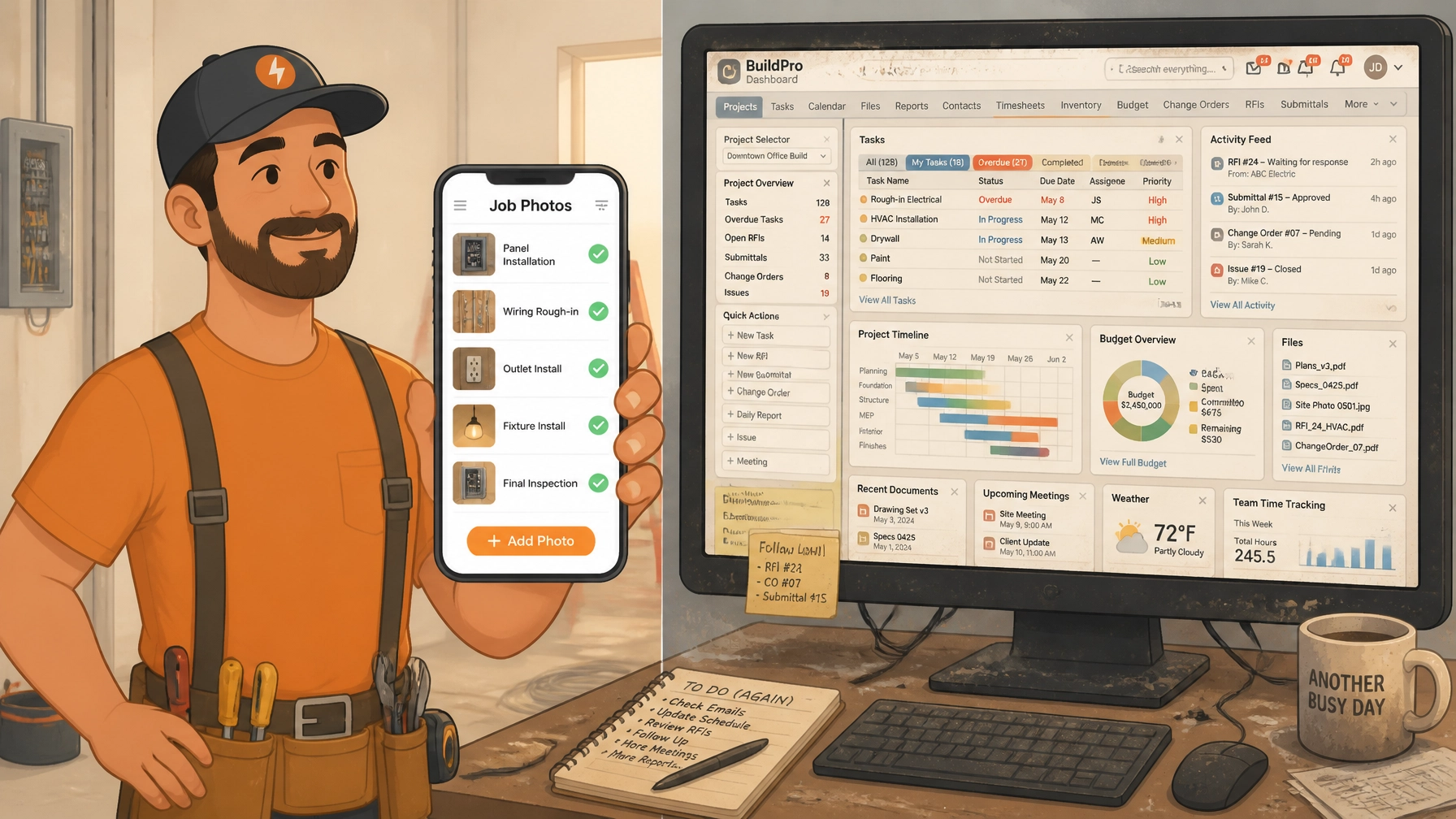
    Let’s be real: Most project management apps are overkill for a solo operator or a small crew. They want you to track Gantt charts, manage complex RFI workflows, and integrate your accounting software before you can even upload a single photo.

    For a small service shop, that’s just "BS" you don't have time for.

    When you’re in the field, you’re moving fast. You’re covered in drywall dust or grease. You don't want to navigate five sub-menus just to document a change order. This is where most contractor job apps fail: they’re built for the office, not the field.

    An illustration comparing a frustrated contractor with messy paperwork versus a smiling contractor using a simple mobile app.

    At JobLuma, we believe your software should be as simple as your favorite power tool. You pick it up, it does the job, and you put it away. No training manuals required.


    Why Every Trade Needs a Photo Timeline App

    You might think, "I’ve been doing this for twenty years without a fancy app, why start now?"

    The industry is changing. Customers have higher expectations for transparency, and legal disputes are more common than ever. Organized construction photo documentation isn't just about being "digital": it's about three core things:

    1. Protection (The "Cover Your Back" Factor)

    How many times has a homeowner blamed you for a scratch on the floor that was already there? With a dedicated contractor photo app, you can snap "pre-work" photos of the job site. If a dispute arises, you have a time-stamped, organized record that proves the condition of the site before you even unloaded your tools.

    2. Getting Paid Faster

    Arguments over "is the job really done?" are the #1 reason for payment delays. A clean timeline of photos showing the completed work: especially the stuff hidden behind walls or under slabs: removes all doubt. When you send an invoice backed by a professional photo log, GCs and homeowners are much more likely to hit "pay" without questioning your hours.

    3. Building Instant Trust

    When a customer sees a professional, branded timeline of their project, it makes you look like a top-tier operation. It’s the difference between being "the guy with a truck" and "the professional service provider."


    The Before and After Photo App: More Than Just "Cool Shots"

    We all love a good transformation. Showing a customer a photo of a rusted-out furnace next to a shiny new high-efficiency unit is a great feeling. But for a pro, a before and after photo app serves a practical purpose.

    It documents the "why" behind your work.

    • The Plumber: Shows the corroded pipe before it was replaced to justify the emergency fee.
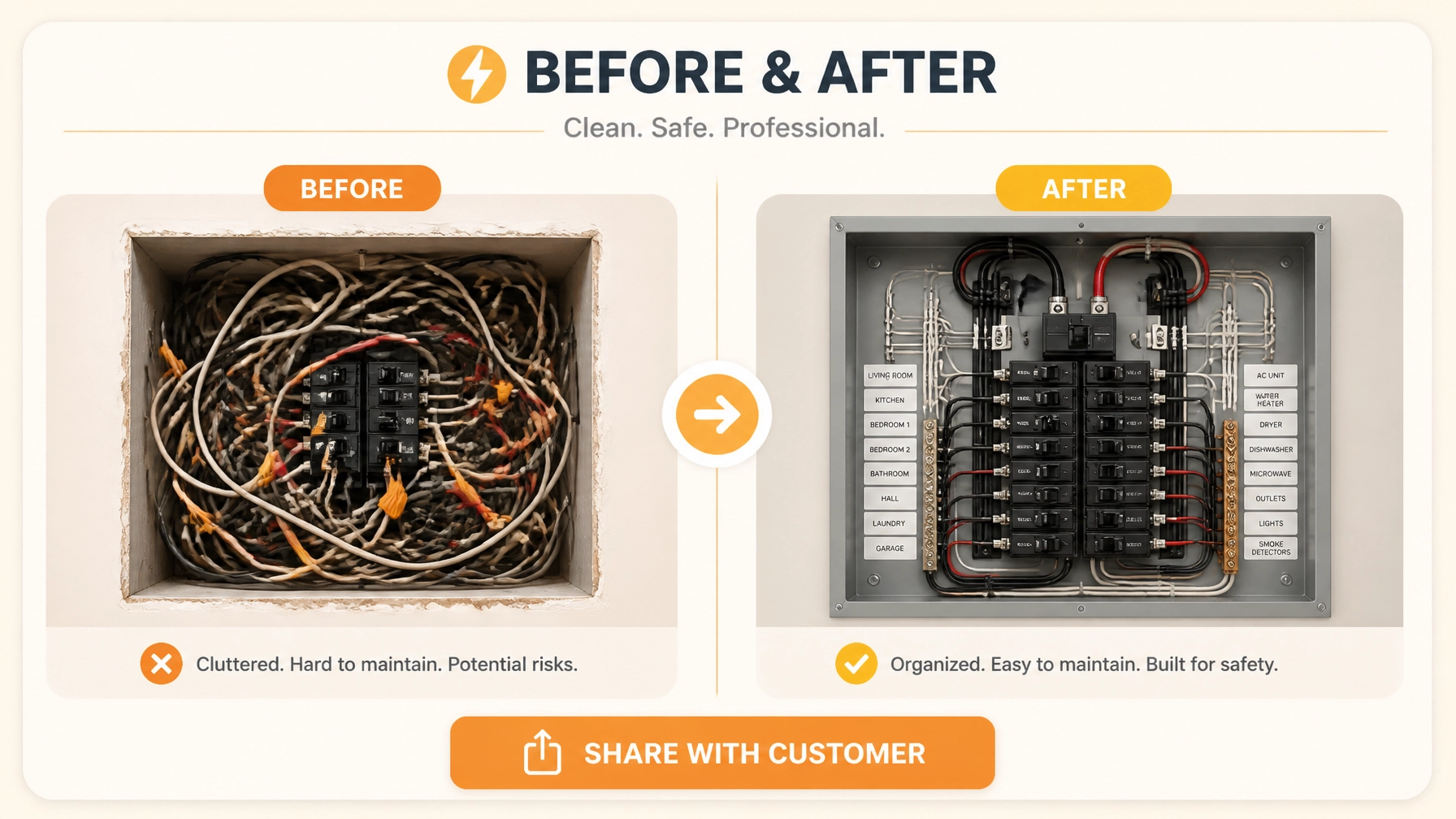
    • The Electrician: Shows the bird’s nest of wiring before the clean panel install to show the value of the upgrade.
    • The Handyman: Shows the rotted wood before the new deck boards went down to prove the structural necessity.

    By using JobLuma’s features, you aren't just taking photos; you're creating a narrative of your quality and expertise.


    The "No-App" Advantage for Your Customers

    Here is a major pain point with most contractor software: it asks too much of the customer.

    Have you ever tried to get a homeowner to download a specific app just to see project updates? They won't do it. They’ll lose the password, forget how to log in, and end up just texting you anyway.

    An illustration of a customer receiving a simple text link and viewing a professional photo timeline on their phone without downloading an app.

    The "No-BS" way to handle this is through simple, branded links. With JobLuma, you send your customer a link via text or email. They click it, and they instantly see their job timeline: photos, notes, and progress: right in their mobile browser.

    No accounts. No downloads. No friction.

    This is the gold standard for photo timeline apps. You stay organized on your end, and the customer gets a "white-glove" experience on theirs.


    How to Document a Job Like a Pro (Without Extra Work)

    You shouldn't have to change the way you work to stay documented. Here’s a simple three-step workflow that takes less than two minutes per job:

    Step 1: The Arrival (Before)

    As soon as you walk onto the site, snap 3-5 photos of the work area. Capture any existing damage and the initial state of the equipment you’re servicing. In JobLuma, you just create the job, add the customer name, and start logging.

    Step 2: The "Hidden" Work

    If you’re an electrician or plumber, your best work is often buried under concrete or behind drywall. Document it before it’s gone. These photos are your insurance policy if an inspector has questions later.

    Step 3: The Completion (After)

    Take your "hero" shot of the finished project. Add a quick note in the app like "System tested, no leaks found, site cleared of debris."

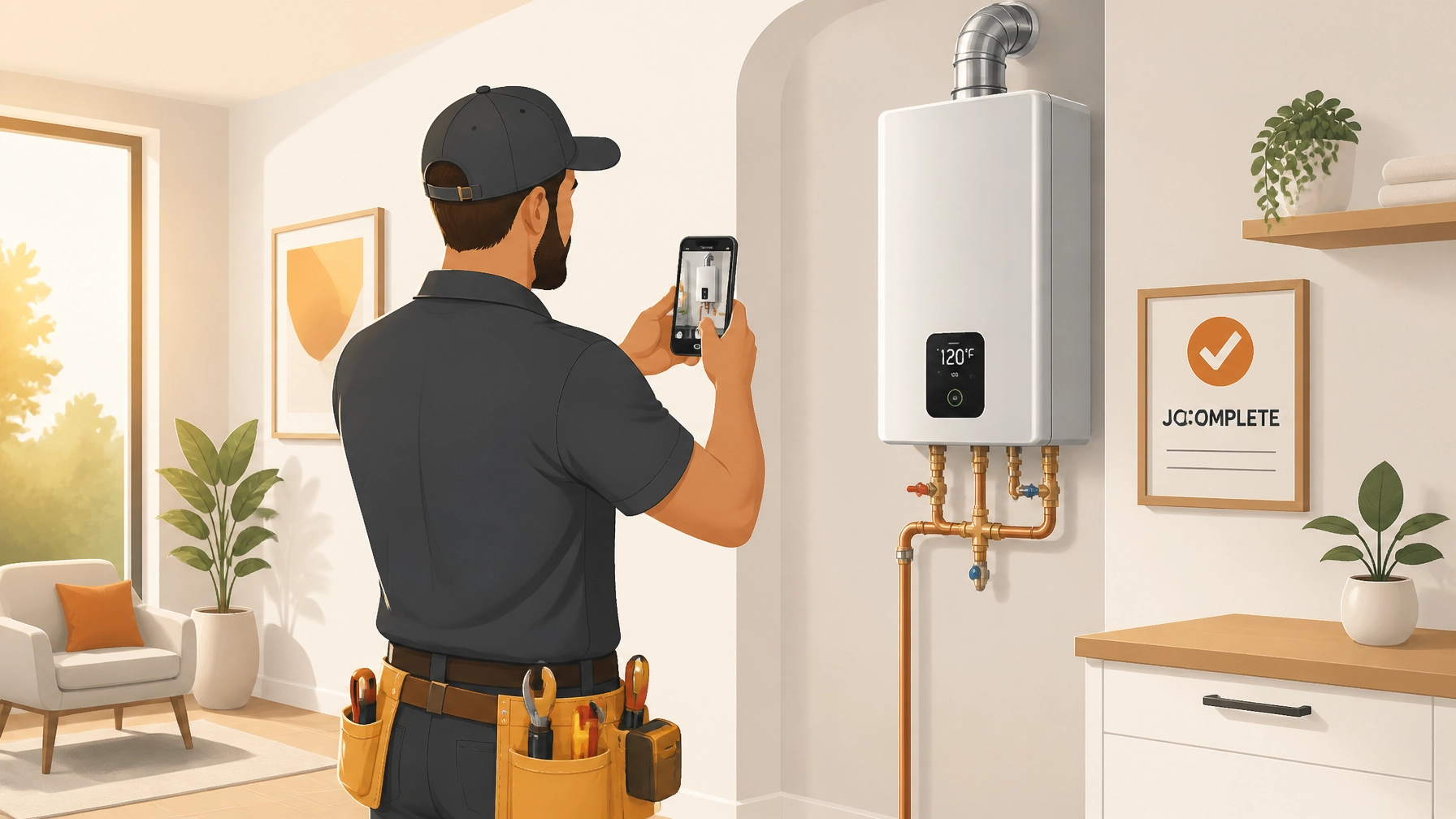
    An illustration of a technician taking a final photo of a job with a checkmark signifying completion.

    Once you hit "Share," your customer gets a professional summary of the work. You’re done. You’ve just created a permanent record that protects you and impresses them.


    Stop the Scrolling. Start the Logging.

    Your time is your most valuable asset. Every minute you spend hunting for a photo in your "Recents" folder is a minute you aren't billing for or spending with your family.

    Moving to a dedicated contractor photo app isn't about adding complexity: it's about removing the chaos. You deserve a tool that works as hard as you do, without the headaches of enterprise-level software.

    If you’re ready to ditch the "photo graveyard" and start documenting your wins, check out our pricing. We keep it simple because we know you have better things to do than manage software.

    Ready to try the No-BS way to document jobs?
    Sign up for JobLuma today and see why simple is better.


  • Stop Wasting Time on Complex Apps: Try These 7 Quick Hacks for Simple Job Logs

    Let’s be honest: most "project management" software feels like it was designed by people who have never stepped foot on a job site.

    You’re an electrician, a plumber, an HVAC tech, or a remodeler. You’re busy. You’ve got tools in one hand and a deadline in the other. The last thing you want to do is spend twenty minutes navigating a complex dashboard just to upload a photo of a finished rough-in.

    The problem is, documentation matters. Without it, you’re vulnerable to "he-said, she-said" disputes, insurance headaches, and clients who swear that scratch on the floor was there before you arrived.

    But there’s a middle ground between "scribbling on a napkin" and "becoming a software engineer." You just need a better way to log your jobs.

    At JobLuma, we believe job logging should be as simple as taking a photo. Here are 7 quick hacks to help you ditch the bloated apps and build a professional job log that actually saves you time.


    1. Stop Using Your Personal Camera Roll

    We’ve all been there. You’re trying to show a friend a photo of your dog, but you have to scroll through fifty pictures of leaky faucets and circuit breakers first.

    Using your personal camera roll for work isn't just annoying; it’s a liability. Photos get lost, they aren’t backed up to the right place, and they definitely aren't organized by project.

    The Hack: Use a dedicated contractor photo app that separates work life from personal life. A tool like JobLuma automatically organizes your photos by job. When you open the app, you’re looking at your projects, not your weekend BBQ. This keeps your documentation clean and ensures you can find that "before" photo in seconds when a client asks for it six months later.

    2. The "Arrival and Departure" Routine

    Consistency is the enemy of disputes. If you only take photos when something goes wrong, you don’t have a record of when things went right.

    The Hack: Build a "Three-Touch" photo habit.

    • Arrival: Take one photo of the workspace as you found it. This proves existing damage and site conditions.
    • Mid-Day: One shot of the "innards" (the wiring, the pipes, the framing) before the drywall goes up.
    • Departure: One final shot of the cleaned-up, finished area.

    By making this a 30-second routine, you create a natural photo timeline for every job without even thinking about it.

    A contractor's smartphone screen showing a clean, vertical timeline of job photos with 'Before' and 'After' labels. The design is mobile-first and simple, in a flat illustration style with orange accents.

    3. Standardize Your "Money Shots"

    Not all photos are created equal. If you’re just snapping blurry, close-up shots of a wire, nobody: including you: will know what they’re looking at later.

    The Hack: For every major milestone, take three specific types of photos:

    1. The Wide Shot: Shows the whole room/area for context.
    2. The Medium Shot: Shows the specific unit or installation.
    3. The Close-Up: Shows the detail (serial numbers, specific connections, or labels).

    This "Wide-Medium-Tight" approach is what professional inspectors use. It makes your construction photo documentation look elite and leaves zero room for confusion.

    4. Use Voice-to-Text for Notes

    Typing on a smartphone with dusty or gloved hands is a nightmare. This is usually where contractors give up on job logs. They tell themselves, "I'll type up the notes when I get home," but by then, they've forgotten the details.

    The Hack: Use your phone’s built-in voice-to-text. While you’re standing in front of the work, tap the microphone icon and say: "Completed the secondary drain line and tested for leaks. No issues found."

    Modern contractor software like JobLuma is built for the field, meaning you can add these notes directly to your photos. A photo with a quick note is worth ten times more than a photo alone.

    5. Ditch the "App Download" for Your Customers

    Many project management tools require your customers to create an account, remember a password, and download an app just to see their project updates. Spoiler alert: they won't do it. They’ll just text you and ask, "How’s it going?" which defeats the purpose of the software.

    The Hack: Choose a platform that prioritizes the customer experience. JobLuma lets you share a branded, professional timeline via a simple web link. Your customer doesn't have to download anything. They just click the link in a text or email and see the beautiful before and after photo progress. It makes you look like a tech-savvy pro without forcing them to do any work.

    A happy homeowner looking at a clear job progress timeline on their phone. No app download required. Minimalist flat illustration style with soft gradients and warm tones.

    6. Create "Live" Job Logs

    The old way of doing things involves taking photos, going home, downloading them to a computer, putting them into a PDF, and emailing it to the client. That’s at least an hour of unpaid admin work.

    The Hack: Use a mobile-first design tool that creates the log as you go. When you log a photo in JobLuma, it’s added to that project’s timeline instantly. By the time you’ve packed up your tools and started your truck, the job log is already finished. You don't "do" paperwork anymore; you just document your work in real-time.

    7. Label with Simple "Tags" instead of Folders

    Folders are where information goes to die. If you have "Project A > Photos > Plumbings > Rough-in," you’ll spend forever clicking through menus.

    The Hack: Use simple tags. Tag a photo as #Inspection, #ChangeOrder, or #Finished. Most modern contractor job apps allow you to search by these tags. It’s much faster than digging through nested folders on a desktop computer.


    Why JobLuma is the Choice for Simple Pros

    The common thread in all these hacks is simplicity.

    If a tool is too hard to use, you won't use it. If it’s too hard for your customers, they won't appreciate it. We built JobLuma specifically for the tradespeople who are tired of bloated software.

    • No Bloat: No Gantt charts, no complex scheduling, no accounting integrations you don't need. Just photos and notes.
    • Field-First: Designed to be used with one hand while you’re on a ladder.
    • Professional Results: Automatically generates a clean, branded timeline you can be proud to share.

    Don't let your hard work go undocumented because your software is too complicated. Start logging your jobs the easy way.

    Ready to simplify your job logs?

    Check out our features or sign up for free today and see how easy it is to create professional photo timelines for your clients.


    JobLuma logo - A bold orange icon with a simple sun design, representing clarity and illumination, next to the company name in white and orange text against a dark background.

  • Untitled post 318

    Is It Time to Switch?

    If you currently find yourself overwhelmed by your "all-in-one" software, or if you’re still using your phone’s default camera roll to manage hundreds of job photos, it’s time to rethink your strategy.

    Choose a simple photo app if:

    • You work alone or with a small team (1-5 people).
    • Your biggest problem is finding and organizing photos.
    • You want to look more professional to your clients without the hassle.
    • You want a tool that stays out of your way and lets you focus on the trade.

    Choose full project management if:

    • You have multiple departments (sales, HR, fleet).
    • You need to track complex financial inventory down to the penny.
    • You have a dedicated office manager whose full-time job is software entry.

    Final Verdict: The Small Trade Advantage

    The advantage of being a small tradesperson is your agility. You don't have the overhead of a giant corporation, so why would you want the overhead of their software?

    By using a specialized tool like a contractor photo app, you protect your work, impress your customers, and: most importantly: keep your business simple.

    Don't let bloated software slow you down. Focus on what you do best: high-quality trade work. Let JobLuma handle the documentation.

    Ready to simplify your job logs? Get started with JobLuma today.


    Frequently Asked Questions

    What is the best before and after photo app for contractors?

    For small trades, the best app is one that is mobile-first and simple to use. JobLuma is designed specifically for this purpose, focusing on creating clean timelines that can be shared with customers without them needing to download anything.

    Do I really need construction photo documentation?

    Yes. Photo documentation protects you from liability, proves the quality of your work, and helps in explaining necessary repairs to customers. It is the most valuable record a contractor can have.

    Why is project management software so expensive?

    Large suites charge more because they offer hundreds of features like payroll, GPS tracking, and deep accounting. For many small contractors, these are "bloated" features they don't use, making the software poor value for their specific needs.

    How do I share job photos with my customers?

    With JobLuma, you simply send a unique link to your customer via text or email. They can view a professional, branded timeline of the work directly in their mobile browser; no app download or account creation required.

    Is JobLuma a full contractor job app?

    JobLuma is a specialized job logging and photo documentation app. It focuses on the core functions of documenting work and sharing progress with clients, rather than being a bloated project management suite.

  • Contractor Photo App vs. Clunky Project Software: Which Is Better For Your Small Shop?

    Contractor Photo App vs. Clunky Project Software: Which Is Better For Your Small Shop?

    If you’re running a small service shop: maybe you’re a solo electrician, a plumber with a helper, or an HVAC tech keeping half the county cool: you’ve probably felt the pressure to "digitize." You see the big construction firms using massive software suites that track everything from humidity levels in the concrete to the exact GPS coordinates of every screw.

    So, you start looking into contractor software. You sign up for a demo of the big names. Within ten minutes, your head is spinning. There are Gantt charts, RFI logs, submittal folders, and budgeting tools that look like they require a degree in accounting just to open.

    You don't need a digital command center. You just need to show the customer that the leak is fixed, the wires are safe, and the job is done right.

    In this post, we’re going to break down why a dedicated contractor photo app is often a much better fit for small shops than "clunky" project management software. We’ll look at the real-world benefits of simple construction photo documentation and how choosing the right tool can save you time, money, and a whole lot of frustration.

    The "Bloat" Problem: Why Big Software Fails Small Shops

    Most construction software is built for the "big guys": companies with project managers, office admins, and dedicated IT departments. When you try to shoehorn that into a one-man show or a three-person team, things get messy fast.

    1. The Learning Curve is a Vertical Cliff

    When you're out in the field, you have about 30 seconds to document what you just did before you need to move on to the next task. Complex software requires you to navigate through five different menus just to upload a photo. Most contractors end up giving up on the software entirely, retreating back to their phone’s camera roll and a messy group text.

    2. You’re Paying for Features You’ll Never Use

    Why pay $200 a month for a suite that includes "Subcontractor Prequalification" and "Daily Manpower Logs" when you are the subcontractor and the manpower? For a small shop, bloated software is like buying a semi-truck when all you need is a reliable pickup.

    3. Field Adoption is Zero

    If you do have a small team, getting them to use a complex app is an uphill battle. If an app is hard to use, they won't use it. Period. You’ll end up with missing photos, lost notes, and zero documentation when a customer disputes an invoice.

    Why Simple Photo Documentation Wins

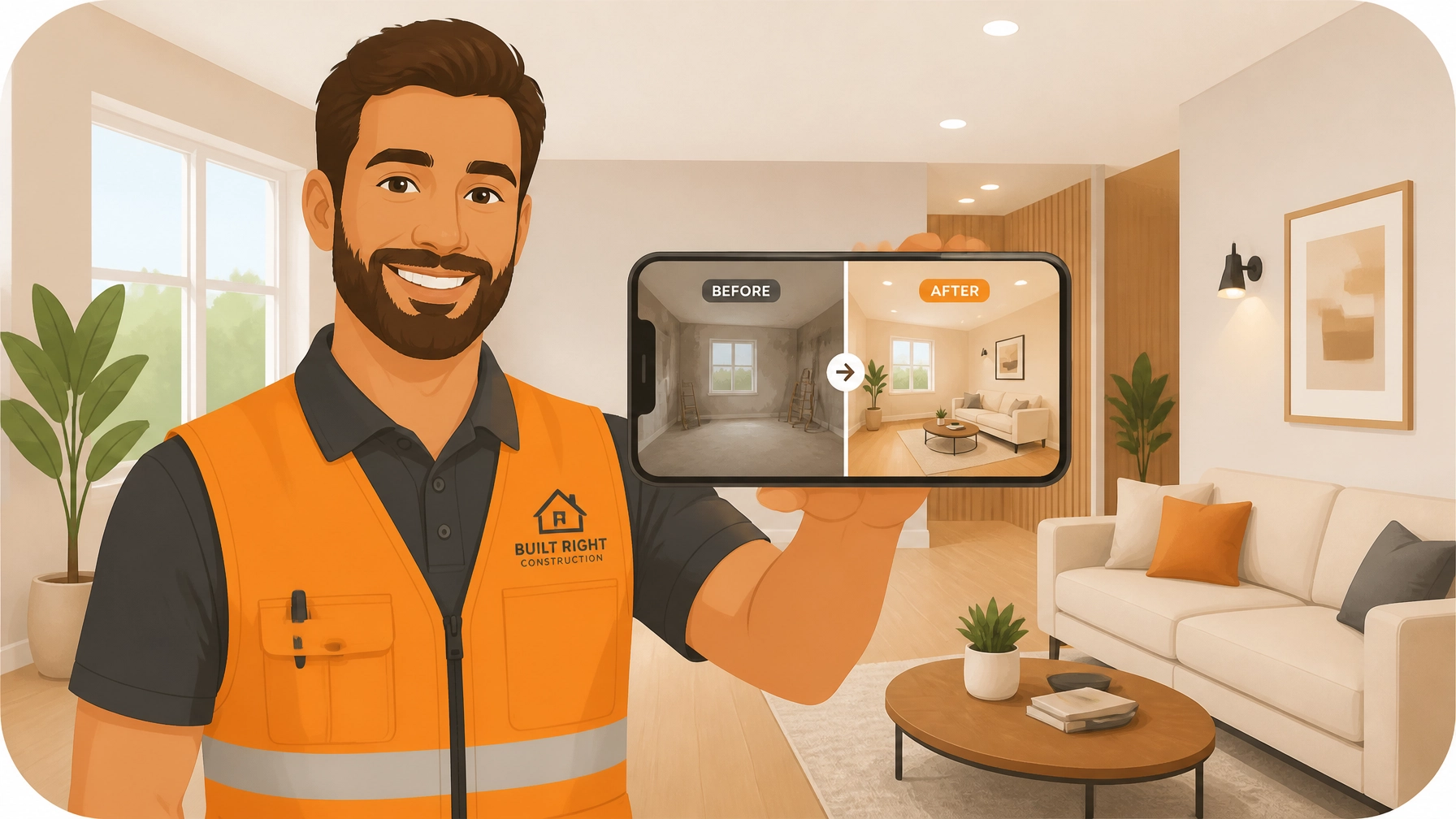
    A smartphone screen showing a clean before and after comparison of a job

    For most tradespeople, the "visual record" is the most important part of the job. It’s your proof of work and your insurance policy. A streamlined before and after photo app provides immediate, high-ROI benefits without the administrative overhead.

    Protection Against "He Said, She Said"

    We’ve all been there. You finish a job, the customer is happy, and then two weeks later you get a call: "You scratched my floor," or "This doesn't look like what we discussed."

    Without construction photo documentation, it’s your word against theirs. With a simple timeline of photos, you have timestamped, indisputable proof of the site conditions before you started and the quality of the work when you left.

    Faster Payments

    Invoices get paid faster when the customer can see exactly what they are paying for. Instead of just "Fixed Pipe – $450," you can send a professional timeline showing the corroded pipe (Before), the new installation (After), and a note about the specific parts used. It builds trust instantly.

    Better Quality Control (Without the Clipboard)

    Even if you're working solo, having a dedicated contractor photo app helps you stay organized. You can look back at a job from six months ago and see exactly how you wired that panel or where that specific pipe was routed behind the drywall.

    JobLuma: The "Goldilocks" Solution

    At JobLuma, we realized that small shops were being ignored. They were stuck between using their personal "Camera Roll" (which gets messy fast) and "Enterprise Software" (which is too expensive and complex).

    We built JobLuma to be the "just right" middle ground. It’s a contractor job app designed to do three things exceptionally well:

    1. Create jobs with customer details in seconds.
    2. Log photos and notes from the field with a mobile-first design.
    3. Share clean, branded timelines with customers: without making them download anything.

    No-App-Download: The Secret Sauce

    One of the biggest friction points with project software is the "Customer Portal." Customers don't want to create an account, verify their email, and download an app just to see how their bathroom remodel is going.

    With JobLuma, you send them a simple link. They click it, and they see a professional, branded timeline of their project. It’s easy for them, and it makes you look like a tech-savvy pro.

    Comparison: Simple App vs. Clunky Suite

    Feature Simple Photo App (JobLuma) Complex PM Software
    Setup Time 2 Minutes 2 Weeks
    Training Needed None Multiple Webinars
    Primary Goal Document work & keep clients happy Manage complex logistics & legal trails
    Customer Experience No-download web link Account login required
    Mobile Design Built for one-handed field use Scaled-down desktop experience
    Cost Affordable for solo/small shops High monthly/annual fees

    The Client Perspective: Building Trust Through Transparency

    A customer happily viewing a project timeline on their phone

    Think about the last time you hired a service. You probably felt a little anxious. "Are they actually doing what they said?" "Is it going to be a mess?"

    When a contractor uses a photo timeline app, they are essentially opening a window into the job. Even if the customer isn't home, they can see the progress in real-time. This level of transparency is a massive competitive advantage. While your competitor is leaving a handwritten note on a coffee table, you’re sending a digital timeline that the customer can show their spouse or save for their home records.

    Check out our features page to see exactly how our timeline sharing works.

    Why "Simple" is Actually Better for Your Bottom Line

    Every minute you spend wrestling with software is a minute you aren't turning a wrench or pulling wire. For a small shop, "simple" isn't just about ease of use: it's about profitability.

    1. Reduced Rework: Spotting a mistake in a photo before the drywall goes up saves thousands.
    2. Reduced Disputes: 92% of firms report faster dispute resolution with systematic photo documentation.
    3. More Referrals: Professionalism is the best marketing. A clean, branded job log is a "wow" factor that leads to "you have to hire this guy" conversations.

    If you’re ready to stop digging through your personal photos and start using a tool built for the way you actually work, check out our pricing. We kept it as simple as the app itself.

    Conclusion: Pick the Right Tool for the Job

    You wouldn't use a sledgehammer to hang a picture frame, and you don't need an enterprise ERP to run a three-person plumbing shop.

    The best contractor software is the one you and your team will actually use every single day. By focusing on simple photo documentation, you protect your business, impress your customers, and get back to the work that actually pays the bills.

    Ready to see the difference for yourself? Sign up for JobLuma today and start your first job log in under 60 seconds.

    Contractor taking a photo and sending it to a client seamlessly


  • How to Create Professional Before and After Photo Timelines in 5 Minutes

    How to Create Professional Before and After Photo Timelines in 5 Minutes

    Let’s be honest: you’re a pro at what you do, but documenting it? That’s usually the last thing on your mind when you’re elbow-deep in a leaky sink or rewiring a 1950s fuse box.

    We’ve all been there. You finish a job, wipe the sweat off your brow, and realize you forgot to take the "before" picture. Or worse, you took the photos, but now they’re buried in a camera roll alongside 4,000 pictures of your dog and screenshots of random parts you need to buy at Home Depot.

    In the world of service trades: whether you're an electrician, plumber, HVAC tech, or handyman: your work is your reputation. But if you can't show the transformation, you're leaving money (and protection) on the table.

    Today, I’m going to show you how to stop the photo chaos and create professional before-and-after timelines in under five minutes. No complicated contractor software, no spreadsheets, and definitely no "bloated" project management tools that require a PhD to operate.

    Why Before and After Photos are Your Best Insurance Policy

    Before we dive into the "how," let’s talk about the "why." Taking photos isn't just about making your social media look pretty (though it helps with that too). It’s about protecting your business.

    1. The "It Was Already Like That" Defense

    We’ve all dealt with that one customer who claims you scratched their flooring or cracked a tile that was definitely already broken. Without a dated "before" photo, it’s your word against theirs. Construction photo documentation provides indisputable proof of the site’s condition before you touched a single tool.

    2. Faster Payments

    When a customer sees a side-by-side comparison of the mess you started with and the masterpiece you finished, they are much more likely to hit "pay" on that invoice immediately. It justifies the cost by visualizing the value you provided.

    3. Trust and Transparency

    Homeowners are often nervous about hiring contractors. By providing a clean, organized photo timeline, you’re showing them exactly what you did, even the stuff behind the walls that they can’t see. This level of transparency builds the kind of trust that leads to lifelong customers and referrals.

    A messy bathroom before a renovation with a digital UI overlay

    The Problem with "Bloated" Contractor Software

    If you’ve looked for a contractor job app before, you’ve probably seen the big names. They promise to manage your entire life: scheduling, accounting, GPS tracking, lead generation, and even your morning coffee.

    But here’s the problem: most small service shops don't need all that. You don't want to spend 20 minutes setting up a "project" just to take two photos. You need something that works at the speed of your day.

    These massive platforms often:

    • Require your customers to download an app (which they hate).
    • Have a steep learning curve that your crew will ignore.
    • Cost a fortune for features you’ll never use.
    • Feel more like "data entry" than a helpful tool.

    That’s why we built JobLuma. It’s a photo timeline app designed for the field, not the office. It’s simple, mobile-first, and focused on one thing: documenting your great work.

    The 5-Minute Workflow: From Mess to Masterpiece

    How do you actually create these professional timelines without wasting your afternoon? Here is the JobLuma 5-minute blueprint.

    Minute 1: Create the Job on the Fly

    When you pull up to the job site, open JobLuma on your phone. You don't need a desktop. Just tap "Create Job," put in the customer's name, and you're ready. Because it’s a mobile-first design, it feels like using your normal camera app, but way more organized.

    Minute 2: Capture the "Before"

    Before you start the demo or the repair, snap 2-3 photos of the current state. Add a quick note if there's pre-existing damage. This is your "Insurance Policy." JobLuma automatically timestamps and organizes these photos under that specific job.

    Minute 3 & 4: Do What You Do Best

    This is the part where you actually do the work! If you find something unexpected mid-job (like a hidden leak or bad wiring), snap a quick photo and add a note. This is great for explaining "change orders" to the customer later.

    Minute 5: Snap the "After" and Share

    Work is done. Tools are packed. The site is clean. Take those final "After" shots from the same angles as your "Before" photos.

    Now, here is the magic part. Instead of emailing a bunch of attachments or texting grainy photos, you hit "Share." JobLuma generates a professional, branded timeline link.

    A finished modern kitchen with a professional photo timeline view

    The "No-App" Customer Experience

    This is a big one. One of the biggest complaints contractors have about other before and after photo apps is that customers don't want to create an account or download an app just to see their project photos.

    With JobLuma, your customer receives a simple link via text or email. When they click it, they see a clean, professional web page with:

    • Your company logo and contact info.
    • A chronological timeline of the work.
    • Side-by-side before and after photos.
    • Notes explaining the steps you took.

    It makes you look like a much larger, more professional operation than the guy down the street who just sends a "Job done" text. You can check out how our pricing works to see how affordable this professional look can be.

    Marketing Goldmine: Use Your Timelines to Sell

    Once you have a library of these timelines, you have a massive marketing advantage. You can:

    • Show, don't tell: When bidding on a new job, show the prospect a similar timeline from a previous project.
    • Social Media: Take those side-by-side shots and post them to your business page. People love a good transformation.
    • Website Proof: Link to your best timelines on your site to prove your quality of work.

    A customer viewing a professional job log on their phone without needing an app

    Getting Started is Easier Than You Think

    Documentation shouldn't be a chore. It should be a natural part of your workflow that protects your back and grows your brand. By using a dedicated contractor photo app like JobLuma, you move from "just another contractor" to a trusted professional in the eyes of your clients.

    Stop letting your best work disappear into the abyss of your phone's camera roll. Start building your portfolio, one job at a time.

    Ready to try it out? Sign up for JobLuma today and create your first professional timeline in minutes. Your customers (and your future self) will thank you.


  • Stop Wasting Time on Complex PM Software: Try These 7 Quick Job Documentation Hacks

    Stop Wasting Time on Complex PM Software: Try These 7 Quick Job Documentation Hacks

    You didn’t get into the trades to spend your evenings wrestling with complex project management software.

    You’re an electrician, a plumber, an HVAC tech: you’re a professional who gets things done with your hands. But lately, it feels like the "office side" of the business is taking over. Most "all-in-one" contractor software is bloated, expensive, and frankly, a pain to use in the field. You just want to document your work, show the customer you did a great job, and get paid without a mountain of paperwork.

    The secret isn’t more features; it’s better habits. If you’re tired of losing photos in your camera roll or spending hours building "professional" reports, these 7 quick job documentation hacks will save your sanity and your Saturday.

    1. The "Pre-Existing Damage" Ritual

    Before you even pick up a wrench or a screwdriver, take three photos of the area exactly as you found it.

    We’ve all been there: you finish a water heater install, and suddenly the homeowner "notices" a scratch on the floor that was definitely there three years ago. Without construction photo documentation, it’s your word against theirs.

    The Hack: Make it a rule to never touch a tool until you’ve snapped the "before" state. This isn’t just for your records; it’s your insurance policy. If you use a dedicated contractor job app like JobLuma, these photos are timestamped and organized automatically, so you don't have to go hunting for them later.

    Before and after comparison of a job

    2. Master the "3-Angle Rule"

    A photo of a single wire doesn’t tell a story. When a customer (or an inspector) looks at your documentation, they need context. To make your photos actually useful, use the 3-angle rule for every major milestone:

    • Wide: Show the whole room or area so people know where the work is.
    • Medium: Frame the specific equipment or panel you’re working on.
    • Close-up: Capture the serial number, the specific connection, or the label.

    This simple routine ensures that anyone looking at the photo timeline app later understands exactly what they’re seeing without you having to explain it.

    Illustration of Wide, Medium, and Close-up shots

    3. Use Voice-to-Text for Instant Notes

    Typing on a dusty screen with work gloves is a recipe for frustration. Most contractors skip the notes because it’s too much effort. But those notes are what turn a "photo" into "documentation."

    The Hack: Use the voice-to-text feature on your phone's keyboard inside your contractor photo app. Instead of typing "Replaced 15A breaker with 20A," just say it. Most modern phones are incredibly accurate. Within seconds, you’ve added professional context to your photo timeline that looks great to the customer and protects you legally.

    4. Don’t "Wait Until Friday" to Organize

    The biggest time-sink in job documentation is the "Friday Night Photo Dump." You sit down with a beer, open your camera roll, and try to remember which messy basement belonged to Mr. Smith and which belonged to Mrs. Jones.

    If you’re using basic cloud storage or email, you’re losing hours every week. Instead, use a before and after photo app that lets you create the job while you're standing in the driveway.

    With JobLuma’s features, you can create a job in seconds, snap your photos, and they’re already filed under the right customer. No folders to create, no filenames to edit.

    5. Capturing the "Hidden" Quality

    A lot of your best work gets covered up by drywall, insulation, or panels. Once it’s gone, the customer has no idea how much care you put into the rough-in.

    The Hack: Take "transparency shots." Show the perfectly straight pipe runs or the neatly tied-off wires before the walls go up. Sharing these photos via a photo timeline app builds massive trust. It shows the customer that even the parts they can't see were done to the highest standard.

    6. Standardize Your "Same Spot" After Shots

    A "before and after" only looks professional if the angles match. If your "before" shot is from the doorway and your "after" shot is from the opposite corner, the comparison feels messy.

    The Hack: Pick a "vantage point" when you arrive: maybe the entrance to the utility room or a specific corner of the deck. Take your arrival photo from there, and make sure your final "job complete" photo is taken from the exact same spot. This creates a satisfying "transformation" effect that is perfect for marketing your business.

    7. Stop Making Customers Download Apps

    This is where most contractor software fails. You want to share a professional timeline with your customer, but the software requires them to create a login, download an app, and "join a portal."

    The Hack: Use a tool that generates a simple, branded link. Your customers are busy; they just want to see the work. JobLuma was built for this. You send a link via text or email, and the customer sees a beautiful, professional timeline of the job: no app download or account required. It makes you look like a tech-savvy pro without any friction for the client.

    Customer viewing a clean job timeline on their phone

    Why Simple Beats Complex Every Time

    For a small service shop or a solo operator, bloated PM software is like using a sledgehammer to hang a picture frame. It’s overkill, and it usually ends up making more of a mess.

    By focusing on these 7 documentation hacks and using a simple, mobile-first tool like JobLuma, you can:

    • Protect yourself from false damage claims.
    • Show off your quality to homeowners and builders.
    • Save hours of office work every week.
    • Get paid faster by providing undeniable proof of work.

    Ready to stop fighting with complicated software and start documenting like a pro? Sign up for JobLuma today and see how simple job logging can be.


  • Do You Really Need Complex Contractor Software? Here’s the Truth for Small Trades

    Do You Really Need Complex Contractor Software? Here’s the Truth for Small Trades

    If you’re a solo plumber, an electrician with a small crew, or a handyman running your own show, you’ve probably felt the pressure to "digitize." You see the ads for massive project management suites promising to run your entire life from a single dashboard. They’ve got Gantt charts, complex cost-coding, submittal tracking, and more bells and whistles than a high-end HVAC system.

    But here’s the question: Do you actually need all of that?

    For most small trades, the answer is a resounding no. In fact, for many, that "all-in-one" contractor software ends up being more of a burden than a benefit. It’s like buying a semi-truck when all you need is a reliable work van. You’re paying for features you’ll never use, and the complexity actually slows you down when you’re in the field.

    In this post, we’re going to look at the "Bloat Problem," why simple construction photo documentation is the real secret to growth, and how you can look professional without making your customers jump through hoops.


    The Bloat Problem: Why More Isn’t Always Better

    Most construction software is built for big general contractors (GCs) who manage dozens of subcontractors and million-dollar budgets. They need to track every single nail and every minute of labor.

    But when you’re the one actually turning the wrench, your "admin time" is precious. Every minute you spend fighting with a complex app is a minute you aren’t billing.

    Comparison of bloated software versus a simple, effective tool

    1. The Steep Learning Curve

    Complex software requires "onboarding." That’s a fancy word for sitting through hours of tutorials just to figure out how to log a job. For a small trade professional, if you can’t figure it out in five minutes while sitting in your truck between jobs, it’s too complicated.

    2. The "App Fatigue" for Customers

    Many high-end platforms require your customers to create an account, download an app, and log into a "portal" just to see progress photos. Guess what? Most homeowners don’t want to do that. They just want to see that the leak is fixed or the wiring is safe. If you make them download an app, they probably won't use it.

    3. The Price Tag

    You shouldn't have to pay $200 a month for a software suite where you only use 10% of the features. That’s money that could be going back into your tools, your van, or your pocket.


    What Small Trades Actually Need

    If you strip away the charts and the "enterprise" jargon, what does a service contractor actually need to stay organized and look professional? It usually comes down to three things:

    1. A place to keep job details organized (so you stop losing notes on scraps of paper).
    2. A way to prove the quality of your work (before and after photos).
    3. A simple way to share that proof with the client.

    This is where a dedicated contractor job app like JobLuma shines. Instead of trying to be everything to everyone, it focuses on doing one thing perfectly: documenting your hard work.


    The Power of the "Before and After"

    In the trades, your reputation is everything. But sometimes, the best work you do is invisible. Once the drywall is up, the customer can’t see the clean wiring or the perfectly soldered pipes.

    This is why a before and after photo app is your best marketing tool. By capturing the "mess" you started with and the "masterpiece" you finished with, you’re providing tangible proof of value.

    Illustration of a professional Before and After comparison on a job site

    When you use a photo timeline app, you’re not just taking pictures; you’re building a story.

    • The "Before": Shows the problem. It documents pre-existing damage so you don't get blamed for it later.
    • The "During": Shows the "guts" of the project. It proves you did the work to code and didn't cut corners.
    • The "After": Shows the professional finish. This is what the customer is paying for.

    Having these organized in a clean timeline: rather than buried in your phone's camera roll alongside pictures of your dog and your lunch: is a game-changer for your professional image.


    Communication Without the Friction

    We’ve all been there: a customer calls you at 7:00 PM asking, "How’s the job coming along?"

    With complex software, you might tell them to "check the portal." With JobLuma, you just send them a link.

    One of the biggest advantages of a mobile-first contractor photo app is the ability to share a branded timeline that the customer can view directly in their mobile browser. No app download. No password. No friction.

    Happy customer viewing a job timeline on their phone via a simple link

    When the customer gets a text with a link to a professional, branded page showing the progress of their project, it builds instant trust. It shows them that you are organized, transparent, and modern. It’s the kind of experience that leads to five-star reviews and word-of-mouth referrals.


    Protecting Your Tail with Documentation

    Let’s talk about the "uh-oh" moments. We’ve all dealt with that one client who claims you scratched their floor or that the leak "wasn't like that before."

    Without solid construction photo documentation, it’s your word against theirs. But when you have a dated, organized log of every step of the job, disputes vanish.

    A simple contractor photo app allows you to:

    • Document the site condition before you start.
    • Note any hidden issues you find behind walls or under floors.
    • Show exactly what was installed before it was covered up.

    This isn't just about being organized; it's about insurance. It protects your business from liability and ensures you get paid for the work you actually did.


    Why Mobile-First is the Only Way to Go

    If software isn't easy to use while you're standing on a ladder or crawling in a crawlspace, you won't use it. Period.

    Traditional contractor software often feels like a desktop program that was "shrunk down" for a phone. It’s clunky, the buttons are too small, and it takes too many taps to get anything done.

    JobLuma was built from the ground up as a mobile-first design. The goal is simple: get in, snap the photo, add a quick note, and get back to work.

    A vertical timeline of professional job photos on a mobile interface

    Simple Workflow:

    1. Create a Job: Type in the customer's name and address.
    2. Log Photos: Snap photos as you work. Add a note if you need to.
    3. Share the Timeline: Send the link to the customer with one tap.

    That’s it. No complicated setup. No "admin day" required.


    Conclusion: Keep it Simple, Keep it Professional

    You don’t need a digital headquarters to run a successful trade business. You need tools that work as hard as you do without getting in your way.

    By focusing on simple photo documentation and a "no-friction" customer experience, you can:

    • Save hours of admin time every week.
    • Win more jobs by showing off your professional timelines.
    • Eliminate disputes with clear, dated photo logs.
    • Get paid faster by providing the proof of work your customers need.

    If you’re tired of the bloat and just want a simple way to track your jobs and impress your clients, it’s time to try JobLuma.

    Ready to simplify your workday?
    Explore JobLuma Features or Start Your Free Account Today. Check out our Pricing to see how we fit your budget!

  • The Simple Trick to Better Construction Photo Documentation Right Now

    The Simple Trick to Better Construction Photo Documentation Right Now

    If you’re a plumber, electrician, or HVAC tech, your phone probably looks like a crime scene. You’ve got thousands of photos: a blurry shot of a serial number, a "before" photo of a leaky water heater, six different angles of a junction box, and maybe a few pictures of your dog mixed in for good measure.

    Then comes Friday afternoon. A customer calls and says, "Hey, I don't think you actually replaced that valve." Or worse, your boss asks for the job site photos for a big commercial project, and you realize you have no idea which "gray pipe" belongs to which customer.

    You spend forty-five minutes scrolling, squinting, and swearing.

    The truth is, most contractors know they should be documenting their work. But the current way of doing it, dumping everything into a messy camera roll or fighting with "bloated" project management software, is a total headache.

    The good news? There is a simple trick to fixing this right now. And no, it doesn't involve spending $500 a month on complex software or spending hours at a computer.

    The Problem: The "Camera Roll Chaos"

    Before we get to the trick, let's talk about why your current system is failing you. Most small service shops fall into one of two traps:

    1. The Camera Roll Trap: You take the photos, but they stay on your phone. They aren’t organized, they aren’t labeled, and they aren't shared. If your phone breaks or you lose it, your "proof of work" is gone forever.
    2. The "Big Tech" Trap: You try to use a massive contractor software suite designed for skyscraper builders. It has 400 features you don't need, requires a three-day training course, and costs a fortune. Because it’s so annoying to use, you and your techs eventually stop using it.

    When documentation is hard, it doesn't get done. And when it doesn't get done, you lose money, you lose trust, and you lose sleep.

    The Simple Trick: Contextual Logging

    The "trick" isn't just taking photos; it’s contextual logging.

    Most people take a photo and think, "I'll remember what this is later." You won't. Contextual logging means the photo is born inside a specific job folder, with a note attached, the second you take it.

    Instead of taking 50 photos and trying to sort them later, you create a "Job" in an app like JobLuma before you even pick up a wrench. Every photo you take from that point on is automatically tagged to that customer and that specific site.

    A side-by-side comparison of a 'Before' and 'After' job site photo in a minimalist illustration style.

    Why Before and After Photos are Your Secret Weapon

    We’ve all heard it: "A picture is worth a thousand words." In the trades, a picture is worth a thousand dollars.

    Using a before and after photo app doesn't just protect you from "he-said, she-said" arguments; it’s the best marketing you can possibly do. When you can show a customer a clean, professional timeline of exactly what their basement looked like before you arrived and how it looks now that the new HVAC system is installed, you aren't just a "guy with a toolkit." You’re a professional.

    Why Small Shops Should Avoid "Bloated" Software

    If you're a solo operator or have a small team of five, you don't need Procore. You don't need Buildertrend. Those are great for managing $50 million skyscrapers, but for a 2-hour service call to fix a circuit breaker? They are overkill.

    This is where many contractor job apps fail. They try to do everything: scheduling, payroll, estimating, CRM, GPS tracking: and they end up doing none of it simply.

    JobLuma was built for the "Simple Trick."
    It focuses on three things:

    1. Creating a job.
    2. Logging photos and notes.
    3. Sharing a beautiful timeline.

    That’s it. No fluff. No 50-page manual. It’s a contractor photo app designed to be used with one hand while you’re holding a flashlight with the other.

    The "No-App" Advantage for Your Customers

    Here is a huge mistake most software companies make: they expect your customers to download an app to see your work.

    Let's be real. Your customer doesn't want to download "ContractorPortalV3" just to see a picture of their new sink. They won't do it. They’ll just ask you to text the photos, and then you’re right back to the "Camera Roll Chaos."

    JobLuma solves this with a simple, branded link. You finish the job, hit "Share," and the customer gets a link. They click it, and a professional, beautiful timeline of your work opens in their browser. No accounts, no passwords, no hassle.

    A customer happily viewing a professional job timeline on their phone without needing to download an extra app.

    A Quick Checklist for Better Field Photos

    If you want to master construction photo documentation right now, give your team this 4-point checklist:

    • The "Wide-Angle" Arrival Shot: Take a photo of the area before you start. This proves the "pre-existing condition." If there was a scratch on the floor before you got there, you want a photo of it.
    • The "Hidden Work" Shot: If you're closing up a wall or burying a pipe, take a photo. This is your "insurance policy" for years to come.
    • The "Serial Number" Shot: Don't write down serial numbers. Take a clear, well-lit photo of the data plate on the equipment. It’s faster and 100% accurate.
    • The "Hero" Finish Shot: Clean up the area, remove your tools, and take a high-quality "After" photo. This is what you’ll show future customers to win more bids.

    Professionalism is the New Competitive Edge

    In 2026, being "good at the trade" is just the baseline. Every plumber knows how to sweat a pipe. Every electrician knows how to wire a panel.

    The contractors who are winning: the ones who can charge premium prices and get 5-star reviews every time: are the ones who provide a professional experience.

    When you use a photo timeline app to document your work, you are sending a clear message to your customer: “I am organized. I am transparent. I take pride in what I do.”

    It takes about 30 seconds extra per job to log these photos properly. That 30 seconds can save you hours of disputes and win you thousands of dollars in referrals.

    A contractor looking organized and relieved while using the JobLuma timeline on their phone.

    Ready to Ditch the Messy Camera Roll?

    If you’re tired of hunting for photos and want a simpler way to manage your job documentation, it’s time to try the "simple trick" for yourself.

    Stop trying to force big, complicated software to work for your small shop. Switch to a mobile-first, easy-to-use tool that actually fits the way you work in the field.

    Start your free trial of JobLuma today and see how easy professional documentation can be. No credit card required, no complicated setup: just better photos and happier customers.


  • 5 Steps to Master Construction Photo Documentation (Easy Guide for Solo Contractors)

    5 Steps to Master Construction Photo Documentation (Easy Guide for Solo Contractors)

    Let’s be honest: most of us didn’t get into the trades because we loved paperwork. Whether you’re an electrician, a plumber, or an HVAC tech, you’re in it to build things, fix things, and help your customers.

    But then there’s that one phone call. You know the one. A customer calls six months after a job is done, claiming you nicked a pipe or forgot to insulate a specific wall. Without proof, it’s your word against theirs. It’s a "he-said-she-said" trap that can cost you thousands in unearned repairs or a bruised reputation.

    This is where construction photo documentation becomes your best friend. It’s not just about taking a quick snap of the finished product; it’s about creating a bulletproof record of your work quality.

    For solo contractors, you don't need a bloated, expensive contractor software that takes three hours to learn. You just need a simple, repeatable process. Here is your five-step guide to mastering photo documentation without the headache.


    Step 1: Start with the "Before" – Setting the Baseline

    The biggest mistake contractors make is starting their photos after they’ve already begun tearing things down. The "before" photos are your insurance policy. They prove the condition of the site when you arrived.

    Before you even move a single tool into the house, take 60 seconds to walk the area.

    • Identify existing damage: If there’s a scratch on the floor or a crack in the drywall near your workspace, document it now.
    • Context matters: Take a wide shot of the entire room, then a few closer shots of the specific area you’ll be working on.

    Using a before and after photo app makes this even easier because it keeps these photos linked to the specific job from day one. When you can show a customer exactly how a space looked when you walked in, you eliminate 90% of future disputes.

    Before and After renovation comparison


    Step 2: The "Hidden" Gold – Documenting Rough-ins

    Once the drywall goes up, your best work is hidden forever. This is the most critical phase for construction photo documentation.

    If you’re a plumber, you want photos of every joint and slope before the slab is poured. If you’re an electrician, you want to show the clean wiring runs and box placements before the insulation hides them.

    Pro-tip for solo operators: Focus on the "concealed work."

    • Shoot a sequence: One wide shot to show where the wall is, one medium shot of the assembly, and one close-up of a critical connection.
    • If dimensions matter (like the distance of a pipe from a stud), hold a tape measure in the frame.

    These photos are pure gold for inspections and future maintenance. If a homeowner ever wants to hang a heavy TV or renovate again, they’ll thank you for showing them exactly where the "guts" of their house are located.

    Concealed pipes and wiring documentation


    Step 3: The "After" – Your Marketing Fuel

    You’ve finished the job, cleaned up the site, and the customer is thrilled. Now is the time to capture your "after" shots. These aren't just for documentation; they are your best marketing tool.

    A high-quality contractor photo app helps you organize these so you can find them later for your website or social media.

    • Stage it slightly: Remove your trash bags and tools. Turn on all the lights.
    • Match your "Before" angles: If you took a wide shot from the doorway at the start, take the exact same shot now. This creates a powerful visual "transformation" that sells your services better than any sales pitch.

    Step 4: Stop the Camera Roll Chaos

    We’ve all been there. You’re sitting in your truck at 6:00 PM, scrolling through 4,000 photos on your phone trying to find that one picture of the leaky water heater from Tuesday. It’s a waste of time and it’s frustrating.

    To master documentation, you have to move your photos out of your personal camera roll. You need a dedicated photo timeline app that organizes photos by job.

    With a simple tool like JobLuma, you just:

    1. Create a job.
    2. Snap your photos (or upload them).
    3. Add a quick note if needed.

    Everything is timestamped and organized into a clean timeline. No more scrolling, no more "I think I deleted that," and no more mixing work photos with pictures of your kids or your lunch.

    Organized job timeline on a mobile phone


    Step 5: Wow the Customer with Professional Sharing

    The final step in mastering documentation is how you present it to the client. Most contractors either send nothing, or they text a blurry mess of 15 images that clog up the customer's phone.

    True professionalism comes from transparency. When you finish a job, send your customer a link to their "Job Log."

    The best part about using a modern contractor job app like JobLuma is the customer experience. They don't have to download a clunky app or create a password they’ll immediately forget. They just click a link and see a beautiful, branded timeline of their project.

    It shows you’re organized, it shows you’re proud of your work, and it builds an incredible amount of trust.

    Happy customer viewing job progress on phone


    Why Solo Contractors Choose JobLuma

    If you’ve looked at other construction software, you might have noticed they are built for massive companies with 50 employees. They are filled with Gantt charts, complex scheduling, and features you’ll never use.

    JobLuma is different. We built it specifically for the solo operator and the small shop.

    • Mobile-First: It works the way you work: in the field, on your phone.
    • Simple Logging: Capture photos, add a note, and move on.
    • No App Required for Clients: Share a professional, branded timeline with a simple link.
    • Zero Bloat: We focus on the three things that matter: creating jobs, logging work, and sharing with customers.

    Stop letting your hard work go undocumented. Start building a library of your quality today.

    Ready to simplify your job site photos? Try JobLuma for free today.