Blog

  • How to Create Professional Job Timelines in 5 Minutes

    How to Create Professional Job Timelines in 5 Minutes

    You know the drill. You finish a long day on-site, your hands are tired, and the last thing you want to do is spend an hour "doing paperwork." But then the phone rings. It’s a customer asking why the drywall looks different, or an insurance adjuster asking for proof of that pipe you replaced behind the wall.

    Suddenly, you’re scrolling through a camera roll of 4,000 photos, trying to find that one shot of the "before" state. Was it Tuesday? Or last Friday?

    For most electricians, plumbers, and HVAC techs, construction photo documentation feels like a chore. Most contractor software out there is built for massive skyscrapers, not for a solo pro or a small team trying to get through three service calls a day.

    What if you could create a professional, branded job timeline for your customer in exactly five minutes? Not by sitting at a desk, but while you’re walking back to your truck.

    Here’s how to do it with JobLuma.

    The Problem: "Bloated" Software vs. The Camera Roll

    Most contractors fall into two camps:

    1. The Camera Roll Chaos: You take photos, they sit on your phone, and they never get shared. If you need to show the customer, you’re leaning over their shoulder showing them a tiny screen.
    2. The Software Nightmare: You tried a project management app, but it asked for "Gantt charts," "resource allocation," and "subcontractor permissions" just to upload one photo. It’s too much work for a simple job.

    JobLuma was built for the middle ground. It’s a contractor job app designed to do one thing really well: document your work and make you look like a pro.

    Step 1: Start the Job (60 Seconds)

    The secret to a 5-minute timeline is starting before the work begins. When you pull up to the job site, open JobLuma and create a new job.

    You don't need to fill out a 20-field form. Just the customer's name and maybe a quick note about the project (e.g., "Main Panel Upgrade" or "Leaking Water Heater").

    Because JobLuma is a mobile-first design, it’s built to be used with one hand while you’re carrying your tool bag. No tiny buttons, no confusing menus.

    Step 2: The "Before" Snap (30 Seconds)

    A split screen showing a messy electrical panel before and a clean one after

    This is the most important step for your protection. Before you touch a single wire or pipe, take a photo.

    This before and after photo app functionality isn't just for show. It establishes a "baseline." If there’s already a crack in the tile or a stain on the carpet, you want that documented with a timestamp.

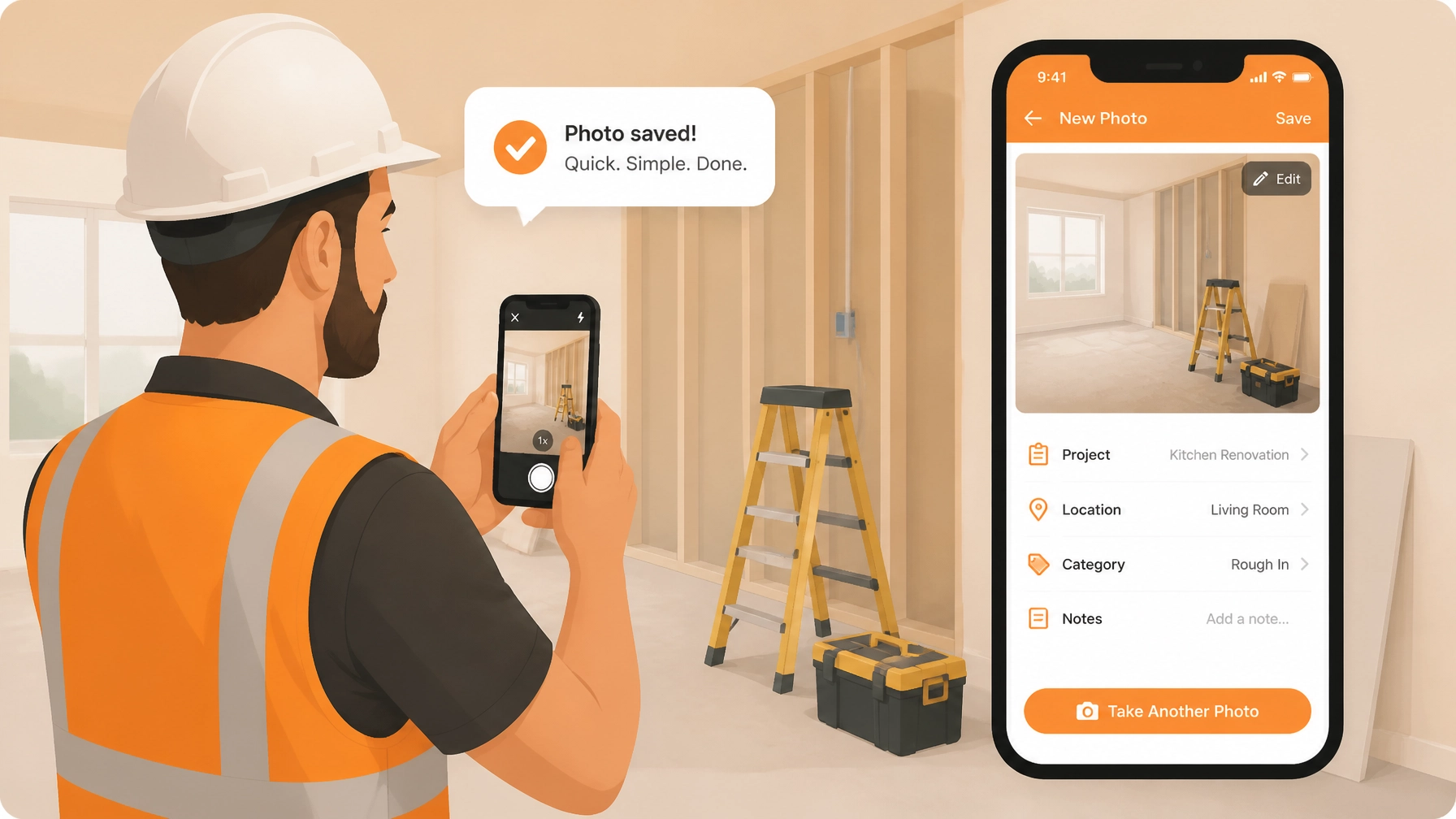
    In JobLuma, you just tap the "Log" button, snap the photo, and add a quick note like "Existing water damage on subfloor." Done.

    Step 3: Log as You Go (2 Minutes)

    The biggest mistake contractors make is waiting until the end of the day to "document." By then, you’ve forgotten the small details that actually prove your value.

    As you work, take 30 seconds here and there to log a photo of the "hidden" work.

    • The new wiring behind the wall.
    • The high-quality insulation you installed.
    • The specific brand of parts you used.

    These photos create a visual story of your craftsmanship. To the customer, it’s not just a "fixed pipe": it’s a clearly documented repair process that justifies your invoice.

    Step 4: The "After" Snap (30 Seconds)

    The job is done. The site is clean. This is your "hero shot."

    Take a final photo from the same angle as your "before" shot. JobLuma organizes these automatically into a clean, chronological timeline. You don't have to drag and drop files or rename photos. The app does the heavy lifting while you're packing up your tools.

    Step 5: Share the Timeline (1 Minute)

    A happy customer viewing a professional job timeline on their phone without needing to download an app

    Here is where JobLuma beats every other contractor photo app on the market.

    Usually, to share photos, you’d have to:

    • Email 15 large attachments (and hope they don't bounce).
    • Text them one by one (annoying for the client).
    • Ask the client to "Download our portal app and create a login." (Spoiler: They won't do it).

    With JobLuma, you hit "Share" and send a single link. The customer clicks the link and sees a beautiful, professional, branded timeline of the work you just did. They don't need to download anything. They don't need a password.

    It works on any phone or computer. It makes you look like a high-end operation, even if you’re a one-man shop.

    Why Professional Timelines Change the Game

    Why go through these 5 minutes of effort? It’s not just about "pretty pictures." It’s about running a better business.

    1. Get Paid Faster

    When a customer can see exactly what they are paying for: including the parts they can't see behind the walls: they are much less likely to haggle over the bill. A professional timeline is the ultimate "proof of value."

    2. Zero-Hassle Liability Protection

    If a dispute happens six months down the line, you have a time-stamped, organized record of exactly what you did (and what you didn't do). You can find any job in seconds on your JobLuma dashboard, rather than digging through old text threads.

    3. More Referrals

    Customers love showing off home improvements. When you send them a clean link to a "Before & After" timeline, they are 10x more likely to share that link with a neighbor or friend who needs work done. It’s a built-in marketing tool.

    A simple and organized dashboard showing various contractor jobs and project previews

    Keeping It Simple

    We know you didn't get into the trades to become a computer programmer. You got into it to build things and fix things.

    That’s why JobLuma doesn't have "Project Milestones" or "Inventory Management Modules." We focus on the core: Capture, Log, and Share.

    By spending just 5 minutes per job on your construction photo documentation, you’re building a library of your best work and protecting your business at the same time.

    Ready to stop fighting your camera roll?
    Check out our features to see how simple it really is, or sign up for a free trial today. No credit card, no complicated setup: just professional timelines in minutes.


  • How to Choose the Best Contractor Photo App for Your Small Trade

    How to Choose the Best Contractor Photo App for Your Small Trade

    If you’ve ever spent thirty minutes scrolling through your personal phone gallery: past pictures of your kids, your dog, and last weekend’s BBQ: just to find that one photo of a "rough-in" you did three weeks ago, you’re not alone.

    For plumbers, electricians, HVAC techs, and handymen, photos are more than just memories. They are your proof of work, your protection against disputes, and your best marketing tool. But when your photos are scattered across different phones, text threads, and folders, they aren’t working for you.

    Choosing the right contractor photo app is one of the smartest moves you can make to reclaim your time and professionalize your business. But with so many options: from massive project management suites to basic cloud storage: how do you pick the one that actually makes your life easier?

    Let’s break down how to find the best construction photo documentation tool for your small trade business without getting bogged down by features you’ll never use.

    The Problem with "Free" and "Big"

    When small contractors look for a contractor job app, they usually fall into one of two traps:

    1. The "Camera Roll & WhatsApp" Trap

    It’s free, it’s already on your phone, and it’s familiar. But the "Native App" method is a mess. Photos get lost, your personal storage fills up, and you can never find what you need when a customer asks for proof of what’s behind a wall. Plus, sending a flurry of 20 unorganized photos via text doesn't exactly scream "professional."

    2. The "Enterprise Bloat" Trap

    On the other end of the spectrum, you have massive contractor software designed for multi-million dollar construction firms. These apps do everything: scheduling, estimating, payroll, CAD viewing, and more.

    The problem? They are expensive, require hours of training, and are way too complex for a small team that just needs to document a job and get to the next site. You shouldn't need a PhD in software engineering just to log a "before" photo.

    Comparison of bloated software vs a simple contractor photo app

    What Small Trades Actually Need

    If you are running a solo operation or a small team, your needs are specific. You need a tool that works as fast as you do. Here is the checklist of what to look for when choosing your photo timeline app.

    1. Mobile-First Design

    You aren't sitting at a desk; you’re in a crawlspace, on a roof, or in a van. The app must be designed for one-handed use. If it takes more than two taps to start taking a photo for a specific job, it’s too slow.

    2. Job-Based Organization

    The best contractor photo app will automatically group your photos by the customer or the job address. You shouldn't have to create complex folder structures manually. At JobLuma, we built our platform so you can create a job, snap a photo, and have it instantly filed where it belongs.

    3. Before and After Timelines

    There is nothing more satisfying (or protective) than a clear before and after photo app experience. Being able to show a customer the "disaster" you started with and the "masterpiece" you finished with is the best way to justify your pricing and get referrals.

    Illustration of a before and after job timeline

    4. Easy Sharing (The "No-App" Factor)

    This is a big one. Most software requires your customer to download their app, create a login, and "join a project" just to see their own photos.
    Pro-tip: Your customers won't do it.

    Look for a tool that lets you share a professional, branded timeline via a simple web link. They click, they see your work, and they’re impressed: no passwords required. This is a core feature of JobLuma that our users love.

    Step-by-Step: How to Choose Your App

    Step 1: Audit Your Current Workflow

    For one week, pay attention to how you handle photos.

    • How many times do you take a photo?
    • Where do those photos go?
    • How often do you actually show them to a customer?
      If you find yourself dreading the "admin work" of organizing photos at 8:00 PM on a Friday, you need a dedicated app.

    Step 2: Focus on Simplicity

    Don't be swayed by "feature lists." A list of 100 features is just 100 things that can break or confuse your crew. Look for a tool that focuses on the core: logging photos, adding notes, and sharing timelines.

    Step 3: Check the "Friction"

    Download a few options and try to log a "Job" in under 30 seconds. If you have to fill out 15 fields (Client ID, Project Code, Billing Category) just to take one photo, delete the app. In the field, every second counts.

    Step 4: Evaluate the Output

    The goal isn't just to store photos; it’s to use them. Look at the reports or timelines the app generates. Do they look professional? Does your logo appear on them? Are they easy for a non-tech-savvy homeowner to navigate?

    A contractor sharing a job timeline link with a happy homeowner

    Why JobLuma is Different

    We didn't build JobLuma for giant corporations; we built it for the person behind the wrench. Our mission at JobLuma is to provide the simplest job photo logging app on the market.

    • Zero Bloat: We don't do payroll. We don't do complex Gantt charts. We do photos and notes, and we do them better than anyone else.
    • Branded Timelines: Your work looks like a million bucks when presented in our clean, professional timelines.
    • Customer Friendly: Your clients can see the progress of their project without downloading a single thing.
    • Affordable: Our pricing is built for small businesses, not enterprise budgets.

    The Benefits of Getting It Right

    When you finally move your construction photo documentation to a dedicated tool, three things happen:

    1. You Win More Referrals: When you send a beautiful, organized timeline of your work, customers perceive you as more professional than the "other guy" who just sent a few blurry texts.
    2. You Get Paid Faster: Documentation is your best friend when it comes to billing. "Here is exactly what we did, and here is the proof." It’s hard to argue with a photo.
    3. Peace of Mind: If a customer calls six months later claiming you damaged something, you can pull up the "before" photo in seconds. That alone is worth the cost of the software.

    Conclusion

    You’re an expert at your trade. You shouldn't have to be an expert at software. The best contractor photo app is the one that stays out of your way and lets you focus on the work while it handles the documentation in the background.

    Ready to stop scrolling through your personal photos and start building a professional job history? Sign up for JobLuma today and see how simple job logging can be.


  • Why JobLuma is the Simple Choice for Busy Contractors

    We built JobLuma because we saw too many tradespeople struggling with messy camera rolls and overly complicated software. Our mission was simple: make job documentation as easy as taking a photo.

    Here is how we help you reclaim your time:

    Mobile-First by Design

    We know you're usually holding a tool in one hand and your phone in the other. JobLuma is built specifically for the field. The buttons are big, the interface is clean, and the app is lightning-fast. You can snap a photo, add a quick note, and be done in seconds.

    Before and After Timelines

    Our before and after photo app functionality isn't an afterthought: it's the core of what we do. As you log photos throughout the day, JobLuma automatically builds a chronological timeline. You can instantly see the progress of any job without having to organize a single folder.

    Professional Branding Without the Effort

    Every timeline you share with a customer is branded and professional. It makes your small service shop look like a much larger, more established operation. When customers see that level of detail, they don't just pay their invoices faster; they remember your name when their neighbors ask for a recommendation.

    Protect Your Reputation

    Disputes happen. A customer might claim you damaged a floor or didn't complete a specific part of the job. With JobLuma, you have a time-stamped, organized record of every step. Having that construction photo documentation readily available can save you thousands of dollars in "he-said, she-said" arguments.

    Common Mistakes to Avoid with Job Photos

    Even with the best tools, you need a good process. Here are a few common pitfalls to avoid:

    1. Waiting until the end of the day: Don't wait until you're in your truck to upload photos. You'll forget the details. Take the photo the moment the work is done.
    2. Poor lighting: A dark, blurry photo of a circuit breaker isn't helpful to anyone. Make sure you use your phone's flash or a work light so the "after" shots actually look good.
    3. Forgetting the wide shot: It’s great to have a close-up of a new faucet, but make sure you also take a wide shot of the whole bathroom. Context is everything when you're looking back at a job six months later.
    4. Not adding notes: A photo tells a story, but a note adds the "why." A quick note like "Replaced rusted washer: customer was aware" can be a lifesaver during a warranty claim.

    Ready to Clean Up Your Camera Roll?

    Stop letting your business live in your personal photo gallery. It’s time to switch to a contractor photo app that works as hard as you do.

    With JobLuma, you get simplicity, professionalism, and peace of mind: all without the headache of "bloated" project management software. Your camera roll is for your life; JobLuma is for your work.

    Get started for free today and see how much time you save on your very next job. Or, check out our pricing to see how we fit your business.


  • How to Create Professional Before and After Timelines in Under 5 Minutes

    How to Create Professional Before and After Timelines in Under 5 Minutes

    If you’re a plumber, electrician, or HVAC tech, your phone’s camera roll is probably a disaster. Between the blurry shots of serial numbers and the thirty photos of a leaky faucet from different angles, finding that one "before" shot to prove you did a great job can feel like searching for a needle in a haystack.

    We get it. You’re busy. You’re in the field, your hands are dirty, and the last thing you want to do is spend your evening wrestling with complicated project management software just to show a client what you worked on.

    But here’s the thing: before and after photo documentation isn't just a "nice to have." It’s your best defense against "he-said-she-said" disputes, your most powerful sales tool, and the easiest way to build massive trust with your customers.

    In this guide, we’re going to show you how to create professional, branded job timelines in under five minutes: without the headache.

    Why Before and After Timelines are Your Secret Weapon

    Most contractors take photos. Very few organize them. When you take the extra step to present those photos as a clean, chronological timeline, three things happen:

    1. You Protect Your Back (and Your Wallet)

    Ever had a customer claim you scratched their floor or broke a tile that was already cracked? Without a timestamped "before" photo, it’s your word against theirs. A professional timeline creates an indisputable paper trail. It proves exactly what the site looked like when you arrived and exactly how you left it.

    2. You Build Instant Trust

    Customers can’t always see the "magic" you do behind a wall or under a sink. By showing them a step-by-step progress log, you’re making your hard work visible. It shows you’re organized, professional, and have nothing to hide.

    3. You Close More Jobs

    When a prospect asks, "Can you handle a job like this?" you don't want to scroll through 4,000 photos of your kids and your dog to find a similar project. Having a library of clean before-and-after timelines allows you to show off your craftsmanship instantly.

    Chaos vs. Organization: A messy camera roll compared to an organized JobLuma timeline

    The Problem with Traditional "Contractor Software"

    If you’ve looked for a contractor photo app before, you’ve probably run into a big problem: most of them are too bloated.

    They want you to manage your entire payroll, inventory, and GPS tracking all in one place. They’re expensive, they take hours to learn, and they’re built for office managers, not the person actually holding the wrench.

    At JobLuma, we took a different approach. We built a tool specifically for the field. It does three things and does them perfectly:

    1. Create a job.
    2. Log photos and notes.
    3. Share the timeline.

    No fluff. No steep learning curve. Just professional results.

    How to Create Your First Timeline in 5 Minutes (or Less)

    Ready to look like a pro? Here is the simple workflow used by the fastest-growing service shops.

    Step 1: The "Before" Walkthrough (60 Seconds)

    Before you even touch a tool, open the JobLuma app and create a new job. Take 2-3 wide-angle shots of the work area.

    • Pro Tip: Stand in a spot you can easily return to later. This makes the "after" transition look much more dramatic.

    Step 2: The "Progress" Snaps (60 Seconds)

    If you’re doing something complex: like a full electrical panel upgrade or a rough-in: snap one or two photos of the work while it’s still exposed. Add a quick note like "Rough-in complete, ready for inspection." These small updates are gold for customer peace of mind.

    Step 3: The "After" Shots (60 Seconds)

    Once the job is done and the area is cleaned up, stand in the exact same spots you stood for the "before" photos. These side-by-side comparisons are what really "wow" the customer.

    Step 4: Add Context (60 Seconds)

    In JobLuma, you can quickly tap on a photo to add a caption. Mention the materials used or specific fixes made. This turns a simple gallery into a professional report.

    Step 5: Share with One Tap (30 Seconds)

    This is where JobLuma shines. You don’t need to download a PDF, attach it to an email, and hope it’s not too big to send. You just hit "Share," and it generates a clean, branded link you can text or email to your customer.

    A contractor sharing a job timeline link with a happy homeowner

    The "No-App-Download" Advantage

    We know what you’re thinking: "My customers don't want to download another app just to see their photos."

    You’re 100% right. They don't.

    One of the biggest friction points in construction photo documentation is forcing the client to create a login or download a heavy app. With JobLuma, the customer gets a simple web link. They click it, and they’re looking at a professional, branded timeline of your work right in their mobile browser.

    It looks great on their phone, it makes you look like a tech-savvy pro, and they can easily save it for their own records or share it with their insurance company if needed.

    3 Tips for Better Field Photos

    You don't need to be a professional photographer to create great timelines. Just follow these three field-tested rules:

    1. Light is Your Friend: If you’re in a dark crawlspace or attic, use a work light. Grainy, dark photos don't just look bad: they’re useless for documentation.
    2. Wide vs. Tight: Always take one "wide" shot to show the room and one "tight" shot to show the detail (like a specific weld or wire connection).
    3. The "Clean-Up" Shot: Never take your final "after" photo until the tools are cleared and the floor is swept. A clean job site is the hallmark of a high-end contractor.

    A close-up of a clean, professional photo log with timestamps and notes

    Stop Using Your Camera Roll as a Filing Cabinet

    If you’re still texting photos to yourself or leaving them to rot in your camera roll, you’re leaving money on the table. You’re also leaving yourself vulnerable to disputes that could cost you thousands.

    Professional contractor software doesn't have to be complicated. It should work as hard as you do, without getting in the way.

    Ready to level up your business and start creating professional timelines in minutes? Start your free trial of JobLuma today and see how much easier your workdays can be.


  • How to Create a Professional Construction Photo Timeline in Under 5 Minutes

    How to Create a Professional Construction Photo Timeline in Under 5 Minutes

    If you’re an electrician, plumber, or HVAC technician, your phone’s camera roll probably looks like a chaotic puzzle. There are photos of a leaky pipe from three weeks ago, a blurry shot of a breaker box from yesterday, and maybe a few pictures of your dog mixed in for good measure.

    When a customer asks, “Hey, what exactly did you do behind that drywall?” or, heaven forbid, a dispute arises about the state of the job site before you arrived, scrolling through thousands of unsorted photos is a nightmare.

    Creating a professional construction photo timeline used to be a chore. You had to download photos to a laptop, rename files, put them in folders, and maybe even build a clunky PDF to email to the client. Most small service contractors simply don't have the time for that.

    But here’s the secret: you can create a branded, professional, and indisputable photo record of your work in under five minutes. No, you don't need a degree in project management or expensive, bloated contractor software. You just need a simple process.

    Why a Photo Timeline is Your Best Insurance Policy

    Before we dive into the "how," let's talk about the "why." Why should you care about construction photo documentation?

    1. It Kills Disputes Before They Start

    We’ve all been there. You finish a beautiful tile job, and two days later, the homeowner claims you scratched their hardwood floor in the hallway. If you have a time-stamped photo of that hallway before you even brought your tools inside, the conversation ends before it starts. A before and after photo app provides the proof you need to protect your reputation and your wallet.

    2. You Get Paid Faster

    Clients are much more willing to stroke a check when they can see the progress. A photo timeline shows them the "hidden" work: the wiring behind the walls, the insulation, the structural repairs: that they can’t see once the job is finished. Visual proof of milestones makes invoicing a breeze.

    3. It Makes You Look Like a Pro

    Most small shops are still texting blurry photos to their clients. When you send a clean, branded link showing a chronological timeline of your work, you immediately stand out from the competition. It shows you’re organized, transparent, and professional.

    4. Better Team Communication

    If you have a small crew, a contractor job app allows everyone to see what was done the day before. You don't have to play phone tag to find out if the rough-in is finished or if the site was cleaned up.

    A split screen illustration showing a messy 'before' bathroom and a clean 'after' bathroom

    How to Build a Timeline in Under 5 Minutes

    The goal isn't to spend your whole day taking photos. The goal is to make it a seamless part of your workflow. Here is the 5-minute blueprint using a dedicated contractor photo app like JobLuma.

    Step 1: The "Before" Walkthrough (60 Seconds)

    As soon as you hop out of the truck, open your job. Take 3–5 wide shots of the work area.

    • The Entrance: Show the floors and walls leading to the workspace.
    • The Work Zone: Capture the current state of the equipment or area you’re fixing.
    • The "Pre-existing" Damage: Spot a crack in the wall? A stain on the carpet? Snap it now.

    Step 2: The "During" Progress Log (60 Seconds)

    You don't need to take a photo every time you turn a screw. Just capture the "point of no return" moments.

    • Behind the scenes: Take photos of everything that will be covered by drywall or flooring.
    • Milestones: If you’re a plumber, snap the new stack before the walls go up. If you're an electrician, show the neat wiring in the panel.

    Step 3: The "After" Showcase (60 Seconds)

    This is your marketing gold. Clean the area, remove your tools, and take the same shots you took in Step 1.

    • The Reveal: High-quality shots of the finished product.
    • The Clean-up: A photo showing the site is as clean (or cleaner) than you found it.

    Step 4: The One-Click Share (30 Seconds)

    Instead of emailing a zip file or texting 20 images, you simply share a link. With JobLuma, the customer doesn't even need to download an app. They just click the link you text them and see a beautiful, branded timeline of your work.

    An illustration of a smartphone app interface with simple 'Before' and 'After' buttons

    Avoiding the "Bloated Software" Trap

    Many contractors realize they need better documentation and immediately go out and buy a massive project management suite. These platforms are built for huge construction firms building skyscrapers. They have Gantt charts, complex RFI systems, and accounting integrations that require a week of training just to understand.

    For a small service shop or a solo operator, that’s overkill. You don’t need to manage a $50 million budget; you just need to document a $5,000 renovation.

    When software is too complicated, you stop using it. Your crew stops using it. And you end up right back where you started: with a phone full of random, unsorted photos.

    A photo timeline app should be "mobile-first." It should be designed for a guy wearing gloves on a ladder, not an executive sitting in a swivel chair. That’s why we built JobLuma to be fast. Open the app, snap the photo, and get back to the actual work.

    The "No-App" Advantage for Customers

    One of the biggest hurdles in construction communication is getting the customer to cooperate. If you tell a homeowner they need to create an account and download a specific app just to see their project photos, they probably won't do it.

    Your documentation tool should be invisible to them. When you use a professional contractor photo app, the sharing experience should be as simple as opening a web page.

    • No passwords for them to remember.
    • No storage space taken up on their phone.
    • A simple, chronological scroll of their project.

    This "no-friction" approach is what makes customers rave about your service. They feel involved and informed without having to do any extra work.

    A contractor and a homeowner looking at a progress report on a smartphone together

    Pro-Tips for Better Photos

    To make your timeline truly professional, keep these three tips in mind:

    1. Consistent Angles: Try to take your "After" photos from the exact same spot you took your "Before" photos. It makes the transition look much more dramatic and professional.
    2. Lighting Matters: If you’re working in a dark crawlspace or attic, use a work light. Blurry, dark photos don't help much in a dispute.
    3. Use Notes: A photo of a pipe is great. A photo of a pipe with a note saying "Replaced 3ft of corroded copper with PEX" is better. Modern contractor software lets you add these notes instantly as you take the photo.

    Ready to Level Up Your Documentation?

    Documentation doesn't have to be a headache. It doesn't have to involve hours of office work on the weekend. By spending just five minutes per job logging your progress, you can build a more professional business, protect yourself from liability, and win more referrals.

    At JobLuma, we believe in keeping things simple. We provide a straightforward photo logging app designed specifically for the trades. No bloat. No complicated features. Just your work, documented perfectly.

    Stop losing your photos in your camera roll. Start building a professional timeline today.


  • How to Create a Professional Job Timeline in 5 Minutes (Without the Tech Headache)

    How to Create a Professional Job Timeline in 5 Minutes (Without the Tech Headache)

    If you’re a plumber, electrician, or HVAC tech, you didn’t get into this business to become a data entry clerk. You got into it to build things, fix things, and keep your community running. But lately, it feels like half your day is spent wrestling with "solutions" that are supposed to make your life easier but actually just give you a massive tech headache.

    We’re talking about those bloated project management suites. You know the ones: the contractor software that costs $200 a month, takes six weeks to learn, and has more buttons than the cockpit of a 747. Most of the time, you just want to show your customer that you did a great job and get paid on time.

    What if you could create a professional, branded job timeline in under five minutes? No spreadsheets, no complex Gantt charts, and definitely no making your customers download yet another app.

    Here is how you can streamline your construction photo documentation and reclaim your time using a simple contractor photo app like JobLuma.

    The Problem: The "Bloated Software" Trap

    Most trade professionals are stuck between two bad options. On one hand, you have the "Camera Roll Chaos." This is where you take 50 photos of a job, they get buried between pictures of your kids and your dog, and you end up texting three blurry "after" shots to a client at 9:00 PM. It looks unprofessional, and it’s a nightmare to find those photos six months later when a dispute arises.

    On the other hand, you have high-end project management software. These platforms are built for massive construction firms building skyscrapers. They want you to log every nail, track every minute of labor, and manage complex supply chains. For a solo operator or a small team doing residential or light commercial work, it’s overkill.

    A frustrated contractor looking at a complex and cluttered software interface

    When software is too hard to use, you stop using it. You go back to your camera roll, and the cycle of disorganized documentation continues. That’s why we built JobLuma to be the simplest before and after photo app on the market. We focused on the three things that actually matter: capturing the work, organizing it automatically, and sharing it professionally.

    Step 1: The "Before" Snap (1 Minute)

    Every pro knows that the "before" photo is your best insurance policy. Whether you’re dealing with a leaky pipe, a frayed wire, or a messy attic, you need proof of what things looked like when you arrived.

    With a mobile-first contractor job app, you don't need to open a laptop. You just:

    1. Open the app on your phone.
    2. Create a new job (just a name and a customer).
    3. Snap a few "before" photos right then and there.

    These photos are instantly tagged to that specific job. You aren't mixing them up with the job you did three hours ago. This simple habit protects you against "he said, she said" disputes later on. If a customer claims you scratched their floor, but your "before" photo clearly shows the scratch was already there, you’ve just saved yourself hundreds of dollars and a massive headache.

    Step 2: Logging Progress on the Fly (2 Minutes)

    As you work, you might see things that the customer needs to know about. Maybe the wiring isn't up to code, or there's hidden water damage behind a wall.

    Instead of trying to remember all these details to write in an email later, you can add quick notes to your photos as you take them. This is the heart of effective construction photo documentation.

    • Take a photo of the issue.
    • Dictate a quick note (most modern phones handle speech-to-text beautifully).
    • Move on with your work.

    By the time you're halfway through the job, your timeline is already building itself. You’re not "doing paperwork"; you’re just documenting the reality of the site.

    Step 3: The "After" Shot and the Magic of Timelines (1 Minute)

    This is the most satisfying part. You’ve finished the repair, the installation is clean, and the site is spotless. Take those final "after" photos.

    JobLuma takes all these entries: the before shots, the progress notes, and the final results: and organizes them into a clean, vertical timeline. It looks like a high-end social media feed, but for your hard work.

    A split-screen illustration showing a clear before and after comparison of a job

    A professional photo timeline app doesn't just store images; it tells the story of your quality. It shows the customer exactly what they paid for, especially for the work they can't see (like what's behind the drywall or up on the roof).

    Step 4: One-Click Sharing (1 Minute)

    This is where most software fails. They require your customer to create an account, remember a password, and log into a "portal."

    Let’s be honest: your customers aren't going to do that. They just want to see the photos.

    With JobLuma, you send a single link via text or email. The customer clicks the link and can view the entire branded timeline in their mobile browser. No app download. No login. Just a professional presentation of your work that they can view on their phone while they're at lunch.

    This "no-friction" experience makes you look like the most tech-savvy contractor in town, even if you hate technology. It builds trust instantly. When a customer sees a professional timeline, they are much less likely to haggle over the bill because they can see the effort and expertise that went into the job.

    Check out our features page to see exactly how this sharing works.

    Why Simple Documentation is a Business Superpower

    You might think that spending five minutes on a timeline is just an extra chore. But for a small service shop, this is a growth strategy.

    1. Faster Payments

    When you send an invoice along with a professional job timeline, you're providing "proof of value." Customers pay faster when they have visual confirmation that the work is complete and done correctly. Some of our users have reported getting paid within minutes of sending over a JobLuma timeline.

    2. Fewer Callbacks and Disputes

    Disputes usually happen because of a lack of communication. If a customer can see the "before" and "after" clearly, there is no room for argument. If they have a question about a specific part you used, you can point to the photo in the timeline with the time-stamped note. It’s objective evidence that protects your reputation.

    3. Better Referrals

    A professional timeline is a marketing asset. When your customer shows their neighbor the great job you did, they aren't just going to show a single photo. They're going to pull up that JobLuma link and scroll through the whole process. It’s a "wow" factor that leads to more word-of-mouth leads.

    A happy customer looking at a professional job timeline on their smartphone

    Stop Fighting Your Tools

    If your current contractor software feels like a second job, it’s time to simplify. You don't need a massive database to track your photos. You need a tool that works as hard as you do and stays out of your way.

    JobLuma was designed for the field, not the office. It’s built for the guy with gloves on, working in a crawlspace, who needs to document a job before moving to the next one.

    A smartphone showing a simple share button next to a contractor's toolkit

    Ready to ditch the tech headache?

    You can start creating professional job timelines today. We’ve kept our pricing simple and transparent because we know you don't have time for sales calls and "custom quotes."

    Stop digging through your camera roll and start documenting like a pro. Your business (and your sanity) will thank you.

    Sign up for JobLuma today and get your first timeline sent in the next five minutes.


  • Why a Simple Photo Timeline Will Change the Way You Get Paid

    Why a Simple Photo Timeline Will Change the Way You Get Paid

    You know the feeling. You’ve just spent eight hours in a hot crawlspace or a cramped utility closet. You’ve finished the job, the work is solid, and you’re ready to pack up. But then comes the awkward part: the "check’s in the mail" conversation, or worse, the customer who starts questioning whether you actually replaced that specific valve or if you were the one who left a scuff on their hardwood floor.

    In the world of service trades: whether you're an electrician, plumber, HVAC tech, or handyman: your work is your word. But in 2026, a word isn't always enough to get you paid on time.

    If you want to protect your business, speed up your cash flow, and look like the professional you are, you need more than just a toolbox. You need a contractor job app that works as hard as you do. Specifically, you need a simple photo timeline.

    Here is why switching from a messy camera roll to a dedicated photo timeline app like JobLuma will change your business forever.

    The Power of the "Visual Receipt"

    Most contractors take photos. You probably have a phone gallery full of random pipes, wires, and finished drywall. But a cluttered camera roll isn't a business process. It’s a digital junk drawer.

    When you use a dedicated before and after photo app, you aren't just taking pictures; you’re creating a "Visual Receipt."

    Think about it: when a customer sees a photo of the leaking pipe before you touched it, and a crisp, clean installation after you’re done, there is zero room for debate. You’ve provided undeniable proof of value. This kind of construction photo documentation bridges the gap between the work you did (which might be hidden behind a wall now) and the invoice the customer is looking at.

    Comparison illustration showing a messy 'before' plumbing job and a clean 'after' result

    Stop Chasing Payments, Start Proving Milestones

    The biggest drain on a small contractor’s time isn't the manual labor: it’s the administrative chase. Research shows that inadequate documentation is the root cause of 70% of construction disputes. When a client is confused or unsure about what happened on-site, they hesitate. And hesitation is the enemy of getting paid.

    By using a contractor photo app, you can share a live timeline of the job as it progresses.

    • Morning: Photo of the site arrival and initial conditions.
    • Mid-day: Photo of the "guts" of the project (the wiring, the framing, the plumbing) before it’s covered up.
    • End of day: Photo of the finished product and the cleaned-up workspace.

    When you send that invoice along with a professional job timeline, the customer doesn't have to wonder if the work was done. They’ve seen it. It makes "approving" the payment a psychological "yes" rather than a skeptical "maybe."

    The "It Wasn't Me" Defense: Protecting Your Liability

    Every service pro has a horror story. You finish a job, leave the house, and two days later the homeowner calls claiming you broke a vase or scratched their fridge. Without a contractor job app to document the "before" state of the entire work area, it’s your word against theirs.

    A photo timeline serves as your ultimate insurance policy. Taking thirty seconds to snap a few "site condition" photos before you even pick up a wrench can save you thousands of dollars in headaches. If you have a timestamped photo showing that the scratch was already there, the dispute ends before it even begins.

    This is where JobLuma shines. We don't just store photos; we organize them into a clean, professional history that you can pull up in seconds if a dispute ever arises.

    Why "Simple" Always Beats "Bloated"

    There are a lot of contractor software options out there. Some of them are massive, multi-featured platforms that try to handle your accounting, your GPS tracking, your HR, and your grandma's birthday reminders.

    For a solo operator or a small team, that’s just "bloat." You don't need a PhD in software engineering to document a water heater install.

    Illustration comparing a complicated, bloated computer interface with JobLuma's simple mobile-first design

    Most project management tools are built for office managers sitting behind a desk. They aren't built for a guy with gloves on standing in a muddy trench. JobLuma is different. It’s a mobile-first design focused on the three things that actually matter:

    1. Creating a job.
    2. Logging photos and notes.
    3. Sharing the results.

    No clutter. No unnecessary buttons. Just a simple tool that gets the job done so you can get home for dinner. You can see our straightforward pricing here to see how we keep things lean for small shops.

    The Customer Experience: No Apps, No Friction

    The biggest mistake contractors make when choosing a photo timeline app is picking something that forces their customer to do work.

    If you tell a homeowner they have to "download an app" and "create an account" just to see their project photos, they aren't going to do it. You’ve just added friction to your relationship.

    JobLuma solves this with a "no-app-download" customer experience. When you’re ready to share the job log, you send them a simple, branded link. They click it, and they see a beautiful, professional timeline of your work right in their browser.

    A happy homeowner viewing a branded JobLuma timeline on their phone without needing to download an app

    It looks like you spent hours creating a custom report, but in reality, you just snapped a few photos throughout the day. It builds massive trust. And trust is the fastest way to a signed check and a five-star review.

    Making Documentation a Habit

    The key to changing how you get paid is consistency. You can't just document the "tricky" jobs. You have to document every job.

    When construction photo documentation becomes a part of your daily rhythm, you’ll notice a shift in your business:

    • Fewer "Check-in" Calls: Customers won't call to ask for updates because they can see the progress on their timeline.
    • Better Referrals: When your customers share your work with their friends, they won't just say "He's a good plumber." They'll show them the JobLuma timeline on their phone.
    • Faster Upsells: If you're doing a routine inspection and find a secondary issue (like frayed wiring or a rusted pipe), a photo makes the upsell much easier. "I noticed this while I was in there: take a look at the photo I just added to your log."

    Ready to Level Up?

    You’re a professional. Your work speaks for itself, but a simple photo timeline makes sure everyone else is listening. Stop letting "he said, she said" or slow-paying clients hold your business back.

    Switch to a contractor photo app that was built specifically for the way you work. No bloat, no complicated training: just a better way to show off your quality and get paid what you're worth.

    Ready to see how easy it is? Sign up for JobLuma today and start your first job timeline in under sixty seconds. Your bank account will thank you.


  • How to Create Professional Construction Photo Documentation in 5 Minutes

    How to Create Professional Construction Photo Documentation in 5 Minutes

    You’re finishing up a long day on-site. Your boots are dusty, your phone battery is at 4%, and you’ve just realized that you took fifty photos of today’s electrical rough-in, but they’re currently sitting in your camera roll right between a picture of your lunch and a video of your dog.

    If a client calls tomorrow and claims you didn’t install the proper bracing behind the wall, how long will it take you to find that one specific photo?

    For most small service contractors: electricians, plumbers, and HVAC techs: construction photo documentation is a chore. It’s either a mess of unorganized photos on a personal phone or it’s buried inside a bloated "project management" software that takes twenty clicks just to upload a single image.

    At JobLuma, we think that’s broken. You don't need a complex ERP; you need a simple contractor photo app that works as fast as you do.

    Here is how you can create professional-grade job logs and photo documentation in exactly five minutes.


    1. The High Cost of "I’ll Find It Later"

    Before we talk about how to do it, let’s talk about why it matters. Small contractors often skip thorough documentation because they’re busy. But "busy" becomes "expensive" when:

    • A customer disputes a bill: Without a clear "before and after," it’s your word against theirs.
    • Liability issues arise: If a leak happens six months later, can you prove your work was up to code before the drywall went up?
    • Marketing is an afterthought: You do great work, but you have no easy way to show it off to the next lead.

    Quality construction photo documentation isn't just about taking pictures; it’s about having a searchable, timestamped record that protects your business and proves your value.

    Comparison of a chaotic camera roll versus a clean, organized job timeline.


    2. The 5-Minute Professional Workflow

    You don't need to be a tech genius to build a professional timeline. Using a dedicated before and after photo app like JobLuma, the process is built to fit into the natural rhythm of your workday.

    Minute 1: Create the Job

    As soon as you pull up to the job site, open the JobLuma mobile-first app. Tap "New Job," enter the customer's name, and you're ready to go. No complicated setups, no "project modules": just a place to put your work.

    Minute 2: Capture the "Before"

    Before you pick up a tool, snap 2-3 photos. Focus on the existing conditions. If you're a plumber fixing a leak under a sink, take a photo of the water damage and the old piping. This is your "insurance policy." If the homeowner later claims you scratched the cabinet, your "before" photo is your proof of existing conditions.

    Minute 3: Log "During" Notes

    As you work, snap one or two photos of the "hidden" stuff. This includes wiring behind a wall, the specific brand of sealant used, or the structural framing. In the JobLuma contractor job app, you can quickly add a note like "Rough-in complete, inspected for leaks."

    Minute 4: The "After" Hero Shot

    The work is done, and the site is clean. Take a high-quality "after" photo from the same angle as your "before" shot. This creates a powerful visual narrative of the transformation.

    Minute 5: Share the Timeline

    This is where the magic happens. Instead of emailing a zip file or a messy Google Drive link, you hit "Share." JobLuma generates a clean, branded timeline of the job that you can text or email to your customer immediately.


    3. Why "No App Download" is Your Competitive Advantage

    We’ve all been there: a contractor sends you a link, but to see it, you have to download an app, create an account, and verify your email. Most customers won't do it.

    JobLuma was built with a "no-friction" philosophy. When you share a photo timeline app link with your client, they simply tap it and see a beautiful, professional web page on their phone.

    • No app to download.
    • No login required.
    • Instant professional appearance.

    This small detail makes you look like a tech-savvy, high-end operation, even if you’re a solo handyman or a two-person HVAC team. It builds trust, and trust leads to referrals.

    A customer effortlessly viewing a professional job timeline on their phone via a simple text link.


    4. Stop Overpaying for Bloated "Project Management"

    There are plenty of contractor software options out there that cost $200 a month and come with features for estimating, invoicing, GPS tracking, and payroll.

    But if you’re a small service shop, that’s like buying a semi-truck to pick up a bag of mulch. It’s too much equipment for the job, and it just gets in the way.

    JobLuma is the "lightweight" alternative. We focused on doing three things perfectly:

    1. Organizing photos by job.
    2. Creating before/after timelines.
    3. Making sharing easy.

    By cutting out the "bloat," we kept the app fast, simple, and affordable. You can see our pricing here to see how we compare to the big, heavy guys.

    A simple, glowing JobLuma lightbulb compared to a heavy, complex 'Complex Software' filing cabinet.


    5. Better Photos = Better Marketing

    Finally, don't forget that every job log you create is a piece of marketing content. Those before-and-after shots are exactly what potential clients want to see on your social media or in your portfolio.

    Instead of hunting through your phone's "Recents" folder to find something to post on Instagram, you can just go to your JobLuma dashboard, find the "Finished" job, and download the best shots.

    Best Practices for Construction Photos:

    • Lighting: Turn on the lights or open the blinds. Good lighting makes your work look 10x more professional.
    • Angles: Try to take the "after" photo from the exact same spot as the "before" photo.
    • Cleanliness: Always take the final photo after you’ve cleaned up your tools and debris.

    Ready to Level Up Your Professionalism?

    You don't need a whole IT department to have professional construction photo documentation. You just need five minutes and the right tool.

    Protect your work, impress your customers, and get your evenings back by getting your photos organized from the start.

    Start your free trial of JobLuma today and see how simple job logging can be.


  • How to Create Professional Before and After Photo Timelines in 5 Minutes

    How to Create Professional Before and After Photo Timelines in 5 Minutes

    You’ve been there before. A customer calls three weeks after you finished a plumbing job, claiming you scratched their hardwood floors. Or maybe you’re trying to explain to a homeowner why that "simple" bathroom refresh actually required a complete subfloor replacement.

    Without proof, it’s your word against theirs.

    In the trades, your work is your reputation. But if that work is hidden behind drywall or buried under a camera roll of 4,000 blurry photos of your kids and your lunch, it’s not doing you any favors.

    The secret to protecting your business, winning more bids, and making your customers say "wow" isn't some $300-a-month project management software that takes three days to learn. It’s a professional before and after photo timeline.

    And the best part? You can build one in about five minutes per job. Here is how to do it without the headache.


    The "Photo Problem" Most Contractors Face

    Most electricians, plumbers, and HVAC techs handle photo documentation in one of two ways:

    1. The "I'll do it later" method: You take a few photos, they sit in your phone’s gallery, and you forget which job they belong to. When you actually need them for a dispute or a social media post, they’re gone or buried.
    2. The "Over-Engineered" method: You try using a massive construction management suite. It’s clunky, it asks for 20 fields of data just to upload one photo, and your crew hates using it. So, eventually, everyone stops using it.

    Neither of these works for a busy solo operator or a small team. You need a contractor photo app that is as fast as your hammer and as easy as sending a text.

    A minimalistic illustration of a contractor using a simple mobile app on a job site with a warm orange palette
    Simple photo logging should take seconds, not minutes.

    Why Timelines Are Your Secret Weapon

    A photo timeline isn't just a gallery; it’s a story. It shows the "Before" (the problem), the "During" (your hard work and hidden quality), and the "After" (the professional result).

    According to industry data, nearly 52% of construction rework is caused by poor project data and miscommunication. When you document the process visually, you aren't just taking pictures: you're creating insurance for your business.

    1. Protection Against "He-Said, She-Said"

    When you have a time-stamped photo of the floor before you brought your tools in, a damage claim disappears instantly. That’s the power of construction photo documentation.

    2. Building Instant Trust

    Homeowners are nervous. They’ve heard horror stories about contractors cutting corners. When you send them a link to a professional timeline showing the copper pipes you just installed before the walls went up, they know they’re getting what they paid for.

    3. Marketing That Sells Itself

    A clean before/after comparison is the best sales tool you have. You can show a prospect exactly how you transformed a similar space, making it much easier to justify a premium price.


    The 5-Minute Workflow: How to Build Your Timeline

    You don't need a degree in photography or a dedicated office admin to do this. Here is the simple, 5-minute workflow using a contractor job app like JobLuma.

    Step 1: The "Before" Snap (30 Seconds)

    The moment you walk onto the job site, open your app and create a new job. Take 2–3 wide shots of the area.

    • Pro Tip: Always take one shot of the surrounding area (floors, walls, nearby furniture) to document the existing condition of the property.

    Step 2: The "In-Progress" Log (2 Minutes Total)

    Don’t wait until the end of the day. As you hit milestones: like finishing the rough-in or uncovering a hidden leak: snap a photo and add a quick note.

    • "Found rusted pipe behind the vanity."
    • "Rough-in passed inspection."

    Step 3: The "After" Hero Shot (30 Seconds)

    Once the tools are packed and the site is clean, take your final photos.

    • Pro Tip: Try to stand in the same spot where you took your "Before" shots. This makes the transformation look much more dramatic and professional.

    Step 4: Generate the Timeline (10 Seconds)

    This is where the magic happens. Instead of emailing 15 individual attachments, a dedicated before and after photo app like JobLuma organizes these into a clean, branded timeline automatically.

    Step 5: Share the Link (10 Seconds)

    Send a single link to your customer via text or email. They don't have to download anything, create an account, or log in. They just click and see the beautiful work you did.

    A hand holding a smartphone showing a clean
    A professional "After" shot is your best marketing tool.


    Why JobLuma is Different

    Most contractor software is built for office managers sitting behind a desk. JobLuma was built for the person holding the wrench.

    • No App Download for Customers: Your clients are busy. They don't want to download "ProjectPortal v4.2" just to see a photo of their new water heater. With JobLuma, you send a link, and they see the timeline in their browser.
    • Mobile-First Design: We know you’re using your phone with gloves on or while balanced on a ladder. The interface is big, simple, and fast.
    • Zero Bloat: We don't do payroll. We don't do complex Gantt charts. We do job logging and photo timelines better than anyone else.

    If you’re looking for a simple way to manage your job photos, you’ve found it.


    How Professional Timelines Win You More Business

    Think about the last three bids you lost. Was it just about price? Usually, it's about perceived value.

    When a homeowner receives two quotes: one as a plain PDF and one that includes a link to a "Sample Job Timeline" showing your past work: who do you think they trust more?

    The contractor who documents their work is the contractor who takes pride in their work. That's a powerful message to send to a potential client. By using a photo timeline app, you are signaling that you are organized, transparent, and professional.

    A contractor and a homeowner looking at a phone together, smiling and shaking hands
    Documentation builds the trust that wins the next job.

    Ready to Level Up Your Documentation?

    Stop losing your best work in your camera roll. Start building a library of professional job logs that protect your business and impress your clients.

    You can start creating your first timeline in seconds. Check out our pricing or sign up for free today to see how JobLuma can save you time and help you grow.

    Creating professional timelines doesn't have to be a chore. With the right tools, it’s just another part of finishing a job well done.